
RHYTHM 9ZF031RH03
Rhythm Air Portable Handheld Fan User Manual
Model: Rhythm Air - USB Personal Fan - White (9ZF031RH03)
Introduction
Thank you for choosing the Rhythm Air Portable Handheld Fan. This compact, light, and handy fan features the most powerful airflow technology in handheld/portable fans, making it ideal for both indoor and outdoor use. Its unique Dual Blade Technology provides a strong, focused column of air, ensuring efficient cooling wherever you need it.

Figure 1: The Rhythm Air Portable Handheld Fan demonstrating its focused airflow.
Key Features
- Dual Blade Technology: Provides a strong, focused, centralized flow of air.
- 4-Speed Settings: Low, Mid, High, and Turbo modes for customized airflow.
- Extended Reach: Turbo setting allows you to feel air up to 8-12 feet away.
- USB Type-C Charging: Convenient and modern charging interface.
- Portable Design: Compact and lightweight for easy carrying.
- Adjustable Stand: Features a 4-step adjustable stand for versatile placement.
- Long Battery Life: Up to 10 hours on Low speed.
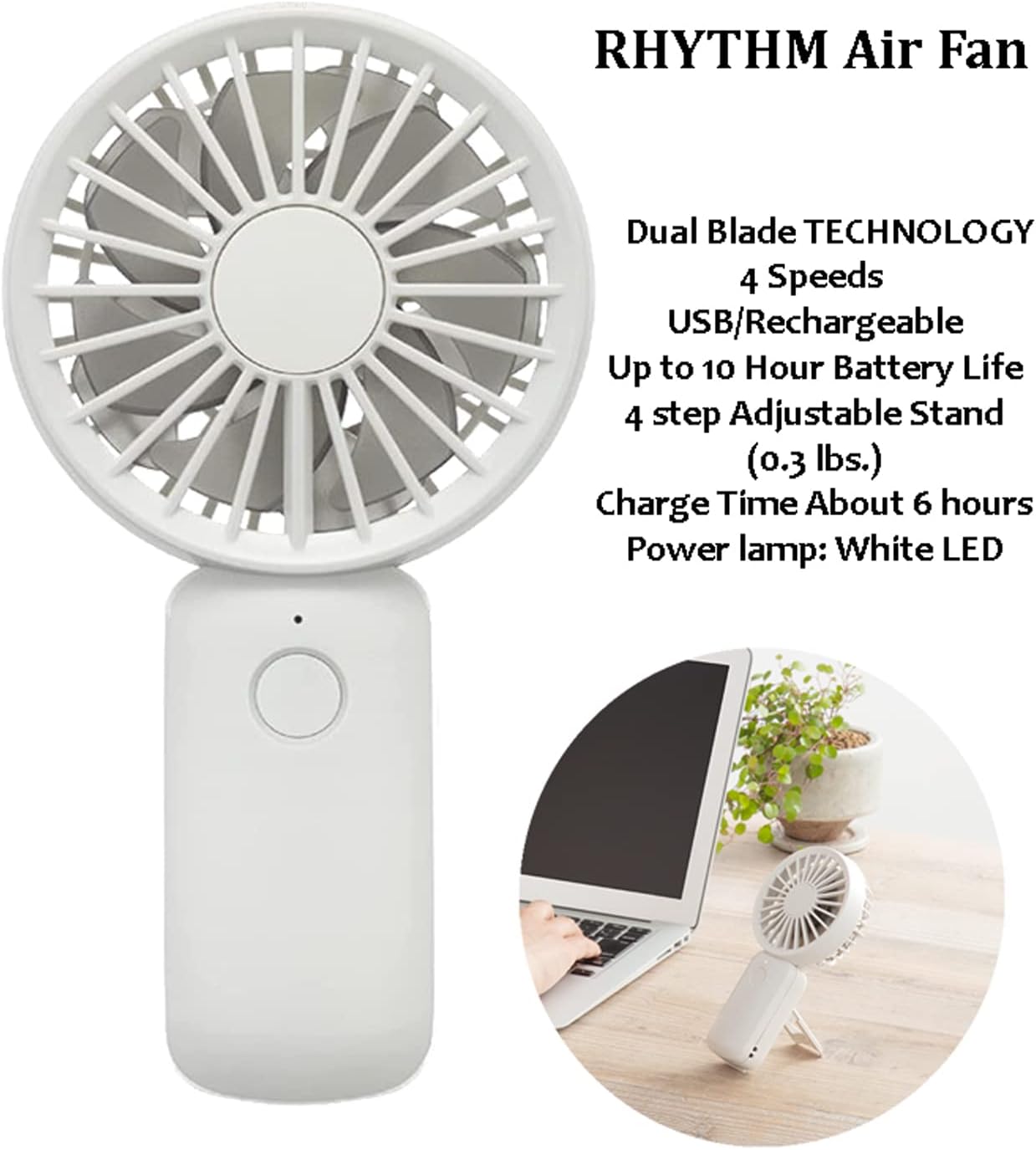
Figure 2: Overview of the Rhythm Air Fan's key features and specifications.
Setup
1. Initial Charging
Before first use, fully charge your Rhythm Air fan. The fan comes with a built-in 2000mAh Lithium-ion battery.
- Locate the USB Type-C charging port on the side of the fan handle.
- Connect the included USB Type-C cable to the fan.
- Connect the other end of the USB cable to a compatible USB power source (e.g., computer USB port, USB wall adapter, power bank).
- The power lamp (LED indicator) will illuminate during charging.
- A full charge takes approximately 6 hours. The LED indicator will change or turn off once charging is complete (specific behavior not detailed in input, assuming standard).
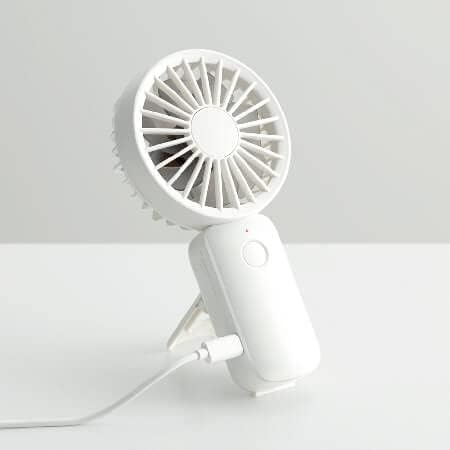
Figure 3: Charging the Rhythm Air fan using the included USB Type-C cable.
Operating Instructions
1. Power On/Off and Speed Adjustment
The fan is controlled via a single main button (touch control).
- To Power On: Press the main button once. The fan will start at the Low speed setting.
- To Adjust Speed: Press the main button repeatedly to cycle through the speed settings:
- 1st Press: Low
- 2nd Press: Mid
- 3rd Press: High
- 4th Press: Turbo
- 5th Press: Power Off
- To Power Off: Continue pressing the button until the fan turns off, or press and hold the button for a few seconds (common behavior for single-button controls, not explicitly stated but logical).
2. Dual Blade Technology Explained
The Rhythm Air fan utilizes a unique dual blade system for superior airflow. The rear blades pull air into the fan, while the front blades direct this air into a focused, strong column. This differs from regular handheld fans with a single blade, which often result in unfocused airflow.

Figure 4: Comparison of airflow between Rhythm Air's Dual Blade Technology and a regular single-blade fan.
3. Using the Adjustable Stand
The fan features a 4-step adjustable stand integrated into its handle, allowing you to position it on a flat surface for hands-free operation.
- Gently pull out the stand from the back of the handle.
- Adjust the stand to one of the four available angles to achieve your desired airflow direction.
- The fan can also be held comfortably in hand for portable use.

Figure 5: Adjusting the 4-step integrated stand for desktop use.

Figure 6: The fan's adjustable angle feature for optimal air direction.

Figure 7: The fan's ergonomic design for comfortable handheld use.
Maintenance
1. Cleaning
To ensure optimal performance and longevity of your fan, regular cleaning is recommended.
- Ensure the fan is powered off and disconnected from any power source before cleaning.
- Wipe the exterior of the fan with a soft, dry cloth.
- For stubborn dirt, a slightly damp cloth can be used, but ensure no water enters the fan's internal components.
- Do not use abrasive cleaners, solvents, or harsh chemicals, as these may damage the fan's finish or internal parts.
- The manufacturer recommends "Hand wash" for care instructions, which implies gentle cleaning of the exterior.
2. Storage
When not in use for extended periods, store the fan in a cool, dry place away from direct sunlight and extreme temperatures.
Troubleshooting
| Problem | Possible Cause | Solution |
|---|---|---|
| Fan does not turn on. | Battery is depleted. | Charge the fan using the provided USB Type-C cable. Ensure the charging indicator light is on. |
| Fan runs at low speed only. | Insufficient battery charge for higher speeds. | Recharge the fan. Higher speeds consume more power. |
| Weak airflow. | Fan blades or grilles are obstructed/dirty. | Ensure the fan grilles are clear of dust and debris. Clean as per maintenance instructions. |
| Fan makes unusual noise. | Obstruction in blades or internal issue. | Power off the fan immediately. Check for any foreign objects near the blades. If the noise persists, contact customer support. |
Specifications
| Feature | Detail |
|---|---|
| Brand | RHYTHM |
| Model Name | Rhythm Air - USB Personal Fan - White |
| Item Model Number | 9ZF031RH03 |
| Color | White (Other colors available: Blue, Dr. Gray - B09WCGN56N, B09WCS98HJ) |
| Product Dimensions | 6.25" H x 3.25" W x 1.3" D (1.3"D x 3.25"W x 6.25"H) |
| Item Weight | 0.3 Pounds (4.8 ounces) |
| Power Source | Battery Powered (USB/Rechargeable) |
| Battery Type | 2000mAh Lithium-ion Built-in Battery (1 required, included) |
| Charging Interface | USB TYPE-C (DC5.0V/500mAh) |
| Charge Time | About 6 hours |
| Battery Life | Low: 10h, Mid: 5h, High: 2h, Turbo: 0.5h |
| Number of Speeds | 4 (Low, Mid, High, Turbo) |
| Control Method | Touch |
| Motor Type | Brushless DC Motors |
| Number of Blades | 12 |
| Blade Material | Plastic |
| Included Components | USB TYPE-C cable |
| Indoor/Outdoor Usage | Indoor |
| UPC | 009136031032 |

Figure 8: Detailed dimensions of the Rhythm Air Portable Handheld Fan.

Figure 9: The Rhythm Air fan is available in multiple color options.
Warranty Information
The Rhythm Air Portable Handheld Fan comes with a 1-year warranty from the date of purchase. This warranty covers manufacturing defects and issues arising from normal use. It does not cover damage caused by misuse, accidents, unauthorized repairs, or modifications.
Please retain your proof of purchase for warranty claims.
Customer Support
For further assistance, troubleshooting not covered in this manual, or warranty inquiries, please contact Rhythm customer support.
Visit the official RHYTHM Store on Amazon for more information and contact options: RHYTHM Store
Related documents9ZF031RH03

Ask a question about this manual
Ask about setup, troubleshooting, compatibility, parts, safety, or missing instructions. Manuals+ will review the question and use this page’s manual context to help answer it.