
1. Introduction
The MiLESEEY G2 200FT Laser Measurement Tool is a high-precision device designed for accurate distance, area, and volume measurements. Equipped with an angle sensor and robust construction, it is suitable for various professional and DIY applications. This manual provides detailed instructions for safe and effective use of your device.

Figure 1: MiLESEEY G2 200FT Laser Measurement Tool with included accessories (pouch, clip, batteries).
2. What's in the Box
- MiLESEEY G2 200FT Laser Measurement Tool
- User Manual x1
- Quality Pouch
- Removable Pocket Clip
- (Note: 2 AAA batteries required, not included)
3. Product Features
- Angle Sensor: Integrated inclinometer for real-time angle display and indirect length measurements. Angle accuracy up to ±0.3°. Ideal for finding horizontal direction and precise measurements.
- Robust & Durable Design: Double Injection overmold reinforced housing for enhanced durability. Soft rubber ergonomic design for better grip. 1-meter drop-proof rated, built to withstand tough jobsite conditions.
- High Accuracy: Features MiLESEEY's PowerBurst Technology, providing accuracy up to ±1/16 inch (200FT model). Measures up to 200 feet for professional confidence.
- Memory Function: Stores the last 50 measurements taken for convenient recall.
- Easy to Use: Large HD 2.0” Back-lit LCD Screen illuminates numbers with distinct resolution, suitable for low-light or no-light conditions.
- Unit Switching: Easily switch between 4 kinds of units (m/ft/in/ft+in) to suit your preference.
- Multiple Measurement Modes: Includes real-time length, indirect length, area, volume, and Pythagorean measurement. Also features addition/subtraction capability.
- Portability: Convenient removable pocket clip and quality pouch for easy carrying.
3.1 Visual Features Overview
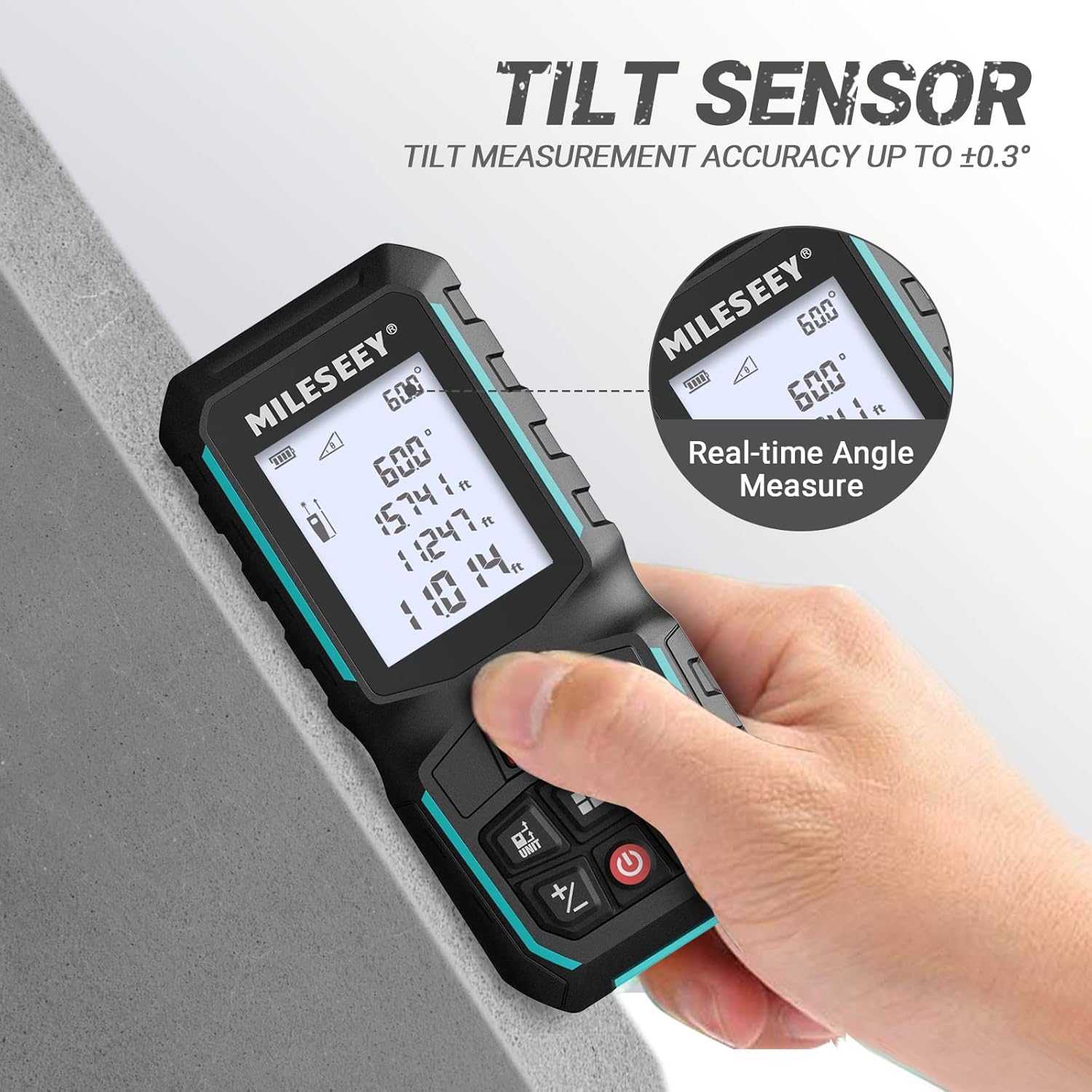
Figure 2: The G2 features a tilt sensor for real-time angle measurements, displayed on the screen.

Figure 3: Illustration of various measurement modes: Area, Volume, Pythagoras, and Auto Level/Height.

Figure 4: Internal diagram highlighting the laser and optics for ±1/16 inch accuracy.
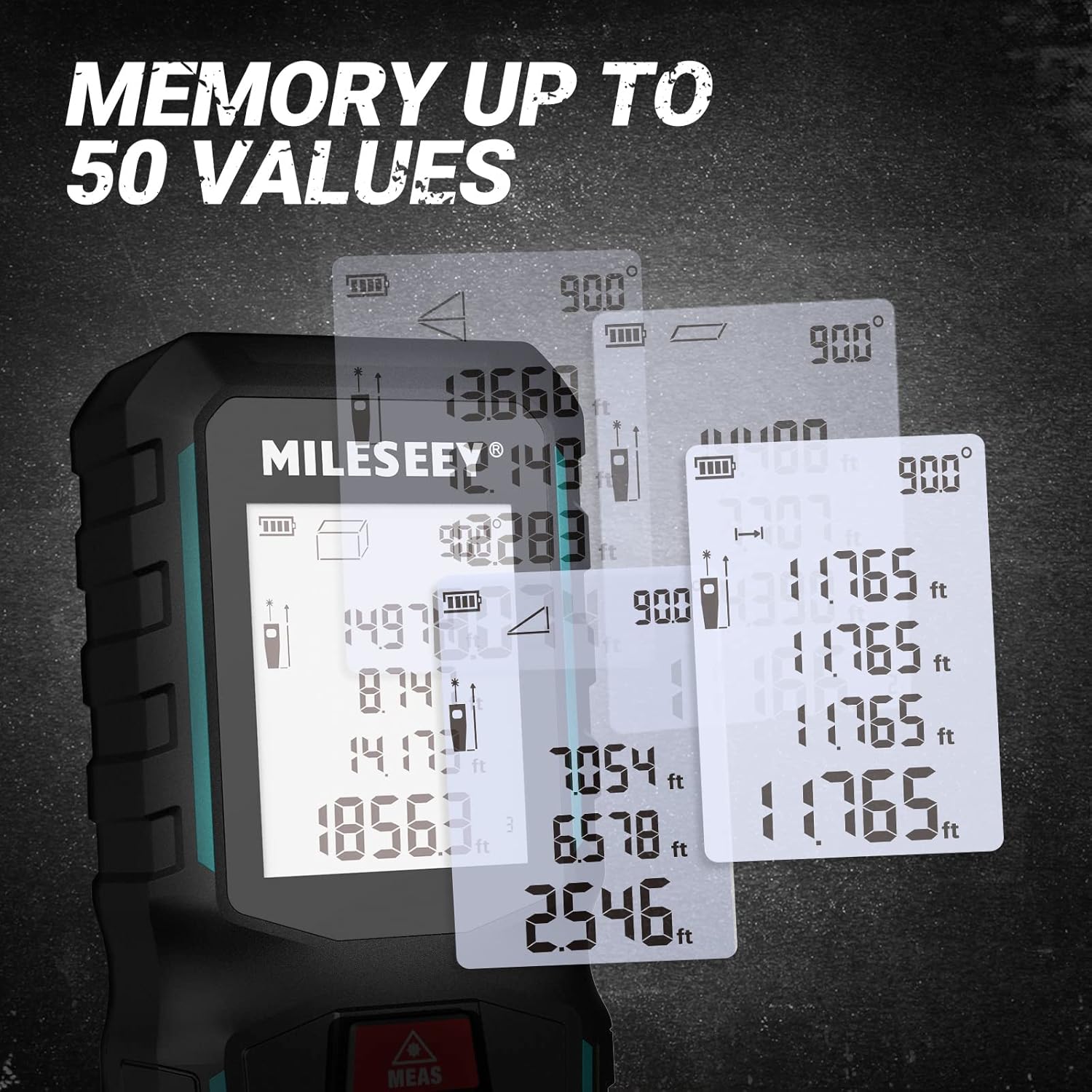
Figure 5: The device can store up to 50 measurement values for easy reference.

Figure 6: The G2's robust and durable design, featuring double injection overmold and soft rubber for enhanced grip and drop resistance.

Figure 7: Various usage scenarios demonstrating the versatility and portability of the MiLESEEY G2, including its convenient pocket clip.
4. Setup
4.1 Battery Installation
The MiLESEEY G2 requires 2 AAA Alkaline batteries (not included). To install:
- Locate the battery compartment cover on the back of the device.
- Slide the cover open.
- Insert 2 AAA batteries, ensuring correct polarity (+/-).
- Close the battery compartment cover securely.
4.2 Initial Power On
Press and hold the power button (red circle icon) for approximately one second to turn on the device. The backlit LCD screen will illuminate.
5. Operating Instructions
5.1 Basic Measurement (Single Distance)
- Ensure the device is powered on.
- Point the laser beam at the target surface.
- Press the "MEAS" button (red triangle icon) once. The laser will activate.
- Press the "MEAS" button again to take the measurement. The result will be displayed on the screen.
5.2 Changing Units
Press the "UNIT" button (square icon with "UNIT") to cycle through available units: meters (m), feet (ft), inches (in), and feet+inches (ft+in).
5.3 Measurement Modes
Press the mode button (square grid icon) to select different measurement functions:
- Single Distance Measurement: Measures the direct distance between the device and the target.
- Continuous Measurement (Tracking): Provides real-time distance updates as you move the device.
- Area Measurement: Calculates the area of a rectangular space by measuring two sides.
- Volume Measurement: Calculates the volume of a space by measuring three dimensions (length, width, height).
- Pythagorean Measurement: Uses the Pythagorean theorem to calculate indirect distances (e.g., height of a building) from two or three measured sides of a right triangle.
- Auto Level/Height: Utilizes the angle sensor for automatic horizontal leveling or height measurement.
5.4 Addition and Subtraction
Use the "+" and "-" buttons to add or subtract measurements. Take the first measurement, then press "+" or "-", take the second measurement, and the result will be displayed.
5.5 Memory Recall
The device stores up to 50 measurement values. Use the arrow buttons (if available, or refer to specific button for memory) to scroll through past measurements.
5.6 Official Product Videos
Video 1: Demonstrates the MiLESEEY G2 laser measure with angle sensor, showing its 196ft range, robust housing, angle sensor functionality, ability to record 50 data sets, and belt clip feature. It also illustrates area, volume, Pythagoras, auto level, and auto height measurement modes.
Video 2: Highlights the convenience of the MiLESEEY G2 laser measure compared to traditional tape measures. It showcases the device's silicone buttons, 2.0-inch display, durable ABS material, ±2.0mm accuracy, removable pocket clip, and multiple measurement modes including single distance and continuous measurement. It emphasizes its utility for engineering surveys, house design, and decoration.
Video 3: Compares the speed and ease of use between a traditional tape measure and the MiLESEEY G2 laser meter. It demonstrates how the laser meter is ideal for measuring floor area to prepare estimates, showcasing its efficiency in practical scenarios.
6. Maintenance
- Cleaning: Use a soft, damp cloth to clean the device. Do not use abrasive cleaners or solvents.
- Storage: Store the device in its pouch in a cool, dry place when not in use. Remove batteries if storing for extended periods to prevent leakage.
- Lens Care: The laser lens is a sensitive component. Clean it gently with a soft cloth, similar to cleaning camera lenses. Avoid touching the lens directly with fingers.
- Water Resistance: The device has an IP65 rating, meaning it is protected against dust and low-pressure water jets. Do not submerge the device in water.
7. Troubleshooting
| Problem | Possible Cause | Solution |
|---|---|---|
| Device does not turn on. | Low or dead batteries; incorrect battery installation. | Replace batteries; ensure correct polarity. |
| Laser beam is not visible in daylight. | High ambient light conditions. | This is normal for laser distance meters. Use in lower light conditions or use a target plate. |
| Inaccurate measurements. | Unstable surface; obstruction in laser path; dirty lens. | Ensure stable measurement surface; clear laser path; clean the lens. |
| Error message on screen. | Measurement out of range; internal error. | Ensure target is within 200ft range; restart the device. If problem persists, contact support. |
8. Specifications
| Feature | Detail |
|---|---|
| Brand | MiLESEEY |
| Model Number | G2-196ft |
| Measuring Range | Up to 200 feet (60 meters) |
| Accuracy | ±1/16 inch |
| Angle Accuracy | ±0.3° |
| Material | Acrylonitrile Butadiene Styrene (ABS) |
| Power Source | 2 AAA Alkaline batteries (not included) |
| Display | 2.0” Back-lit LCD Screen |
| Memory | 50 measurement values |
| IP Rating | IP65 |
| Item Weight | 8.1 ounces |
| Product Dimensions | 6 x 2.9 x 0.2 inches |
| Country of Origin | China |
9. Warranty and Support
Warranty: The MiLESEEY G2 Laser Measurement Tool comes with a 1-year warranty from the date of purchase. This warranty covers manufacturing defects and material flaws under normal use.
Support: For technical assistance, troubleshooting, or warranty claims, please contact MiLESEEY customer support through their official website or the retailer where the product was purchased. Please have your model number and purchase date ready when contacting support.