
iOCHOW C5
Contents
iOCHOW C5 Portable Dehumidifier User Manual
Model: C5
Brand: iOCHOW
1. Introduction
Thank you for choosing the iOCHOW C5 Portable Dehumidifier. This appliance is designed to efficiently remove excess moisture from your indoor environment, improving air quality and comfort. With its compact design, quiet operation, and intelligent features, the iOCHOW C5 is ideal for various spaces including bathrooms, basements, storage rooms, closets, kitchens, and living areas.
Please read this manual thoroughly before operating the dehumidifier to ensure safe and optimal performance. Keep this manual for future reference.
2. Safety Information
To prevent injury to the user or others and property damage, the following instructions must be followed. Incorrect operation due to ignoring instructions may cause harm or damage.
- Always plug the unit into a grounded electrical outlet.
- Do not operate the unit if the power cord or plug is damaged.
- Do not place the dehumidifier near heat sources or open flames.
- Ensure the unit is placed on a stable, level surface to prevent tipping.
- Do not block the air inlet or outlet. Maintain at least 20 cm clearance around the unit.
- Do not insert fingers or foreign objects into the air inlet/outlet.
- Unplug the unit before cleaning or performing any maintenance.
- Do not use chemical solvents or abrasive cleaners on the unit.
- This appliance is not intended for use by persons (including children) with reduced physical, sensory or mental capabilities, or lack of experience and knowledge, unless they have been given supervision or instruction concerning use of the appliance by a person responsible for their safety.
- Children should be supervised to ensure that they do not play with the appliance.
3. Product Overview
3.1 Components
The iOCHOW C5 dehumidifier features a compact design with essential components for efficient operation.

Figure 3.1: Front view of the iOCHOW C5 Portable Dehumidifier, showing the air intake grille, control panel area, and water tank indicator.
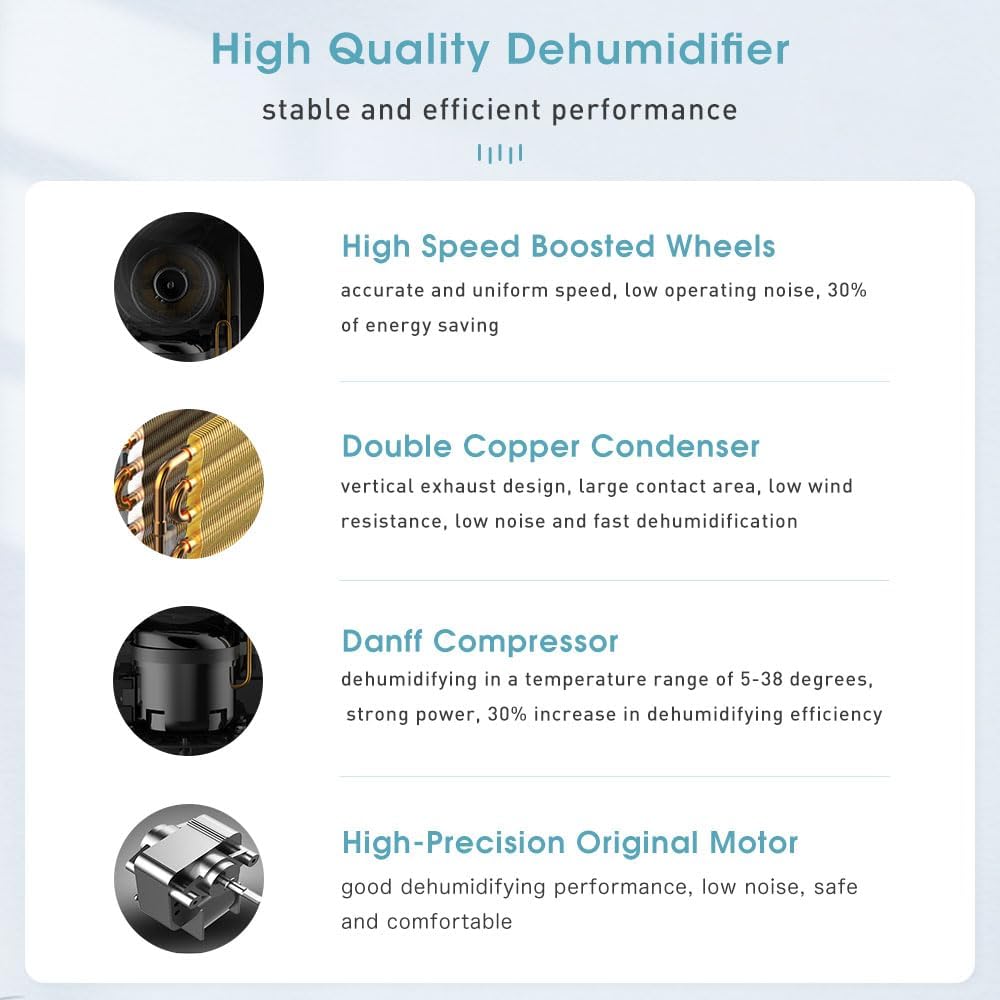
Figure 3.2: Diagram illustrating key internal components: High Speed Boosted Wheels for mobility, Double Copper Condenser for efficient dehumidification, Danff Compressor for powerful operation, and a High-Precision Original Motor for stable performance.
- Control Panel: Intuitive buttons for mode selection, humidity setting, fan speed, and timer.
- Air Inlet/Outlet: Located on the front and top for efficient air circulation.
- Water Tank: Removable 1.5-liter capacity tank for collected water.
- Continuous Drain Outlet: For connecting a hose for continuous drainage.
- Handle: Integrated handle for easy portability.
- Universal Wheels: Four wheels for effortless movement.
- Washable Dust Filter: Located behind the air inlet, designed for easy removal and cleaning.
3.2 Control Panel
The control panel features mechanical push buttons for easy operation.

Figure 3.3: Close-up of the mechanical control buttons, showing power, mode (Auto/Continuous), humidity setting, fan speed (High/Low), drying mode, and timer functions.
- Power Button: Turns the unit ON/OFF.
- Mode Button (M): Toggles between Auto and Continuous dehumidification modes.
- Humidity Setting Button (%): Adjusts the desired humidity level.
- Fan Speed Button: Selects High or Low fan speed.
- Drying Mode Button: Activates the clothes drying function.
- Timer Button: Sets the 24-hour ON/OFF timer.
4. Setup
Follow these steps for initial setup of your iOCHOW C5 Dehumidifier.
- Unpacking: Carefully remove the dehumidifier from its packaging. Retain packaging materials for future storage or transport.
- Placement: Place the unit on a firm, level surface in the desired location. Ensure there is at least 20 cm (8 inches) of space around all sides of the unit for proper airflow. Avoid placing it directly against walls or furniture.
- Mobility: The unit comes equipped with universal wheels for easy movement. Simply push or pull the unit to reposition it.

Figure 4.1: The dehumidifier equipped with universal wheels for easy relocation.
- Power Connection: Plug the power cord into a grounded electrical outlet.
- Water Tank Installation: Ensure the 1.5-liter water tank is correctly inserted into the unit.
- Continuous Drainage (Optional): If you prefer continuous drainage, connect a suitable hose (not included) to the continuous drain outlet at the back of the unit. Ensure the hose is sloped downwards to allow gravity drainage into a floor drain or larger container.
5. Operating Instructions
5.1 Basic Operation
- Power On: Press the Power button to turn on the dehumidifier. The unit will start operating in its default mode.
- Power Off: Press the Power button again to turn off the dehumidifier.
5.2 Dehumidification Modes
The iOCHOW C5 offers high-efficiency dehumidification, capable of removing up to 12 liters of moisture per day.
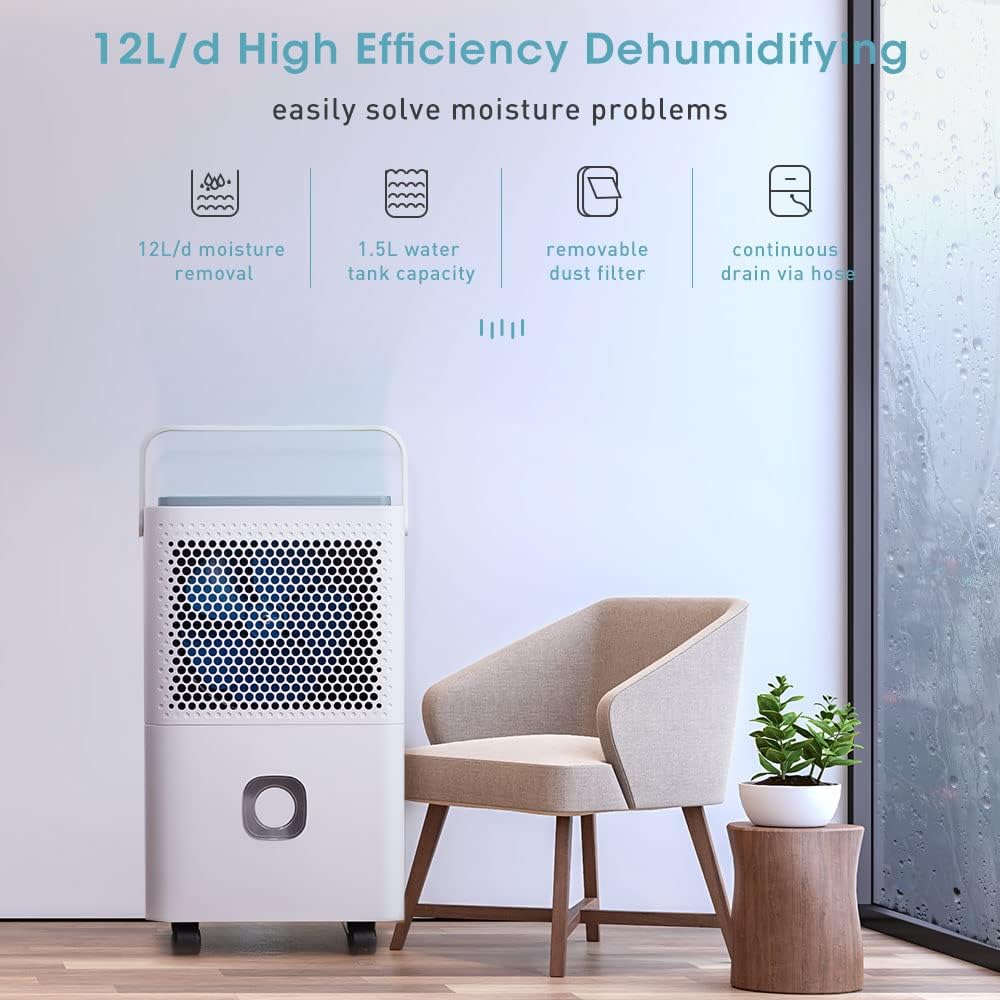
Figure 5.1: Overview of the dehumidifier's capabilities, including 12L/day moisture removal, 1.5L water tank capacity, removable dust filter, and continuous drain option.
- Auto Mode: In Auto mode, the unit will automatically adjust its operation based on the ambient humidity to maintain your set humidity level. Press the Mode button (M) to select this mode.
- Continuous Mode: In Continuous mode, the unit will operate continuously regardless of the humidity level until the water tank is full or the unit is turned off. This mode is suitable for very damp environments. Press the Mode button (M) to select this mode.
5.3 Setting Humidity Level
Press the Humidity Setting button (%) repeatedly to cycle through desired humidity levels (e.g., 40%, 50%, 60%, etc.). The unit will operate until the ambient humidity reaches the set level.
5.4 Fan Speed
Press the Fan Speed button to switch between High and Low fan speeds. High speed provides faster dehumidification, while Low speed offers quieter operation.
5.5 Clothes Drying Mode
The iOCHOW C5 can assist in drying clothes by circulating dry air. Place the dehumidifier near your laundry and activate this mode.

Figure 5.2: The dehumidifier positioned to assist in drying clothes, demonstrating its high efficiency drying capability.
Press the Drying Mode button to activate this function. The unit will operate at a high fan speed to facilitate faster drying.
5.6 Timer Function
The 24-hour timer allows you to set the unit to automatically turn ON or OFF after a specified period.
- To set Auto-OFF: While the unit is ON, press the Timer button repeatedly to select the desired number of hours (1-24) before the unit turns off.
- To set Auto-ON: While the unit is OFF, press the Timer button repeatedly to select the desired number of hours (1-24) before the unit turns on.
5.7 Intelligent Features
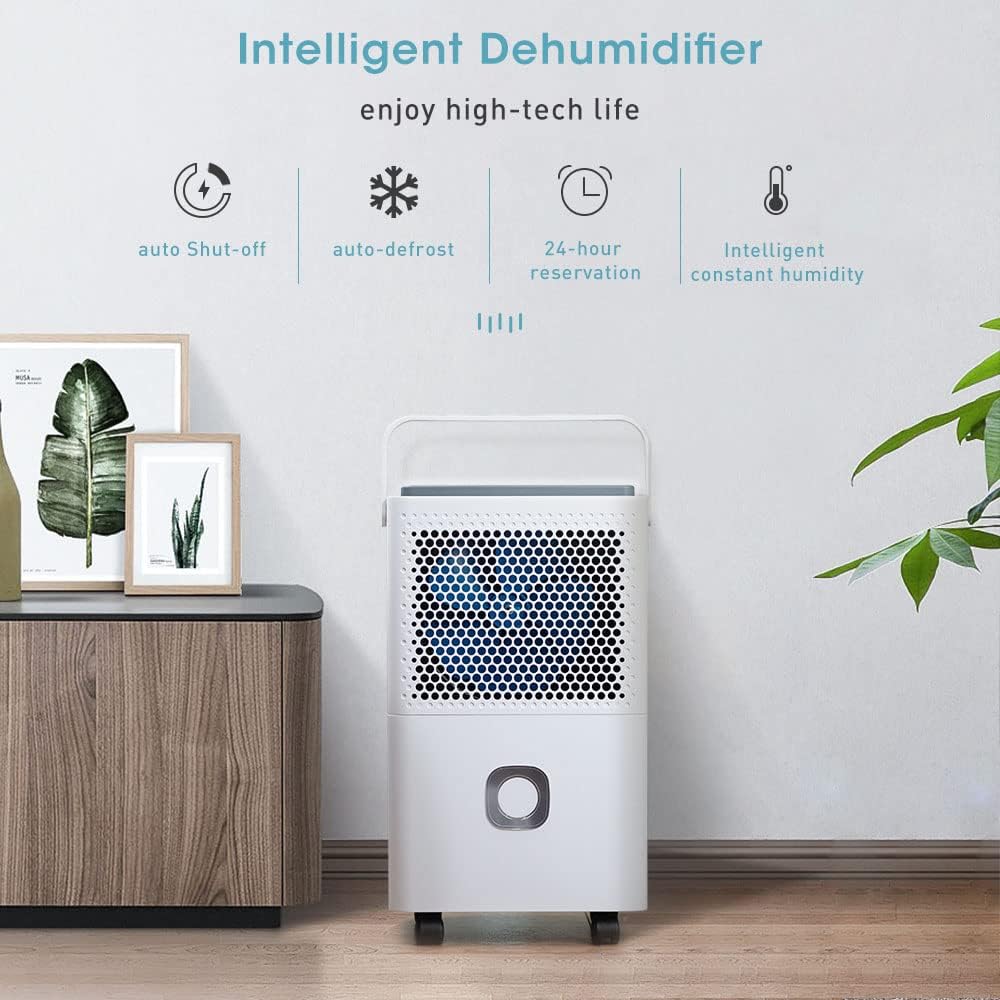
Figure 5.3: Icons representing the intelligent features: Auto Shut-off, Auto-defrost, 24-hour reservation (timer), and Intelligent Constant Humidity.
- Auto Shut-off: The unit will automatically turn off when the water tank is full to prevent overflow.

Figure 5.4: The water tank being removed, illustrating the auto shut-off feature when the tank is full.
- Auto-Defrost: If frost builds up on the evaporator coils, the unit will automatically enter defrost mode to melt the frost, ensuring continuous efficient operation.
- Intelligent Constant Humidity: In Auto mode, the unit intelligently maintains the set humidity level, turning on and off as needed.
6. Maintenance
Regular maintenance ensures the longevity and efficiency of your dehumidifier.
6.1 Cleaning the Water Tank
- When the water tank is full, the unit will automatically stop operating and an indicator light may illuminate.
- Carefully pull out the water tank from the front of the unit.
- Empty the collected water.
- Clean the tank with mild detergent and warm water periodically to prevent mold and mildew growth. Rinse thoroughly.
- Reinsert the clean water tank firmly into the unit until it clicks into place.
6.2 Cleaning the Air Filter
The washable dust filter should be cleaned every two weeks or more frequently depending on usage and air quality.

Figure 6.1: The removable dust filter being washed under running water, highlighting its washable design.
- Unplug the dehumidifier from the power outlet.
- Locate the air filter, typically behind the front air inlet grille.
- Remove the filter.
- Wash the filter with warm, soapy water. Rinse thoroughly.
- Allow the filter to air dry completely before reinserting it. Do not expose to direct sunlight or high heat.
- Reinstall the dry filter into the unit.
6.3 Cleaning the Exterior
Wipe the exterior of the unit with a soft, damp cloth. Do not use harsh chemicals, abrasive cleaners, or solvents as they may damage the surface.
7. Troubleshooting
Before contacting customer support, please refer to the following troubleshooting guide for common issues.
| Problem | Possible Cause | Solution |
|---|---|---|
| Unit does not turn on. | No power supply. Water tank is full or not properly inserted. | Ensure the unit is plugged into a working outlet. Empty the water tank and reinsert it correctly. |
| Unit is running but not collecting water. | Room temperature is too low (below 5°C). Air filter is clogged. Humidity level setting is too high. Room size is too large for the unit's capacity. | Dehumidifiers operate best above 5°C. Clean the air filter. Lower the desired humidity setting. Consider using multiple units or a higher capacity model for larger spaces. |
| Unit is noisy. | Unit is not on a level surface. Air filter is clogged. | Place the unit on a flat, stable surface. Clean the air filter. |
| Water leaks from the unit. | Water tank is not properly inserted. Continuous drain hose is blocked or improperly connected. | Reinsert the water tank correctly. Check the continuous drain hose for kinks or blockages and ensure it's securely connected. |
| Unit operates continuously without stopping. | Unit is in Continuous mode. Humidity level in the room is consistently high. | Switch to Auto mode if you want the unit to stop at a set humidity. This is normal if the humidity is very high. |
If the problem persists after trying these solutions, please contact iOCHOW customer support.
8. Specifications
Technical specifications for the iOCHOW C5 Portable Dehumidifier.
| Feature | Specification |
|---|---|
| Model Number | C5 |
| Brand | iOCHOW |
| Dehumidification Capacity | Up to 12 Liters/Day (at 30°C, 80% RH) |
| Water Tank Capacity | 1.5 Liters (removable) |
| Power Consumption | 41 Watts |
| Noise Level | <43 dB |
| Dimensions (L x W x H) | 25.6 x 20.3 x 44.5 cm (10.1 x 8.0 x 17.5 inches) |
| Weight | 9.5 kg (20.9 lbs) |
| Recommended Coverage Area | Up to 20 square meters |
| Special Features | Portable, Silent Operation, Auto Shut-off, Auto-Defrost, 24-hour Timer, Continuous Drain Option, Washable Filter |

Figure 8.1: Dimensional diagram of the iOCHOW C5 Dehumidifier, showing height (44.5cm), width (25.6cm), and depth (20.29cm).
9. Warranty and Support
iOCHOW products are manufactured to the highest quality standards. For warranty information and customer support, please refer to the warranty card included with your purchase or visit the official iOCHOW website.
For technical assistance, troubleshooting beyond this manual, or spare parts, please contact iOCHOW customer service. When contacting support, please have your model number (C5) and purchase date ready.
iOCHOW Official Website: Visit iOCHOW Store on Amazon
Ask a question about this manual
Ask about setup, troubleshooting, compatibility, parts, safety, or missing instructions. Manuals+ will review the question and use this page’s manual context to help answer it.