
Introduction
This manual provides instructions for the mDesign Plastic Storage Bin Box Container with Lid and Built-in Handles. Designed for organizing pens, pencils, work supplies, and other small items, these clear plastic bins are suitable for home offices, cabinets, and desk tops. The Ligne Collection bins are sold in a 4-pack and feature a clear design for easy visibility of contents.
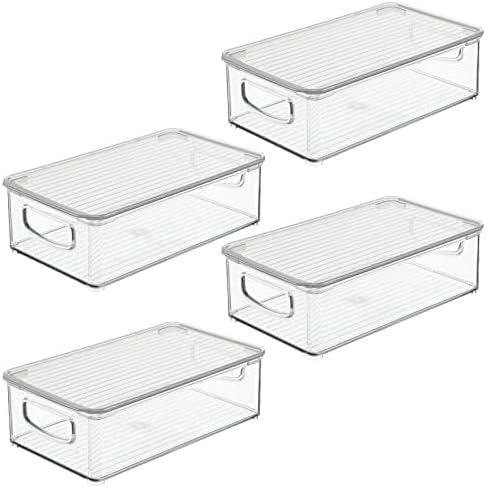
Image: A set of four mDesign clear plastic storage bins, each with a removable lid and integrated handles, presented together.
Setup
- Unpacking: Carefully remove all storage bins and lids from their packaging. Inspect each item for any signs of damage.
- Initial Cleaning: Before first use, it is recommended to wash the bins and lids with mild soap and water. Rinse thoroughly and allow them to air dry completely. This removes any manufacturing residues.
- Placement: Determine the desired location for your storage bins, such as a desk, shelf, or inside a cabinet.
Operating Instructions
1. Filling the Bins
- Lift the lid off the bin. The lid is designed for easy removal.
- Place items such as pens, pencils, markers, paper clips, or other office supplies into the bin.
- Avoid overfilling to ensure the lid can close properly and to prevent damage to the items or the bin.

Image: Four clear plastic storage bins, each containing different office supplies such as staplers, highlighters, and pencils, demonstrating their use for organization.
2. Securing the Lid
- Align the lid with the top edges of the bin.
- Gently press down on the lid until it sits securely on the bin. The lids are designed to rest on top, providing protection for the contents.

Image: A hand demonstrating the removal of the clear, ribbed lid from one of the plastic storage bins, highlighting its lift-off design.
3. Utilizing Built-in Handles
- The bins feature built-in handles on the short sides for easy portability.
- Use these handles to lift and move the bins as needed.

Image: A close-up view of a hand gripping the integrated handle of a clear plastic storage bin, illustrating the ease of transport.
4. Stacking Bins
- These storage bins are designed to be stackable.
- Ensure the lid is securely placed on the bottom bin before stacking another bin on top.
- Stacking allows for efficient use of vertical space.

Image: A visual representation demonstrating the stackable design of the storage bins, with one bin shown being placed on top of another.
Maintenance
- Cleaning: To clean the bins, use mild soap and water. Avoid abrasive cleaners or scouring pads, as these can scratch the plastic surface.
- Drying: After washing, dry the bins thoroughly with a soft cloth or allow them to air dry to prevent water spots.
- Storage: When not in use, store the bins in a cool, dry place away from direct sunlight to prolong their lifespan.
Troubleshooting
- Lid Not Fitting Securely:
Ensure the bin is not overfilled. Check for any debris or obstructions on the rim of the bin or the underside of the lid that might prevent a proper fit. Verify the lid is correctly aligned.
- Bins Not Stacking Evenly:
Confirm that the lid is properly seated on the lower bin before placing another bin on top. Ensure the surface where the bins are stacked is level.
- Scratches or Damage:
While made from durable plastic, avoid dropping the bins or exposing them to sharp objects to prevent scratches or chipping. If minor scratches occur, they typically do not affect functionality.
Specifications
| Brand | mDesign |
| Model Number | 21553MDO |
| Color | Clear/Clear |
| Material | Plastic |
| Product Dimensions (L x W x H) | 10.67" x 6.16" x 3.2" (27.1cm x 15.6cm x 8.9cm) |
| Capacity | Approximately 3.2 Pounds |
| Closure Type | Lift-Off Lid |
| Special Features | Portable, Removable Lid, Built-in Handles, Stackable |
| Number of Items | 4 |

Image: A detailed diagram illustrating the length, width, and height measurements of a single mDesign storage bin in both inches and centimeters.