
LANDXCAPE LX835
LANDXCAPE LX835 Robotic Lawn Mower User Manual
Model: LX835 | Brand: LANDXCAPE
Introduction
This manual provides essential information for the safe and efficient operation, setup, and maintenance of your LANDXCAPE LX835 Robotic Lawn Mower. Please read this manual thoroughly before using the product and keep it for future reference.

Image: The LANDXCAPE LX835 Robotic Lawn Mower with its charging dock, power adapter, blades, boundary wire, measurement gauge, staples, nails, hex key, and waterproof connectors.
1. Setup Guide
1.1 Unboxing and Component Check
Carefully remove all components from the packaging. Verify that all parts listed below are present and undamaged.

Image: A visual representation of all included components: Charge Dock, Charger, Blades and Screw (x9), Boundary Wire (180m), Measurement Gauge (x2), Boundary Wire Staples (x250), Nails (x8), Hex Key, and Waterproof Connector-HRB.
- Robotic Lawn Mower LX835
- Charging Dock
- Power Adapter/Charger
- Boundary Wire (180m)
- Boundary Wire Staples (250 pcs)
- Blades (9 pcs) and Screws
- Measurement Gauge (2 pcs)
- Nails (8 pcs)
- Hex Key
- Waterproof Connectors
1.2 Charging Station Placement
Select a flat, level area near an outdoor power outlet for the charging station. Ensure there is sufficient clear space around the station for the mower to dock easily.
1.3 Boundary Wire Installation
Lay the boundary wire around the perimeter of your mowing area. Use the provided staples to secure the wire to the ground. Ensure the wire is taut and buried or securely fastened to prevent tripping hazards and ensure proper mower operation. The mower is designed to navigate through narrow passages, which can be defined by the boundary wire.
1.4 Initial Charging
Connect the charging station to the power supply. Place the robotic mower onto the charging dock. Allow the mower to fully charge before its first operation. The LED display will indicate charging status.

Image: An illustration showing the robotic mower's battery being charged by connecting it to the charging dock.
2. Operating Instructions
2.1 Control Panel Overview
The LX835 features a user-friendly control panel with an LED digital display for easy operation. It does not require Wi-Fi connectivity.

Image: Close-up of the LX835 control panel, highlighting the LED digital display for quick and accurate system information, and the immediate stop button for safety.
- LED Digital Display: Provides real-time information and status updates.
- Keypad: Used for programming and manual control.
- Stop Button: Immediately halts the mower's operation for safety.
2.2 Starting the Mower
To start the mower, simply press the designated button on the control panel. The mower will automatically begin its mowing cycle within the defined boundary.

Image: A diagram illustrating the simple two-step process to start the mower using the control panel buttons.
2.3 Programming Schedule
The LX835 allows for flexible scheduling. You can set the daily start time and choose to mow on 3 (Mon, Wed, Fri) or 5 (Mon-Fri) days a week, as well as the daily mowing duration. An "Automatic" program is also available where the mower calculates the necessary days and hours based on the entered lawn size.

Image: The robotic mower's digital display showing time and a lock icon, indicating programmable features and security.
2.4 Safety Features
The LX835 is equipped with safety sensors. If the mower is lifted or encounters an obstacle, it will automatically stop its blades to prevent injury. The immediate stop button on the control panel also provides an instant safety override.

Image: A hand lifting the robotic mower, demonstrating the activation of its safety sensor which stops the blades upon being lifted.
2.5 Mulching System
The LX835 utilizes a mulching system. The finely cut grass clippings are returned to the lawn, providing natural nutrients and helping the soil retain moisture. This contributes to a healthier, greener lawn.

Image: The robotic mower cutting grass, illustrating its 3-blade cutting and mulching system which returns fine clippings to the lawn.
2.6 Navigation
The LX835 is designed to navigate efficiently, including through narrow passages that might be challenging for other robotic mowers. It operates on a "chaos principle" but effectively covers the entire mowing area over time.
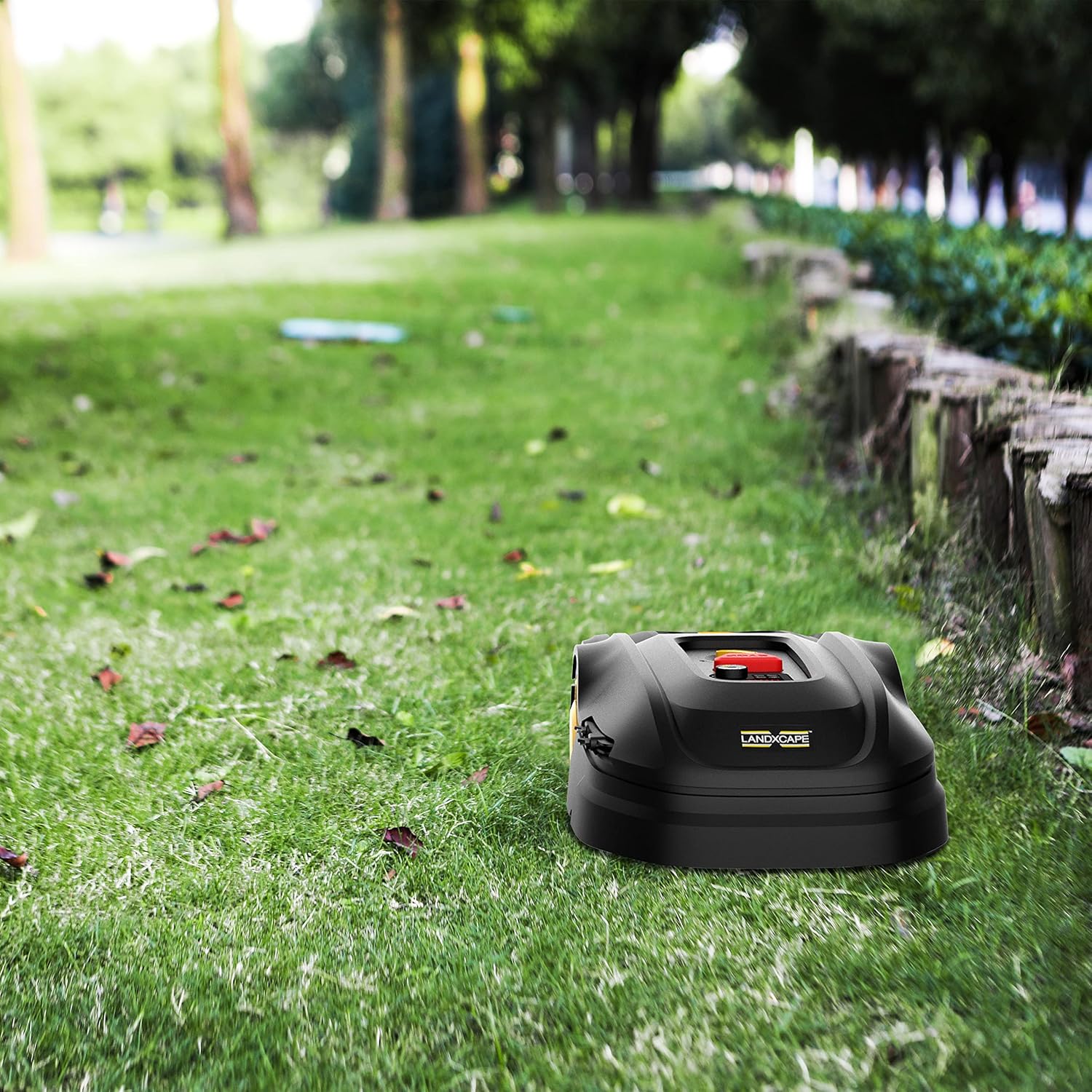
Image: The LANDXCAPE LX835 robotic mower positioned on a well-maintained lawn, demonstrating its compact design and ability to operate in various garden settings.

Image: The LANDXCAPE LX835 robotic mower navigating a sloped section of a lawn, showcasing its capability to handle inclines up to 35% (approx. 20 degrees).
3. Maintenance
3.1 Blade Replacement
Regularly inspect the blades for wear and damage. Replace dull or damaged blades to ensure optimal cutting performance. Always wear protective gloves when handling blades and ensure the mower is powered off and the battery removed before replacement.
3.2 Cleaning
Keep the mower clean from grass clippings and debris. Use a soft brush or cloth to clean the exterior. Do not use high-pressure water jets directly on the mower. Regularly clean the wheels and the underside of the mower to prevent buildup that could affect performance.
3.3 Battery Care
The LX835 uses a Lithium-Ion battery. For best battery life, avoid extreme temperatures and store the mower in a cool, dry place when not in use for extended periods. Ensure the battery is charged before long-term storage.
3.4 Storage
During off-season or extended periods of non-use, store the mower in a dry, protected area. Disconnect the charging station from the power supply. Clean the mower thoroughly before storage.
4. Troubleshooting
This section addresses common issues you might encounter with your LX835 Robotic Lawn Mower. For more complex problems, please refer to the warranty and support section.
| Problem | Possible Cause | Solution |
|---|---|---|
| Mower does not start. | Battery low or not charged; Safety switch off; Mower not on charging station. | Ensure battery is fully charged; Check safety switch; Place mower on charging station. |
| Mower stays within a small area or gets stuck. | Boundary wire issue; Obstacles in mowing area; Uneven terrain. | Inspect boundary wire for breaks or poor connection; Remove obstacles; Ensure terrain is suitable for operation (up to 35% slope). |
| Mowing performance is poor. | Dull or damaged blades; Excessive grass height; Dirty underside. | Replace blades; Mow more frequently or adjust cutting height; Clean the mower's underside. |
| Mower makes unusual noises. | Debris caught in blades; Loose components. | Inspect and clear any debris from the blade area; Check for loose screws or parts. |
5. Technical Specifications
| Feature | Specification |
|---|---|
| Model Number | LX835 |
| Brand | LANDXCAPE |
| Power Source | Battery Powered (18V / 20V MAX) |
| Battery Type | Lithium-Ion (1 required, included) |
| Recommended Lawn Area | Up to 800 m² |
| Cutting Width | 18 cm |
| Max. Adjustable Cutting Height | 5 cm |
| Max. Slope Capability | ± 35% (approx. 20°) |
| Operating Mode | Automatic |
| Material | Plastic |
| Color | Black/Yellow/Red |
| Wheel Size | 23 cm |
| Noise Level | Approx. 63 dB |
| Motor Type | Brushless |
| Dimensions (Packaging) | 68 x 52 x 27 cm |
| Weight (Packaging) | 17.4 Kilograms |
6. Warranty and Support
Your LANDXCAPE LX835 Robotic Lawn Mower comes with a manufacturer's warranty. Please refer to the warranty card included in your product packaging for specific terms and conditions, including warranty period and coverage details.
For technical support, spare parts, or service inquiries, please contact LANDXCAPE customer service. Contact details can typically be found on the manufacturer's official website or on the product packaging.
When contacting support, please have your model number (LX835) and purchase information readily available.
Related documentsLX835


Ask a question about this manual
Ask about setup, troubleshooting, compatibility, parts, safety, or missing instructions. Manuals+ will review the question and use this page’s manual context to help answer it.