
1. Introduction
This manual provides essential information for the safe and efficient use of your OPPO A16e smartphone. Please read this manual thoroughly before using your device to ensure optimal performance and longevity.
The OPPO A16e is a lightweight and slim smartphone featuring a 6.52-inch HD+ eye-care display, a 4230mAh long-lasting battery, and a MediaTek Helio P22 processor with 3GB RAM and 32GB internal storage, expandable for your convenience.
2. Device Overview
Familiarize yourself with the physical components of your OPPO A16e.

Image: Front view of the OPPO A16e smartphone, showcasing its display and front camera notch.
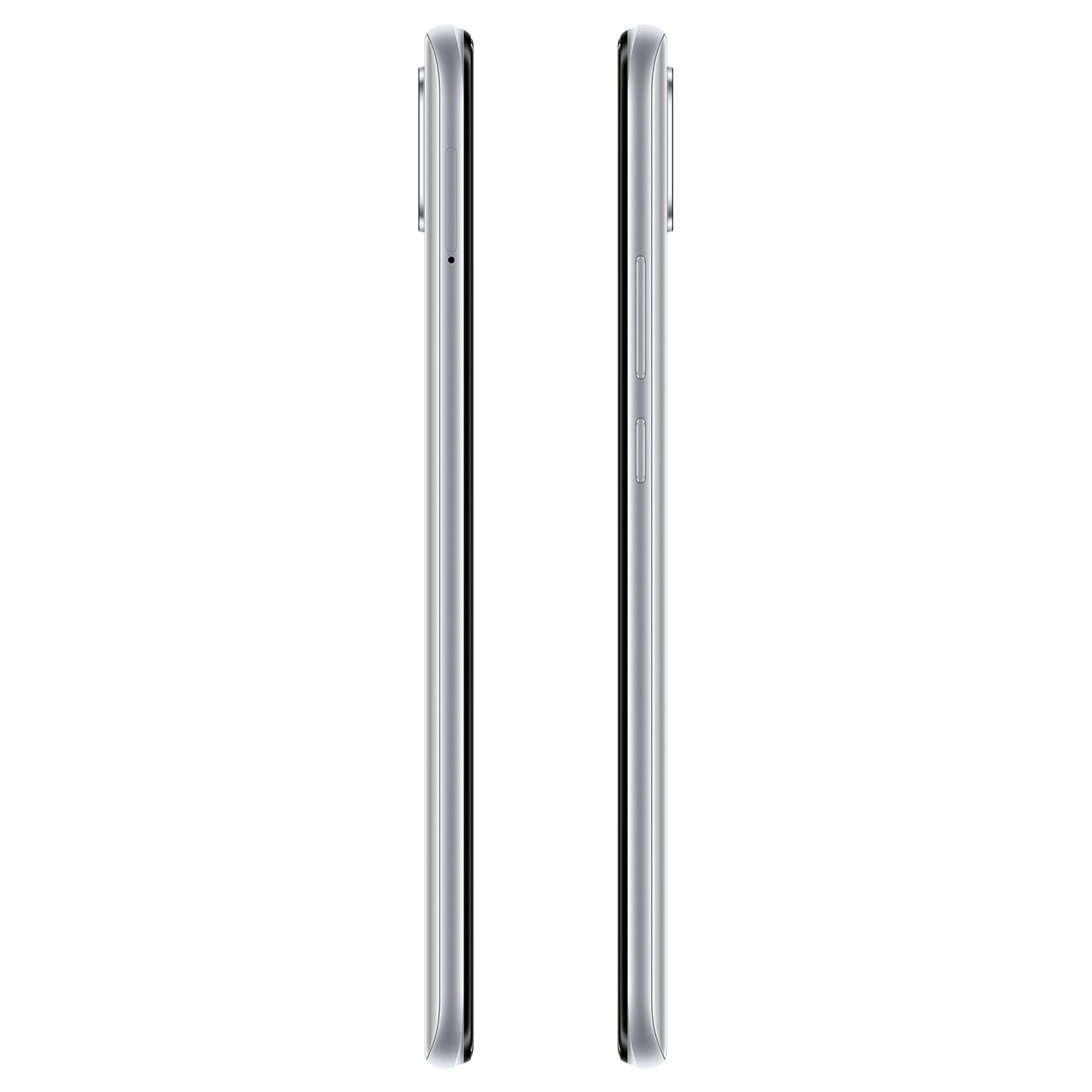
Image: Rear view of the OPPO A16e smartphone, highlighting the camera module and OPPO branding.

Image: Side view of the OPPO A16e smartphone, showing the power and volume buttons, and SIM tray location.
3. Setup
3.1 Unboxing and Initial Inspection
Upon opening the package, ensure all items are present:
- OPPO A16e Smartphone
- Adapter
- SIM Tray Ejector
Inspect the device for any physical damage before proceeding.
3.2 Inserting SIM Cards
- Locate the SIM card tray on the side of the device.
- Insert the SIM tray ejector tool into the small hole next to the tray and press gently until the tray pops out.
- Place your Nano-SIM cards into the designated slots on the tray. The OPPO A16e supports Dual SIM functionality.
- Carefully reinsert the tray into the phone.
3.3 Charging the Device
Before first use, it is recommended to fully charge your OPPO A16e. Connect the provided adapter to the USB Type-C port at the bottom of the phone and plug it into a power outlet. The battery indicator will show charging status.
3.4 Powering On and Initial Setup
- Press and hold the Power button (located on the right side) until the OPPO logo appears.
- Follow the on-screen instructions to select your language, connect to a Wi-Fi network, and set up your Google account.
- You can also configure security features like Face Recognition during this initial setup.
4. Operating Your Device
4.1 Basic Navigation
- Power On/Off: Press and hold the Power button. Select 'Power off' or 'Restart' from the options.
- Screen Lock/Unlock: Briefly press the Power button. Use your configured unlock method (Face Recognition, PIN, Pattern, Password) to unlock.
- Home Screen: Swipe left or right to navigate between home screens.
- Notification Panel: Swipe down from the top of the screen to access notifications and quick settings.
4.2 Calls and Messaging
- Making Calls: Open the Phone app, enter the number, and tap the call icon.
- Sending Messages: Open the Messages app, tap to start a new conversation, enter the recipient and your message.
4.3 Connectivity
- Wi-Fi: Go to Settings > Wi-Fi to connect to available networks.
- Bluetooth: Go to Settings > Bluetooth to pair with other Bluetooth devices.
- Mobile Data (LTE): Ensure your SIM card is active and mobile data is enabled in Quick Settings or Settings > Mobile Network.
4.4 Camera Usage
The OPPO A16e features a main camera (likely 13MP, located at the rear) and a front camera. Open the Camera app to capture photos and videos.
- Tap the shutter button to take a photo.
- Swipe left/right on the screen to switch between different modes (e.g., Video, Portrait).
- Tap the camera switch icon to toggle between the front and rear cameras.
4.5 Security Features
Your device supports Face Recognition for quick and secure unlocking. Set it up via Settings > Password & Biometrics.
4.6 Battery Management
The 4230mAh battery provides long-lasting power. To optimize battery life:
- Enable Super-Power Saving Mode from Quick Settings or Battery settings when battery is low.
- Adjust screen brightness and screen timeout.
- Close unused apps running in the background.

Image: Illustration of OPPO A16e's 4230mAh long-lasting battery, highlighting Super Power Saving mode, Optimized Night Charging, and Super Nighttime Standby.
4.7 Display Features
The 6.52-inch HD+ display includes eye-care features:
- Sunlight Display: Automatically adjusts screen brightness for better visibility in bright outdoor conditions.
- Moonlight Display: Reduces screen brightness to a comfortable level in low-light environments.
- AI Smart Backlight: Learns your brightness preferences and adjusts accordingly.

Image: The OPPO A16e's 16.55cm (6.52") HD+ Eye Care Screen, shown displaying content.
4.8 Storage and Performance
The device comes with 32GB of internal storage and 3GB RAM. Storage can be expanded using a microSD card (not included). The System Booster feature helps optimize performance.

Image: A user interacting with the OPPO A16e, illustrating its sizable storage and System Booster for smoother performance.
5. Maintenance
5.1 Cleaning Your Device
Use a soft, lint-free cloth to clean the screen and body of your phone. Avoid using harsh chemicals or abrasive materials that could damage the device.
5.2 Software Updates
Regularly check for and install software updates to ensure your device has the latest features, security patches, and performance improvements. Go to Settings > About Phone > Software Update.
5.3 Battery Care
- Avoid exposing the phone to extreme temperatures.
- Do not let the battery drain completely frequently.
- Use only the original or certified charger and cable.
5.4 Storage Management
To maintain optimal performance, periodically clear cache data from apps (Settings > App Management > App List > [App Name] > Storage Usage > Clear Cache) and uninstall unused applications.
5.5 Data Backup
Regularly back up your important data (photos, contacts, documents) to a cloud service or a computer to prevent data loss.
6. Troubleshooting
If you encounter issues with your OPPO A16e, try the following solutions:
- Device Not Responding: Press and hold the Power button for about 10-15 seconds to force a restart.
- App Freezing/Crashing: Close the app and reopen it. If the issue persists, clear the app's cache or reinstall it.
- Network Issues (Wi-Fi/Mobile Data): Toggle Wi-Fi or Mobile Data off and on. Restart the phone. Check if your SIM card is properly inserted.
- Battery Draining Quickly: Review battery usage in Settings > Battery to identify power-hungry apps. Reduce screen brightness, disable unnecessary features (GPS, Bluetooth, Wi-Fi) when not in use.
- Slow Performance: Clear cache, uninstall unused apps, and ensure sufficient storage space. Use the System Booster feature.
- Factory Reset: As a last resort, if software issues persist, you can perform a factory reset (Settings > System settings > Back up and reset > Reset phone > Erase all data). Warning: This will erase all data on your phone. Back up important data before proceeding.
7. Specifications
| Feature | Specification |
|---|---|
| Brand | OPPO |
| Model | A16e |
| Operating System | Android 11.0 |
| Processor | MediaTek Helio P22, 2 GHz |
| RAM | 3 GB |
| Internal Storage | 32 GB (Expandable) |
| Display Size | 16.55 cm (6.52 inches) |
| Display Type | HD+ LCD |
| Resolution | 1600 x 720 pixels |
| Refresh Rate | 60 Hz |
| Battery Capacity | 4230 mAh (Lithium-Ion) |
| Rear Camera | 13 MP |
| SIM Card Slot | Dual SIM |
| Connectivity | Bluetooth, USB Type-C, Wi-Fi, LTE |
| Biometric Security | Face Recognition |
| Dimensions (L x W x H) | 16.4 x 7.5 x 0.8 cm |
| Weight | 175 Grams |
| Headphones Jack | 3.5 mm |
| Material | Plastic |
8. Warranty Information
Your OPPO A16e smartphone comes with a 1-year manufacturer warranty from the date of purchase. Please retain your proof of purchase for warranty claims. The warranty covers manufacturing defects but typically excludes damage caused by misuse, accidents, or unauthorized repairs.
9. Support
For further assistance, technical support, or service inquiries, please contact OPPO customer service:
- Manufacturer: OPPO Mobiles India Pvt Ltd
- Address: 5th FLOOR, Tower B, BUILDING, N-8, DLF Cyber City, DLF Phase 2, Gurugram, Haryana 122002
- Toll-Free Number: 18001032777
You can also visit the official OPPO website for FAQs and additional support resources.


