
1. Important Safety Instructions
Please read all instructions carefully before using this appliance. Keep this manual for future reference.
- Ensure the voltage indicated on the rating label matches your mains voltage.
- Do not immerse the fan, plug, or cord in water or other liquids.
- Unplug from the outlet when not in use, before cleaning, or before moving the fan.
- Do not operate any appliance with a damaged cord or plug.
- Keep the fan out of reach of children.
- Do not insert fingers or other objects through the grille when the fan is operating.
- Place the fan on a stable, level surface.
- Do not use the fan near windows, as rain may create an electrical hazard.
- This appliance is for household use only.
2. Product Overview
The Mistral MLF3508DR is a 14-inch slide fan designed for efficient air circulation and cooling in home environments. It features a brushless DC motor, multiple speed settings, and convenient remote control operation.
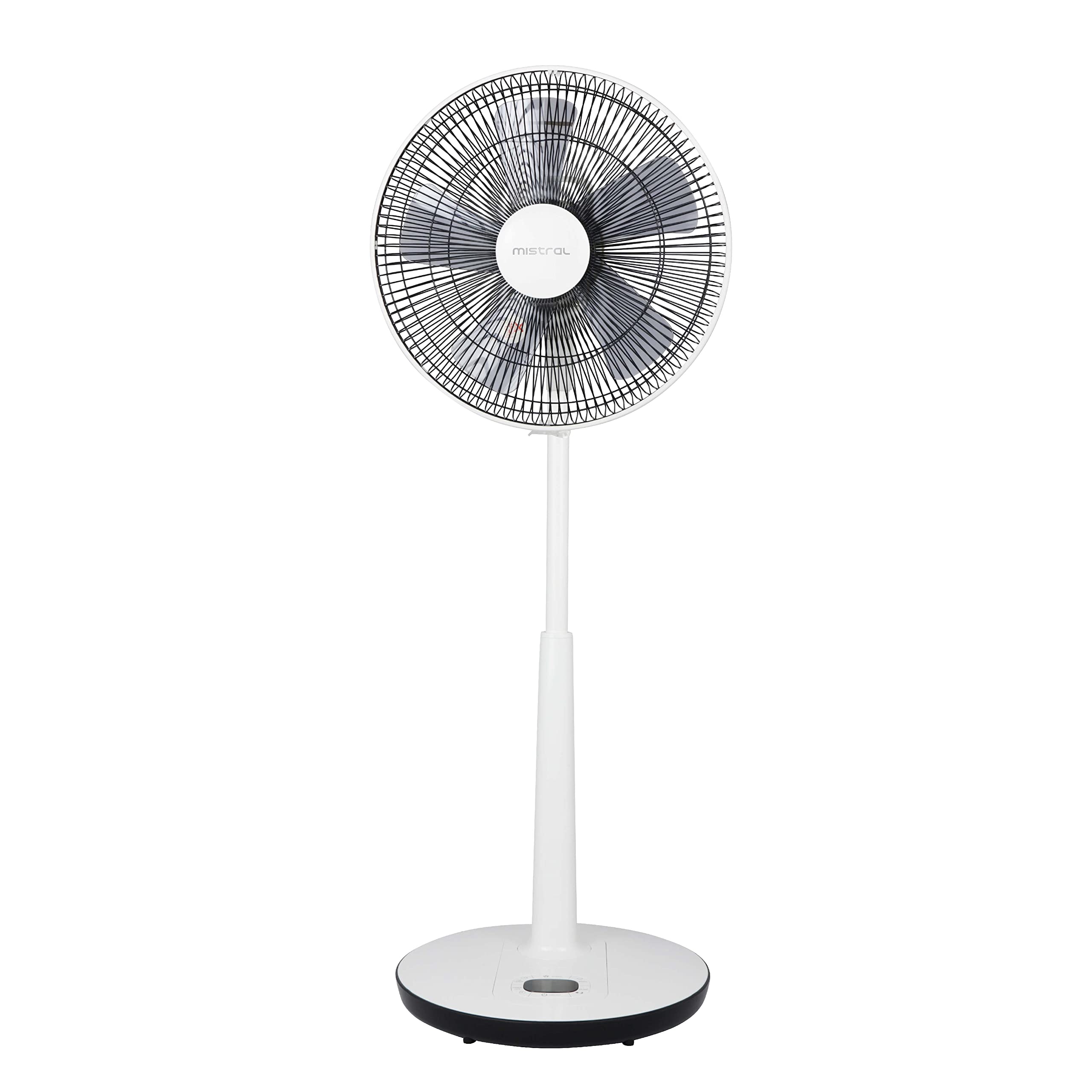
Figure 1: Front view of the Mistral MLF3508DR 14-inch Slide Fan. This image shows the fan's overall design, including the grille, blades, and adjustable stand.
3. Setup and Assembly
The Mistral MLF3508DR fan requires minimal assembly. It is designed for floor mounting and comes with all necessary components for immediate use.
3.1 Unpacking
- Carefully remove the fan and all accessories from the packaging.
- Verify that all included components are present: 1 x Slide Fan with Remote Control, 14".
- Retain packaging for future storage or transport.
3.2 Placement
- Place the fan on a firm, level surface.
- Ensure there is adequate space around the fan for optimal airflow and oscillation.
- The fan is designed for floor mounting.
3.3 Power Connection
- Ensure the fan is switched off before plugging it into a power outlet.
- Connect the power cord to a standard electrical outlet. The fan operates on corded electric power.
3.4 Remote Control Batteries
The remote control requires batteries (not specified in product data, typically AAA or CR2032). Open the battery compartment on the back of the remote control and insert the batteries, observing the correct polarity (+/-).
4. Operating Instructions
The Mistral MLF3508DR fan can be operated using the control panel on the base or the included remote control.
4.1 Control Panel Overview
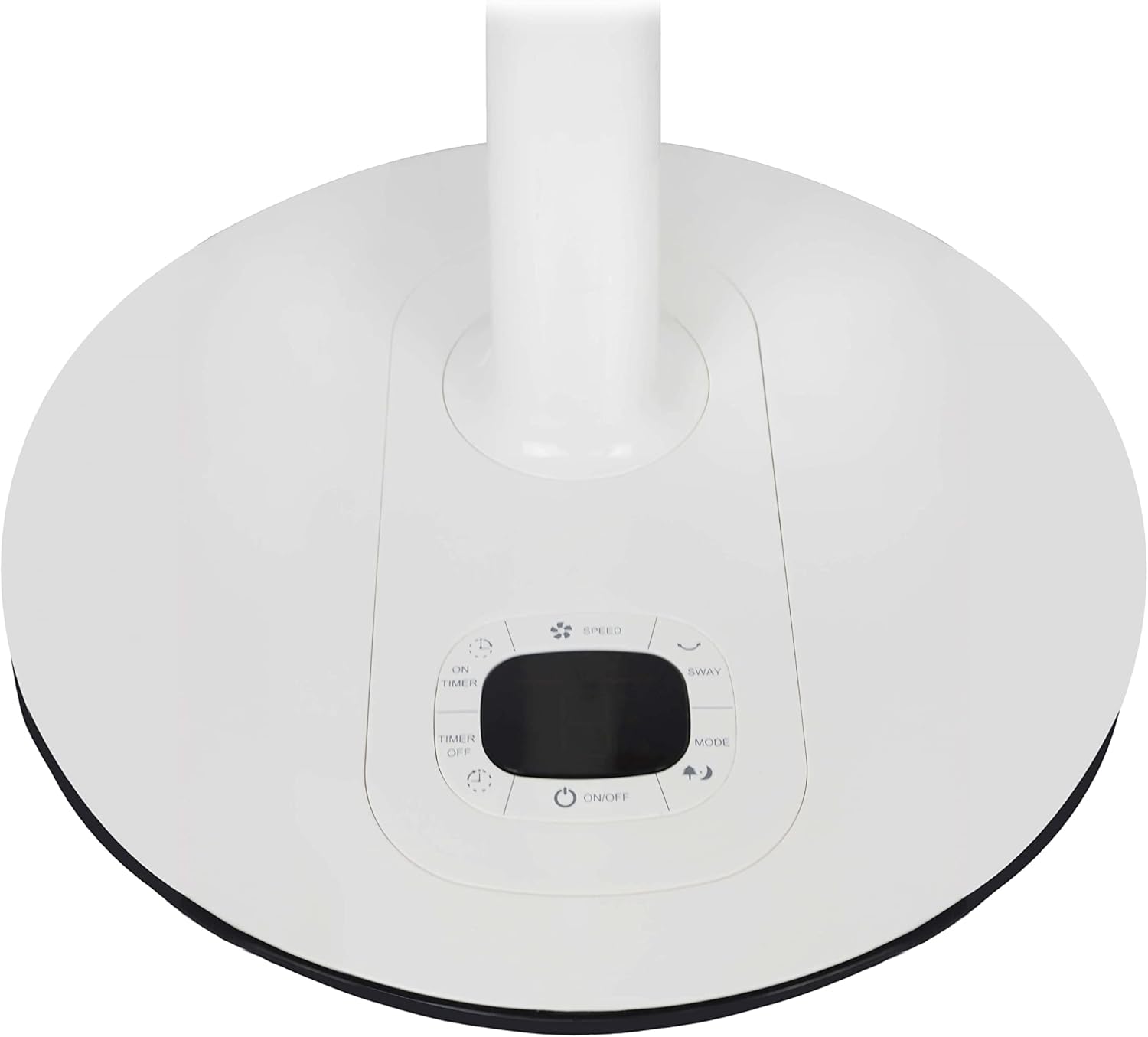
Figure 2: Close-up view of the control panel located on the fan's base. This image highlights the buttons for power, speed, timer, oscillation, and mode selection.
- ON/OFF Button: Powers the fan on or off.
- SPEED Button: Adjusts the fan speed (8 selections available).
- OSCILLATION Button: Activates or deactivates the 90º auto left-right oscillation.
- MODE Button: Cycles through Normal, Natural, and Sleep modes.
- TIMER ON/OFF Buttons: Sets the 8-hour timer function.
- LED Display: Shows current settings.
4.2 Remote Control Operation
The remote control duplicates the functions of the control panel, allowing convenient operation from a distance.
- Point the remote control directly at the fan's receiver.
- Press the corresponding buttons to control power, speed, oscillation, mode, and timer settings.
4.3 Fan Modes
- Normal Mode: Provides a constant airflow at the selected speed.
- Natural Mode: Simulates natural breezes by varying fan speed intermittently.
- Sleep Mode: Operates at a lower, quieter speed, often gradually decreasing speed over time for comfortable sleep.
4.4 Timer Function
The fan features an 8-hour timer. Use the TIMER ON/OFF buttons to set the desired operating duration. The fan will automatically turn off after the set time.
4.5 Height Adjustment
The fan's height can be adjusted up to a maximum of 110 cm. Locate the height adjustment mechanism on the stand, typically a collar or knob, and adjust to the desired height before securing it firmly.
5. Maintenance and Cleaning
Regular cleaning ensures optimal performance and extends the lifespan of your fan. Always unplug the fan before cleaning.
- Exterior Cleaning: Wipe the exterior surfaces of the fan with a soft, damp cloth. Do not use abrasive cleaners or solvents.
- Grille Cleaning: Dust and debris can accumulate on the fan grille and blades. Use a vacuum cleaner with a brush attachment or a soft, dry cloth to clean the grille. For thorough cleaning, the front grille may be removable (refer to specific instructions if provided on the unit itself).
- Storage: When not in use for extended periods, store the fan in a cool, dry place, preferably in its original packaging.
- Care Instructions: The manufacturer recommends "Wipe and Clean" for maintenance.
6. Troubleshooting
If you encounter issues with your Mistral MLF3508DR fan, refer to the following common problems and solutions.
| Problem | Possible Cause | Solution |
|---|---|---|
| Fan does not turn on. | No power supply. Power button not pressed. | Check if the power cord is securely plugged into a working outlet. Press the ON/OFF button on the control panel or remote. |
| Weak or no airflow. | Fan speed set too low. Grille or blades are dirty. | Increase the fan speed using the SPEED button. Unplug the fan and clean the grille and blades as per maintenance instructions. |
| Fan makes unusual noise. | Loose parts. Obstruction in the fan blades. | Unplug the fan and check for any loose components. Ensure no foreign objects are caught in the blades or grille. |
| Remote control not working. | Dead batteries. Obstruction between remote and fan. | Replace the batteries in the remote control. Ensure a clear line of sight between the remote and the fan's receiver. |
If the problem persists after attempting these solutions, please contact customer support.
7. Specifications
| Model: | MLF3508DR |
| Brand: | MISTRAL |
| Type: | 14-inch Slide Floor Fan |
| Power Source: | Corded Electric |
| Wattage: | 25 watts |
| Speeds: | 8 selections |
| Timer: | 8 hours |
| Oscillation: | Auto left-right 90º |
| Modes: | Normal, Natural, Sleep |
| Motor Type: | Brushless DC Motor |
| Fan Blades: | 5 ABS blades |
| Max Height: | 110 cm |
| Product Dimensions (DxWxH): | 17.5D x 43W x 73H centimetres |
| Efficiency: | 1.08 m³ / min |
| Noise Level: | <65dBA |
| Included Components: | 1 x Slide Fan with Remote Control, 14" |
| Care Instructions: | Wipe and Clean |
8. Warranty Information
This product is covered by a manufacturer's warranty. Please refer to the warranty card included with your purchase or contact Mistral customer support for detailed warranty terms and conditions. Keep your proof of purchase for warranty claims.
9. Customer Support
For technical assistance, troubleshooting beyond this manual, or warranty inquiries, please contact Mistral customer support. Visit the official Mistral website for contact details and further information.
Online Support: www.mistral.com.sg


