
Introduction
Welcome to the user manual for your new GOLOZA Digital Alarm Clock. This guide provides detailed instructions on how to set up, operate, and maintain your alarm clock, ensuring you get the most out of its features. Please read this manual thoroughly before use.

The GOLOZA Digital Alarm Clock, featuring a large blue LED display and a convenient USB charging port for devices.
What's in the Box
Upon unboxing your GOLOZA Digital Alarm Clock, please ensure all the following items are present:
- GOLOZA Digital Alarm Clock Unit
- USB Charging Cable (71 inches / 1.8 meters)
- Power Adapter
- User Manual (this document)

All components included with your GOLOZA Digital Alarm Clock: the clock, charging cable, power adapter, and user manual.
Product Overview
The GOLOZA Digital Alarm Clock features a modern curved design with conspicuous blue LED numbers, making it easy to read from various angles. Its compact size is ideal for bedside tables or desks.

The clock features an upgraded larger digit display and a modern curved design for enhanced visibility.

The compact dimensions of the clock are 5.75 inches in width and 3.03 inches in height.
Setup
Power Connection
The GOLOZA Digital Alarm Clock is powered by plugging into a standard USB port using the provided USB cable and power adapter. It also features a memory function that retains settings during a power outage using a CR2032 battery (not included). During battery backup, the screen will be blank, and the alarm will not sound, but the time settings will be preserved.

The clock's memory function ensures time and settings are preserved during power interruptions.
Initial Time Setting
When first powered on, the clock may display a default time. To set the correct time:
- Press and hold the 'TIME SET' button (usually indicated by a clock icon or 'M' button) until the hour digits begin to flash.
- Use the '+' or '-' buttons to adjust the hour. Pay attention to AM/PM indicators if in 12-hour mode.
- Press the 'TIME SET' button again to switch to minute adjustment. The minute digits will flash.
- Use the '+' or '-' buttons to adjust the minutes.
- Press 'TIME SET' once more to confirm and exit time setting mode.
12/24 Hour Mode
To switch between 12-hour (AM/PM) and 24-hour (military) time format:
- In normal time display mode, press the '12/24H' button (or the 'M' button briefly if it cycles through modes).
- The display will switch between the two formats. Select your preferred display.

The clock supports both 12-hour and 24-hour time formats, catering to different user preferences.
Operating Instructions
Adjusting Display Brightness
The clock offers 5 levels of brightness, including an 'off' setting, to suit your environment and preference. This allows for comfortable viewing during the day and minimal light disturbance at night.
- In normal time display mode, press the 'BRIGHTNESS' button (often indicated by a sun icon or '+/-' buttons when not in setting mode).
- Each press will cycle through the brightness levels from brightest to dimmest, and then to 'off'.
- Stop at your desired brightness level.
Adjust the display brightness through 5 levels, including an 'off' option, for optimal comfort.
This video demonstrates how to adjust the 6 levels of brightness on the GOLOZA Digital Alarm Clock, including turning the display completely off.
Setting Alarms
The clock features 3 distinct alarm tones and 2 adjustable volume levels (75-85dB) to ensure you wake up comfortably.
- Press and hold the 'ALARM SET' button (usually indicated by an alarm icon) until the alarm hour digits begin to flash.
- Use the '+' or '-' buttons to adjust the alarm hour.
- Press 'ALARM SET' again to switch to minute adjustment. The minute digits will flash.
- Use the '+' or '-' buttons to adjust the alarm minutes.
- Press 'ALARM SET' once more to select the alarm tone. Cycle through Birdsongs, Beep, and Chording using the '+' or '-' buttons.
- Press 'ALARM SET' again to select the alarm volume (Level 1 or Level 2).
- Press 'ALARM SET' one last time to confirm and activate the alarm. An alarm icon will appear on the display.

Choose from three pleasant alarm tones: Birdsongs, Beep, or Chording, to start your day.

The alarm volume can be set to two levels, 75dB or 85dB, ensuring you wake up effectively.
Snooze Function
When the alarm sounds, press the large 'SNOOZE' button located on the top of the clock. This will temporarily silence the alarm for 9 minutes, allowing for extra rest. The alarm will sound again after 9 minutes. To turn off the alarm completely, press any other button on the clock.
Note: There is a 6:00 AM alarm set by default when you first power on the device. If you do not need this alarm, please ensure to switch it to the mute key or turn it off following the alarm setting instructions.
Daylight Saving Time (DST)
To activate or deactivate Daylight Saving Time (DST) mode:
- In normal time display mode, press the 'DST' button (or a dedicated button for DST if available).
- The time will adjust forward or backward by one hour, and a 'DST' indicator will appear on the display.
Maintenance
To ensure the longevity and optimal performance of your GOLOZA Digital Alarm Clock, follow these maintenance guidelines:
- Cleaning: Use a soft, dry cloth to wipe the clock's surface. Avoid abrasive cleaners, solvents, or spray cleaners, as they may damage the display or casing.
- Placement: Place the clock on a stable, flat surface. Avoid direct sunlight, excessive heat, or moisture, which can affect performance and display clarity.
- Non-slip Design: Please tear off the plastic covering the bottom rubber sticker before use. This will help keep the clock securely in place and protect your tabletop.
Troubleshooting
If you encounter any issues with your GOLOZA Digital Alarm Clock, please refer to the following table for common problems and their solutions:
| Problem | Possible Cause | Solution |
|---|---|---|
| Display is blank or not lighting up. | No power, power cable loose, or brightness set to 'off'. | Ensure the USB cable is securely plugged into the clock and a power source. Check if the brightness setting is not set to 'off'. |
| Alarm does not sound during power outage. | Battery backup only retains settings, not full functionality. | This is normal operation. The battery backup is for memory retention only. The clock requires main power for the display and alarm functions. |
| Time is incorrect after power outage. | No CR2032 battery installed or battery is dead. | Install a new CR2032 battery or replace the existing one to enable the memory function during power interruptions. |
| Alarm is too loud or too quiet. | Alarm volume setting is not preferred. | Adjust the alarm volume using the alarm setting instructions provided in this manual. |
| Cannot set the time or alarm. | Not in the correct setting mode. | Ensure you are pressing and holding the correct 'TIME SET' or 'ALARM SET' button until the digits flash, indicating entry into setting mode. |
Specifications
| Feature | Detail |
|---|---|
| Brand | GOLOZA |
| Model Number | TCA-245-Blue |
| Display Type | LED |
| Display Color | Blue Digit |
| Brightness Levels | 5 Levels + Off |
| Alarm Tones | 3 (Birdsongs, Beep, Chording) |
| Alarm Volume | 2 Levels (75-85dB) |
| Snooze Duration | 9 Minutes |
| Time Format | 12H/24H Selectable |
| Power Source | Corded Electric (USB) |
| Battery Backup | CR2032 (for memory function only, not included) |
| Product Dimensions | 5.75"W x 3.73"H |
| Material | Plastic |
| Item Weight | 0.56 Pounds (approx. 9 ounces) |
Warranty and Support
GOLOZA provides a 24-month warranty for your digital alarm clock, ensuring peace of mind regarding product quality and performance. We are committed to providing excellent customer service and support.
For any questions, technical assistance, or warranty claims, please contact GOLOZA customer support through the following method:
- Navigate to your Amazon account.
- Go to 'Orders'.
- Select 'Order Detail' for your GOLOZA Digital Alarm Clock purchase.
- Find 'Sold by: GOLOZA' and click 'Ask a question'.
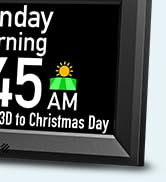
GOLOZA offers 24-month warranty support. Contact us via your Amazon order details for assistance.


