Introduction
Thank you for choosing the alpina Smart Home Wi-Fi Camera. This manual provides detailed instructions for the installation, operation, and maintenance of your outdoor surveillance camera. Designed for enhanced home security, this camera features Full HD 1080p video, 10-meter night vision, motion and sound detection, two-way communication, and IP65 weather resistance. Control all functionalities conveniently through the alpina Smart Home app on your smartphone.

Figure 1: Front view of the alpina Smart Home Wi-Fi Camera, showing the lens and main body.
Package Contents
- 1x alpina Smart Home Wi-Fi Camera
- 1x Power Cable
- 1x User Manual
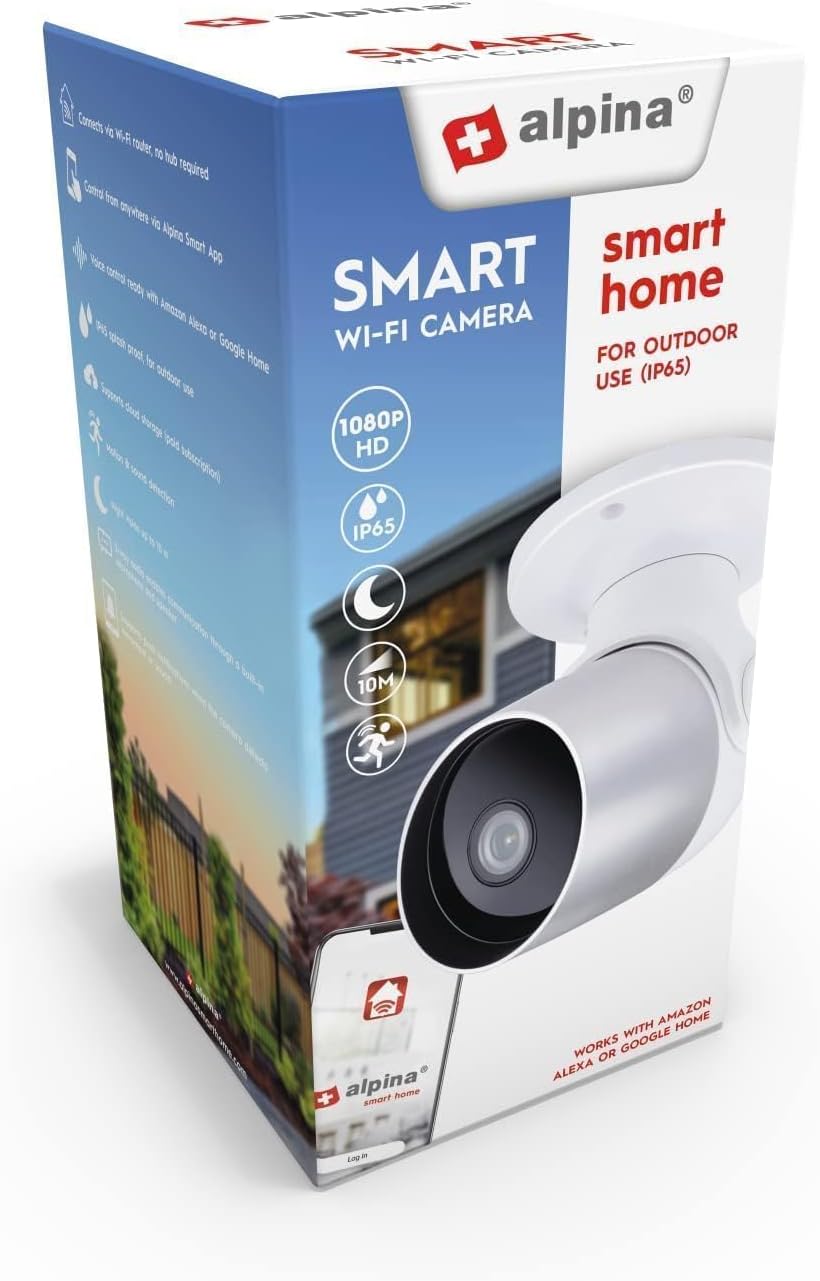
Figure 2: The alpina Smart Home Wi-Fi Camera packaging, illustrating the product and its key features.
Setup
1. Physical Installation
- Choose a Location: Select a strategic outdoor location for optimal surveillance, such as near an entrance or porch. The camera is IP65 rated, making it dust and water-resistant for outdoor use.
- Mounting: The camera is designed for ceiling mounting. Securely attach the camera to the chosen surface using appropriate hardware (not included). Ensure the camera has a clear line of sight to the area you wish to monitor.
- Power Connection: Connect the provided power cable to the camera and plug it into a suitable power outlet. The camera operates on 12 Volts.

Figure 3: Side view of the camera, showing its compact design suitable for outdoor installation.
2. App Connection
- Download the App: Download the "alpina Smart Home" app from the Google Play Store (for Android devices) or the App Store (for iOS devices).
- Create an Account: Open the app and follow the on-screen instructions to create a new user account or log in if you already have one.
- Add Device: In the app, select the option to add a new device. Follow the prompts to connect your camera to your home Wi-Fi network. The camera supports wireless connectivity.
- Pairing: The app will guide you through the pairing process, which may involve scanning a QR code on the camera or entering a device ID. Ensure your smartphone is connected to the same Wi-Fi network during initial setup.
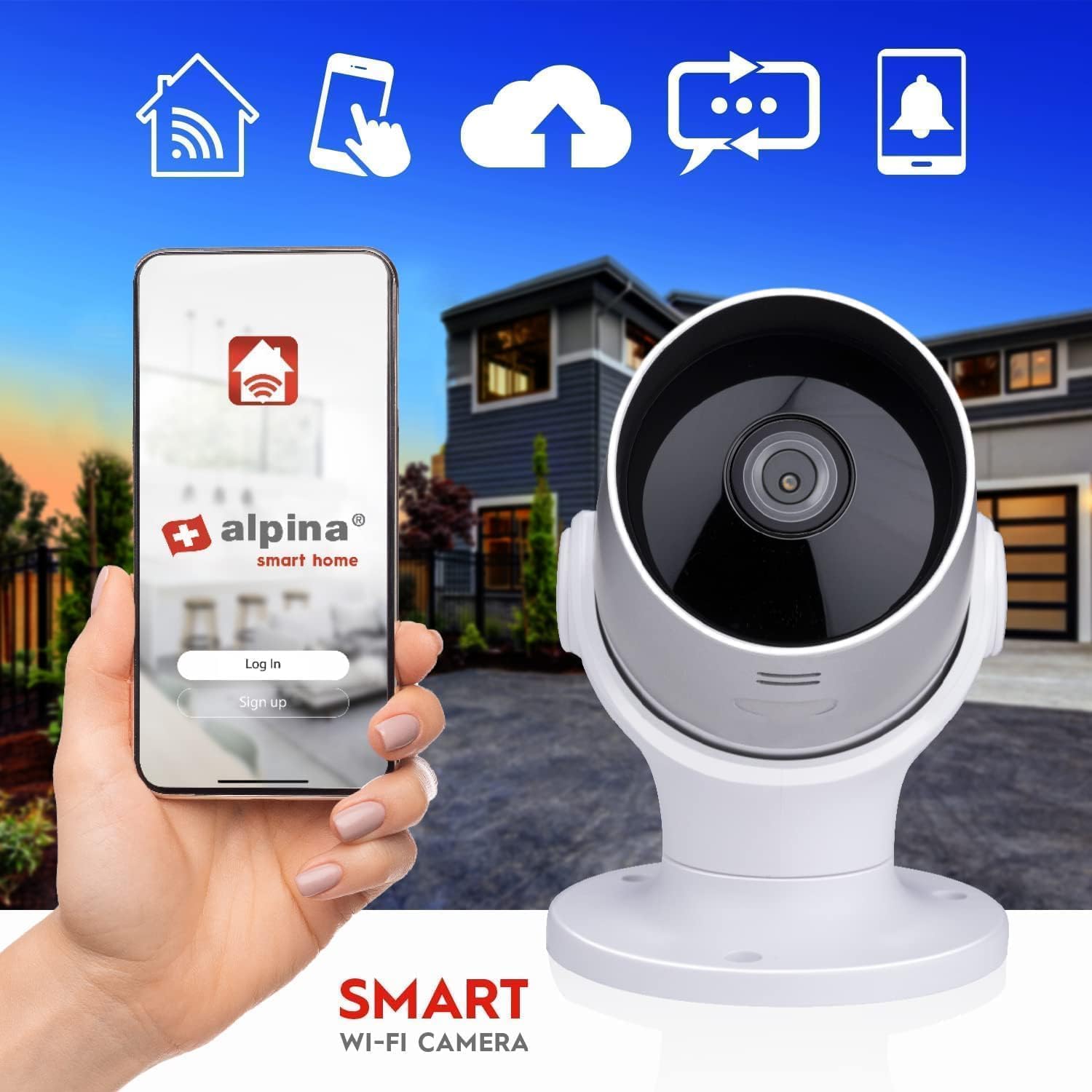
Figure 4: The alpina Smart Home app interface on a smartphone, demonstrating remote control capabilities for the camera.
Operating Instructions
1. Live View and Recording
- Access Live Feed: Open the alpina Smart Home app and select your camera to view the live video feed. The camera provides Full HD 1080p resolution at 25 frames per second.
- Recording: The camera can record video. Storage is internal, up to 128GB (storage card not included).
2. Night Vision
The camera is equipped with night vision capabilities, allowing clear visibility up to 10 meters in low-light or dark conditions. This feature activates automatically.

Figure 5: An illustration of the camera's night vision capability, showing a clear view of a house exterior in the dark.
3. Motion and Sound Detection
- The camera features integrated motion and sound sensors.
- Upon detection of movement or sound, the camera will send a push notification to your smartphone via the alpina Smart Home app.
- You can customize detection sensitivity and notification settings within the app.
4. Two-Way Communication
- Utilize the built-in microphone and speaker for two-way audio communication.
- Through the app, you can listen to what is happening near the camera and speak through the camera's speaker.
5. Camera Orientation
The camera offers a viewing angle of 110°. While the product description mentions "Caméras dôme" (dome cameras) and "Type de fixation: Montage au plafond", the images suggest a bullet-style camera with some rotational capability. The image with arrows indicates 355° rotation and 110° tilt. Adjust the camera's physical orientation during installation to cover the desired area.

Figure 6: The camera head with red arrows indicating a 355° horizontal rotation and a 110° vertical tilt, allowing for flexible viewing angles.
Maintenance
- Cleaning: Regularly wipe the camera lens and body with a soft, damp cloth to remove dust and dirt. Avoid using harsh chemicals or abrasive materials.
- Firmware Updates: Check the alpina Smart Home app periodically for any available firmware updates for your camera. Keeping the firmware updated ensures optimal performance and security.
- Cable Inspection: Periodically inspect the power cable for any signs of wear or damage. Replace if necessary to prevent electrical hazards.
Troubleshooting
- No Power:
- Ensure the power cable is securely connected to both the camera and a working power outlet.
- Verify the power outlet is functional by plugging in another device.
- Cannot Connect to Wi-Fi:
- Ensure your Wi-Fi network is 2.4GHz (most smart home devices do not support 5GHz).
- Check that your Wi-Fi password is entered correctly in the app.
- Move the camera closer to your Wi-Fi router during the initial setup process.
- Restart your Wi-Fi router and the camera.
- Poor Video Quality:
- Clean the camera lens.
- Ensure a strong Wi-Fi signal at the camera's location.
- Check your internet connection speed.
- Notifications Not Received:
- Verify that motion and sound detection are enabled in the alpina Smart Home app.
- Check your smartphone's notification settings to ensure the app has permission to send notifications.
- Ensure your phone has an active internet connection.
- Two-Way Audio Not Working:
- Ensure your smartphone's microphone is enabled for the alpina Smart Home app.
- Check the volume settings on your smartphone and within the app.
- Ensure there are no obstructions blocking the camera's microphone or speaker.
Specifications
| Feature | Detail |
|---|---|
| Brand | alpina |
| Model Number | 8711252264677 |
| Camera Type | Bullet (Outdoor Surveillance) |
| Video Resolution | Full HD 1080p |
| Frames Per Second (FPS) | 25 fps |
| Video Compression | H.264 |
| Lens Size | 4 mm |
| Viewing Angle | 110° |
| Night Vision Range | Up to 10 meters |
| IP Rating | IP65 (Dust and Water Resistant) |
| Power Input | 100-240V / 50-60Hz |
| Power Output | 1A |
| Voltage | 12 Volts |
| Power Consumption | 3.5 Watts |
| Connectivity | Wi-Fi (Wireless), Bluetooth (for initial setup/pairing) |
| Frequency Range | 2412-2472 MHz |
| Storage | Internal, up to 128GB (card not included) |
| Dimensions (L x W x H) | 7.9 x 7.9 x 13.2 cm |
| Weight | 390 grams |
| Recommended Use | Outdoor Security |
| Compatible Devices | Smartphone (iOS, Android) |
| Origin | China |
Warranty and Support
For warranty information, please refer to the documentation provided at the time of purchase or contact your retailer. For technical support or further assistance with your alpina Smart Home Wi-Fi Camera, please visit the official alpina Smart Home website or contact their customer service department. Contact details can typically be found on the product packaging or the alpina Smart Home app.
Note: Spare parts availability information is not provided.


