1. Introduction
Thank you for choosing the FABULETTA replacement battery for your FSV001 Stick Cordless Vacuum Cleaner. This 2200 mAh rechargeable and detachable Lithium-Ion battery is designed to provide reliable power and extend the operational life of your vacuum. This manual provides essential information for the safe and effective use, maintenance, and troubleshooting of your new battery.

Image 1.1: Front view of the FABULETTA FSV001 replacement battery, showing the battery indicator lights.
2. Important Safety Instructions
To prevent injury or damage, please read and follow all safety instructions carefully:
- Always use the original FABULETTA charger or a compatible charger specifically designed for this battery model.
- Do not disassemble, modify, or attempt to repair the battery. This can cause electric shock, fire, or explosion.
- Keep the battery away from water, moisture, and high temperatures. Do not expose it to direct sunlight or heat sources.
- Do not short-circuit the battery terminals.
- If the battery is damaged, leaking, or overheating, discontinue use immediately and dispose of it properly according to local regulations.
- Keep the battery out of reach of children and pets.
- Only use the battery with the FABULETTA FSV001 Stick Cordless Vacuum Cleaner.
3. Setup and Installation
Follow these steps to install and prepare your new battery for first use:
3.1 Battery Installation
- Ensure the vacuum cleaner is turned off and unplugged from any power source.
- Locate the battery compartment on your FABULETTA FSV001 vacuum cleaner.
- If replacing an old battery, press the battery release button (often blue) and slide the old battery out.
- Align the new FABULETTA battery with the vacuum's battery slot. Ensure the connectors are properly oriented.
- Slide the battery firmly into place until you hear a click, indicating it is securely locked.

Image 3.1: Side view of the battery, highlighting the connection points for installation into the vacuum cleaner.
3.2 Initial Charging
Before first use, fully charge the battery:
- Connect the charger cable to the charging port on the battery or the vacuum cleaner (if charging while installed).
- Plug the charger into a standard wall outlet.
- The battery indicator lights will illuminate, typically blinking during charging and becoming solid when fully charged. Refer to your vacuum cleaner's manual for specific charging light patterns.
- Once fully charged, unplug the charger.
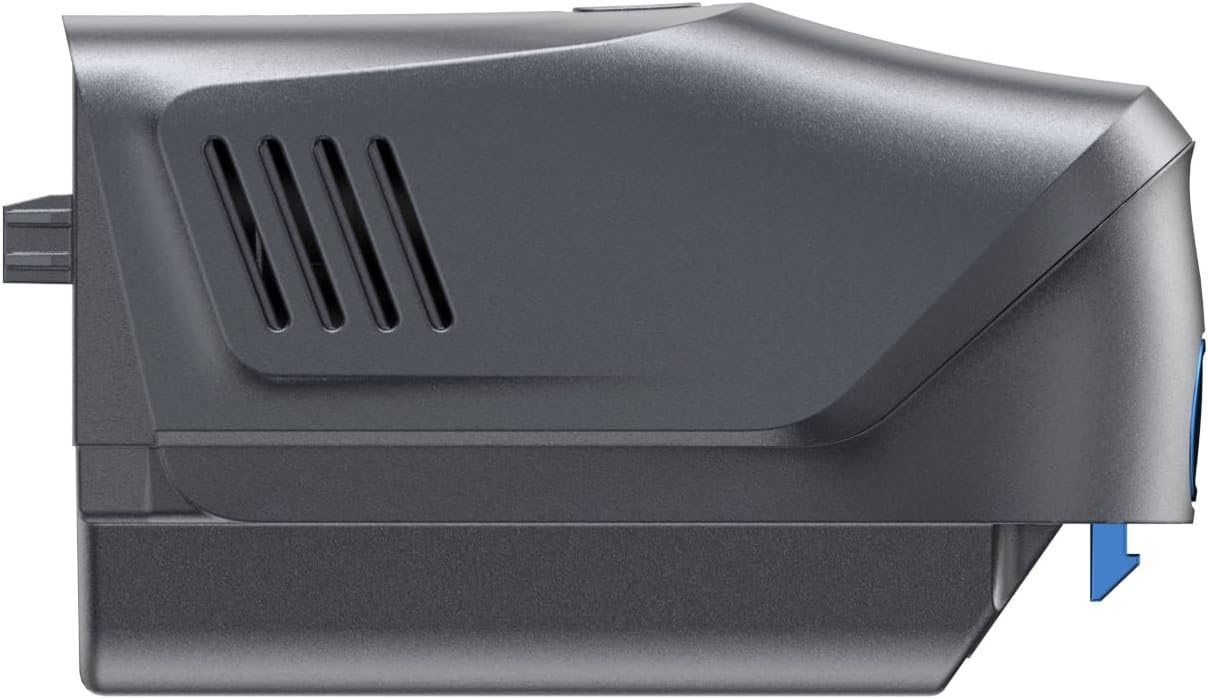
Image 3.2: Side view of the battery, showing the blue release button and the charging port.
4. Operating the Battery
The FABULETTA battery is designed for seamless integration with your FSV001 vacuum cleaner.
4.1 Battery Indicator
The battery features LED indicator lights that show the remaining charge level. Typically, three solid lights indicate a full charge, and fewer lights or blinking lights indicate a lower charge or charging status.
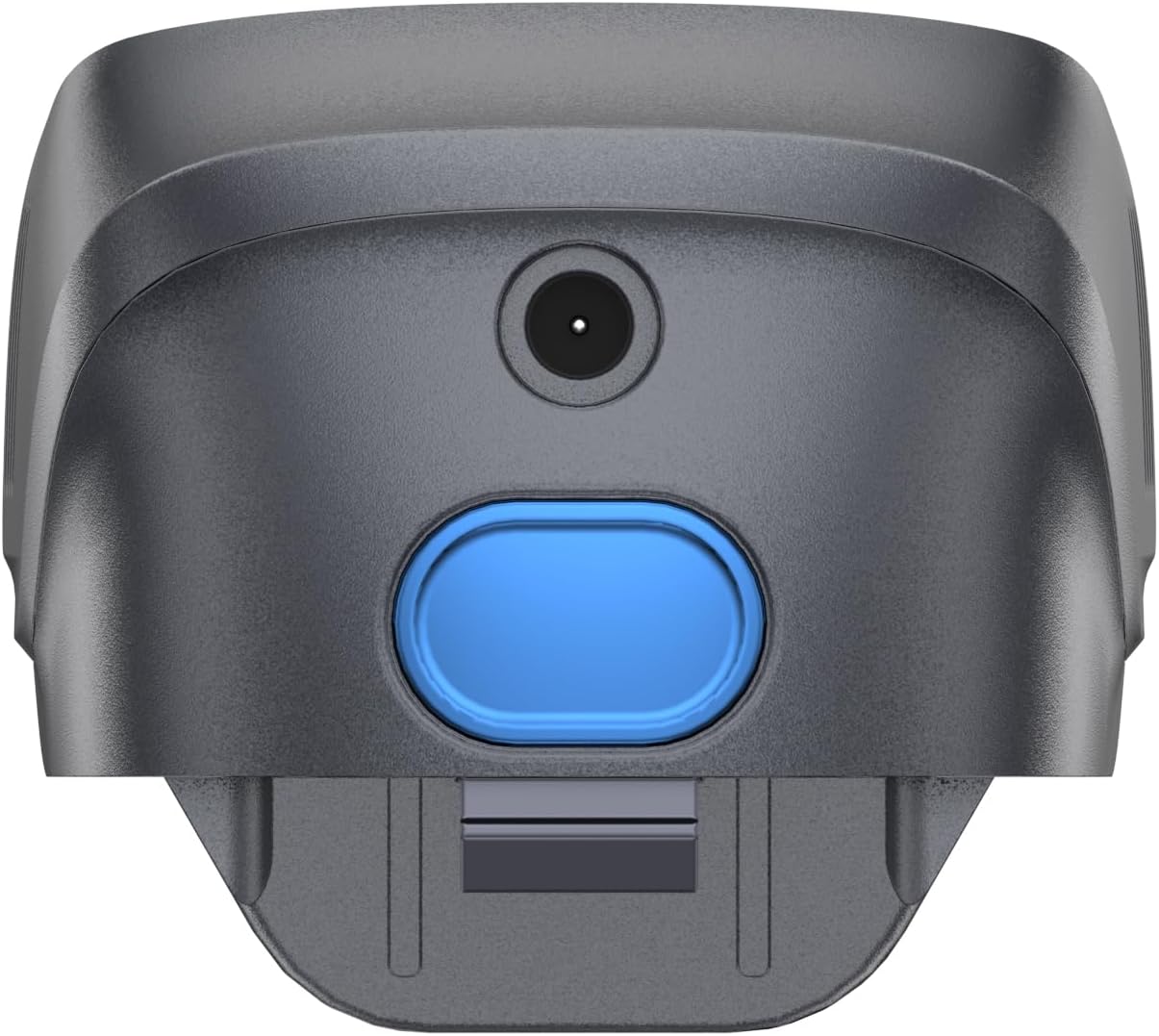
Image 4.1: Top view of the battery, clearly showing the 'SPEED' button and the battery level indicator.
4.2 Power and Speed Control
The battery unit itself may feature a 'SPEED' button. This button allows you to adjust the power mode of the vacuum cleaner, typically cycling between standard and max suction modes. Press the button to switch between available modes as needed during operation.
5. Maintenance and Storage
Proper care ensures the longevity and performance of your battery:
- Cleaning: Wipe the battery exterior with a soft, dry cloth. Do not use harsh chemicals or abrasive cleaners. Ensure the charging port and connectors are free of dust and debris.
- Charging Practices: For optimal battery life, avoid completely draining the battery before recharging. It is best to recharge the battery when the indicator shows low charge.
- Storage: If storing the battery for an extended period, charge it to approximately 50-60% capacity. Store it in a cool, dry place, away from direct sunlight and extreme temperatures. Recharge every 3-6 months to prevent deep discharge.
- Disposal: Do not dispose of the battery with household waste. Lithium-Ion batteries should be recycled at designated collection points or returned to the retailer according to local environmental regulations.
6. Troubleshooting
If you encounter issues with your FABULETTA battery, try the following solutions:
| Problem | Possible Cause | Solution |
|---|---|---|
| Battery not charging | Charger not connected properly; Faulty charger or outlet; Battery too hot/cold; Battery defect. | Ensure charger is securely plugged in. Try a different outlet. Allow battery to reach room temperature. Contact customer support if issue persists. |
| Vacuum not powering on with new battery | Battery not fully charged; Battery not installed correctly; Vacuum cleaner issue. | Fully charge the battery. Re-install the battery, ensuring it clicks into place. Test the vacuum with another battery if available, or consult the vacuum's manual. |
| Reduced run time | Battery not fully charged; Battery degradation over time; Using max power mode excessively. | Ensure battery is fully charged before use. Battery capacity naturally decreases over many charge cycles. Use standard power mode for longer run times. |
7. Specifications
| Feature | Detail |
|---|---|
| Model Number | FSV001 |
| Battery Type | Lithium Ion |
| Battery Capacity | 2200 mAh |
| Product Dimensions | 1.18 x 1.18 x 0.39 inches |
| Item Weight | 15.2 ounces |
| Recommended Use | FABULETTA FSV001 Stick Cordless Vacuum Cleaner |
8. Warranty Information
FABULETTA typically offers a one-year warranty on its batteries. This warranty covers defects in materials and workmanship under normal use. Please retain your proof of purchase for warranty claims. For specific terms and conditions, or to initiate a warranty claim, please refer to the official FABULETTA website or contact their customer support.
9. Customer Support
If you have any questions, concerns, or require further assistance with your FABULETTA battery, please contact FABULETTA customer service. You can usually find contact information on the official FABULETTA website or through the retailer where you purchased the product.
For more information, visit the FABULETTA Store on Amazon.