
1. Introduction
This manual provides essential information for the proper use, maintenance, and care of your HJC i20 Solid Open Face Motorcycle Helmet. Please read this manual thoroughly before using your helmet to ensure maximum safety and to understand its features.

Image 1.1: Rider wearing the HJC i20 helmet, showcasing its design.
2. Safety Information
Your safety is paramount. This helmet is designed to provide protection in accordance with safety standards. Always wear your helmet correctly and ensure it is in good condition.
2.1 DOT Certification
This HJC i20 helmet complies with US Federal Motor Vehicle Safety Standard 218 (FMVSS 218) and is DOT FMVSS No. 218 Certified. This certification indicates that the helmet meets rigorous testing requirements for energy attenuation, penetration resistance, chin strap structural integrity, and labeling for on-road motorcycle helmets.
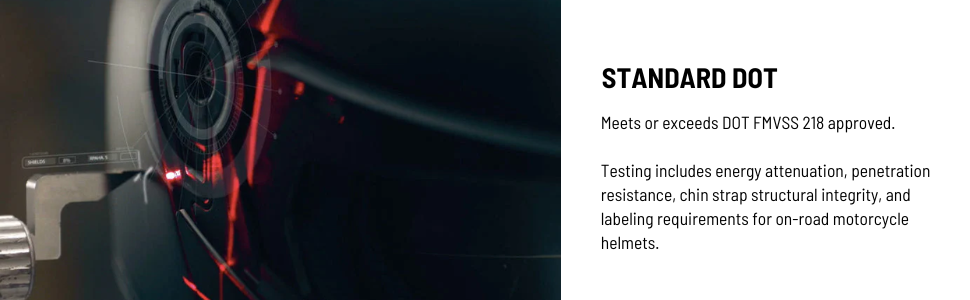
Image 2.1: Illustration highlighting the helmet's DOT standard compliance.
2.2 Proposition 65 Warning
This product may contain chemicals known to the State of California to cause cancer and birth defects or other reproductive harm. For more information, visit www.P65Warnings.ca.gov.
3. Product Features and Components
The HJC i20 helmet is engineered with advanced materials and design for optimal performance and comfort.
3.1 Advanced Polycarbonate Composite Shell
The helmet features an Advanced Polycarbonate Composite Shell, designed to be lightweight while providing superior fit and comfort through advanced CAD technology.

Image 3.1: Detail of the helmet's polycarbonate shell construction.
3.2 Convertible Design (HJ-36 Mask)
The i20 helmet is a convertible design, featuring a push/slide, easily-detachable HJ-36 mask. This allows for versatility in riding conditions and personal preference.

Image 3.2: Side view of the HJC i20 helmet with the removable chin bar detached.

Image 3.3: Demonstrating the removable mask feature of the HJ-36.
3.3 Internal Visor
The helmet includes an anti-scratch, anti-fog coated internal visor for improved visibility in various conditions.
3.4 Supercool Interior
The Supercool Interior is designed to keep the rider cool and fresh. It features moisture-wicking, antibacterial fabric and is fully removable for cleaning. Glasses grooves are integrated to accommodate riders who wear eyeglasses and sunglasses comfortably.

Image 3.4: Illustrating the Supercool interior and its removable nature.
3.5 SMART HJC Compatibility
The helmet is designed for compatibility with SMART HJC 20B and 10B Bluetooth communication systems. These systems, co-developed with SENA, offer a compact and aerodynamic design that integrates seamlessly with the helmet. SMART HJC units are sold separately.

Image 3.5: Example of a SMART HJC communication system integrated with a helmet.
4. Setup
4.1 Initial Fitment
Before first use, ensure the helmet fits snugly and comfortably. The helmet should not move freely on your head when shaken. If the fit is too loose, consider a different size. It is recommended to try on the helmet before purchase to ensure proper sizing, as sizing can vary between models and manufacturers.
4.2 Chin Strap Adjustment
- Place the helmet on your head and fasten the chin strap securely.
- Adjust the strap so it is tight under your chin without causing discomfort.
- Ensure the strap cannot be pulled over your chin.
4.3 Attaching the HJ-36 Mask
To attach the HJ-36 mask (chin bar), align the attachment points on the mask with the corresponding slots on the helmet. Slide and push firmly until you hear a click, indicating it is securely locked in place. Verify the mask is firmly attached before riding.
4.4 Installing SMART HJC Communication System (Optional)
If you are installing a SMART HJC 20B or 10B communication system, refer to the specific installation guide provided with the communication unit. The helmet is pre-designed to accommodate these systems for easy integration.
5. Operating the Helmet
5.1 Wearing the Helmet
Always put on the helmet by holding the chin straps apart and pulling the helmet down over your head. Ensure your ears are not folded and the helmet sits level on your head, covering your forehead.

Image 5.1: Front-side view of the HJC i20 helmet with the chin bar attached.
5.2 Adjusting the Internal Visor
The internal visor can be raised or lowered using the lever located on the side of the helmet. Adjust it to your preferred position for sun protection or clear vision.
5.3 Removing the HJ-36 Mask
To remove the HJ-36 mask, locate the release mechanisms on both sides of the helmet where the mask attaches. Follow the push/slide mechanism to detach the mask. Store the mask safely when not in use.
6. Maintenance
6.1 Cleaning the Exterior
Clean the helmet's exterior with a soft cloth, mild soap, and lukewarm water. Avoid harsh chemicals, solvents, or abrasive cleaners, as these can damage the shell material and finish.
6.2 Cleaning the Interior
The Supercool Interior lining is removable for cleaning. Gently detach the interior pads and hand wash them with mild soap and water. Allow them to air dry completely before reinserting into the helmet. Ensure all components are dry to prevent mildew.
6.3 Visor Care
Clean the internal visor with a soft, damp cloth. Do not use abrasive materials or strong cleaning agents, as this can damage the anti-scratch and anti-fog coatings. If the visor is heavily scratched or damaged, it should be replaced.
6.4 Storage
Store the helmet in a cool, dry place away from direct sunlight and extreme temperatures. Use a helmet bag to protect it from scratches and dust.
7. Troubleshooting
7.1 Helmet Feels Too Tight/Loose
A helmet should fit snugly. If it feels too tight or causes pressure points, it might be the wrong size. If it feels too loose and moves around easily, it is definitely too large and will not provide adequate protection. Refer to a sizing guide or consult a retailer for proper fitment.
7.2 Visor Fogging
The internal visor has an anti-fog coating. If fogging occurs, ensure the visor is clean and free of residue. In humid or cold conditions, slight fogging can still occur. Ensure adequate ventilation by adjusting the helmet's vents if available, or slightly opening the visor if safe to do so.
7.3 Chin Bar Not Attaching Securely
Ensure the attachment points on both the mask and the helmet are clean and free of debris. Align the mask carefully and apply firm, even pressure until both sides click into place. Do not force it. If issues persist, inspect for any damage to the locking mechanisms.
8. Specifications
| Feature | Detail |
|---|---|
| Brand | HJC |
| Model Name | I20 Solid |
| Item Model Number | 0820-0135-06 |
| Color | Semi Flat Black |
| Size | Large |
| Age Range (Description) | Adult |
| Outer Material | Polycarbonate (PC) |
| Inner Material | Expanded Polystyrene |
| Item Weight | 3.46 pounds |
| Product Dimensions | 11 x 11 x 15 inches |
| Safety Rating | DOT Certified (FMVSS 218) |
| Special Features | Lightweight, Anti-scratch/Anti-fog internal visor, Removable mask, Supercool Interior, Glasses grooves |
| UPC | 190501211439 |
| What's in the Box | Helmet |
9. Warranty and Support
For warranty information and customer support, please refer to the official HJC website or contact your authorized HJC dealer. Keep your proof of purchase for any warranty claims.
Manufacturer: HJC Helmets


