
1. Product Overview
The LC-dolida Sleep Headphones Headband Bluetooth 5.4 is a versatile 3-in-1 device designed for comfort and convenience. It functions as a sleep mask, a sports headband, and wireless headphones, making it suitable for various activities including sleeping, exercising, traveling, yoga, and meditation. Featuring Bluetooth 5.4 technology, it offers a stable and fast connection to your devices. The headband is made from a soft, breathable, and elastic fabric, ensuring comfort during extended wear. It includes thin speakers for high-fidelity stereo sound and a built-in microphone for hands-free calls.

Image 1.1: Overview of the LC-dolida Sleep Headphones Headband highlighting key features like elasticity, breathability, Hi-Fi sound, hands-free calls, built-in microphone, washable material, Bluetooth 5.2 (note: product is 5.4), and auto-pairing.
2. Package Contents
Upon opening your LC-dolida Sleep Headphones Headband package, you should find the following items:
- 1 x LC-dolida Sleep Headphones Headband (Model LC046)
- 1 x USB-C Charging Cable
- 1 x User Manual
Video 2.1: An unboxing video demonstrating the contents of the LC-dolida Bluetooth Headband package, including the headband, charging cable, and user manual.
3. Setup
3.1 Charging the Headband
Before initial use, fully charge your LC-dolida Sleep Headphones Headband. The device features a USB-C charging port for convenience.
- Locate the USB-C charging port on the control panel of the headband.
- Connect the provided USB-C charging cable to the headband's port and to a compatible USB power source (e.g., wall adapter, computer USB port).
- The LED indicator light on the control panel will illuminate to show charging status. Typically, a red light indicates charging, and a blue light indicates a full charge.
- A full charge takes approximately 1 to 2 hours and provides over 10 hours of music playback/talk time.
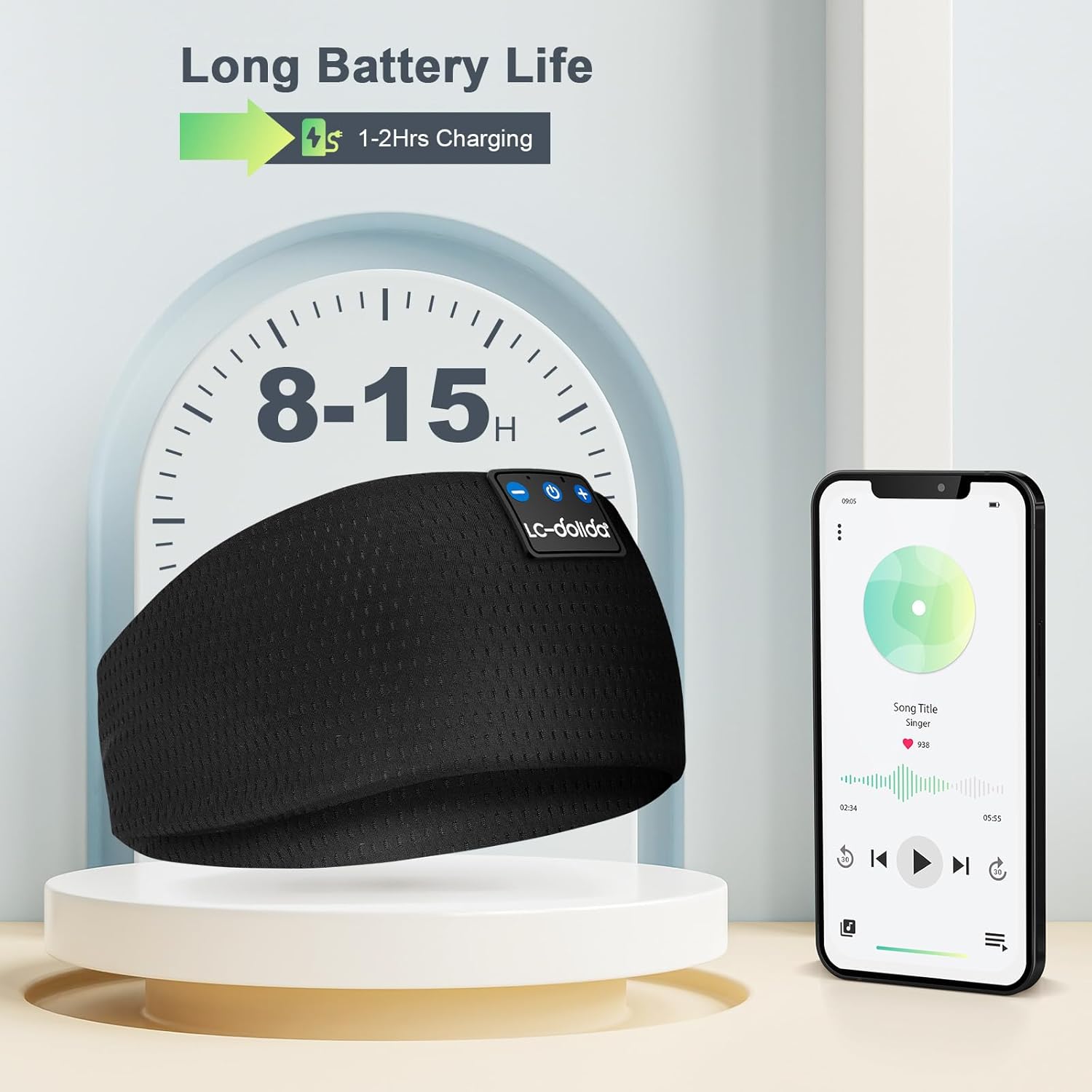
Image 3.1: The LC-dolida Sleep Headphones Headband illustrating its long battery life (8-15 hours) and quick charging time (1-2 hours).
3.2 Bluetooth Pairing
The headband uses Bluetooth 5.4 for a stable and fast connection. Follow these steps to pair with your device:
- Ensure the headband is charged.
- Press and hold the Power button (middle button on the control panel) for 3 seconds until the LED indicator light flashes blue and red, indicating it's in pairing mode.
- On your mobile device (smartphone, tablet, laptop, etc.), go to the Bluetooth settings and turn Bluetooth ON.
- Search for available devices. You should see "LC-dolida" appear in the list.
- Select "LC-dolida" to connect. The LED indicator on the headband will turn solid blue once successfully paired.
- The headband supports one-step auto-pairing; after the first successful pairing, it will automatically connect to your last paired device when turned on.

Image 3.2: The LC-dolida Sleep Headphones Headband showing the one-step auto-pairing process with a smartphone.
Video 3.1: A demonstration of the LC-dolida Bluetooth Headband's Bluetooth 5.4 connectivity and pairing process with a mobile device.
4. Operating Instructions
4.1 Wearing the Headband
The LC-dolida headband is designed for comfort and versatility. Position the headband over your head so that the thin speakers are aligned with your ears. The soft, elastic fabric ensures a snug fit without discomfort, even for side sleepers. For use as a sleep mask, pull the headband down over your eyes to block out light.

Image 4.1: A person sleeping peacefully while wearing the LC-dolida Sleep Headphones Headband, demonstrating its use as a sleep mask and headphones.
4.2 Control Panel Functions
The integrated control panel allows for easy management of your audio and calls:
- Power Button (Middle):
- Press and Hold (3 seconds): Power ON/OFF.
- Single Click: Play/Pause music; Answer/Hang up calls.
- Volume Up Button (+):
- Single Click: Increase volume.
- Press and Hold (2 seconds): Next track.
- Volume Down Button (-):
- Single Click: Decrease volume.
- Press and Hold (2 seconds): Previous track.

Image 4.2: A close-up view of the LC-dolida Sleep Headphones Headband control panel, showing the power, volume, and track control buttons.
4.3 Hands-Free Calling
With the built-in microphone, you can easily manage phone calls without removing the headband.
- Answering a Call: Single click the Power button when a call comes in.
- Ending a Call: Single click the Power button during a call.
- Rejecting a Call: Press and hold the Power button for 2 seconds when a call comes in.

Image 4.3: A person demonstrating the hands-free calling feature of the LC-dolida Sleep Headphones Headband.
5. Maintenance
The LC-dolida Sleep Headphones Headband is designed for easy cleaning to maintain hygiene and prolong its lifespan. The electronic components are removable, allowing the fabric headband to be washed.
- Gently open the small opening on the inside of the headband.
- Carefully slide out the control panel module and both thin speakers. Note the orientation of the speakers for reassembly.
- Hand wash the fabric headband with mild soap and warm water. Avoid harsh detergents or bleach.
- Rinse thoroughly and allow the headband to air dry completely before reinserting the electronic components.
- Once dry, carefully reinsert the speakers and control module into their designated pockets, ensuring the control panel is correctly positioned for external access.
Video 5.1: A demonstration of how to disassemble the LC-dolida Bluetooth Headband to remove electronic components for washing.
6. Troubleshooting
If you encounter any issues with your LC-dolida Sleep Headphones Headband, please refer to the following common solutions:
- No Power: Ensure the headband is fully charged. Connect it to a power source and check the charging indicator light.
- Cannot Pair: Make sure the headband is in pairing mode (flashing blue/red light). Turn off and on your device's Bluetooth. If previously paired, try forgetting the device on your phone and re-pairing.
- No Sound/Low Sound: Check the volume levels on both the headband and your connected device. Ensure the speakers are correctly positioned over your ears.
- Intermittent Connection: Ensure your device is within the Bluetooth range (up to 10 meters/33 feet). Avoid obstacles that may interfere with the signal.
- Uncomfortable Speakers: The speakers are adjustable within the headband. Gently slide them to find the most comfortable position for your ears, especially for side sleepers.
7. Specifications
| Feature | Description |
|---|---|
| Brand | LC-dolida |
| Model Number | LC046 (also referred to as LC001) |
| Connectivity Technology | Wireless (Bluetooth 5.4) |
| Material | Fabric |
| Battery Life | 10+ Hours |
| Charging Time | 1-2 Hours |
| Earpiece Shape | Rounded or Flat (0.25 inch thin speakers) |
| Control Type | Media Control (Button) |
| Built-in Microphone | Yes (for hands-free calls) |
| Water Resistance Level | Not Water Resistant (washable fabric) |
| Item Weight | 0.09 Kilograms (3.17 ounces) |
| Package Dimensions | 7.91 x 3.98 x 0.87 inches |
| Included Components | Charger, Detachable Headband |
8. Warranty & Support
LC-dolida is committed to customer satisfaction and product quality.
- 2-Year Worry-Free Warranty: Your LC-dolida Sleep Headphones Headband is covered by a 2-year warranty against manufacturing defects.
- 24/7 Online Service: For any questions, concerns, or technical assistance, our customer support team is available 24 hours a day, 7 days a week.
- Customer-First Principle: We prioritize your experience and are dedicated to providing excellent service.


