
Product Overview

Figure 0: Upstreman UAK06C Portable Air Conditioner.
The Upstreman UAK06C is a portable air conditioner designed to provide cooling, dehumidification, and fan-only operation for rooms up to 250 sq. ft. This manual provides essential information for safe operation, installation, maintenance, and troubleshooting.
1. Safety Information
Read all instructions carefully before using the appliance. Keep this manual for future reference. Always follow basic safety precautions to reduce the risk of fire, electric shock, or injury.
- Ensure the power supply matches the voltage specified on the rating label.
- Do not operate the unit with a damaged cord or plug.
- Do not insert fingers or foreign objects into the air inlet or outlet.
- Keep the unit away from flammable materials and open flames.
- Always unplug the unit before cleaning or servicing.
- Do not use the unit in wet environments such as bathrooms or laundry rooms.
- This appliance is not intended for use by persons (including children) with reduced physical, sensory or mental capabilities, or lack of experience and knowledge, unless they have been given supervision or instruction concerning use of the appliance by a person responsible for their safety.
2. Setup and Installation
The Upstreman UAK06C Portable Air Conditioner is designed for easy installation. Follow these steps to set up your unit.
2.1 Unpacking
Carefully remove the air conditioner and all accessories from the packaging. Ensure all components listed in the "Included Components" section of the specifications are present.
2.2 Positioning the Unit
Place the portable air conditioner on a flat, stable surface. Ensure there is at least 20 cm (8 inches) of space around the unit for proper airflow. The unit is equipped with caster wheels for easy mobility.

Figure 1: The portable air conditioner features caster wheels for easy movement between rooms.
2.3 Window Kit Installation
The standard window panel is adjustable from 37.0 inches to 50.2 inches. Additional accessory panels are available for window sizes from 26.57 inches to 73.62 inches if needed.
- Extend the window panel to fit your window opening.
- Insert the window panel into the window frame, securing it in place.
- Connect one end of the vent hose to the air conditioner's exhaust outlet and the other end to the connector on the window panel. Ensure a secure fit to prevent air leakage.

Figure 2: Adjustable window panel for exhaust hose connection.

Figure 3: Expandable window panel, connector, and vent hose components.
Once the window kit and vent hose are installed, plug the unit into a grounded electrical outlet. The unit is now ready for operation.
3. Operation
The Upstreman UAK06C offers multiple operating modes and settings for personalized comfort. The unit can be controlled via the integrated control panel or the included remote control.
3.1 Control Panel and Remote Control
The control panel on the unit features buttons for Power, Mode, Fan Speed, Timer, and Temperature Adjustment. The remote control provides access to the same functions for convenient operation.

Figure 4: Control panel with various mode indicators.
3.2 Operating Modes
Press the "Mode" button to cycle through the available operating modes:
- Cooling Mode: Provides active cooling. The temperature can be adjusted between 60.8°F (16°C) and 86°F (30°C).
- Fan Mode: Circulates air without cooling. Three fan speeds are available.
- Dehumidifier Mode: Reduces humidity in the room.
- Auto Swing: Activates automatic louver movement for wider air distribution.
- 24h Timer: Allows setting a delayed start or stop time for the unit.

Figure 5: Airflow from the unit in cooling mode.
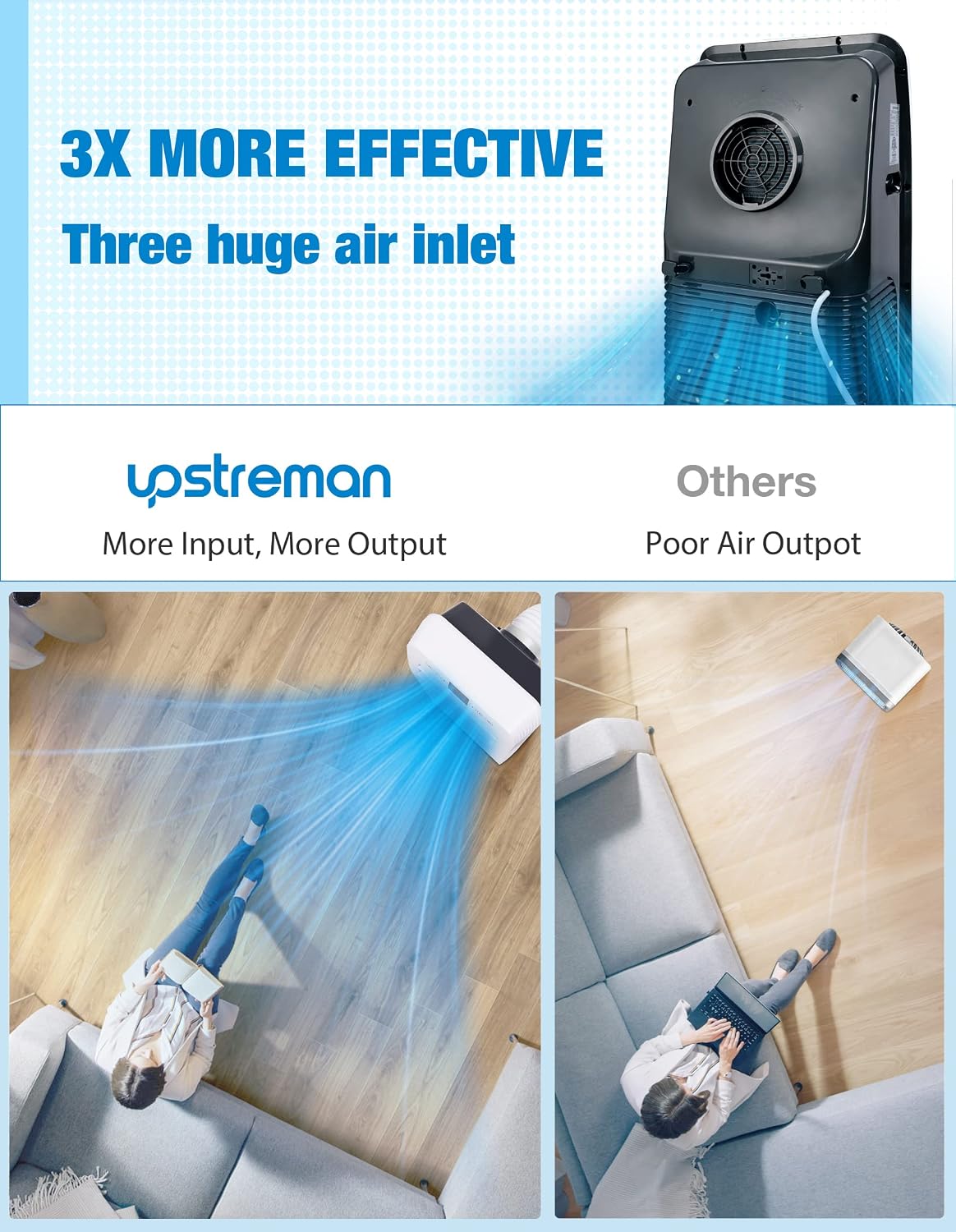
Figure 6: Illustration of the unit's efficient air intake design.

Figure 7: Illustration of the unit's cooling coverage.
3.3 Fan Speed Adjustment
In Cooling or Fan mode, press the "Fan" button to select between low, medium, and high fan speeds.
3.4 Timer Function
Use the "Timer" button to program the unit to turn on or off automatically after a set period (up to 24 hours).
4. Maintenance
Regular maintenance ensures optimal performance and extends the lifespan of your portable air conditioner. Always unplug the unit before performing any maintenance.
4.1 Cleaning the Air Filter
The air filter should be cleaned every two weeks, or more frequently depending on usage and air quality. A dirty filter can reduce cooling efficiency.
- Turn off and unplug the air conditioner.
- Locate and remove the air filter from the back or side of the unit.
- Wash the filter under running water (warm, soapy water if heavily soiled).
- Allow the filter to air dry completely before reinstalling it. Do not expose to direct sunlight or heat.
4.2 Draining Accumulated Water
During dehumidification or cooling in high humidity, water will accumulate inside the unit. The unit has an internal self-evaporation system, but in very humid conditions, manual draining may be required.
- Turn off and unplug the air conditioner.
- Place a shallow pan or tray under the drain port, usually located at the bottom rear of the unit.
- Remove the drain plug/cap.
- Allow all water to drain completely.
- Replace the drain plug/cap securely.
4.3 Cleaning the Exterior
Wipe the exterior of the unit with a soft, damp cloth. Do not use harsh chemicals, abrasives, or solvents, as these can damage the surface.
5. Troubleshooting
Before contacting customer support, refer to the following troubleshooting guide for common issues.
| Problem | Possible Cause | Solution |
|---|---|---|
| Unit does not turn on. | No power, power cord unplugged, circuit breaker tripped. | Ensure unit is plugged in. Check power outlet and circuit breaker. |
| Unit does not cool effectively. | Dirty air filter, blocked air intake/outlet, room too large, windows/doors open, temperature setting too high. | Clean air filter. Ensure no obstructions. Close windows/doors. Adjust temperature setting lower. Verify room size is within 250 sq.ft. |
| Water leakage. | Drain plug loose, drain pan full (in high humidity). | Ensure drain plug is secure. Manually drain water if necessary. |
| Unit is noisy. | Unit not on a level surface, air filter dirty, internal components vibrating. | Place unit on a flat, level surface. Clean air filter. If noise persists, contact support. |
| Remote control not working. | Batteries dead or incorrectly inserted, obstruction between remote and unit. | Replace batteries (2 AA required). Ensure clear line of sight to the unit's receiver. |
6. Specifications
Detailed technical specifications for the Upstreman UAK06C Portable Air Conditioner.
| Feature | Detail |
|---|---|
| Model Number | UAK-06C |
| Cooling Power (ASHRAE) | 10,000 BTU |
| Cooling Power (DOE) | 6,000 BTU |
| Rated Power | 980 Watts |
| Voltage | 120V AC |
| Refrigerant | R 410A |
| Floor Area Coverage | Up to 250 sq. ft. |
| Product Dimensions (D x W x H) | 31.5D x 44.2W x 81.5H cm (12.4D x 17.4W x 32.1H inches) |
| Item Weight | 24.95 kg (55 lbs) |
| Control Method | Remote Control, On-unit Panel |
| Number of Power Levels | 3 (Fan Speeds) |
| Special Features | Cooling, Fan, Dehumidifier, 24h Timer, Auto Swing |
| Included Components | 1x Portable Air Conditioner, 1x Remote Control, 1x Window Panel, 1x Vent Hose, 1x Connector, 1x User Manual |
| Remote Control Batteries | 2 AA batteries (included) |
| UPC | 749350199261 |

Figure 8: Product dimensions.
7. Warranty and Support
7.1 Warranty Information
The Upstreman UAK06C Portable Air Conditioner comes with a One-Year Limited Warranty from the date of purchase. This warranty covers defects in materials and workmanship under normal use. It does not cover damage resulting from misuse, accident, modification, or unauthorized repair.
Please retain your proof of purchase for warranty claims.
7.2 Customer Support
For technical assistance, warranty claims, or general inquiries, please contact Upstreman customer support. Contact information can typically be found on the manufacturer's official website or on the product packaging.
When contacting support, please have your model number (UAK-06C) and purchase date available.

