
1. Introduction
This manual provides essential information for the safe and efficient operation of your Bewinner Portable AM FM Pocket Radio. Please read these instructions carefully before using the device and retain them for future reference. This compact radio features a digital display, AM/FM reception, a built-in rechargeable battery, and a pedometer function, making it ideal for sports and outdoor activities.
2. Package Contents
Upon unpacking, please ensure all items listed below are present and in good condition:
- 1 x Bewinner Portable AM FM Pocket Radio (HRD-602)
- 1 x Earphone
- 1 x Storage Bag
- 1 x Hanging Rope
- 1 x USB Charging Cable
- 1 x User Manual (this document)

Image: The Bewinner Portable AM FM Pocket Radio shown with its accessories, including earphones, a USB charging cable, and a storage bag.
3. Product Overview
3.1. Components and Controls

Image: Front view of the radio, highlighting the LCD display, menu button, power button, volume controls, and tuning controls.
- LCD Display: Shows frequency, volume, time, battery status, and other indicators.
- MENU Button: Accesses settings and functions.
- VOL+ / VOL- Buttons: Adjusts the volume level.
- TUN+ / TUN- Buttons: Tunes radio frequencies up or down.
- Power Button (⏻): Turns the radio on or off.

Image: Bottom view of the radio, showing the Micro USB charging port and the 3.5mm earphone jack.
- Micro USB Charging Port: For connecting the USB charging cable.
- 3.5mm Earphone Jack: For connecting wired earphones.
3.2. LCD Display Indicators
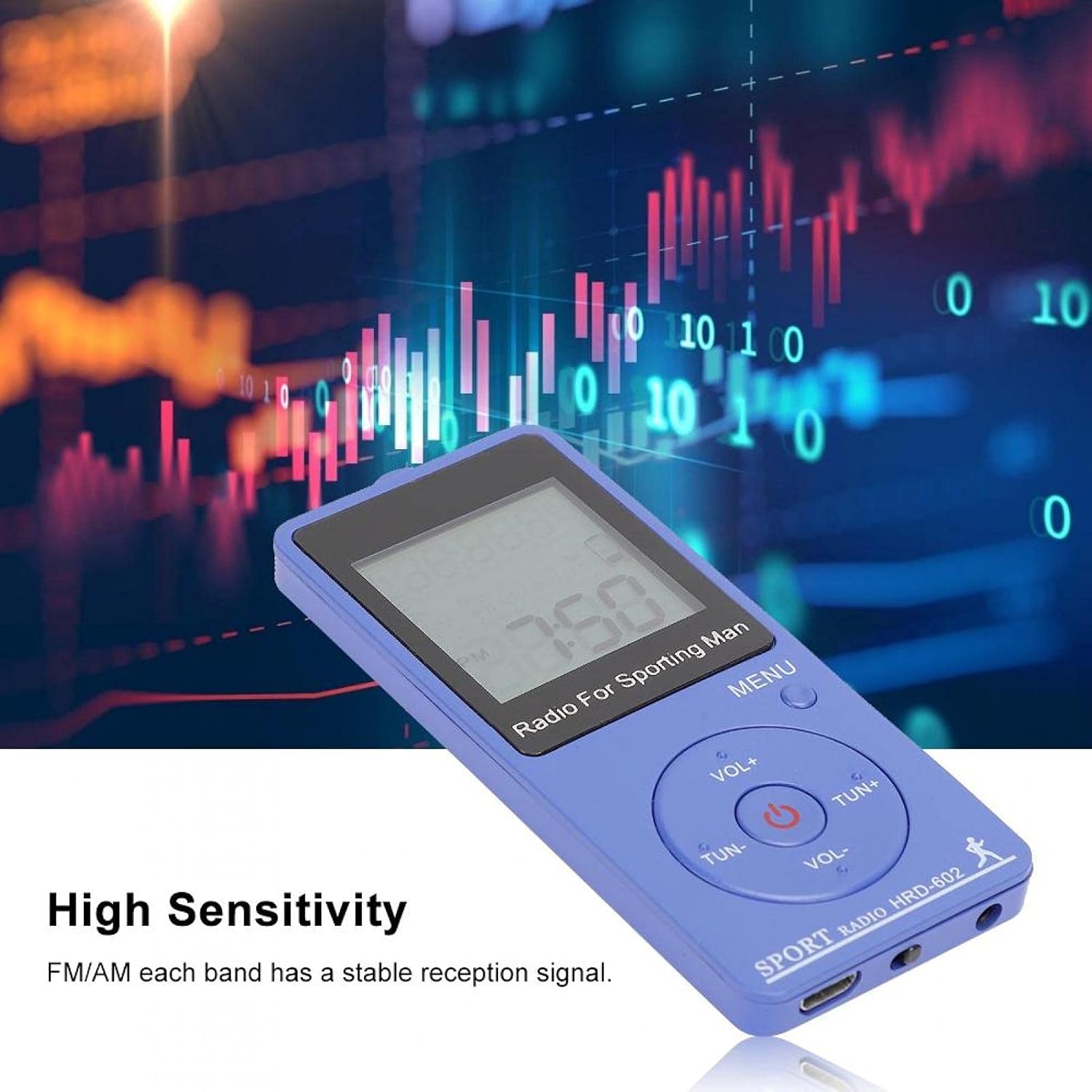
Image: The radio's digital display showing a radio frequency and the time, with an orange backlight.
The LCD display provides visual feedback on the radio's status:
- Frequency Point: Current radio station frequency.
- Volume Level: Current audio output level.
- Frequency Band Mode: Indicates AM or FM band.
- Time: Current time (12-hour or 24-hour format).
- Battery Sign: Indicates remaining battery life.
- Charging Sign: Appears when the device is charging.
- Lock Sign: Indicates button lock function is active.
- Sleep Sign: Appears when sleep timer is active.
4. Setup
4.1. Initial Charging
Before first use, fully charge the radio. Connect the supplied USB charging cable to the radio's Micro USB port and the other end to a 5V DC USB power adapter (not included) or a computer's USB port. The charging sign will appear on the LCD. Charging is complete when the charging sign disappears or the battery indicator shows full.
4.2. Connecting Earphones
For optimal reception and private listening, connect the included earphones to the 3.5mm earphone jack at the bottom of the radio. The earphone cable also functions as the FM antenna.
5. Operating Instructions
5.1. Power On/Off
- To turn on: Press and hold the Power Button (⏻) for a few seconds.
- To turn off: Press and hold the Power Button (⏻) again for a few seconds.
5.2. Tuning Radio Stations
- Select Band: Press the MENU Button to cycle between AM and FM bands.
- Manual Tuning: Press TUN+ or TUN- briefly to adjust the frequency step by step.
- Automatic Scan: Press and hold TUN+ or TUN- to automatically scan for the next available station.

Image: The radio's display showing a clear frequency, illustrating its high sensitivity for stable reception.
5.3. Adjusting Volume
Press VOL+ to increase the volume and VOL- to decrease it. The volume level will be displayed on the LCD.
5.4. Saving and Recalling Presets
The radio can store up to 70 stations (50 FM, 20 AM).
- To Save: Tune to the desired station. Press and hold the MENU Button until the preset number flashes. Use TUN+ or TUN- to select a preset slot, then press MENU again to confirm.
- To Recall: Briefly press the MENU Button to enter preset mode. Use TUN+ or TUN- to cycle through saved stations.
5.5. Using the Pedometer Function
The radio includes a pedometer function to track steps. To activate or deactivate the pedometer, refer to the specific instructions in the menu settings. When active, the pedometer icon will appear on the display, and it will count your steps.

Image: The radio displayed alongside an illustration of its built-in lithium battery and a note about its pedometer function.
5.6. Setting Time and Time System
- Access the time setting menu by pressing the MENU Button multiple times until the time setting option is displayed.
- Use TUN+ or TUN- to adjust hours and minutes.
- Press MENU to confirm each setting.
- You can also select between 12-hour (AM/PM) or 24-hour time format in the settings.
5.7. Backlight Control
The orange backlight of the LCD display activates automatically when buttons are pressed, making it easy to operate in low-light conditions. The backlight will turn off after a short period of inactivity to conserve battery.
6. Maintenance
- Clean the radio with a soft, dry cloth. Do not use abrasive cleaners or solvents.
- Avoid exposing the radio to extreme temperatures, direct sunlight, or high humidity.
- Do not immerse the radio in water.
- Store the radio in the provided storage bag when not in use to protect it from dust and scratches.
- Charge the battery regularly, even if the radio is not used frequently, to maintain battery health.
7. Troubleshooting
| Problem | Possible Cause | Solution |
|---|---|---|
| Radio does not turn on. | Battery is depleted. | Charge the radio using the USB cable. |
| Poor radio reception. | Weak signal; earphones not connected or improperly positioned. | Ensure earphones are fully plugged in. Adjust earphone cable position. Try tuning to a stronger station. Move to an area with better reception. |
| Buttons are unresponsive. | Button lock function is active. | Refer to the manual for instructions on deactivating the button lock. (Typically, press and hold a specific button, often the MENU button, to toggle lock.) |
| Pedometer not counting steps accurately. | Improper placement; sudden movements. | Ensure the radio is securely attached to your clothing or body in a stable position. Avoid excessive shaking. |
8. Specifications
| Feature | Detail |
|---|---|
| Brand | Bewinner |
| Model Number | Bewinner6ai7ghow8z864 (HRD-602) |
| Frequency Range AM | 522-1710 KHz (9 KHz) / 520-1710 KHz (10 KHz) |
| Frequency Range FM | 60-108 MHz |
| Sensitivity AM | ≤20 mv/m |
| Sensitivity FM | 8UV |
| Signal-to-Noise Ratio AM | ≥30dB |
| Signal-to-Noise Ratio FM | ≥40DB |
| Battery | 400 mAh 3.7V Lithium Battery |
| Power Supply | DC 5V |
| Operating Voltage | 3.3V |
| LCD Display Size | 28.5 x 28.5 mm (1.12 x 1.12 inches) |
| Connectivity | USB (for charging) |
| Supported Radio Bands | AM, FM |
| Preset Stations | 70 (50 FM, 20 AM) |
| Special Features | Pedometer function, Orange backlight LCD, Power-off memory |
9. Warranty and Support
For warranty information and customer support, please refer to the documentation provided at the time of purchase or contact your retailer. You may also visit the official Bewinner website for further assistance.
Bewinner Official Store: Visit Bewinner Store on Amazon