
Introduction
This manual provides detailed instructions for the installation, operation, and maintenance of your ZUCKEO 60W Outdoor Low Voltage Transformer. This device is designed to convert 120V AC household voltage to a safe 24V DC for various outdoor low-voltage lighting systems, including landscape lights, path lights, and spotlights. It features a built-in timer and photocell sensor for automated operation.
Safety Information
WARNING: To reduce the risk of fire or electric shock, read and follow all instructions carefully.
- Ensure the power supply is disconnected before installation or servicing.
- This transformer is designed for outdoor use and is IP66 waterproof. However, avoid submerging the unit in water.
- Do not exceed the maximum wattage rating of 60W for connected lights.
- Use only with low-voltage landscape lighting fixtures.
- Ensure all connections are secure and properly insulated to prevent short circuits.
- Keep the photocell sensor clear of obstructions to ensure proper dusk-to-dawn operation.
Product Overview
The ZUCKEO 60W Outdoor Low Voltage Transformer is a robust and versatile power supply for your outdoor lighting needs. It features multiple operating modes and a durable, weather-resistant design.
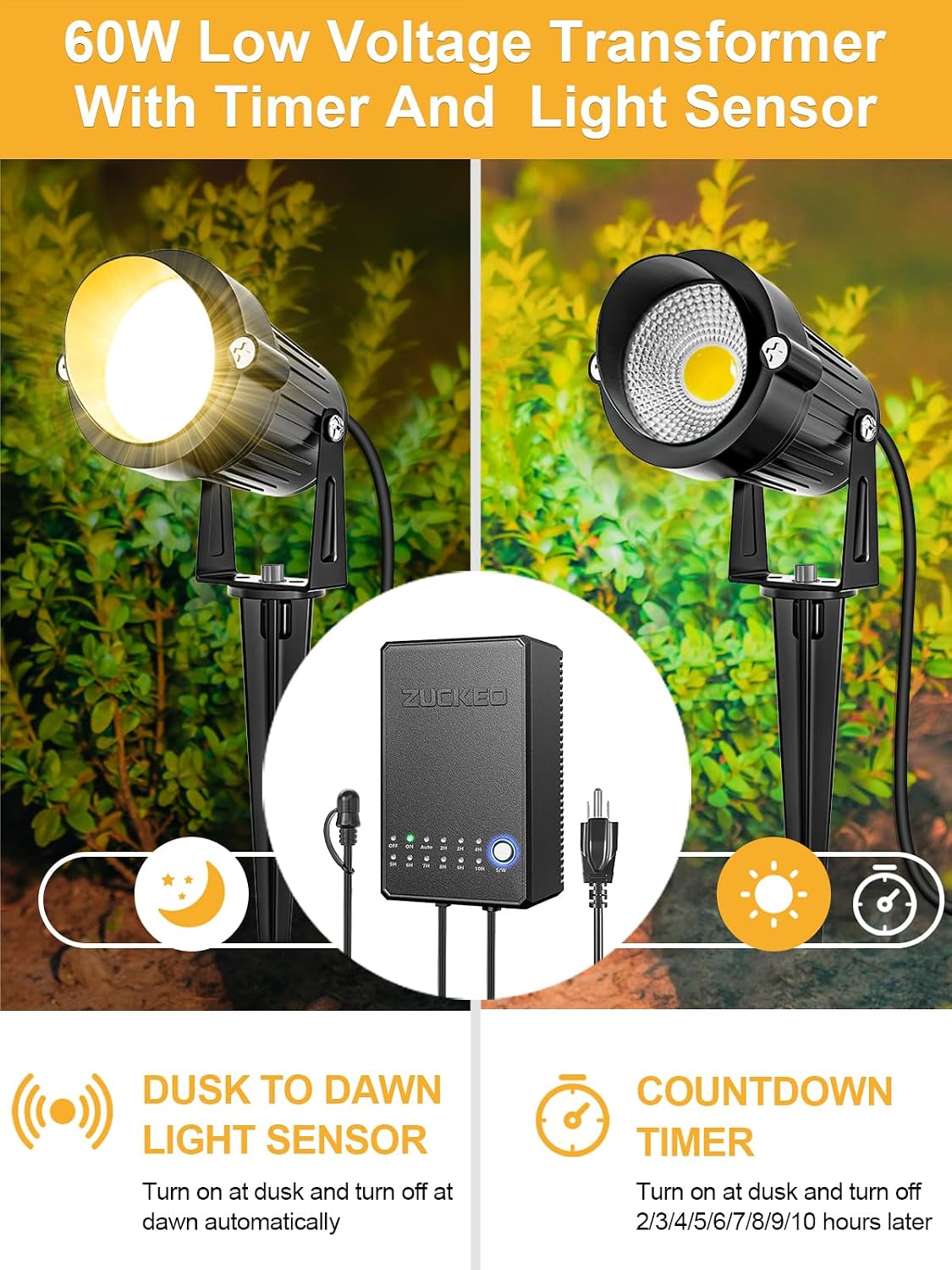
Image: ZUCKEO 60W Low Voltage Transformer with its key features: Dusk to Dawn light sensor and Countdown Timer function, illustrated with connected landscape lights.
Key Features:
- 60W Power Output: Provides stable 24V DC power for multiple low-voltage lights.
- Dusk to Dawn Photocell Sensor: Automatically turns lights on at dusk and off at dawn.
- Countdown Timer: Allows setting lights to turn off after 2, 3, 4, 5, 6, 7, 8, 9, or 10 hours from dusk.
- Memory Function: Retains the last set mode even after a power outage.
- IP66 Waterproof Rating: Designed to withstand harsh outdoor weather conditions (rain, heat, frost).
- Overload & Short Circuit Protection: Ensures safety and longevity of the unit and connected lights.
- Corrosion Resistant: Durable metal material for extended outdoor use.

Image: The transformer unit shown with water droplets, emphasizing its IP66 waterproof design and resistance to various weather conditions.
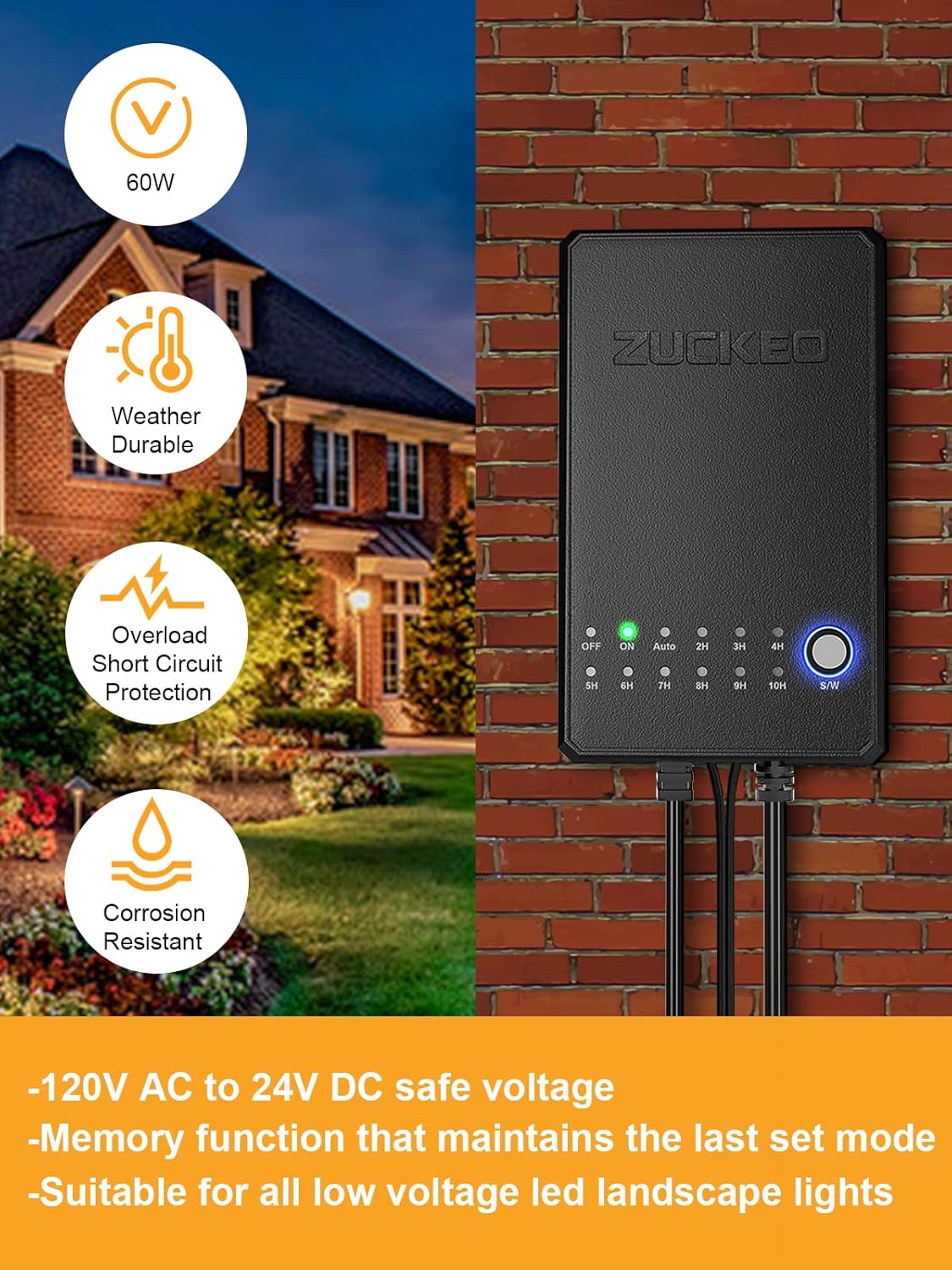
Image: Visual representation of the transformer's robust features including 60W power, weather durability, overload protection, and corrosion resistance.
Setup and Installation
- Choose a Mounting Location: Select a suitable outdoor location for the transformer, preferably on a wall or sturdy post, close to a 120V AC power outlet. Ensure the location allows the external photocell sensor to receive adequate ambient light.
- Mount the Transformer: Use appropriate screws and anchors (included in the installation kit) to securely mount the transformer.
- Connect the Photocell Sensor: The external photocell sensor has a 5.9FT cord. If mounting the transformer indoors, ensure only the light sensor is positioned outdoors in an area exposed to natural light.
- Open Photocell Sensor Cover: Before use, open the protective cover of the photocell sensor to allow it to detect light.
- Wire the Landscape Lights: Connect your low-voltage landscape lights to the 24V DC output terminals of the transformer. The transformer provides 4 terminals for different direction connections. Ensure the total wattage of all connected lights does not exceed 60W. Refer to the wiring diagram for correct polarity (V+ and V-).
- Plug in the Transformer: Once all connections are secure, plug the transformer's 3.9FT power cord into a grounded 120V AC outdoor outlet.

Image: Illustration demonstrating the correct way to open the photocell sensor cover and a wiring diagram for connecting low-voltage lights to the 24V DC output terminals.

Image: The transformer unit with its physical dimensions, indicating the lengths of the power cord and the external photocell sensor cord.
Operating Instructions
The transformer features an easy-to-use S/W button to cycle through different operating modes.

Image: The transformer's control panel, highlighting the S/W button and indicators for various modes: OFF, ON, Auto, and Countdown Timer options (2H-10H).
- Power On/Off: Press the 'S/W' button to cycle through the modes. The 'OFF' indicator means the transformer is off. The 'ON' indicator means the transformer is continuously on.
- 'Always On' Mode: Press 'S/W' until the 'ON' indicator lights up. In this mode, the connected landscape lights will remain on continuously, regardless of ambient light.
- 'Auto On/Off' (Dusk to Dawn) Mode: Press 'S/W' until the 'AUTO' indicator lights up. In this mode, the attached low-voltage lights will automatically turn on at dusk and turn off at dawn, controlled by the photocell sensor.
- 'Countdown Timer' Mode: Press 'S/W' to select a desired timer duration (2H, 3H, 4H, 5H, 6H, 7H, 8H, 9H, 10H). In this mode, the lights will automatically turn on at dusk and turn off after the selected number of hours.
Memory Function: The transformer has a memory function that retains the last set mode even if there is a power outage. You do not need to reset the mode frequently.
Maintenance
- Cleaning: Periodically clean the exterior of the transformer and the photocell sensor with a soft, damp cloth to remove dirt and debris. Ensure the photocell sensor is free from obstructions for optimal performance.
- Inspections: Regularly inspect the power cord, low-voltage wiring, and connections for any signs of damage, fraying, or corrosion. Replace damaged components immediately.
- Winterization: While the unit is weather-resistant, in areas with extreme winter conditions, consider protecting the transformer from direct heavy snow or ice accumulation to prolong its lifespan.
Troubleshooting
| Problem | Possible Cause | Solution |
|---|---|---|
| Lights do not turn on. |
|
|
| Lights stay on continuously in 'AUTO' mode. |
|
|
| Lights turn off too early/late in 'AUTO' mode. |
|
|
Specifications
- Product Name: ZUCKEO 60W Low Voltage Landscape Transformer
- Model Number: MC60-240250D
- Wattage: 60W
- Input Voltage: 120V AC
- Output Voltage: 24V DC
- Waterproof Grade: IP66
- Power Cord Length: 3.9 FT
- Photocell Sensor Cord Length: 5.9 FT
- Product Dimensions: 5.5D x 6.5W x 13.5H Centimetres (approx. 2.17D x 2.56W x 5.31H inches)
- Current Rating: 2.5 Amps
- Certification: ETL Listed
- Country of Origin: China
Warranty Information
This ZUCKEO product comes with a 12-month warranty from the date of purchase. This warranty covers defects in materials and workmanship under normal use. It does not cover damage caused by misuse, accident, unauthorized modification, or improper installation. Please retain your proof of purchase for warranty claims.
Customer Support
If you have any questions, require technical assistance, or need to make a warranty claim, please contact ZUCKEO customer support. Refer to the product packaging or the ZUCKEO official website for the most current contact information.
For more information, you may visit the ZUCKEO Store on Amazon.