
Introduction
This manual provides essential information for setting up, operating, maintaining, and troubleshooting your Lenovo ThinkPad L14 Gen 2 laptop. This device is designed for business and general computing tasks, featuring an Intel i5-1135G7 processor, 16GB of RAM, a 512GB PCIe SSD, and Windows 11 Pro operating system. Please read this manual thoroughly to ensure proper use and longevity of your product.

Image: The Lenovo ThinkPad L14 Gen 2 laptop, open with the Windows desktop visible on its screen.
Setup
Follow these steps to set up your new Lenovo ThinkPad L14 Gen 2 laptop.
- Unboxing and Initial Inspection: Carefully remove the laptop and all accessories from the packaging. Verify that all components, including the power adapter and USB hub, are present and undamaged.
- Connecting Power: Connect the power adapter to the laptop's power input port and then plug it into a wall outlet. It is recommended to fully charge the battery before first use.
- First Boot and Windows 11 Setup: Open the laptop lid and press the power button. The system will guide you through the initial Windows 11 Pro setup process, including language selection, network connection, and user account creation.
- Connecting the USB Hub: The included USB hub expands your connectivity options. Connect the hub to an available USB port on your laptop. Drivers for the hub are typically installed automatically by Windows.

Image: The included light blue Dockztorm USB hub, which provides additional USB ports for peripherals.
Operating Instructions
This section covers the basic operation of your laptop.
Basic Controls
- Keyboard: The full-sized keyboard includes function keys for quick access to system settings.
- TrackPoint: Use the red TrackPoint in the center of the keyboard for precise cursor control. The associated buttons below the spacebar function as left, middle, and right-click.
- Touchpad: The multi-touch touchpad supports gestures for navigation and interaction with the operating system.
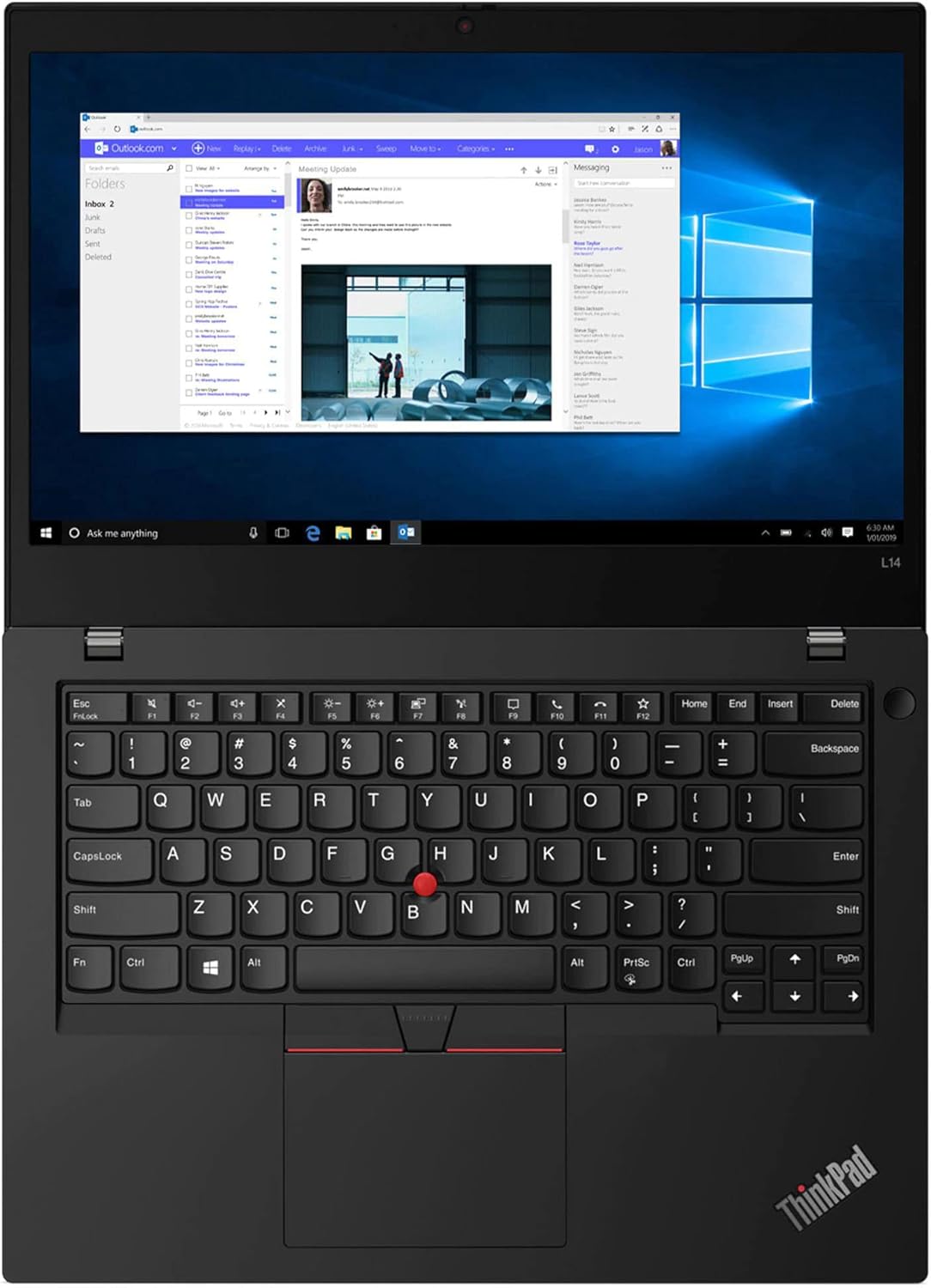
Image: A close-up view of the laptop's keyboard, TrackPoint, and touchpad, highlighting the input devices.
Power Management
- Power On/Off: Press the power button located on the side or top right of the keyboard deck to turn the laptop on or off.
- Sleep Mode: Close the lid or select 'Sleep' from the Windows Start menu to put the laptop into a low-power state.
- Battery: The laptop features a 3-cell 45WHr battery. Monitor battery status via the Windows taskbar icon.
Connectivity
- Wi-Fi: Connect to wireless networks using the integrated 802.11ax Wi-Fi. Access Wi-Fi settings via the Windows network icon.
- Bluetooth: Pair Bluetooth devices such as headphones or mice using Bluetooth 5.2. Manage Bluetooth devices in Windows Settings.
- Ethernet: For a wired network connection, use the RJ-45 Ethernet port.
External Devices and Ports
Your ThinkPad L14 Gen 2 includes various ports for connecting external devices:
- USB 3.2 Gen1: Two standard USB-A ports for peripherals.
- USB 3.2 Type-C Gen1: One USB-C port for data transfer.
- Thunderbolt 4 (Type-C): One advanced USB-C port supporting high-speed data, video output, and power delivery.
- HDMI: Connect to external displays or projectors.
- Micro SD Reader: For reading memory cards.
- Headphone/Microphone Combo Jack: For audio input and output.

Image: The left side of the laptop, displaying ports such as USB-C (Thunderbolt 4), USB-A, HDMI, and the audio jack.

Image: The right side of the laptop, showing additional ports including a USB-A port and the Ethernet (RJ-45) port.
Webcam and Audio
- HD Webcam: The integrated 720p HD webcam is located at the top of the display for video conferencing.
- Microphone: Integrated microphones provide clear audio input.
Maintenance
Proper maintenance ensures the longevity and optimal performance of your laptop.
- Cleaning:
- Screen: Use a soft, lint-free cloth lightly dampened with water or a screen cleaner. Do not spray liquid directly onto the screen.
- Keyboard and Chassis: Use a soft cloth to wipe surfaces. A can of compressed air can remove dust from between keys.
- Software Updates: Regularly check for and install Windows updates and driver updates from the Lenovo support website to ensure system stability and security.
- Storage Management: Periodically review and delete unnecessary files to maintain optimal performance of the 512GB PCIe SSD.
Troubleshooting
This section addresses common issues you might encounter.
- Laptop Not Turning On:
- Ensure the power adapter is securely connected to both the laptop and a working power outlet.
- Verify the battery has sufficient charge.
- Try holding the power button for 10-15 seconds to perform a hard reset.
- Display Problems (No Image/Flickering):
- Connect an external monitor via HDMI to check if the issue is with the laptop's internal display.
- Restart the laptop.
- Wi-Fi/Bluetooth Not Connecting:
- Check if Wi-Fi or Bluetooth is enabled in Windows Settings.
- Restart your router/modem for Wi-Fi issues.
- Update wireless drivers from the Lenovo support website.
- Slow Performance:
- Close unnecessary applications running in the background.
- Ensure Windows and drivers are up to date.
- Check for malware or viruses.
Specifications
Key technical specifications for the Lenovo ThinkPad L14 Gen 2 laptop:
| Feature | Detail |
|---|---|
| Processor | Intel Core i5-1135G7 (up to 4.2GHz, 4 Cores, 8 Threads) |
| RAM | 16GB DDR4 SO-DIMM |
| Storage | 512GB PCIe SSD |
| Graphics | Intel Iris Xe Integrated Graphics |
| Operating System | Windows 11 Pro-64 |
| Display | 14.0" Full HD (1920x1080) 60Hz IPS Display |
| Connectivity | 802.11ax Wi-Fi, Bluetooth 5.2, Ethernet LAN (RJ-45) |
| Ports | 2x USB 3.2 Gen1, 1x HDMI, 1x Thunderbolt 4 (Type-C), 1x USB 3.2 Type-C Gen1, Micro SD Reader, Headphone/Microphone Combo Jack |
| Webcam | 720p HD Webcam |
| Battery | 3-cell 45WHr Battery |
| Dimensions (WxLxH) | 13.03 x 9.25 x 0.8 inches |
| Weight | 3.49 lb |
Warranty and Support
Your Lenovo ThinkPad L14 Gen 2 laptop comes with a 1-Year Manufacturer Warranty from GreatPriceTech. For warranty claims or technical assistance, please refer to the documentation provided with your purchase or visit the official Lenovo support website.
For additional information and support resources, you may visit the Lenovo Store on Amazon.


