
Bewinner Dilwezdggqxanr99348
V5 WiFi Video Doorbell Camera User Manual
Model: Dilwezdggqxanr99348 | Brand: Bewinner
Introduction
Thank you for choosing the Bewinner V5 WiFi Video Doorbell Camera. This manual provides detailed instructions for the installation, operation, and maintenance of your new doorbell. Please read this manual thoroughly before use to ensure proper functionality and safety.
Product Overview
The Bewinner V5 WiFi Video Doorbell Camera offers advanced security features for your home or apartment. It provides 720P HD video, two-way audio communication, and PIR motion detection, ensuring you are always aware of activity at your doorstep.

Image: Front view of the Bewinner V5 WiFi Video Doorbell Camera, showcasing its sleek design with a camera lens, motion sensor, and doorbell button.
Key Features:
- 720P HD Video & Two-Way Audio: High-definition video with a 166° wide-angle lens and clear two-way communication with noise-cancelling microphones.
- 2.4GHz WiFi Connectivity: Stable wireless connection for real-time notifications and remote access via smartphone.
- PIR Motion Detection: Built-in passive infrared sensor detects movement and sends instant alerts. Sensitivity is adjustable.
- Day and Night Mode: Automatic switching to infrared night vision for clear visibility in low-light conditions.
- IP65 Waterproof Rating: Designed for outdoor use, resistant to dust and water splashes.
- Smartphone Compatibility: Compatible with iOS and Android devices for convenient monitoring and control.

Image: Close-up view of the top section of the Bewinner V5 doorbell, highlighting the camera lens and the motion sensor for detailed inspection.
Package Contents
Please check the package contents upon unboxing to ensure all components are present.
- V5 WiFi Video Doorbell Camera
- Indoor Chime Unit
- Mounting Bracket
- Mounting Screws and Wall Plugs
- User Manual (this document)
- Note: Batteries are not included and must be purchased separately.

Image: The Bewinner V5 doorbell camera displayed alongside its mounting bracket, screws, and wall plugs, illustrating the complete set of installation hardware.
Setup
1. Battery Installation
- Locate the battery compartment on the back of the doorbell unit.
- Open the battery cover.
- Insert the required batteries (not included) according to the polarity markings.
- Close the battery cover securely.

Image: The back of the Bewinner V5 doorbell with the battery cover removed, revealing the battery slots for installation.
2. App Download and Account Creation
- Download the companion app (e.g., "AIWIT" or similar, as suggested by reviews) from your smartphone's app store (iOS or Android).
- Follow the in-app instructions to create a new account and log in.
3. Device Pairing
- Ensure your smartphone is connected to a 2.4GHz Wi-Fi network. The doorbell does not support 5GHz Wi-Fi.
- Open the app and select "Add Device" or similar option.
- Follow the on-screen prompts to connect the doorbell to your Wi-Fi network. This usually involves scanning a QR code on the doorbell or listening for a sound prompt.
- Once connected, the doorbell will appear in your app's device list.
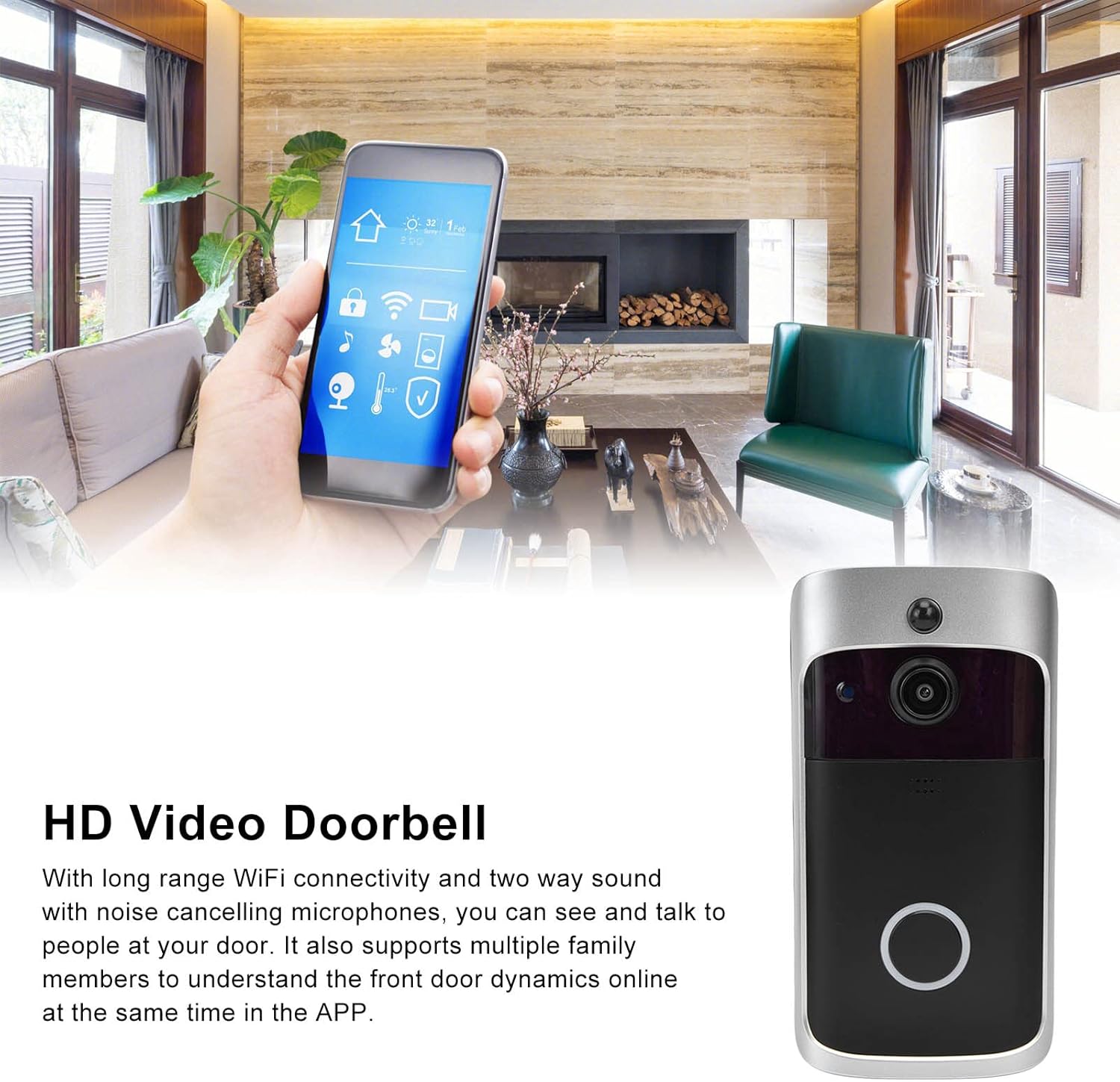
Image: A hand holding a smartphone displaying the doorbell's app interface, with the doorbell unit visible in the foreground, demonstrating remote access and control.
4. Physical Installation
- Choose a suitable location near your door, ensuring a clear view and good Wi-Fi signal.
- Use the mounting bracket as a template to mark drill holes on the wall.
- Drill the holes and insert the wall plugs.
- Secure the mounting bracket to the wall using the provided screws.
- Attach the doorbell unit to the mounting bracket, ensuring it clicks securely into place.

Image: The Bewinner V5 doorbell camera mounted on a dark wooden door, providing a clear view of its placement and integration into a home entrance.
Operating Instructions
Receiving Notifications
- When a visitor presses the doorbell button, you will receive a real-time notification on your smartphone.
- If motion is detected, a notification will also be sent to your phone.
Two-Way Communication
- Tap the notification on your phone to view the live video feed.
- Use the microphone icon in the app to speak to the visitor, and the speaker icon to hear their response.
Motion Detection Settings
- Access the doorbell settings within the app.
- Navigate to the "Motion Detection" or "PIR Sensitivity" section.
- Adjust the sensitivity level as needed. Lower sensitivity is recommended for busy areas to conserve battery life and reduce false alerts.
Day and Night Vision
- The doorbell automatically switches between day (color) and night (black and white infrared) modes based on ambient light.
- Ensure the area around the doorbell is clear of obstructions that might block the infrared LEDs at night.

Image: The Bewinner V5 doorbell camera mounted on a wall inside a modern home, demonstrating its integration into an indoor environment for security monitoring.
Maintenance
- Cleaning: Wipe the camera lens and doorbell surface with a soft, damp cloth. Avoid abrasive cleaners or solvents.
- Battery Replacement: Replace batteries when the app indicates low power or when performance degrades.
- Firmware Updates: Regularly check the app for available firmware updates to ensure optimal performance and security.
- Wi-Fi Connection: Ensure your Wi-Fi router is functioning correctly and provides a strong signal to the doorbell.
Troubleshooting
| Problem | Possible Cause / Solution |
|---|---|
| Doorbell not connecting to Wi-Fi. |
|
| No notifications on smartphone. |
|
| Poor video quality or black screen. |
|
| Two-way audio is unclear or not working. |
|
| Doorbell not powering on. |
|
Specifications
| Feature | Detail |
|---|---|
| Model Number | Dilwezdggqxanr99348 |
| Video Resolution | 720p HD |
| Viewing Angle | 166° Wide Angle |
| Connectivity | 2.4GHz Wi-Fi (IEEE 802.11 b/g/n) |
| Audio | Two-Way Audio with Noise Cancellation |
| Motion Detection | PIR (Passive Infrared) |
| Night Vision | Infrared LEDs |
| Weather Resistance | IP65 Waterproof |
| Power Source | Battery Powered (Batteries not included) |
| Compatible Devices | Smartphones (iOS, Android) |
| Mounting Type | Wall Mount |
| Item Weight | 248 g |
| Dimensions | Approx. 19 x 11 x 5 cm (Package) |
Warranty and Support
The Bewinner V5 WiFi Video Doorbell Camera comes with a standard manufacturer's warranty. For specific warranty terms and conditions, please refer to the documentation provided with your purchase or contact Bewinner customer support.
Customer Support:
For technical assistance, troubleshooting, or warranty claims, please contact Bewinner customer support through their official website or the contact information provided in your product packaging.
Important Note: Some features, such as cloud video storage, may require a separate subscription service. Please check the app or product description for details.
Related documentsDilwezdggqxanr99348


Ask a question about this manual
Ask about setup, troubleshooting, compatibility, parts, safety, or missing instructions. Manuals+ will review the question and use this page’s manual context to help answer it.