

1. Product Overview
The Adorbee Wireless Security Outdoor Camera with Solar Panel is designed for comprehensive home surveillance, offering 1080p HD video quality, night vision, and two-way audio. Its wire-free design and solar charging capability ensure continuous operation without the need for frequent battery changes or complex wiring.
- 100% Wire-Free & Non-stop Solar Powered: Built-in rechargeable battery and 2.4GHz wireless WiFi antenna for easy placement and 365 days non-stop power.
- Remote Monitoring & Multi-user Sharing: 1080p HD night vision for live view and recording, shareable via the Adorcam app.
- Instant Notification & Siren Alarm: Highly sensitive speaker, microphone, and PIR detection sensor for instant alerts, automatic recording, and high-decibel siren.
- No Monthly Fee & Encrypted Secure Data: Supports up to 128GB Micro SD card (not included) for local storage with military-grade encryption.
- IP66 Waterproof: Designed for outdoor use, resistant to severe rain and snow.
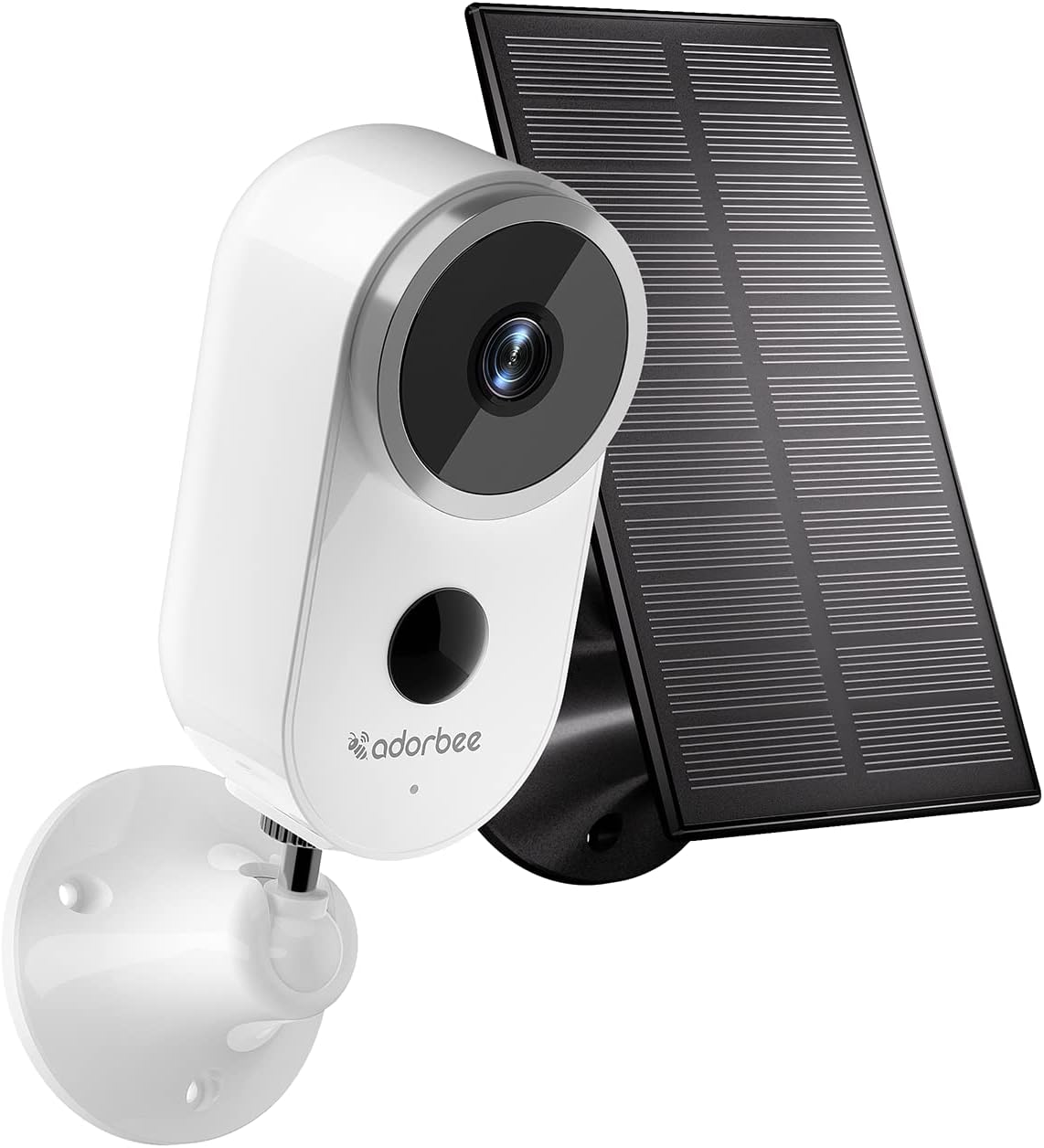
Figure 1.1: Adorbee Wireless Security Outdoor Camera with Solar Panel.
2. What's in the Box
Verify that all components are present in your package:
- Adorbee Wireless Security Camera (Model A4-S2)
- Solar Power Panel
- Micro USB Cable
- Wall Mounts Screws and Anchors
- User Guide

Figure 2.1: Package contents including the camera, solar panel, cables, mounting hardware, and user guide.
3. Setup and Installation
3.1 Initial Charging
Before first use, fully charge the camera's built-in battery using the provided Micro USB cable. Connect the cable to the camera and a standard 5V 1A/2A USB power adapter (not included). The camera is designed to be continuously powered by the solar panel after initial setup.

Figure 3.1: The camera features a built-in rechargeable battery for wire-free operation.
3.2 App Installation and Wi-Fi Connection
The Adorbee camera operates with the Adorcam app, available for both iOS and Android devices. Ensure your Wi-Fi network is 2.4GHz, as the camera does not support 5GHz networks.
- Download and install the "Adorcam" app from your device's app store.
- Open the app and follow the on-screen instructions to create an account and add your new device.
- During the setup process, you will be prompted to connect the camera to your 2.4GHz Wi-Fi network.

Figure 3.2: Visual guide for the simple setup process: app installation, mounting, and readiness.
3.3 Mounting the Camera and Solar Panel
The camera can be wall-mounted. Choose a location that provides optimal viewing angles and receives sufficient sunlight for the solar panel to charge effectively. The IP66 waterproof rating ensures durability in various weather conditions.
- Use the provided wall mounts and screws to securely attach the camera bracket to your desired surface.
- Attach the solar panel in a position that maximizes sun exposure throughout the day.
- Connect the solar panel cable to the camera.

Figure 3.3: The camera is designed for quick and easy installation without complex wiring.

Figure 3.4: The camera and solar panel provide a 100% wire-free solution with continuous power.
4. Operating the Camera
4.1 Live View and Recording
Access the Adorcam app to view live footage from your camera anytime, anywhere. You can also initiate manual recordings or review automatically triggered event recordings.

Figure 4.1: Monitor your property remotely using the Adorcam app on your smartphone.
4.2 Motion Detection and Alerts
The camera features a PIR detection sensor that triggers instant notifications to your mobile phone upon detecting motion. It will automatically record alarm videos and audio, and can activate a high-decibel siren to deter intruders.

Figure 4.2: Receive immediate alerts on your phone when motion is detected by the camera.

Figure 4.3: Example of a motion detection notification received on a mobile device.
4.3 Two-Way Audio
Communicate with visitors or deter unwanted guests using the built-in speaker and microphone for two-way audio functionality.

Figure 4.4: Engage in real-time conversations with individuals at your property via the camera's two-way audio.
4.4 Night Vision
The camera provides clear 1080p HD video even in low-light conditions, ensuring continuous surveillance day and night.

Figure 4.5: The camera offers full HD 1080p resolution for both day and night monitoring.
4.5 Multi-User Sharing
Share access to your camera's live feed and recordings with family members or trusted individuals through the Adorcam app, allowing multiple users to monitor simultaneously.

Figure 4.6: Multiple users can access and monitor the camera feed simultaneously.
5. Maintenance
To ensure optimal performance and longevity of your Adorbee camera, follow these maintenance guidelines:
- Cleaning: Periodically clean the camera lens and solar panel with a soft, damp cloth. If there is any residue glue from protective plastic on the lens, gently clean it with an oil-based solvent and a microfiber towel.
- Solar Panel Efficiency: Ensure the solar panel is free from obstructions (e.g., leaves, dirt) to maximize sunlight absorption and maintain battery charge.
- Weather Protection: While the camera is IP66 waterproof, ensure proper installation to prevent water ingress, especially around cable connections.

Figure 5.1: The camera's IP66 rating ensures reliable operation in various weather conditions.
6. Troubleshooting
If you encounter issues with your Adorbee camera, refer to the following common problems and solutions:
- Cannot connect to 2.4GHz Wi-Fi:
Reconnect the power to the product and press and hold the reboot button for 2-3 seconds. Restore the initial settings of the product and try to reconnect again.
- Battery Drains Quickly:
Ensure the solar panel is receiving adequate direct sunlight. Check for excessive motion detections in high-traffic areas, which can increase power consumption. Adjust motion sensitivity settings in the app.
- Motion Detected but No Video/Notification:
Verify motion detection settings in the Adorcam app. Ensure the camera's field of view is clear of obstructions. Check Wi-Fi signal strength at the camera's location; a weak signal can cause delays or missed recordings.
- Poor Picture Quality:
Clean the camera lens as described in the Maintenance section. Ensure there is sufficient lighting, especially for night vision. Check your internet connection speed.
7. Specifications
| Feature | Detail |
|---|---|
| Model Number | A4-S2 |
| Indoor/Outdoor Usage | Outdoor |
| Video Capture Resolution | 1080p |
| Connectivity Protocol | Wi-Fi (2.4GHz) |
| Power Source | Battery Powered, Solar Powered, DC5V 1A/2A with Micro USB cable |
| Battery Capacity | 5000 Milliampere Hour (mAh) |
| Water Resistance Level | IP66 Waterproof |
| Viewing Angle | 110 Degrees |
| Night Vision Range | 32 Feet |
| Alert Type | Audio and Motion |
| Storage | Supports up to 128GB Micro SD card (not included) |
| Dimensions (L x W x H) | 2.05 x 2.28 x 4.25 inches |
| Item Weight | 8 ounces |
| UPC | 769326632394 |
8. Warranty and Support
Adorbee stands behind the quality of its products. Your Wireless Security Outdoor Camera comes with:
- 180-Day Free Return Policy: Enjoy peace of mind with a 180-day free return period.
- 1-Year Warranty: The product is covered by a 1-year warranty for any manufacturing defects or issues.
For technical support, troubleshooting assistance, or warranty claims, please contact Adorbee Customer Service through the contact information provided on the product packaging or the official Adorbee website.


