
1. Introduction
Thank you for choosing the 5Rcom Universal TV Stand. This manual provides detailed instructions for the assembly, operation, and maintenance of your new TV stand, specifically focusing on the TF2001 Swivel TV Floor Stand. The UT3001 Table Top TV Stand is a simpler assembly of TV legs, which can be inferred from the TF2001 instructions for attaching the TV to the VESA brackets. Please read this manual thoroughly before installation to ensure safe and correct usage.
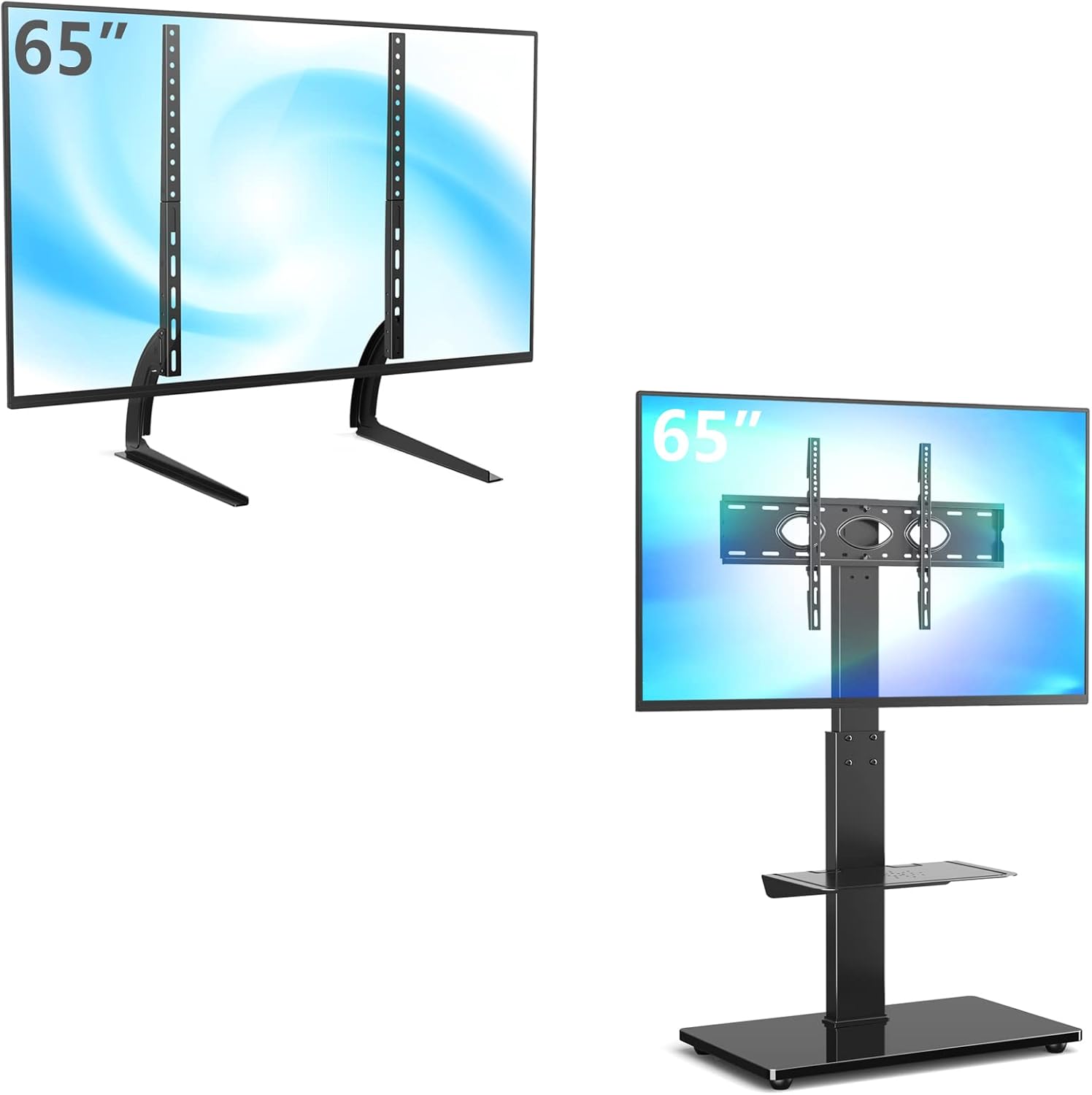
Figure 1: Overview of the 5Rcom TV Stand models, including the UT3001 table-top legs and the TF2001 swivel floor stand.
2. Safety Information
- Read all instructions before assembly and use. If you have any questions, contact customer support.
- Do not exceed the maximum weight capacity of 110 lbs (50 kg) for the TV mount and 11 lbs (5 kg) for the accessory shelf.
- Ensure all screws are tightened securely before use. Do not overtighten.
- Keep children and pets away from the assembly area. Small parts may be a choking hazard.
- Always use two people to lift and position the television onto the stand.
- Place the stand on a flat, stable, and level surface to prevent tipping.
- Do not hang or climb on the stand.
- Regularly check all connections and fasteners to ensure they remain secure.
3. Package Contents
Please verify that all parts are present and undamaged before beginning assembly. If any parts are missing or damaged, do not attempt to assemble. Contact 5Rcom customer service for assistance.
Typical components for the TF2001 Swivel TV Floor Stand include:
- Main Support Pole
- Tempered Glass Base
- TV Mounting Brackets (VESA compatible)
- Height Adjustable Metal Shelf
- Hardware Kit (various screws, washers, spacers, nuts, Allen keys, wrench)
- Cable Management Clips/Covers
- Assembly Instructions
4. Specifications
| Feature | Specification |
|---|---|
| Brand | 5Rcom |
| Compatible TV Sizes (TF2001) | 32-65 inches |
| Compatible TV Sizes (UT3001) | 22-65 inches |
| Maximum TV Load Capacity | 110 Pounds (50 kg) |
| VESA Compatibility | 100x100mm to 600x400mm |
| Mounting Type | Swivel Floor Stand (TF2001), Table Top Legs (UT3001) |
| Swivel Range (TF2001) | ±30 Degrees (60 degrees total) |
| Height Adjustment (TF2001 TV) | 44" to 56" from floor (5 levels) |
| Height Adjustment (TF2001 Shelf) | 5" to 23" from base (removable) |
| Shelf Load Capacity | 11 Pounds (5 kg) |
| Material | Alloy Steel, Tempered Glass |

Figure 2: Detailed product dimensions for the TF2001 Swivel TV Floor Stand and compatible VESA mounting patterns.
5. Setup Instructions (TF2001 Swivel TV Floor Stand)
Follow these steps carefully for the assembly of your TF2001 Swivel TV Floor Stand. For the UT3001 Table Top TV Legs, the process involves primarily attaching the legs to the TV's VESA holes, similar to steps 4 and 5 below.
- Assemble the Base: Attach the main support pole to the tempered glass base using the provided screws and tools. Ensure the pole is securely fastened and upright.
- Install the Accessory Shelf: Slide the metal accessory shelf onto the main support pole. Adjust its height to your desired position and secure it using the designated fasteners. The shelf is height adjustable from 5 inches to 23 inches.
- Attach TV Mounting Brackets to Pole: Secure the TV mounting bracket assembly to the top of the main support pole. Ensure it is aligned correctly and all bolts are tightened.
- Attach VESA Brackets to TV: Identify the correct size screws and spacers for your television's VESA mounting holes. Attach the vertical VESA mounting brackets to the back of your TV. Ensure they are level and securely fastened.
- Mount TV to Stand: With assistance, carefully lift your television and hook the VESA brackets onto the mounting plate on the stand. Engage the safety lock mechanism to prevent accidental dislodgement.
- Cable Management: Utilize the integrated cable management system within the main pole to route and conceal your TV and device cables for a tidy appearance.
- Final Adjustments: Adjust the TV height and swivel angle as desired (refer to Operating Instructions).

Figure 3: Key features of the TF2001 stand, including safety lock, 30-degree swivel, heavy-duty castors, metal shelf, integrated cable management, and height-adjustable shelf.
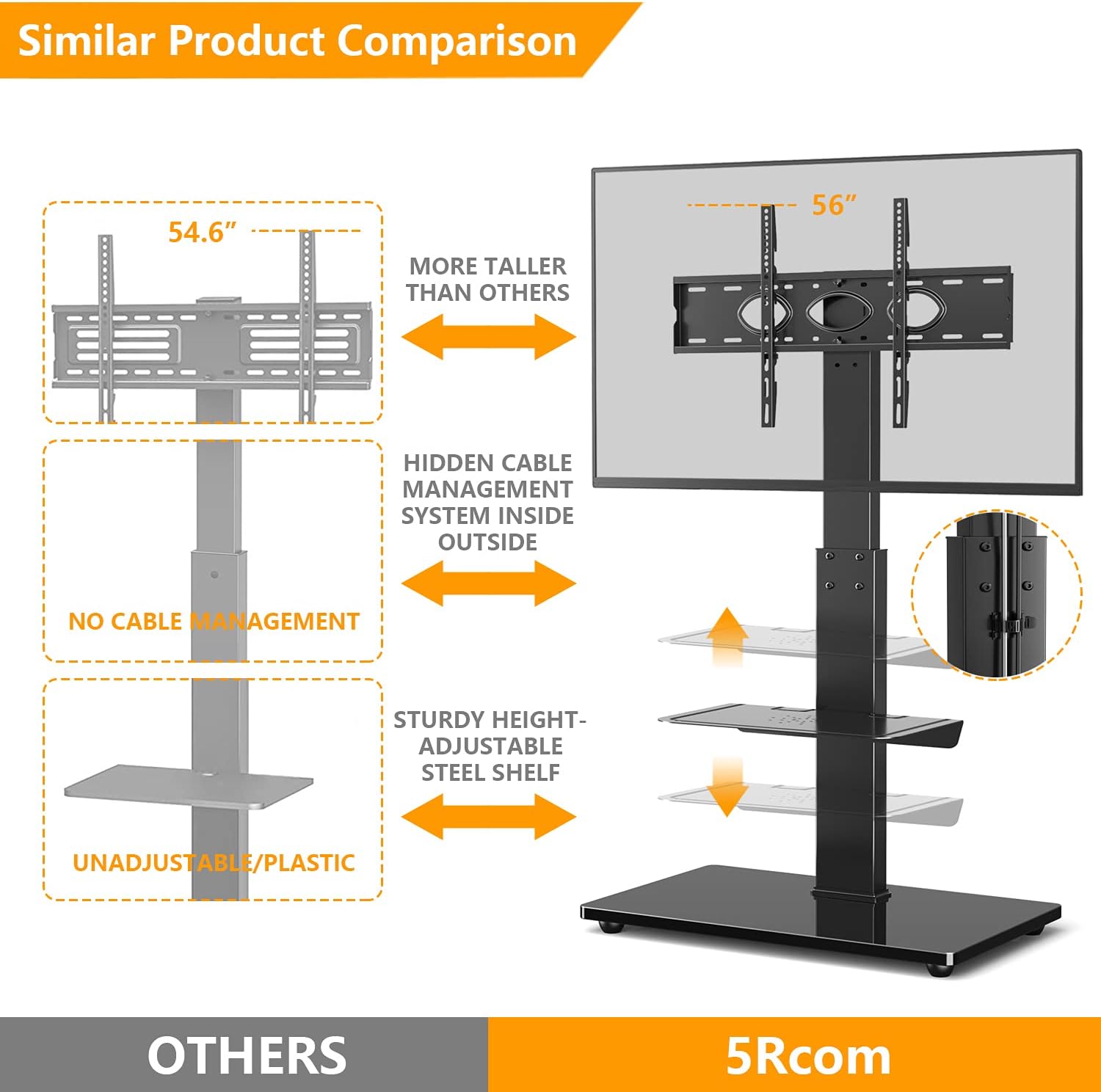
Figure 4: Comparison highlighting the superior features of the 5Rcom TF2001 stand, such as hidden cable management and sturdy adjustable shelves, compared to other models.
6. Operating Instructions (TF2001 Swivel TV Floor Stand)
Once assembled, your 5Rcom TF2001 Swivel TV Floor Stand offers several adjustable features for optimal viewing and convenience.
- TV Height Adjustment: The TV mounting bracket allows for 5 levels of height adjustment, ranging from 44 inches to 56 inches from the floor. To adjust, loosen the securing bolts on the main pole, slide the TV mount to the desired height, and re-tighten the bolts securely.
- Swivel Function: The TV mount can swivel 30 degrees to the left and 30 degrees to the right, providing a total of 60 degrees of swivel. Gently push the television to the desired viewing angle.
- Accessory Shelf Adjustment: The metal accessory shelf can be adjusted in height from 5 inches to 23 inches from the base. Loosen the shelf's securing mechanism, slide it to the preferred height, and re-secure it. The shelf can also be removed if not needed.
- Mobility (if applicable): If your model includes heavy-duty castors with brakes, you can easily move the stand. Engage the brakes when the stand is in its desired position to ensure stability.

Figure 5: The TF2001 Swivel TV Floor Stand demonstrating its adjustable height feature for optimal viewing.

Figure 6: Detailed illustration of the TF2001 stand's height adjustment capabilities for both the TV mount and the accessory shelf.

Figure 7: Visual representation of the TF2001 stand's 60-degree swivel range (30 degrees left and 30 degrees right).

Figure 8: A user operating a television mounted on the TF2001 Swivel TV Floor Stand in a home setting.
7. Maintenance
- Cleaning: Use a soft, dry cloth to clean the stand. For stubborn marks, a slightly damp cloth with mild detergent can be used, followed by drying. Avoid abrasive cleaners or solvents.
- Inspection: Periodically check all screws and connections to ensure they remain tight and secure. Re-tighten if necessary.
- Cable Management: Ensure cables are neatly managed and not pinched or strained, which could lead to damage.
8. Troubleshooting
- Stand is unstable: Ensure the stand is placed on a flat, level surface. Check that all assembly screws are fully tightened. Verify that the TV weight does not exceed the maximum load capacity.
- TV does not fit the mount: Confirm your TV's VESA pattern (distance between mounting holes on the back of your TV) is within the supported range (100x100mm to 600x400mm). Ensure you are using the correct screws and spacers for your TV.
- Missing parts: Refer to the 'Package Contents' section. If any parts are missing, do not proceed with assembly. Contact 5Rcom customer support for replacement parts.
- Difficulty with swivel: Ensure no cables are obstructing the swivel mechanism. Check that the stand is not overloaded.
9. Warranty and Support
For warranty information or technical support, please refer to the warranty card included with your product or visit the official 5Rcom website. Keep your purchase receipt as proof of purchase for any warranty claims.
