
1. Introduction
This manual provides essential information for the setup, operation, maintenance, and troubleshooting of your Klipsch Reference Premiere RP-8060FA II Floorstanding Speaker. This speaker is designed to deliver high-fidelity audio for home theater systems, featuring an integrated Dolby Atmos elevation speaker for immersive sound experiences.

Image 1.1: Front-right view of the Klipsch RP-8060FA II Floorstanding Speaker, showcasing its drivers and walnut finish.
2. Product Features
- Elevation Speaker Built-in: Features a high-performance, 6.5-inch 2-way up-firing Dolby Atmos speaker integrated into the top for overhead sound effects.
- Larger Tractrix Horn: Incorporates a new, larger 90° x 90° silicone composite hybrid Tractrix horn for enhanced sound clarity and detail.
- Linear Travel Suspension (LTS) Titanium Diaphragm Tweeter: Minimizes distortion for precise and detailed high-frequency performance.
- Vented Tweeter Design: The vented housing improves detail and reduces standing waves behind the diaphragm.
- All-New Cerametallic Woofers: Updated design for accurate sound reproduction, minimal distortion, and high efficiency.
- Tractrix Ports: Utilizes Tractrix geometry for efficient and fast air transfer from the cabinet, resulting in cleaner, more powerful bass.
- Bi-Wiring/Bi-Amping Capability: Dual input terminals allow for separate high and low-frequency current paths, potentially reducing distortion.
- Advanced Cabinet Design: Features additional internal bracing and a divided cabinet to minimize vibrations, along with an improved input panel and furniture-grade finishes.
- Removable Grille: Attaches magnetically for flexible aesthetic options.

Image 2.1: Detail of the integrated Dolby Atmos elevation speaker on top of the RP-8060FA II.

Image 2.2: Close-up view of the 90° x 90° Hybrid Tractrix® Horn and LTS Titanium Diaphragm Tweeter.
3. Setup
3.1 Unpacking
Carefully remove the speaker from its packaging. Inspect the speaker for any signs of damage. Retain all packaging materials for future transport or service needs.
3.2 Placement
Optimal speaker placement is crucial for sound quality. Consider the following:
- Stereo Imaging: For a stereo setup, place the speakers equidistant from your primary listening position and spaced apart to form an equilateral triangle.
- Room Acoustics: Avoid placing speakers directly into corners, as this can overemphasize bass. Experiment with distance from walls to achieve balanced sound.
- Dolby Atmos Elevation: The integrated up-firing speaker is designed to reflect sound off the ceiling to create overhead effects. Ensure there are no obstructions directly above the speaker. A flat, reflective ceiling is ideal.
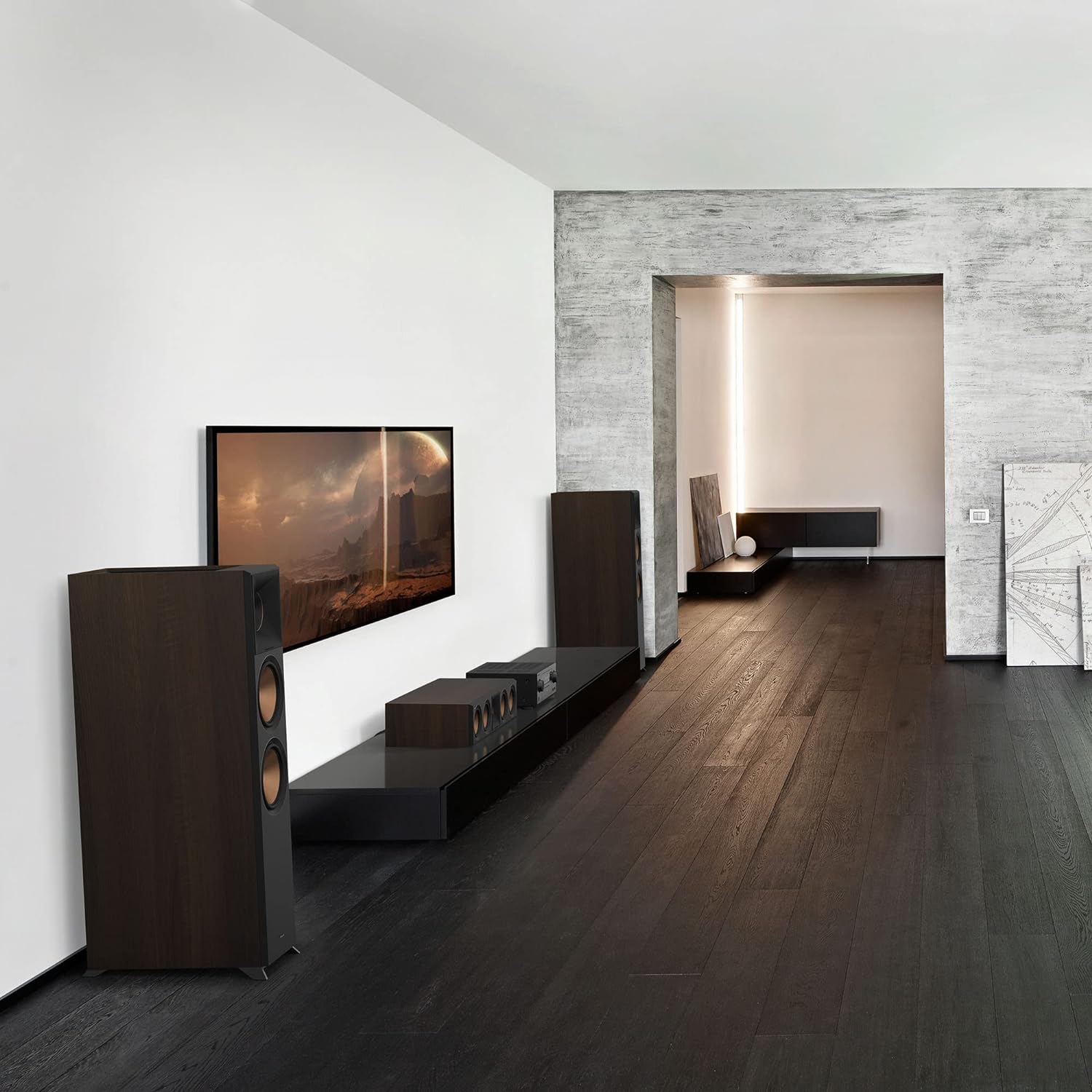
Image 3.1: Example placement of Klipsch RP-8060FA II speakers in a living room environment.
3.3 Connections
The RP-8060FA II features dual input terminals, allowing for standard wiring, bi-wiring, or bi-amping. Ensure your amplifier or receiver is turned off before making any connections.
- Standard Wiring: Connect your amplifier's main left/right speaker outputs to the 'MAIN' terminals on the speaker. The metal jumpers connecting 'MAIN' and 'HEIGHT' terminals should remain in place.
- Bi-Wiring/Bi-Amping: Remove the metal jumpers between the 'MAIN' and 'HEIGHT' terminals. Connect separate speaker cables from your amplifier to the 'MAIN' terminals for the main drivers and to the 'HEIGHT' terminals for the Dolby Atmos elevation speaker. For bi-amping, use separate amplifier channels for each set of terminals.
- Polarity: Always connect the positive (+) terminal on your amplifier to the positive (+) terminal on the speaker, and the negative (-) terminal on the amplifier to the negative (-) terminal on the speaker. Incorrect polarity will result in poor sound quality.

Image 3.2: Rear view of the speaker terminals, showing options for standard, bi-wire, or bi-amp connections.
4. Operating Instructions
4.1 Initial Power-Up
After all connections are securely made, turn on your amplifier or receiver. Start with the volume at a low level and gradually increase it to your desired listening level.
4.2 Dolby Atmos Configuration
For optimal Dolby Atmos performance, ensure your A/V receiver is configured correctly. Select the appropriate speaker layout (e.g., 5.1.2, 7.1.2) that includes height channels. Your receiver's auto-calibration feature (if available) can help optimize the sound settings for your room.

Image 4.1: Visual representation of 360° Dolby Atmos sound reaching the listener from all directions, including overhead.
5. Maintenance
5.1 Cleaning
To clean the speaker cabinet, use a soft, dry cloth. Avoid abrasive cleaners or solvents, as these can damage the finish. For the grilles, a soft brush or vacuum cleaner with a brush attachment can be used to remove dust.
5.2 Grille Removal and Attachment
The speaker grilles are magnetically attached. To remove, gently pull the grille away from the cabinet. To reattach, align the grille with the front baffle and allow the magnets to secure it in place.
6. Troubleshooting
If you encounter issues with your speaker, refer to the following common troubleshooting steps:
- No Sound:
- Ensure the amplifier/receiver is powered on and the correct input source is selected.
- Check all speaker cable connections at both the amplifier and the speaker terminals for secure contact and correct polarity.
- Verify that the volume level on your amplifier/receiver is not set to minimum or muted.
- Distorted Sound:
- Reduce the volume level on your amplifier/receiver. Overdriving the speakers can cause distortion.
- Check speaker wire connections for loose strands that might be shorting across terminals.
- Ensure the amplifier's power output is appropriate for the speaker's specifications.
- Uneven Sound or Missing Channels:
- Verify that all speaker cables are connected correctly and securely for both main and height channels.
- Check your receiver's speaker configuration settings to ensure all channels are enabled and properly assigned.
7. Specifications
| Feature | Specification |
|---|---|
| Model | Klipsch Reference Premiere RP-8060FA II |
| Speaker Type | Floorstanding Tower Speaker with Built-in Elevation |
| Mounting Type | Floor Standing |
| Woofer Size | Dual 6.5-inch Cerametallic Woofers |
| Tweeter | 1-inch LTS Titanium Diaphragm Tweeter with Vented Design |
| Horn | 90° x 90° Hybrid Tractrix® Horn |
| Elevation Speaker | High-performance, 6.5-inch 2-way up-firing Dolby Atmos speaker |
| Recommended Uses | Home Theater |
| Product Dimensions (H x W x D) | 48.81" x 15.74" x 24.8" |
| Item Weight | 76 Pounds (per speaker) |
| Connectivity | Dual input terminals (Bi-wiring/Bi-amping capable) |
| UPC | 743878046489 |
8. Warranty Information
The Klipsch Reference Premiere RP-8060FA II Floorstanding Speaker comes with a limited warranty. For specific details regarding warranty coverage, duration, and terms, please refer to the warranty card included with your product or visit the official Klipsch website.
9. Support
For further assistance, technical support, or service inquiries, please contact Klipsch customer support through their official website or the contact information provided in your product documentation.
Official Klipsch Website: www.klipsch.com


