1. Product Overview
This manual provides instructions for the assembly, operation, and maintenance of your Sauder Nova Loft 59"W L-Shape Corner Desk. This L-shaped desk is designed to enhance your workspace with its grand walnut finish and functional features, including storage drawers and cable management grommets.

Image 1.1: The Sauder Nova Loft L-Shape Corner Desk, featuring a grand walnut finish and metal frame, positioned in an office environment with a laptop, lamp, and decorative items.
2. Important Safety Information
Please read all instructions carefully before assembly and use. Failure to follow these instructions may result in injury or damage to the product.
- This product is heavy and/or oversized and may require more than one person to handle and assemble. Seek assistance to prevent injury.
- Always follow the assembly instructions provided with the product.
- Ensure all fasteners are securely tightened before use. Periodically check and re-tighten as necessary.
- Do not stand or sit on the desk.
- Distribute weight evenly across the desk surface and in drawers to prevent tipping.
3. Setup and Assembly
3.1 Unpacking
- Carefully open the packaging and remove all components.
- Verify that all parts listed in the assembly instructions are present. Do not discard packaging until assembly is complete.
- Place components on a soft, clean surface (e.g., carpet or blanket) to prevent scratches during assembly.
3.2 Assembly
Assembly is required for this product. All necessary assembly tools are included. It is recommended to have at least two people for assembly due to the product's weight and size.
- Refer to the detailed step-by-step assembly instructions included in your product packaging.
- Ensure each step is completed accurately before proceeding to the next.
- Do not overtighten screws, as this may damage the material.

Image 3.1: Diagram illustrating the overall dimensions of the L-Shape Corner Desk, showing a width of 59 inches, depth of 59 inches, and height of 29.5 inches.

Image 3.2: A detailed view of the desk's corner, highlighting the grand walnut finish and the dark metal frame construction.
4. Operating Instructions
4.1 Using the Storage Drawers
The desk includes three storage drawers designed to accommodate essential items and help organize your workspace. One drawer is specifically designed for file storage.

Image 4.1: A close-up view of an open bottom drawer, configured for hanging file folders, demonstrating its storage capacity.
4.2 Cable Management
Desktop grommets are integrated into the desk surface to help manage and declutter your cables, keeping your workspace tidy and organized.
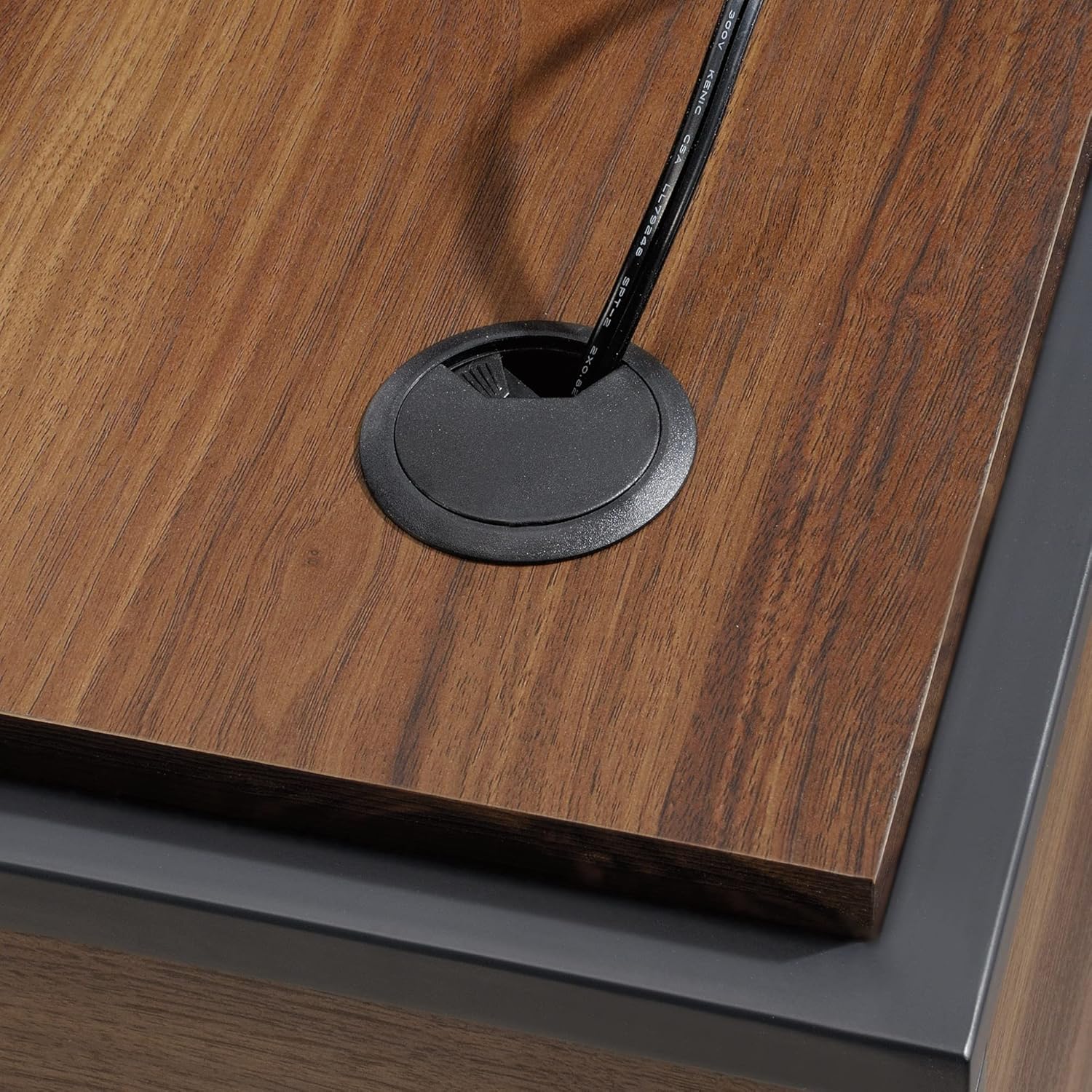
Image 4.2: A detailed shot of a black circular cable grommet on the desk surface, with a power cable passing through it.
4.3 Keyboard Tray
A pull-out keyboard tray is included for ergonomic placement of your keyboard and mouse, helping to maximize desktop space.

Image 4.3: A close-up of the pull-out keyboard tray, showing a white keyboard and mouse placed on its surface.
5. Maintenance and Care
- Cleaning: Wipe surfaces with a soft, damp cloth. Avoid using harsh chemicals, abrasive cleaners, or polishes that may damage the finish.
- Spills: Clean spills immediately with a dry cloth to prevent staining or damage to the wood finish.
- Fasteners: Periodically check all screws and bolts to ensure they remain tight. Re-tighten as needed to maintain stability.
- Heat and Moisture: Avoid placing hot items directly on the desk surface. Use coasters or protective pads. Protect from excessive moisture.
6. Troubleshooting
| Issue | Possible Cause | Solution |
|---|---|---|
| Desk is wobbly or unstable | Loose fasteners; uneven floor | Ensure all screws and bolts are securely tightened. Adjust leg levelers if present, or place shims under legs on uneven surfaces. |
| Drawers do not slide smoothly | Obstruction in drawer glides; misaligned glides | Check for any objects blocking the drawer glides. Verify that drawer glides are correctly installed and aligned according to assembly instructions. |
| Missing parts during assembly | Packaging not thoroughly checked | Carefully re-check all packaging materials. If parts are still missing, contact Sauder customer support. |
7. Specifications
| Feature | Detail |
|---|---|
| Model Name | Nova Loft L-Shape Corner Desk |
| Brand | Sauder |
| Dimensions (W x L x H) | 59 inches x 26.4 inches x 29.5 inches (approximate) |
| Item Weight | 153 Pounds |
| Material | Engineered Wood (Hutch Material), Wood (Base Material, Furniture Leg Material, Top Material Type) |
| Finish Type | Grand Walnut Finish |
| Number of Drawers | 3 (including 1 file storage drawer) |
| Assembly Required | Yes |
| Included Components | L-shaped unit with desk and return, all assembly tools |
| Special Features | Cable management grommets, pull-out keyboard tray |
| Mounting Type | Freestanding |
| UPC | 042666058308 |
8. Warranty Information
This Sauder product comes with a Limited Warranty. For specific details regarding the terms, conditions, and duration of your warranty, please refer to the warranty documentation included with your purchase or visit the official Sauder website. The warranty typically covers manufacturing defects under normal use.
For more information, you may visit the Sauder Store on Amazon.
9. Customer Support
If you have any questions, require assistance with assembly, or need to report missing/damaged parts, please contact Sauder customer support. Have your model number (B09V1T95XM) and purchase information ready when contacting support.
You can often find contact information on the Sauder website or through the retailer where the product was purchased.


