
1. Safety Instructions
Please read these instructions carefully before installation and use. Keep this manual for future reference.
- Electrical Safety: Installation must be performed by a qualified electrician in accordance with all local and national electrical codes. Ensure the power supply is disconnected before installation, maintenance, or cleaning.
- Product Integrity: Do not modify or alter the luminaire. Any modifications may void the warranty and create safety hazards.
- Environmental Conditions: This luminaire is rated IP65, suitable for humid environments. However, avoid direct high-pressure water jets. Ensure the operating temperature is within the specified range.
- Handling: Handle the luminaire with care to prevent damage to the diffuser or internal components.
- Disposal: Dispose of the product according to local regulations for electronic waste.
2. Product Overview
The Optonica OPT 6703 LED Diffuser Luminaire is a professional, energy-efficient lighting solution designed for humid environments such as garages, warehouses, and commercial applications requiring IP65 protection. It features a robust design with stainless steel clips and a quick connection system for easy installation.
Key Features:
- High Efficiency: 55 W power consumption with 5500 lm output.
- Cool White Light: 6000 K color temperature for bright, clear illumination.
- Durable: IP65 protection rating against dust and water jets.
- Long Lifespan: Up to 25,000 hours of operation.
- Wide Beam Angle: 120° for broad light distribution.
- Easy Installation: Equipped with stainless steel clips and a quick connection system.
Product Images:
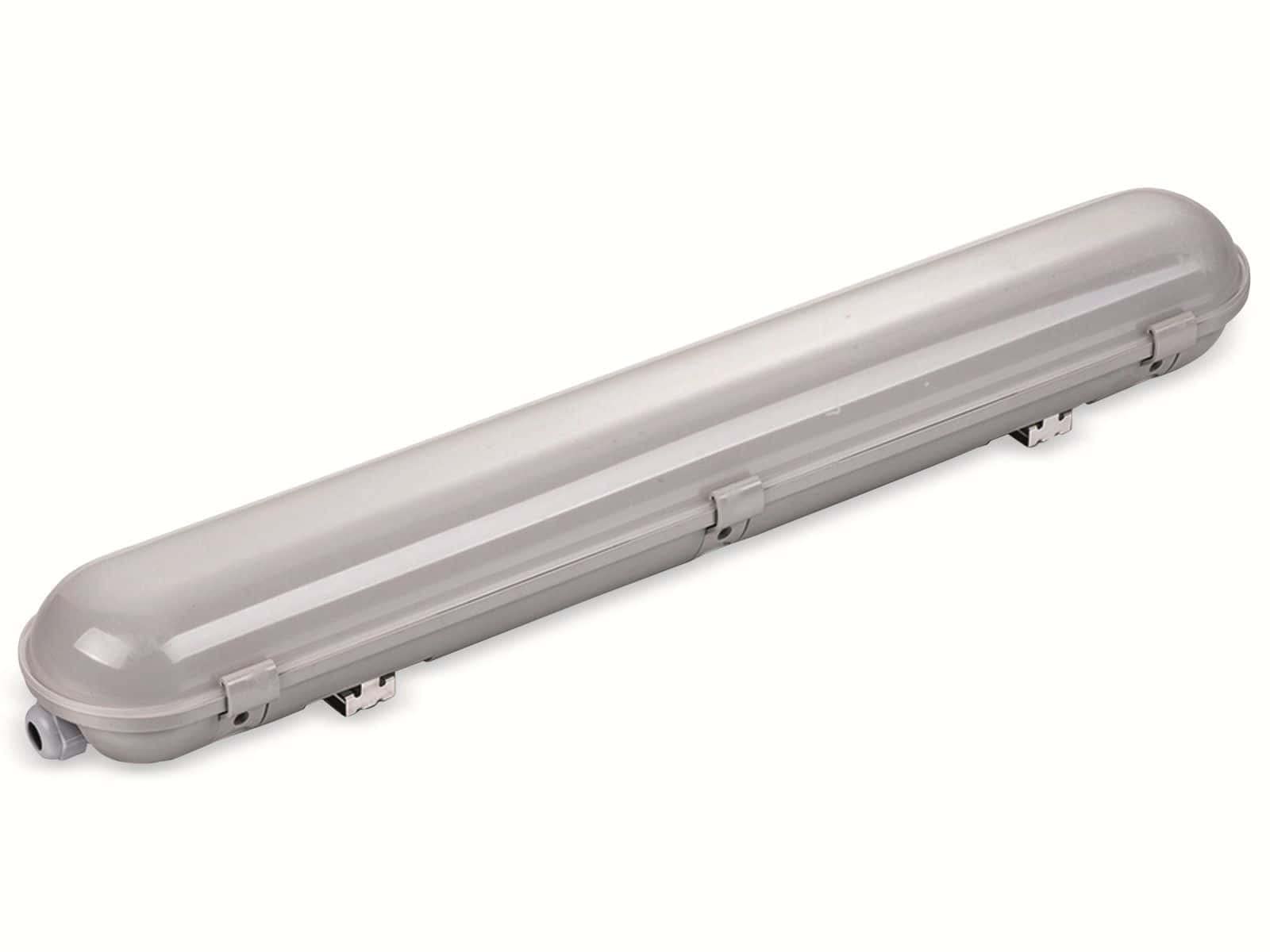
Figure 2.1: Front view of the Optonica OPT 6703 LED Diffuser Luminaire, showcasing its sleek design and diffuser.

Figure 2.2: Detailed view of the luminaire, highlighting its robust construction and mounting points.
Energy Efficiency:

Figure 2.3: Energy label for Optonica 6703, indicating an energy efficiency class F and 55 kWh/1000h consumption. For more details, refer to the EPREL database.
Light Spectrum:
The luminaire provides a cool white light with a color temperature of 6000K. The spectral power distribution shows a peak in the blue region, characteristic of cool white LEDs, ensuring bright and clear illumination suitable for task-oriented environments.
3. Setup and Installation
Before beginning installation, ensure the main power supply is switched off at the circuit breaker.
- Unpack: Carefully remove the luminaire from its packaging and inspect for any damage.
- Mounting Location: Choose a suitable mounting location, ensuring it can support the weight of the luminaire (approximately 1.49 kg) and is appropriate for IP65 rated products.
- Secure Mounting Clips: Attach the stainless steel mounting clips to the desired surface using appropriate screws and anchors (not included). Ensure the clips are securely fastened and spaced correctly for the 150 cm length of the luminaire.
- Electrical Connection:
- Open the quick connection terminal on the luminaire.
- Connect the power supply wires (Live, Neutral, Earth) to the corresponding terminals. Ensure all connections are tight and secure.
- Close the terminal cover to maintain IP65 integrity.
- Attach Luminaire: Carefully snap the luminaire into the secured mounting clips. Ensure it is firmly seated and stable.
- Power On: Restore power at the circuit breaker and test the luminaire.
4. Operating Instructions
The Optonica OPT 6703 LED Diffuser Luminaire is designed for straightforward operation.
- Switching On/Off: The luminaire is controlled by an external wall switch or circuit breaker connected to its power supply. Flip the switch to turn the light on or off.
- No Dimmable Function: This model is not designed for dimming. Connecting it to a dimmer switch may cause malfunction or damage.
5. Maintenance
Regular maintenance ensures optimal performance and longevity of your luminaire.
- Cleaning: Disconnect power before cleaning. Use a soft, damp cloth to wipe the exterior of the luminaire. Do not use abrasive cleaners, solvents, or high-pressure water, as these can damage the finish or compromise the IP65 rating.
- Inspection: Periodically check the mounting clips and electrical connections for any signs of wear or loosening.
- No User-Serviceable Parts: The LED light source is integrated and not replaceable by the user. Do not attempt to open the luminaire housing.
6. Troubleshooting
If you encounter issues with your luminaire, refer to the following common problems and solutions:
| Problem | Possible Cause | Solution |
|---|---|---|
| Luminaire does not turn on. | No power supply. Loose electrical connection. Faulty switch. | Check circuit breaker and wall switch. Ensure all electrical connections are secure (with power off). Test the switch with another device. |
| Light flickers. | Unstable power supply. Loose connection. Incompatible dimmer (if used). | Check power supply stability. Verify electrical connections. Ensure no dimmer is used, as this product is not dimmable. |
| Reduced light output. | Dust or dirt on diffuser. End of product lifespan. | Clean the diffuser with a soft, damp cloth. If the product has reached its expected lifespan, replacement may be necessary. |
If the problem persists after attempting these solutions, please contact a qualified electrician or Optonica customer support.
7. Technical Specifications
| Feature | Specification |
|---|---|
| Model Number | OPT 6703 |
| Brand | Optonica |
| Power Consumption | 55 Watts |
| Luminous Flux | 5500 lumens |
| Color Temperature | 6000 K (Cool White) |
| Protection Rating | IP65 |
| Length | 150 cm (1500 mm) |
| Dimensions (L x W x H) | 1500 mm x 61 mm x 72 mm (approx. 0.8 x 15.3 x 0.65 cm for product body) |
| Beam Angle | 120° |
| Lifespan | 25,000 hours |
| Material | Stainless Steel |
| Item Weight | 1.49 Kilograms |
| Input Voltage | Standard mains voltage (as per local regulations) |
| Indoor/Outdoor Use | Indoor (suitable for humid indoor environments) |
8. Warranty and Support
Information regarding specific warranty terms and conditions is not available in the provided product details. Please refer to the retailer or manufacturer's official website for warranty information applicable to your region.
For technical support or inquiries, please contact Optonica customer service through their official channels.