1. Introduction
This manual provides essential information for the HP Pavilion 14 Laptop, model ec1003AU. It covers setup, operation, maintenance, and troubleshooting to ensure optimal performance and longevity of your device. Please read this manual thoroughly before using your laptop.

Figure 1: Front view of the HP Pavilion 14 Laptop.
2. Setup
2.1 Unboxing and Initial Inspection
- Carefully remove the laptop and all accessories from the packaging.
- Verify that all included components are present: Laptop, Power Adapter.
- Inspect the laptop for any physical damage. If damage is found, contact customer support immediately.
2.2 Connecting the Power Adapter
- Connect the power adapter to the AC Smart pin port on the laptop.
- Plug the other end of the power adapter into a wall outlet.
- Allow the battery to charge for a few minutes before initial power-on.
2.3 Initial Power-On and Windows Setup
- Press the power button to turn on the laptop.
- Follow the on-screen instructions to complete the Windows 11 Home setup. This includes selecting your region, language, creating a user account, and connecting to a Wi-Fi network.
- Activate Microsoft Office 2021 by signing in or signing up and following the Office Activation Wizard.
3. Operating Your Laptop
3.1 Keyboard and Touchpad
- The laptop features a backlit keyboard for improved visibility in low-light conditions.
- The multi-touch gesture touchpad supports various gestures for navigation and control. Refer to Windows settings for customization.
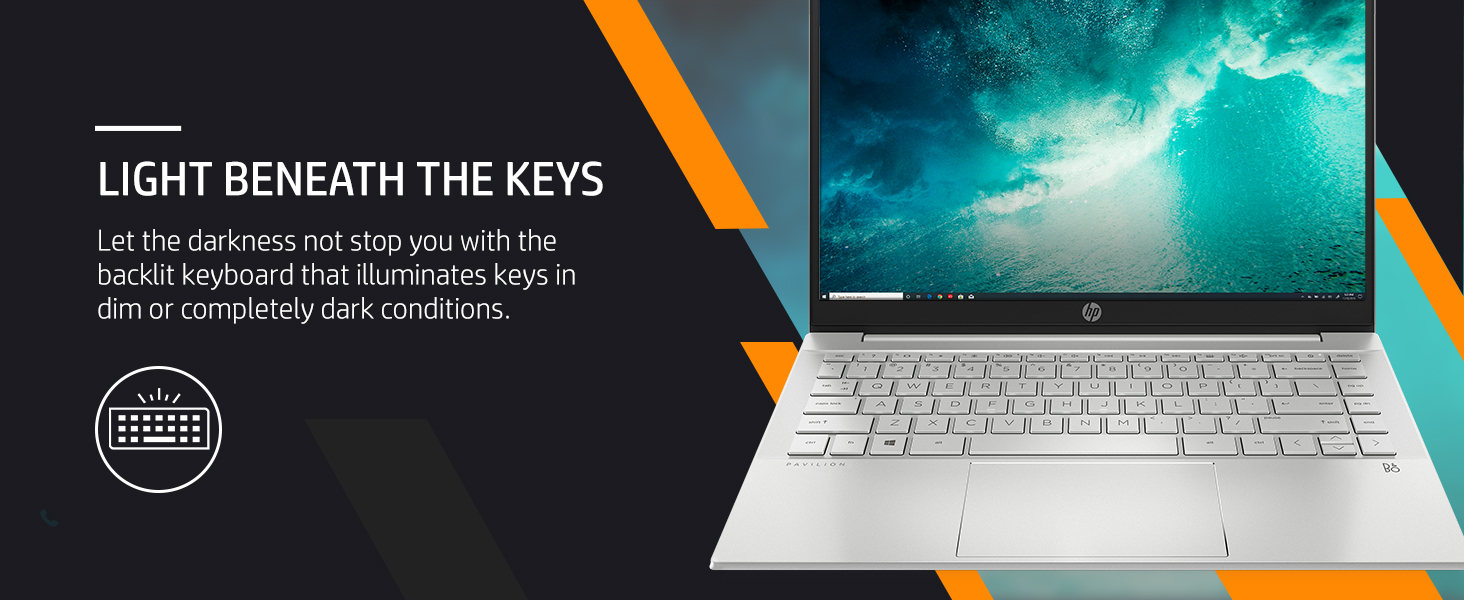
Figure 2: The backlit keyboard of the HP Pavilion 14 Laptop.
3.2 Display Features
The 14-inch Full HD (1920 x 1080 pixels) micro-edge display provides clear visuals. It offers 250 nits brightness and 157 ppi for a crisp viewing experience.

Figure 3: The 14-inch Full HD display with micro-edge design.
4. Connectivity
4.1 Wireless Connectivity
- Wi-Fi 6 (2x2): Connect to wireless networks for internet access.
- Bluetooth 5.2: Pair with compatible wireless devices such as headphones, mice, or keyboards.
4.2 Ports and Connectors
The laptop is equipped with the following ports:
- 1x SuperSpeed USB Type-C port
- 2x SuperSpeed USB Type-A ports
- 1x HDMI 2.1 port
- 1x Headphone/Microphone Combo jack
- 1x AC Smart pin (for power adapter)

Figure 4: Connectivity ports on the HP Pavilion 14 Laptop.
5. Performance and Storage
5.1 Processor and Memory
The laptop is powered by an AMD Ryzen 5 5625U processor with 6 cores and 12 threads, offering speeds up to 4.3 GHz max boost clock and 16MB L3 cache. It includes 8GB DDR4 RAM, which can be upgraded up to 16GB for enhanced multitasking.
5.2 Storage
A 512GB PCIe NVMe M.2 SSD provides fast boot times and quick application loading, offering ample space for documents, media, and software.

Figure 5: Key performance components of the HP Pavilion 14 Laptop.
6. Audio and Visuals
6.1 Audio System
Experience clear audio with dual speakers tuned by B&O. The audio processing enhances sound quality for multimedia consumption and communication.
6.2 Camera
The integrated HP Wide Vision 720p HD camera features temporal noise reduction, providing clear video for online meetings and calls.
Video 1: An overview of the HP Pavilion 14 Laptop's features, including display, RAM, storage, camera, ports, weight, and audio capabilities.
7. Battery Management
The laptop is equipped with a 43 Watt-hour Lithium-Ion battery (3 cells). It supports HP Fast Charge technology, allowing the device to charge up to 50% in approximately 30 minutes.
- To maximize battery life, adjust screen brightness and close unused applications.
- For optimal battery health, avoid frequently discharging the battery completely.
8. Maintenance
8.1 Cleaning Your Laptop
- Use a soft, lint-free cloth dampened with water or a screen cleaner to clean the display.
- For the keyboard and chassis, use a soft cloth. Avoid harsh chemicals.
- Ensure all ports are free of dust and debris.
8.2 Software Updates
Regularly check for and install operating system and driver updates to maintain system stability and security. HP Support Assistant can help manage these updates.
9. Troubleshooting
This section addresses common issues you might encounter with your HP Pavilion 14 Laptop.
9.1 Power Issues
- Laptop not turning on: Ensure the power adapter is securely connected and the battery has sufficient charge. Try a different power outlet.
- Battery not charging: Verify the power adapter is functioning correctly. Check the charging port for obstructions.
9.2 Display Problems
- No display: Connect an external monitor to check if the issue is with the laptop's screen. Restart the laptop.
- Dim display: Adjust screen brightness using the function keys or Windows settings.
9.3 Connectivity Issues
- Wi-Fi not connecting: Ensure Wi-Fi is enabled. Restart your router and laptop. Check network settings.
- Bluetooth device not pairing: Ensure the Bluetooth device is in pairing mode and within range. Restart Bluetooth on your laptop.
For more detailed troubleshooting, refer to the HP Support Assistant application on your laptop or visit the official HP support website.
10. Specifications
| Feature | Detail |
|---|---|
| Brand | HP |
| Model Name | HP Pavilion 14-ec1003AU |
| Processor | AMD Ryzen 5 5625U (up to 4.3 GHz, 6 cores, 12 threads) |
| RAM | 8 GB DDR4 (Max 16 GB supported) |
| Storage | 512 GB PCIe NVMe M.2 SSD |
| Graphics | AMD Radeon Graphics (Integrated) |
| Display | 14-inch FHD (1920 x 1080 pixels), 250 nits, Micro-Edge |
| Operating System | Windows 11 Home |
| Connectivity | Wi-Fi 6 (2x2), Bluetooth 5.2 |
| Ports | 1x USB Type-C, 2x USB Type-A, 1x HDMI 2.1, 1x Headphone/Microphone Combo, 1x AC Smart pin |
| Audio | Audio by B&O; Dual speakers |
| Camera | HP Wide Vision 720p HD camera |
| Battery | 43 Wh Lithium Ion (3 cells), HP Fast Charge |
| Dimensions (LxWxH) | 32.5 x 21.7 x 1.7 cm |
| Weight | 1.41 kg |
| Color | Natural Silver |
11. Warranty and Support
The HP Pavilion 14 Laptop comes with a 1-year on-site standard warranty. For warranty claims, technical support, or service requests, please contact HP customer support or visit the official HP support website. Keep your purchase receipt and product serial number readily available.
Video 2: A brief overview of the HP Pavilion 14 Laptop's features and warranty information.
12. Sustainability
HP is committed to environmental responsibility. The HP Pavilion 14 Laptop is thoughtfully designed with sustainability in mind, containing recycled plastics. It is EPEAT Silver registered and ENERGY STAR certified, reflecting its energy efficiency and reduced environmental impact.
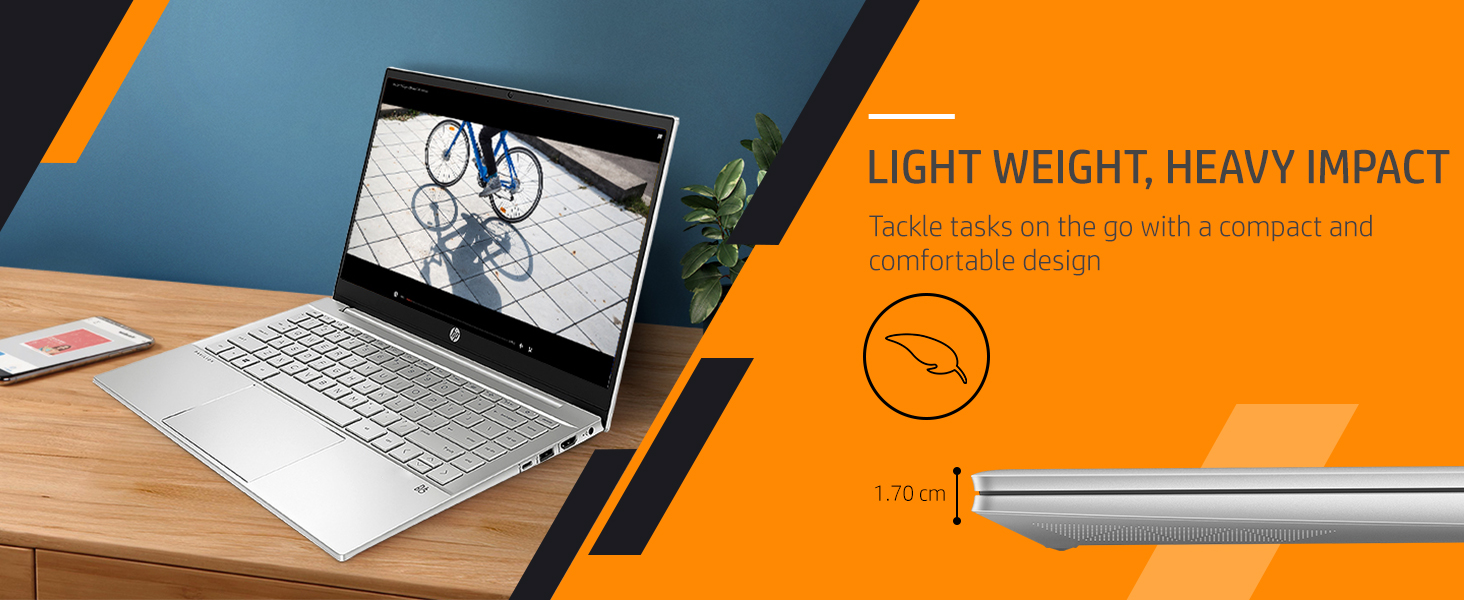
Figure 6: HP's commitment to using recycled materials, including ocean-bound plastics.