
Introduction
Thank you for choosing the ONANOFF Made for Amazon Bluetooth Kids Headphones with Boom Microphone. These headphones are designed to provide a safe and enjoyable audio experience for children, featuring dual hearing protection and a detachable boom microphone for clear communication. This manual will guide you through the setup, operation, and maintenance of your new headphones.
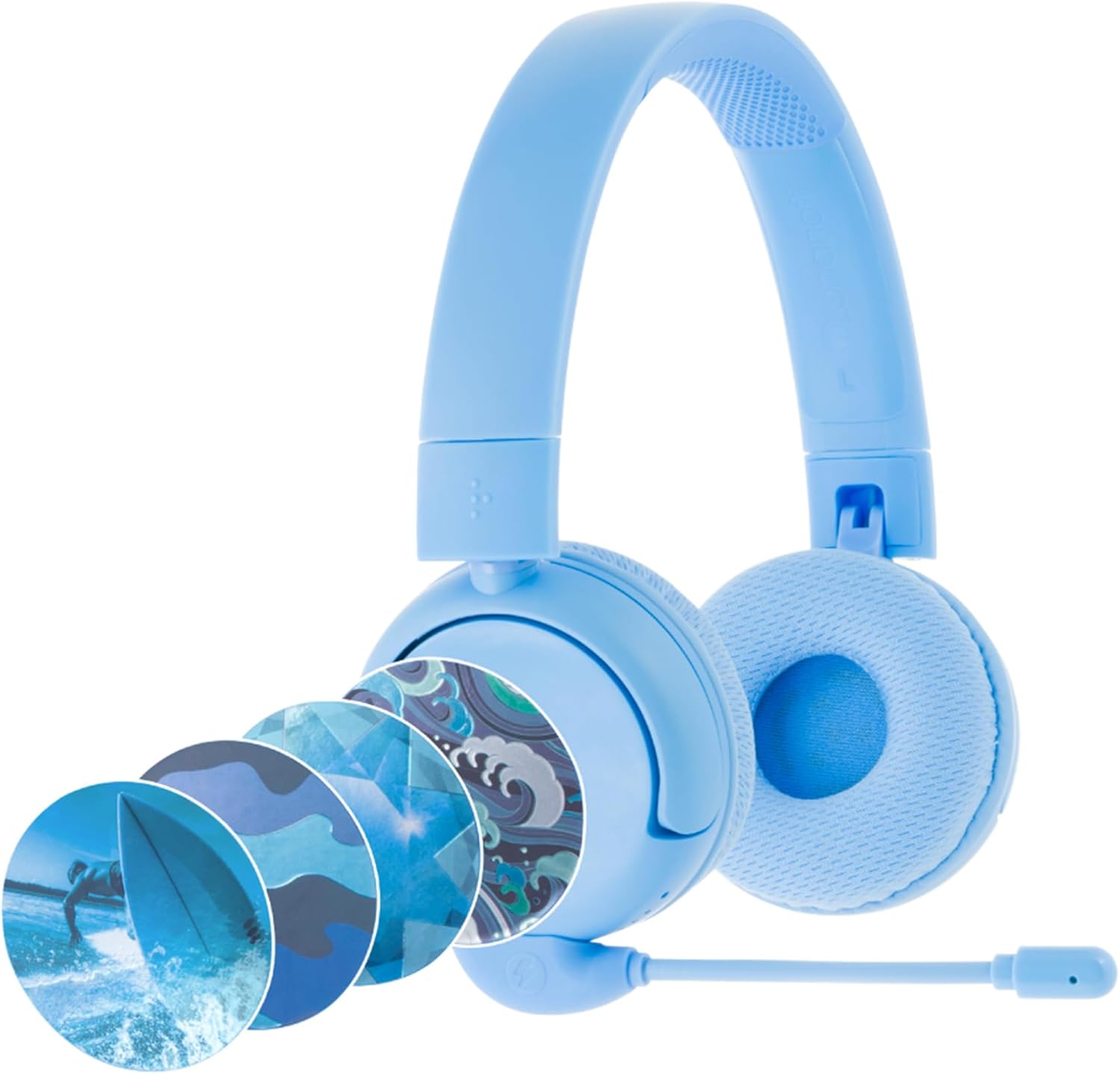
Image: The ONANOFF Made for Amazon Bluetooth Kids Headphones in blue, showcasing the detachable boom microphone and various decorative sticker options.
Package Contents
Please verify that all items listed below are included in your package:
- ONANOFF Made for Amazon Bluetooth Kids Headphones
- Detachable Boom Microphone
- Travel Bag
- USB-C Charging Cable
- 3.5mm Audio Cable
- Decorative Sticker Set
- Quick Start Guide (this document)

Image: A visual representation of all items included in the product packaging.
Product Overview
The ONANOFF Kids Headphones are equipped with several features for a safe and versatile listening experience:
- SafeAudio Technology: Two volume limiting modes (85dB SafeMode and 94dB PopMode) to protect hearing.
- Detachable Boom Microphone: Provides clear voice pickup with passive noise isolation for online communication.
- Extended Play Time: Up to 24 hours of battery life for wireless use.
- Wired Connection Option: Use the included 3.5mm audio cable for uninterrupted listening when the battery is low or for non-Bluetooth devices.
- Customization: Personalize headphones with included decorative stickers.
- Foldable Design: For easy storage and portability in the included travel bag.

Image: A diagram highlighting the main features and components of the headphones.
Setup
1. Charging the Headphones
- Connect the USB-C charging cable to the charging port on the headphones.
- Plug the other end of the USB-C cable into a compatible USB power source (e.g., computer, wall adapter).
- The LED indicator on the headphones will show charging status. A full charge provides up to 24 hours of wireless playback.
2. Bluetooth Pairing
- Ensure the headphones are charged and powered off.
- Press and hold the Power button on the headphones until the LED indicator flashes blue and red, indicating pairing mode.
- On your device (e.g., Fire Kids tablet, smartphone), go to Bluetooth settings and enable Bluetooth.
- Select "ONANOFF Kids Headphones" from the list of available devices.
- Once connected, the LED indicator will show a solid blue light.

Image: The headphones connected to an Amazon Fire Kids tablet, demonstrating compatibility.
3. Wired Connection
For wired use or when the battery is depleted:
- Plug one end of the 3.5mm audio cable into the audio jack on the headphones.
- Plug the other end into the 3.5mm audio output of your device.
- The headphones will function as passive wired headphones.
4. Attaching the Boom Microphone
The boom microphone is detachable for convenience:
- Locate the microphone port on the left earcup of the headphones.
- Align the 3.5mm plug of the boom microphone with the port and gently push it in until it clicks into place.
- To remove, gently pull the microphone straight out from the port.

Image: A child using the headphones with the boom microphone for interactive play.
5. Applying Decorative Stickers
Personalize your headphones with the included sticker set:
- Choose your preferred sticker design from the sheet.
- Carefully peel the sticker from its backing.
- Align and apply the sticker to the outer surface of the headphone earcups.
- Smooth out any air bubbles for a clean finish.

Image: A child wearing customized headphones, demonstrating the personalization feature.
Operating Instructions
Power On/Off
- To Power On: Press and hold the Power button until the LED indicator lights up.
- To Power Off: Press and hold the Power button until the LED indicator turns off.
Volume Control (SafeAudio Modes)
The headphones feature two SafeAudio volume limiting modes:
- SafeMode (85dB): Default setting for normal listening environments.
- PopMode (94dB): For noisier environments, such as airplanes.
To switch between modes, press the '+' and '-' volume buttons simultaneously. The LED indicator may change color or flash to confirm the mode change.
Using the Boom Microphone
When the boom microphone is attached and the headphones are connected via Bluetooth, it will automatically be used for voice input. Ensure the microphone is positioned close to the mouth for optimal clarity.
Maintenance
- Cleaning: Use a soft, dry cloth to clean the headphones. Do not use liquid cleaners or abrasive materials.
- Storage: When not in use, fold the headphones and store them in the provided travel bag to protect them from dust and damage.
- Battery Care: To prolong battery life, avoid fully discharging the headphones frequently. Charge them regularly, even if not in constant use.
- Avoid Extreme Conditions: Do not expose the headphones to extreme temperatures, humidity, or direct sunlight.
Troubleshooting
- No Power: Ensure the headphones are fully charged using the provided USB-C cable.
- Cannot Pair via Bluetooth: Make sure the headphones are in pairing mode (flashing blue/red LED). Check that Bluetooth is enabled on your device and that the headphones are within range (up to 66ft/20m). Try restarting both the headphones and your device.
- No Sound (Wireless): Verify that the headphones are paired and connected to your device. Check the volume levels on both the headphones and your device. Ensure the correct audio output is selected on your device.
- No Sound (Wired): Ensure the 3.5mm audio cable is securely connected to both the headphones and your device. Check the volume levels on your device.
- Microphone Not Working: Ensure the boom microphone is securely attached to the headphone port. Verify that the correct input device is selected in your device's audio settings.
- Sound Quality Issues: If experiencing poor sound quality, ensure the headphones are fully charged and within Bluetooth range. For wired connection, check the audio cable for damage.
Specifications
- Model: B09TXDNRJ8
- Connectivity: Bluetooth, 3.5mm Audio Jack
- Wireless Range: Up to 66 feet (20 meters)
- Battery Life: Up to 24 hours
- Volume Limiting: SafeMode (85dB), PopMode (94dB)
- Microphone: Detachable Boom Microphone with Passive Noise Isolation
- Compatibility: Fire Kids and Fire Kids Pro tablets, most Bluetooth-enabled devices.
Warranty and Support
ONANOFF provides a 2-year limited warranty for these headphones. This warranty covers manufacturing defects and ensures reliability and compatibility. For warranty claims or technical support, please refer to the contact information provided in your Quick Start Guide or visit the official ONANOFF support website.
All ONANOFF headphones are tested and certified by independent test labs for harmful substances, reliability, and compatibility, ensuring a safe product for children.


