
1. Introduction
Welcome to the user manual for your new Hisense ULED 4K Premium 50U6G1 Smart Google TV. This guide will assist you through the setup process, explain key features, and provide troubleshooting tips to ensure you get the most out of your television. Please read this manual thoroughly before operating your TV and retain it for future reference.

Figure 1.1: Front view of the Hisense ULED 4K Premium 50U6G1 Smart Google TV, showcasing its sleek design and vibrant display.
2. Setup
2.1 What's in the Box
Before you begin, please ensure all items are present:
- Hisense 50U6G1 Smart Google TV
- TV Stand (2 pieces)
- Power Cable
- Remote Control
- Quick Start Guide
2.2 Attaching the Stand
To attach the stand to your TV:
- Carefully place the TV face-down on a soft, clean surface to prevent screen damage.
- Align each stand leg with the corresponding screw holes on the bottom of the TV.
- Secure each leg with the provided screws. Ensure they are tightened firmly.
2.3 Connecting Peripherals
Your Hisense TV offers various ports for connecting external devices. Refer to the images below for port locations and types.
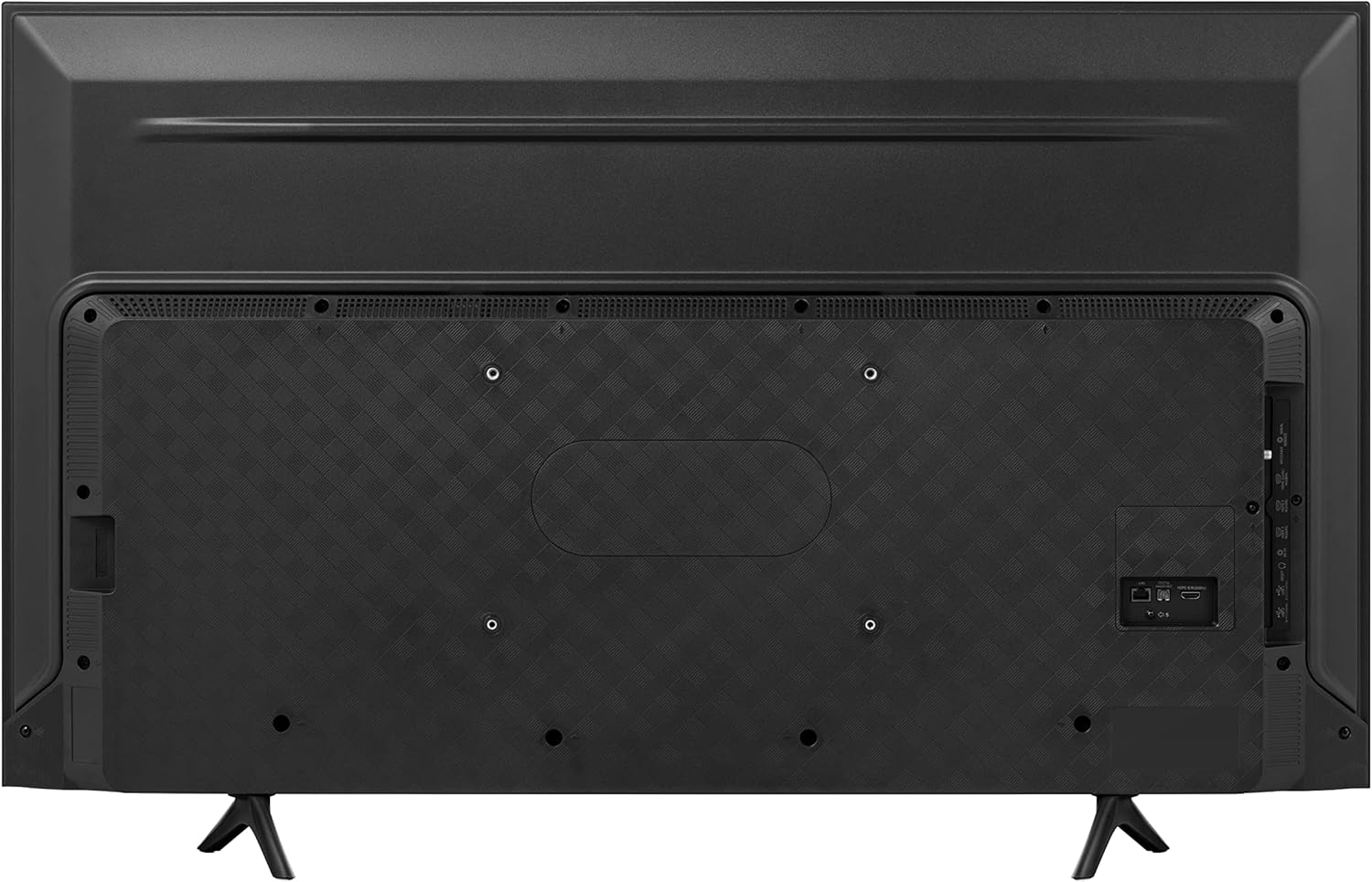
Figure 2.1: Rear panel of the Hisense 50U6G1 TV, displaying the arrangement of connectivity ports.

Figure 2.2: Detailed close-up of the Hisense 50U6G1's input ports, including HDMI, USB, LAN, and audio outputs.
- HDMI Ports: Connect Blu-ray players, game consoles, cable boxes, and other HDMI-enabled devices. This model features multiple HDMI inputs, including HDMI 1 (eARC) for enhanced audio return channel functionality.
- USB Ports: For connecting USB storage devices to play media files.
- LAN Port: For a wired internet connection.
- Digital Audio Out (Optical): For connecting to a soundbar or audio receiver.
- Antenna/Cable Input: For connecting an antenna or cable TV feed.
- AV In: For connecting older devices using composite video and stereo audio cables.
3. Operating Your TV
3.1 Initial Setup and Google TV
Upon first power-on, your TV will guide you through the initial setup, including network connection and Google TV account login. Google TV organizes your favorite entertainment from across your apps and subscriptions, making it easy to find what to watch.
Video 3.1: An official video from Hisense introducing the Google TV experience, demonstrating its user interface and features for content discovery and organization.
3.2 Picture and Sound Settings
Your Hisense 50U6G1 TV features advanced display and audio technologies for an immersive viewing experience:
- 4K ULED: Hisense's exclusive ULED technologies enhance color, contrast, brightness, and motion for superior picture quality.
- Quantum Dot Wide Color Gamut: Experience over one billion shades of color, resulting in purer, richer, and more brilliant visuals.

Figure 3.1: Visual representation of Quantum Dot technology, highlighting its ability to produce a vast spectrum of vibrant colors.
- Dolby Vision & Dolby Atmos: Enjoy cinema-quality HDR picture and immersive sound that brings amazing realism to every scene.

Figure 3.2: An illustration of Dolby Vision and Dolby Atmos, emphasizing the immersive audio-visual experience.
- Peak Brightness/Full Array Local Dimming Zones: With 600 nits peak brightness across 32 local dimming zones, the TV delivers deeper blacks and brighter whites for enhanced contrast.
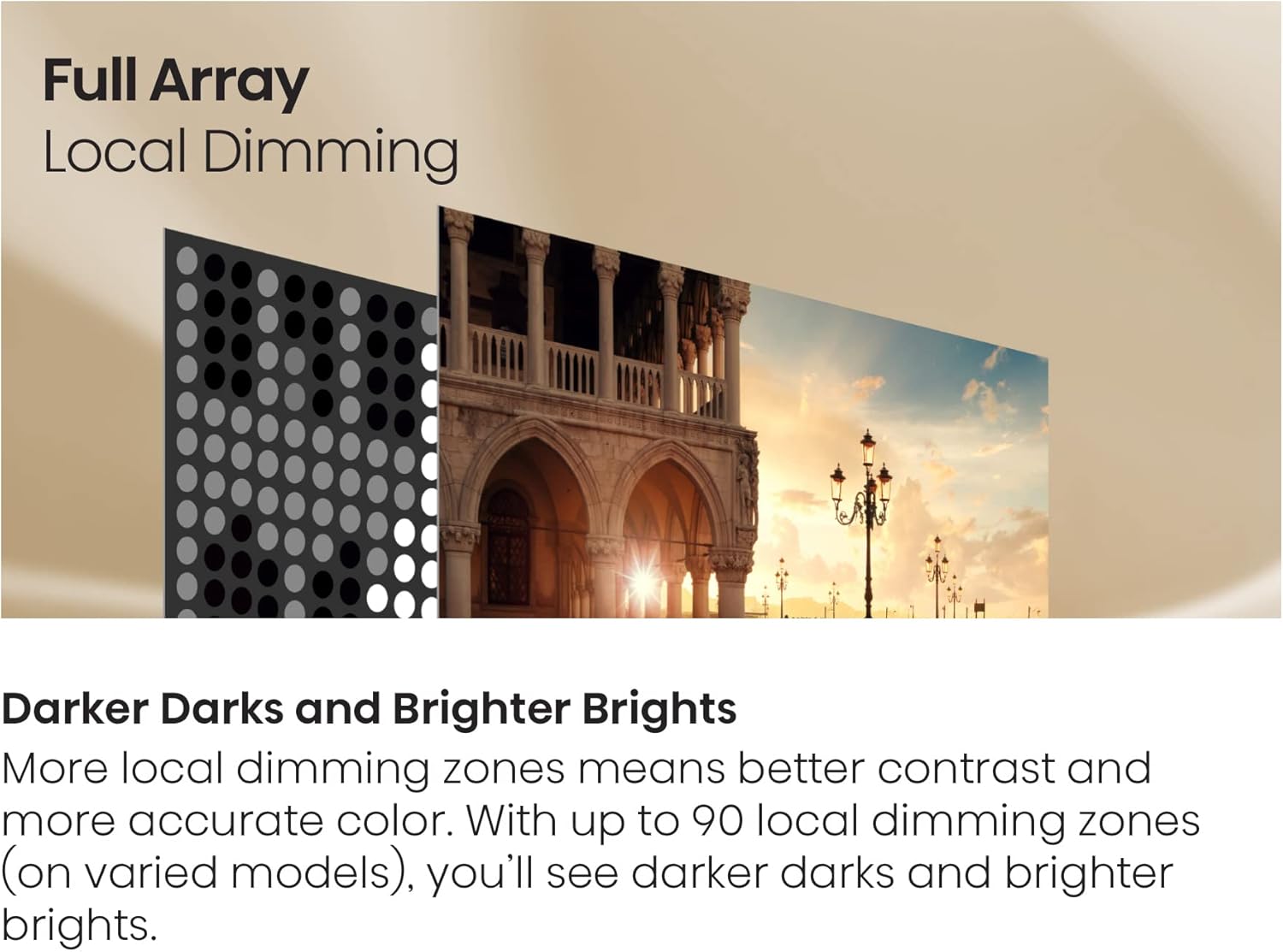
Figure 3.3: A visual explanation of Full Array Local Dimming, demonstrating how individual zones of backlighting are controlled for precise contrast.
- FilmMaker Mode: This mode disables post-processing and preserves correct aspect ratios, colors, and frame rates, displaying content as the filmmaker intended.
3.3 Using the Voice Remote
The included voice remote allows for convenient control of your TV and Google TV features. Press the Google Assistant button on your remote and speak commands to search for content, control smart home devices, and more.
4. Maintenance
Proper maintenance ensures the longevity and optimal performance of your TV:
- Cleaning the Screen: Gently wipe the screen with a soft, lint-free cloth. For stubborn marks, lightly dampen the cloth with water or a specialized screen cleaner. Avoid harsh chemicals.
- Cleaning the Frame: Use a soft, dry cloth to wipe the TV frame and stand.
- Ventilation: Ensure the ventilation openings on the back of the TV are not blocked to prevent overheating.
- Power Cord: Regularly check the power cord for any damage.
5. Troubleshooting
If you encounter issues with your TV, refer to the table below for common problems and their solutions:
| Problem | Possible Cause | Solution |
|---|---|---|
| No Power | Power cord not connected; outlet issue. | Ensure power cord is securely plugged into TV and a working outlet. |
| No Picture, but Sound is Present | Incorrect input source selected; loose HDMI cable. | Press the 'Input' button on your remote to select the correct source. Check HDMI cable connections. |
| No Sound, but Picture is Present | Volume muted or too low; external audio device issue. | Unmute volume or increase level. Check audio settings and external audio connections. |
| Remote Control Not Working | Batteries are dead or incorrectly inserted; obstruction. | Replace batteries. Ensure no obstructions between remote and TV. |
| Wi-Fi Connection Issues | Incorrect password; router issues; TV too far from router. | Re-enter Wi-Fi password. Restart router. Move TV closer to router or use a wired connection. |
6. Specifications
Key technical specifications for the Hisense ULED 4K Premium 50U6G1 Smart Google TV:
| Feature | Specification |
|---|---|
| Model Number | 50U6G1 |
| Screen Size | 49.5 Inches (Diagonal) |
| Display Technology | QLED |
| Resolution | 4K (3840 x 2160) |
| Refresh Rate | 60 Hz |
| Product Dimensions (WxDxH) | 43.9 x 25.4 x 3 inches (without stand) |
| Item Weight | 35 pounds |
| Connectivity | Bluetooth, Ethernet, HDMI, USB, Wi-Fi |
| Output Wattage | 160 Watts |
| Special Features | Browser, Built-In Speaker, Chromecast |
7. Warranty and Support
Hisense products are manufactured to the highest quality standards. Your Hisense TV comes with a limited warranty covering defects in materials and workmanship under normal use. For specific warranty terms and conditions, please refer to the warranty card included with your product or visit the official Hisense support website.
For technical assistance, troubleshooting beyond this manual, or to inquire about warranty service, please contact Hisense Customer Support. Have your TV's model number (50U6G1) and serial number ready when contacting support.
You can also find additional resources and a downloadable PDF version of the user manual on the Hisense support page: Hisense 50U6G1 User Manual (PDF)


