
1. Product Overview
The Spectra S2 Plus Electric Breast Pump is designed to provide comfortable and efficient milk expression, mimicking natural breastfeeding. It features adjustable suction levels, two-phase cycling (expression and massage mode), and can be used for single or double pumping. This kit includes the S2 Plus pump, a grey tote, and premium accessories.
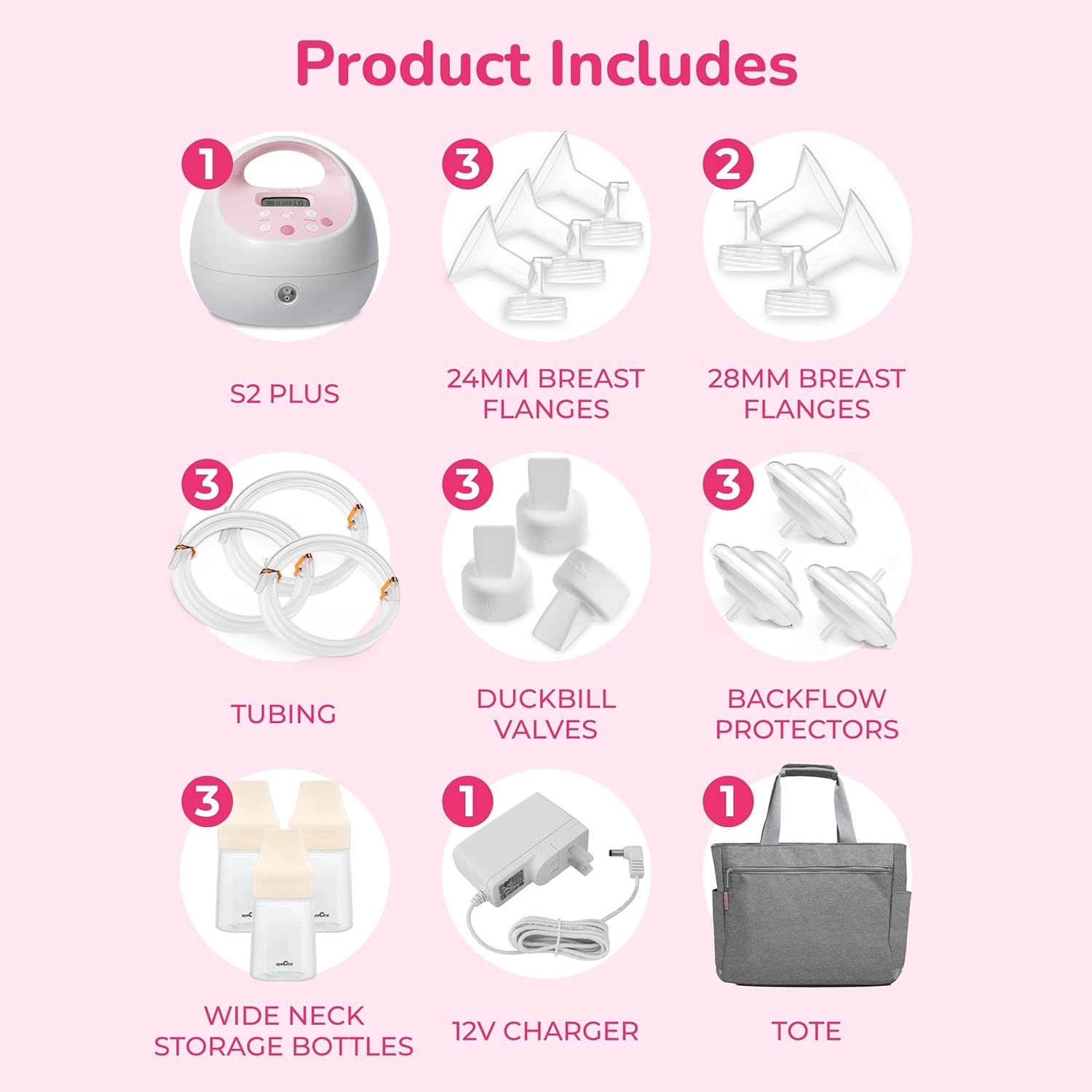
Image: Spectra S2 Plus Electric Breast Pump with included accessories and a grey tote bag.
2. Package Contents
Verify that all components are present in your package:
- Spectra S2 Plus Breast Pump Unit
- 24mm Breast Flanges (3 sets)
- 28mm Breast Flanges (2 sets)
- Tubing (3 sets)
- Duckbill Valves (3 sets)
- Backflow Protectors (3 sets)
- Wide Neck Storage Bottles (3 bottles)
- 12V Charger
- Grey Tote Bag
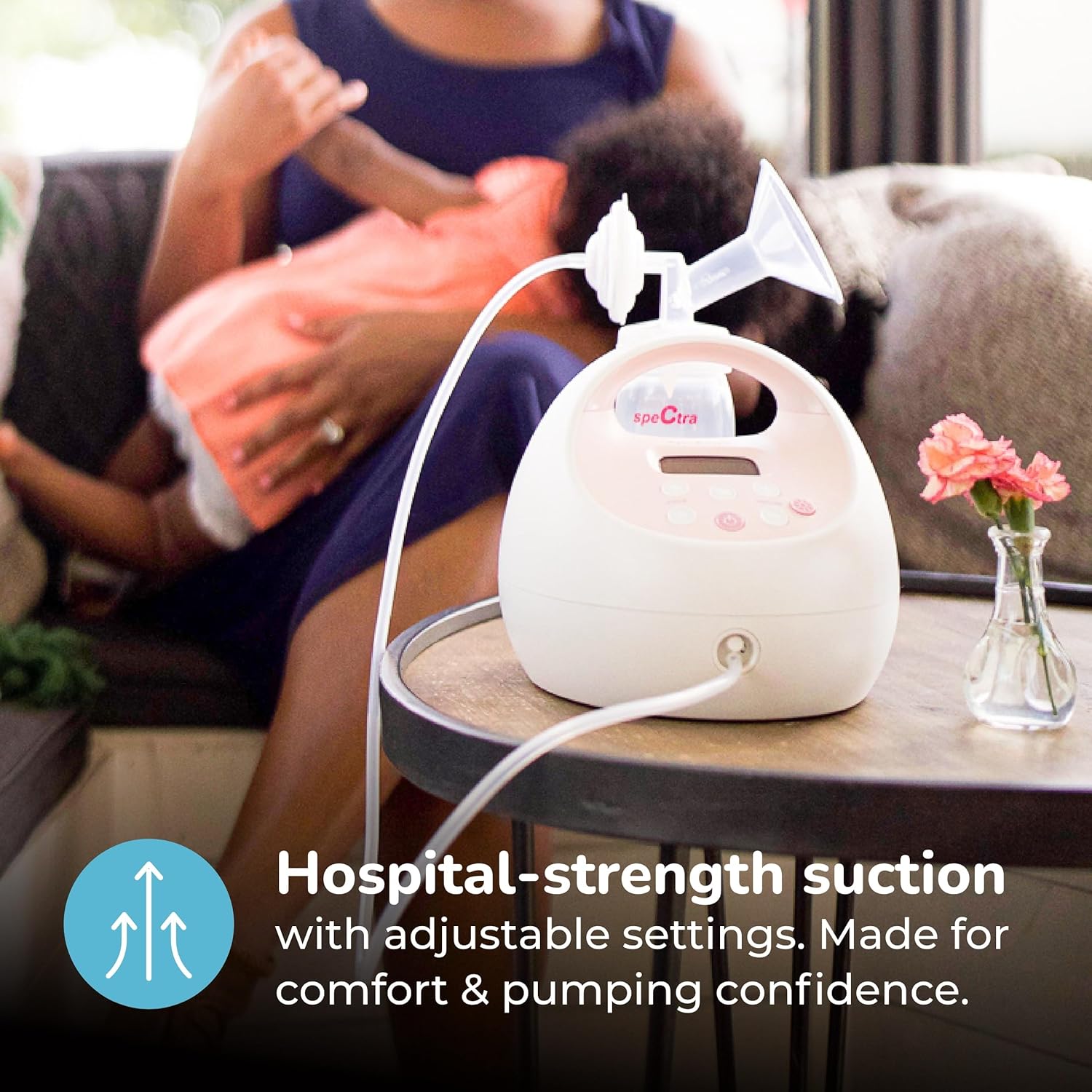
Image: A visual representation of all items included in the Spectra S2 Plus Premier Electric Breast Pump kit.
3. Setup and Assembly
3.1 Initial Cleaning
Before first use, disassemble and wash all parts that come into contact with breast milk (flanges, duckbill valves, backflow protectors, bottles) in warm soapy water. Rinse thoroughly and air dry. Sterilize according to manufacturer guidelines or local health recommendations.
3.2 Assembling the Pump Kit
- Attach the duckbill valve to the bottom of the breast flange.
- Connect the backflow protector to the top of the breast flange.
- Screw the wide neck storage bottle onto the bottom of the breast flange.
- Attach one end of the tubing to the backflow protector and the other end to the pump unit's air port.
- For double pumping, repeat steps 1-4 for the second set of accessories.
Video: A demonstration of how to assemble the Spectra S2 Plus breast pump components, including attaching the tubing, flanges, and bottles.
3.3 Power Connection
Connect the 12V charger to the power port on the side of the pump unit and plug it into a wall outlet.
4. Operation
4.1 Flange Sizing
Proper flange sizing is crucial for comfort and milk output. Measure your nipple diameter and add 2-3mm to find your ideal flange size. The kit includes 24mm and 28mm flanges. Consult a lactation professional if unsure.

Image: Visual guide on how to measure for correct breast flange size and examples of too large, too small, and great fit.
4.2 Pumping Modes and Settings
The S2 Plus offers two main modes: Massage Mode and Expression Mode. It also features adjustable suction levels and cycle speeds.
- Power Button: Press to turn the pump ON/OFF.
- Massage Mode: Simulates natural suckling to initiate milk flow. Press the wave button to switch to massage mode.
- Expression Mode: For efficient milk expression once let-down occurs. Press the wave button again to switch to expression mode.
- Cycle Button (+/-): Adjusts the speed of the pumping cycle.
- Vacuum Button (+/-): Adjusts the suction strength. Start with a comfortable low setting and gradually increase.
- Night Light Button: Activates a built-in night light for convenience during low-light conditions.

Image: Close-up of the Spectra S2 Plus control panel highlighting key features like massage mode, adjustable suction, closed system, and auto-timer display.

Image: The Spectra S2 Plus breast pump with its built-in night light illuminated, positioned on a bedside table.
Video: A user demonstrating the operation of the Spectra S2 Plus pump, including turning it on, adjusting vacuum and cycle settings, and using the night light.
Video: A detailed overview of the Spectra S2 Plus pump's features, including its double pumping capability, ease of cleaning, and adjustable settings for cycle and vacuum.
5. Cleaning and Maintenance
5.1 Daily Cleaning
After each use, wash all parts that come into contact with breast milk (flanges, duckbill valves, backflow protectors, bottles) in warm soapy water. Rinse thoroughly with clean water and allow to air dry completely on a clean surface or drying rack. Do not wash the tubing unless milk or condensation is present inside.
5.2 Sterilization
Sterilize pump parts regularly, especially before first use and if your baby is under 3 months old, premature, or has a weakened immune system. Methods include boiling, steam sterilization, or using a dishwasher with a sanitize cycle. Refer to the specific instructions for your sterilizer or dishwasher.
5.3 Pump Unit Care
Wipe the main pump unit with a clean, damp cloth. Do not immerse the pump unit in water or other liquids. Ensure the unit is completely dry before storage.
6. Troubleshooting
- No Suction or Weak Suction:
- Check that all pump parts are correctly assembled and securely connected.
- Ensure the duckbill valve is clean and not torn or damaged.
- Verify that the backflow protector membranes are intact and properly seated.
- Check tubing for kinks, cracks, or disconnections.
- Ensure the power adapter is securely plugged into both the pump and the wall outlet.
- No Milk Expression:
- Confirm correct flange size for your nipple.
- Adjust vacuum and cycle settings to find a comfortable and effective level.
- Ensure you are adequately hydrated and relaxed.
- Pain or Discomfort During Pumping:
- Reduce the vacuum level to a comfortable setting.
- Re-evaluate flange size; an incorrect size can cause discomfort.
- Ensure your nipple is centered in the flange tunnel.
If issues persist, contact customer support for further assistance.
7. Specifications
| Feature | Specification |
|---|---|
| Brand | SPECTRA |
| Model | S2 Plus |
| Operation Mode | Electric |
| Special Feature | Painless |
| Number of Items | 1 (pump unit) |
| Item Weight | 7 Pounds |
| Package Dimensions | 16.4 x 12.7 x 11.5 inches |
| Manufacturer | Spectra Baby |
| ASIN | B09TWSBK1Q |
8. Warranty and Support
For warranty information, please refer to the documentation included with your product or visit the official Spectra Baby website. For technical support, replacement parts, or further assistance, please contact Spectra Baby customer service.
Statements regarding dietary supplements have not been evaluated by the FDA and are not intended to diagnose, treat, cure, or prevent any disease or health condition.


