Introduction
Thank you for choosing the OUTERFAN Portable Fan. This versatile device is designed to provide powerful and quiet cooling in various settings, from indoor spaces like offices and bedrooms to outdoor adventures such as camping and travel. With its long-lasting battery, remote control, and multiple mounting options, it offers convenience and comfort wherever you go.

Image: The OUTERFAN Portable Fan, showcasing its compact design, remote control, and ability to charge a smartphone.
Product Features
- High Capacity Battery: Built-in 12000mAh battery provides up to 60 hours of operation on low speed.
- Power Bank Function: Can be used as a portable charger for smartphones and other USB devices.
- Remote Control: Wireless remote for convenient operation of fan speeds, LED lights, and timer settings.
- Multi-functional Design: Features a strong clamp, hanging hook, and stable base for versatile placement (clip-on, hanging, or stand-up).
- Adjustable Airflow & Lighting: 3 adjustable wind speeds and 3 brightness levels for the integrated LED light.
- Quiet Operation: Professional high-performance brushless motor with a low noise level (10-35dB).
- 360-Degree Rotation: Fan head rotates 360 degrees vertically and horizontally for optimal air direction.
- Timer Function: Set the fan to automatically turn off after 2, 4, or 6 hours.
- Fast Charging: 5V-2A fast charging via USB Type-C, fully charged within 6 hours.
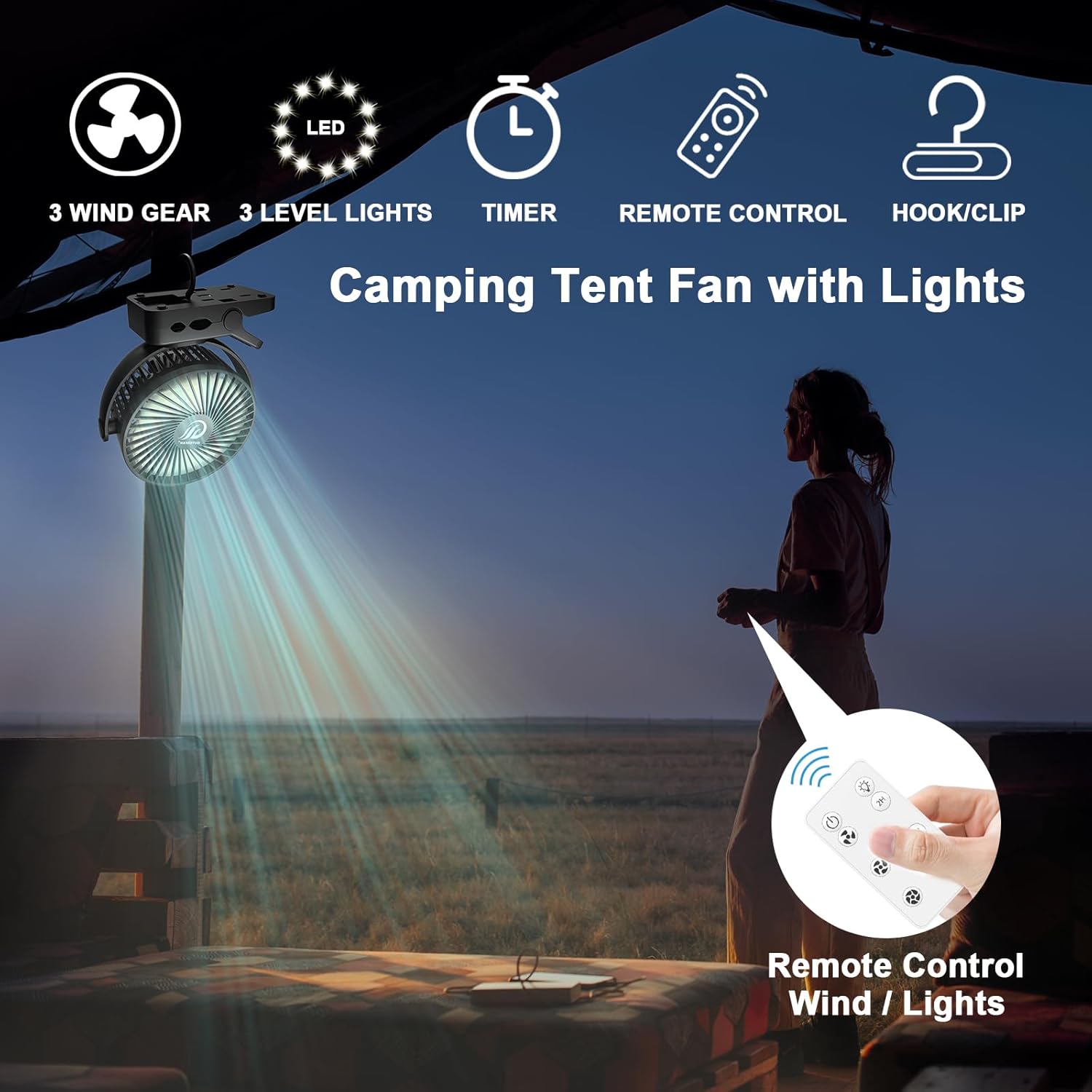
Image: Key features of the fan including wind speeds, LED lights, timer, remote control, and multiple mounting options.
Package Contents
Please check the package contents upon unboxing to ensure all items are present:
- 1 x OUTERFAN Portable Fan (Black)
- 1 x Wireless Remote Control
- 1 x USB Type-C Charging Cable
- 1 x User Manual (this document)

Image: The fan and its included USB-C cable, ready for use in a camping setting.
Setup
The OUTERFAN Portable Fan offers multiple setup options for your convenience:
- Stand-Up Mode: Place the fan on any flat, stable surface such as a desk, table, or nightstand. Ensure the base is secure to prevent tipping.
- Clip-On Mode: Utilize the integrated strong clamp to attach the fan to various surfaces. Open the clamp by pressing the levers and secure it firmly to an edge (e.g., desk, stroller handle, tent pole). Ensure the surface is sturdy enough to support the fan's weight and the clamp has a good grip.
- Hanging Mode: Extend the built-in hook from the base of the fan. Hang the fan from a suitable overhead point, such as a tent loop, ceiling hook, or tree branch. Ensure the hanging point is strong and stable.
The fan head can be manually rotated 360 degrees both vertically and horizontally to direct airflow precisely where needed.

Image: Diagram illustrating the 360-degree vertical and horizontal rotation of the fan head.
Operating Instructions
The fan can be operated using the buttons on the back of the unit or the included wireless remote control.
Using the Remote Control
The remote control allows for convenient operation from a distance. Ensure the remote has a working battery (typically a CR2025 coin cell, check manual for specific type if not provided).
- Power Button (⏻): Press to turn the fan ON or OFF.
- Fan Speed Button (⏚): Press repeatedly to cycle through 3 wind speeds: Low, Medium, High.
- LED Light Button (💡): Press repeatedly to cycle through 3 brightness levels for the LED light.
- Timer Buttons (2H, 4H, 6H): Press to set the fan to automatically turn off after 2, 4, or 6 hours.

Image: The wireless remote control with clearly labeled buttons for fan speed, light brightness, and timer settings.
Using On-Unit Buttons
The back of the fan unit features three control buttons:
- Left Button: Controls fan speed (Power ON/OFF and cycle through speeds).
- Middle Button: Controls LED light brightness (cycle through levels).
- Right Button: Controls timer settings (cycle through 2H, 4H, 6H).

Image: Rear view of the fan highlighting the control buttons for wind, light, and timer, along with input/output ports.
Charging and Power Bank Function
Charging the Fan
To charge the fan, connect the included USB Type-C cable to the "IN" port on the back of the fan and plug the other end into a 5V-2A USB power adapter (not included) or a compatible USB port. The fan can be fully charged within approximately 6 hours.
Using as a Power Bank
The fan's built-in 12000mAh battery can also serve as a power bank. Connect your smartphone or other USB-powered device to the "OUT" USB port on the back of the fan using your device's charging cable. This feature is ideal for emergency charging when away from a power source.

Image: The fan being used to charge a smartphone, demonstrating its power bank capability and long battery life.
Maintenance
- Cleaning: Ensure the fan is turned off and unplugged before cleaning. Use a soft, dry cloth to wipe down the exterior. For dust accumulation on the fan blades, use a soft brush or compressed air. Do not use liquid cleaners or immerse the fan in water.
- Storage: When not in use for extended periods, store the fan in a cool, dry place away from direct sunlight and extreme temperatures.
- Battery Care: To prolong battery life, avoid fully discharging the battery frequently. Recharge the fan regularly, even if not in constant use.
Troubleshooting
| Problem | Possible Cause | Solution |
|---|---|---|
| Fan does not turn on. | Battery is depleted. | Charge the fan using the USB Type-C cable. |
| Remote control is not working. | Remote battery is dead or incorrectly inserted. Obstruction between remote and fan. | Replace the remote battery. Ensure clear line of sight to the fan's receiver. |
| Fan makes unusual noise. | Obstruction in fan blades or internal issue. | Turn off and unplug the fan. Carefully check for any obstructions and remove them. If noise persists, contact customer support. |
| LED light is not working. | Light function is off or faulty. | Press the LED light button on the remote or fan unit to cycle through brightness levels. If still not working, contact customer support. |
| Cannot charge external devices. | Fan battery is too low. Incorrect cable or port used. | Ensure the fan has sufficient charge. Use the correct "OUT" USB port and a functional charging cable for your device. |
Specifications
| Feature | Detail |
|---|---|
| Brand | OUTERFAN |
| Model Name | JF-CFL-8000 |
| Color | Black |
| Power Source | Battery Powered |
| Battery Capacity | 12000 mAh |
| Charging Input | 5V-2A (USB Type-C) |
| Output (Power Bank) | 5V-2A (USB) |
| Product Dimensions | 3.15"D x 6.7"W x 7.54"H |
| Item Weight | 1.3 Pounds |
| Noise Level | 10-35 dB |
| Number of Blades | 3 |
| Fan Speeds | 3 (Low, Medium, High) |
| LED Light Levels | 3 Brightness Levels |
| Timer Settings | 2H, 4H, 6H |
| Control Method | Remote Control, On-Unit Buttons |
| Rotation | 360-Degree Vertical & Horizontal |
Warranty and Support
The OUTERFAN Portable Fan comes with a 1-year warranty from the date of purchase. This warranty covers manufacturing defects and issues arising from normal use.
For any questions, concerns, or warranty claims, please contact OUTERFAN customer support through the retailer where you purchased the product or visit our official website for contact information.
Please retain your proof of purchase for warranty validation.


