
1. Introduction
This manual provides comprehensive instructions for the installation, operation, and maintenance of your AWESAFE Car Radio Stereo. Designed for seamless integration and enhanced in-car entertainment, this unit features an Android 13 operating system, wireless Apple CarPlay, and Android Auto. Please read this manual thoroughly before use to ensure proper functionality and safety.
2. Applicable Car Models
This AWESAFE Car Radio Stereo is compatible with the following vehicle models:
- For Chevy Silverado 1500 (2007-2013)
- For Chevy Silverado 2500HD (2007-2013)
- For Chevy Silverado 3500HD (2007-2013)
- For Chevrolet Avalanche (2007-2011)
- For Chevrolet Express Van (2008-2011)
- For Chevrolet Impala (2006-2012)
- For GMC Acadia (2007-2012)
- For GMC Savana (2008-2013)
- For GMC Sierra (2007-2011)
- For GMC Yukon (2007-2013)

Figure 2.1: Compatible Vehicle Models
3. Key Features
3.1 Android 13 System
The unit operates on the Android 13 system with 2GB RAM and 32GB ROM, ensuring smooth performance and quick response times. It supports various free applications accessible via Wi-Fi connectivity.
3.2 GPS Navigation & WiFi Connectivity
Equipped with a built-in offline map for North America, the system also supports online navigation when connected to Wi-Fi. Users can install or remove Android applications directly from the Application Store, similar to a smartphone.
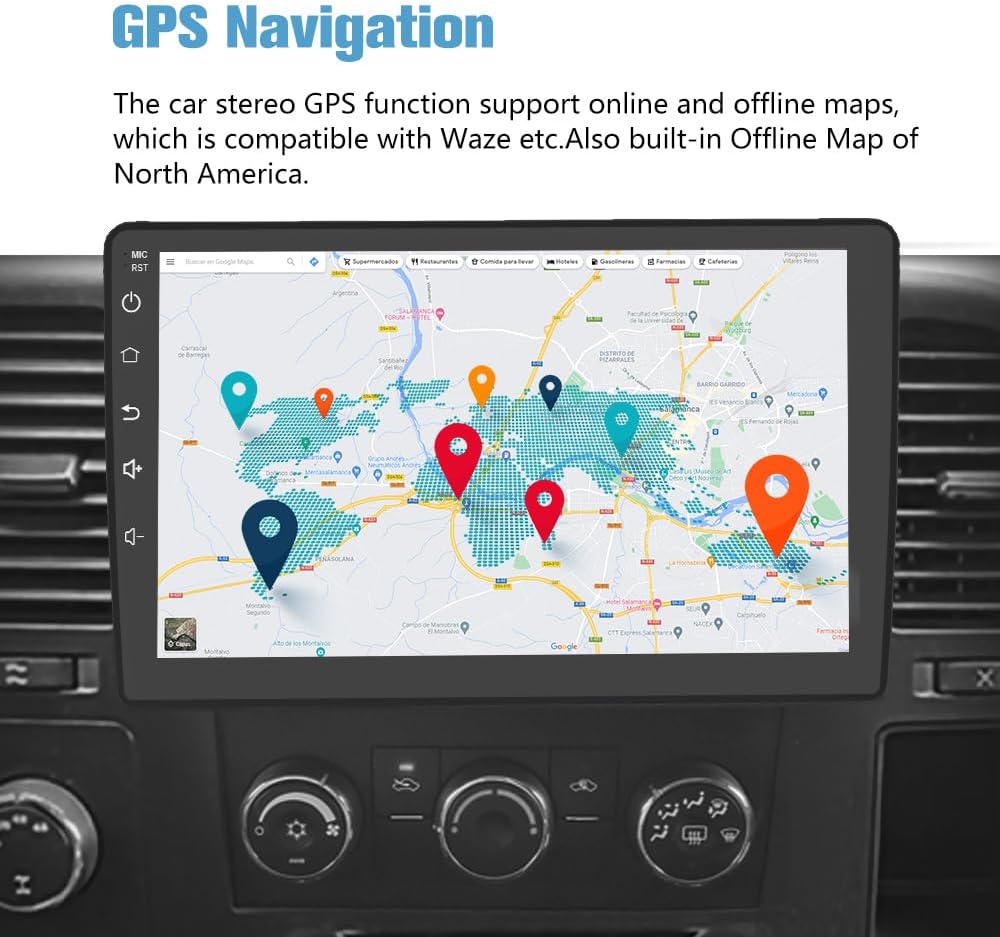
Figure 3.1: GPS Navigation Interface
3.3 Bluetooth Functionality
The integrated Bluetooth allows for hands-free calling and wireless music streaming. The built-in microphone captures your voice, and car speakers provide clear audio for conversations. Control music and apps wirelessly for a distraction-free experience.

Figure 3.2: Bluetooth Interface
3.4 Wireless CarPlay & Android Auto
Connect your iPhone or Android phone wirelessly via Bluetooth or USB cable to access smart voice assistants, navigation, calls, messages, and music. This feature provides a safer and more convenient way to use your phone's functions while driving.

Figure 3.3: Wireless CarPlay & Android Auto
3.5 Split Screen Functionality
The unit supports split-screen mode, allowing you to run two applications simultaneously. For example, you can view navigation while controlling music or video playback.

Figure 3.4: Split Screen View
3.6 Full RCA Output
With the RCA output function, you can share all features simultaneously with rear-seat passengers, connecting to external monitors for shared entertainment.

Figure 3.5: Full RCA Output Connection
3.7 FM Radio
The unit includes an FM radio tuner, allowing you to listen to your favorite radio stations with clear reception.

Figure 3.6: FM Radio Interface
3.8 Built-in DSP
A built-in Digital Signal Processor (DSP) enhances audio quality, providing a customizable sound experience with various equalization options.

Figure 3.7: DSP Settings
3.9 Steering Wheel Control
The unit supports steering wheel controls, allowing you to manage audio and other functions without taking your hands off the wheel, enhancing safety and convenience.

Figure 3.8: Steering Wheel Control Setup
3.10 Support for Additional Apps
You can share internet connectivity with your iPhone or Android phone to access and use various online applications directly on the car radio, expanding its functionality.

Figure 3.9: Supported Applications
3.11 Backup Camera (Optional)
The unit supports an optional backup camera, providing dynamic trajectory lines, waterproof design, and a 140° viewing angle for safer parking and reversing.

Figure 3.10: Backup Camera View
4. Setup & Installation
Installation of the AWESAFE Car Radio Stereo is designed to be straightforward. It is a plug-and-play unit for compatible models. Ensure your vehicle is turned off and the battery is disconnected before beginning installation.
4.1 Package Contents
The package includes the main car radio unit and various accessories for installation:
- Car Radio Unit (10.1 inch display)
- RCA Cable
- Power Cables (x2)
- Can Bus
- Crowbar
- Reversing Line
- Antenna
- Screwdriver
- Back Video-in Cable
- USB Cables (x2)
- Microphone
- Speaker

Figure 4.1: Product Components
4.2 Wiring Diagram
Refer to the following diagram for proper wiring connections. It is recommended to consult a professional for installation if you are unsure about any steps.

Figure 4.2: ISO Wiring Harness and RCA Cable Connections
5. Operating Instructions
The 10-inch touch screen provides an intuitive interface for operating the unit. Basic operations include:
- Power On/Off: Press and hold the power button on the left side of the unit.
- Volume Control: Adjust volume using the on-screen controls or connected steering wheel controls.
- Navigation: Access GPS navigation via the dedicated app icon.
- Bluetooth Pairing: Navigate to Bluetooth settings to pair your mobile device for calls and audio streaming.
- CarPlay/Android Auto: Connect your smartphone via USB or Bluetooth to activate CarPlay or Android Auto.
- App Management: Install or uninstall applications through the Application Store.

Figure 5.1: Main User Interface
6. Maintenance
To ensure the longevity and optimal performance of your AWESAFE Car Radio Stereo, follow these maintenance guidelines:
- Cleaning: Use a soft, dry cloth to clean the screen and exterior. Avoid abrasive cleaners or solvents.
- Temperature: Avoid exposing the unit to extreme temperatures, both hot and cold.
- Liquid Contact: Prevent any liquids from entering the unit.
- Software Updates: Periodically check for and install software updates to ensure the best performance and compatibility.
7. Troubleshooting
This section addresses common issues you might encounter with your car radio stereo.
| Problem | Possible Cause | Solution |
|---|---|---|
| Unit does not power on. | Incorrect wiring, blown fuse, power supply issue. | Check all wiring connections. Inspect vehicle fuses and replace if necessary. Ensure stable power supply. |
| Bluetooth/CarPlay/Android Auto disconnects frequently. | Interference, outdated software, phone compatibility. | Ensure no strong interference sources. Update unit firmware. Check phone compatibility and restart phone. |
| Poor internet connectivity. | Weak Wi-Fi signal, hotspot issues. | Ensure strong Wi-Fi signal from your hotspot. Restart hotspot device. |
| Sound quality issues (e.g., rear speakers). | Speaker wiring, DSP settings. | Verify speaker connections. Adjust DSP equalizer settings. |
| Screen is too bright at night. | Display brightness settings. | Adjust display brightness in the unit's settings menu. |
If issues persist, please contact AWESAFE customer support.
8. Specifications
| Feature | Detail |
|---|---|
| Operating System | Android 13 |
| RAM | 2GB |
| ROM | 32GB |
| Display Size | 10.1 Inches |
| Connectivity Technology | Wi-Fi, USB, Bluetooth |
| Map Type | North America (Offline) |
| Audio Output Mode | Stereo |
| Mounting Type | Dashboard Mount |
| Item Weight | 3.91 pounds |
| Product Dimensions | 7.87 x 3.94 x 7.09 inches |
9. Warranty & Support
AWESAFE is committed to providing quality products and customer satisfaction. For warranty information, technical support, or any inquiries, please contact AWESAFE customer support.
Contact Email: us.support@awesafeinc.com

Figure 9.1: AWESAFE Customer Support
10. Official Product Videos
Below are official product videos from the seller, providing visual guides and demonstrations of the AWESAFE Car Radio Stereo's features.
No official seller videos were found in the provided data.
Please note: Only videos with "creator_type": "Seller" are included. "Preview" videos are only embedded if genuinely useful and relevant.