
Product Overview
The Joyroom JR-X2 Wireless Air Conduction Headphones are designed for comfortable and stable wearing, utilizing air conduction technology for a healthy listening experience. These headphones are suitable for various activities, including sports, and offer convenient one-hand operation for music and call control.

Figure 1: Overview of the Joyroom JR-X2 Wireless Air Conduction Headphones, showcasing their ergonomic design.
What's in the Box
- Joyroom JR-X2 Wireless Air Conduction Headphones
- Charging Cable
- User Manual
Setup
1. Charging the Headphones
Before first use, fully charge the headphones. Connect the provided charging cable to the charging port on the headphones and a suitable USB power source. The LED indicator will show charging status and turn off when fully charged.
2. Powering On/Off
- Power On: Press and hold the multi-function button for approximately 3 seconds until the indicator light flashes.
- Power Off: Press and hold the multi-function button for approximately 5 seconds until the indicator light turns off.
3. Bluetooth Pairing
- Ensure the headphones are powered off.
- Press and hold the multi-function button for approximately 5-7 seconds until the indicator light flashes red and blue alternately, indicating pairing mode.
- On your device (smartphone, tablet, computer), enable Bluetooth and search for available devices.
- Select "JR-X2" from the list of found devices.
- Once connected, the indicator light on the headphones will flash blue slowly.
4. Wearing the Headphones
The JR-X2 headphones feature an ergonomic ear-hook design for a secure and comfortable fit. Place the ear hooks over your ears, ensuring the sound units rest comfortably near your ear canal without entering it. Adjust for optimal comfort and sound.

Figure 2: Illustration of the ergonomic ear-hook design ensuring comfortable and stable wearing during activities.
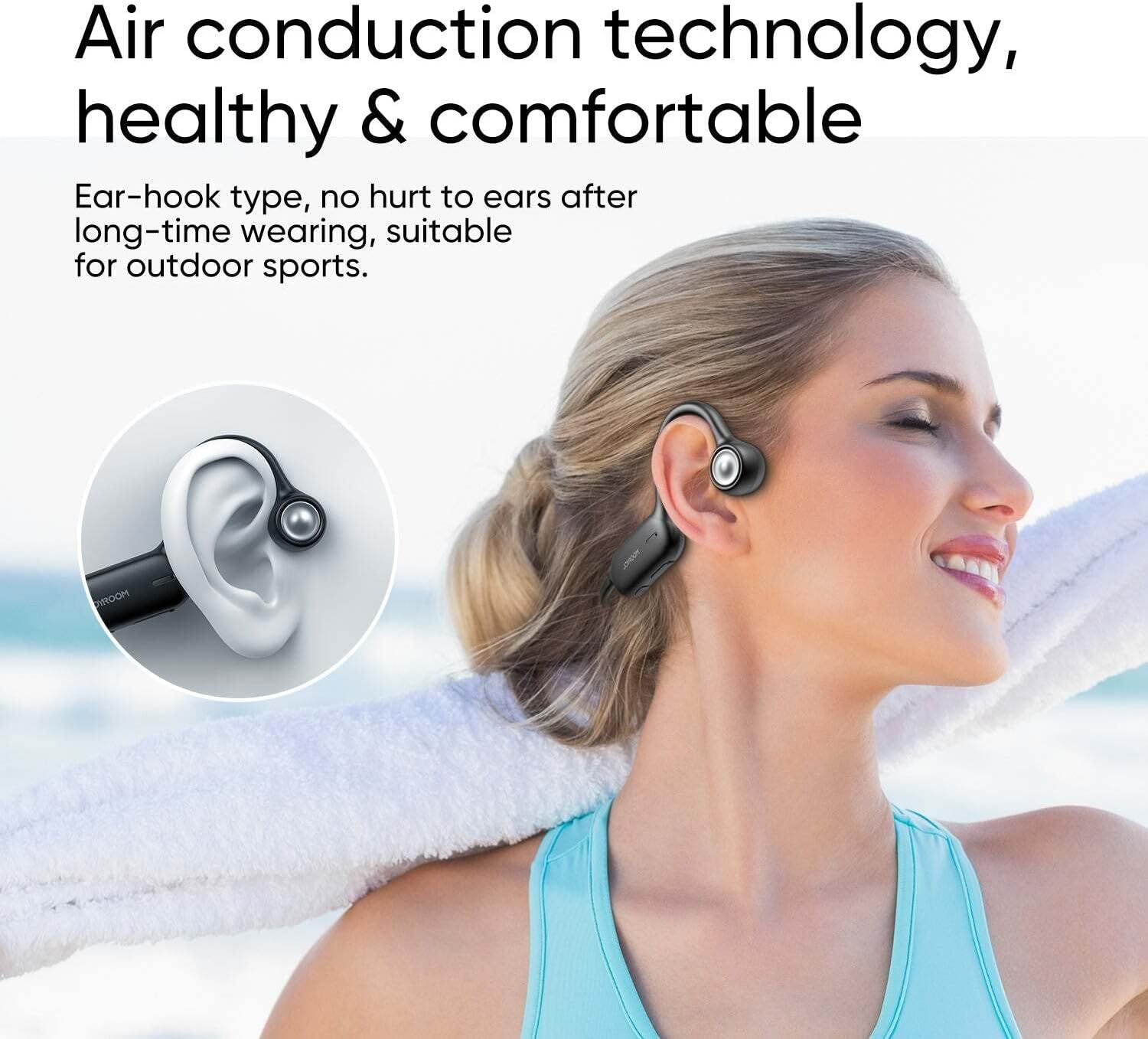
Figure 3: Visual representation of the air conduction technology, highlighting how the headphones sit outside the ear canal for comfort and hygiene.
Operating Instructions
The JR-X2 headphones are designed for simple, one-hand operation using the multi-function button and volume buttons located on the side.

Figure 4: Detailed view of the control buttons and their corresponding functions for easy operation.
| Action | Function |
|---|---|
| Click (Multi-function button) | Play/Pause music |
| Click (Multi-function button) | Answer incoming call |
| Click (Multi-function button) | Hang up call |
| Long press for 2 seconds (Multi-function button) | Reject incoming call |
| Double click (Multi-function button) | Next song |
| Press three times (Multi-function button) | Previous song |
| Short press '+' button | Volume Up |
| Short press '-' button | Volume Down |
Maintenance
- Clean the headphones regularly with a soft, dry cloth. Do not use abrasive cleaners or solvents.
- Avoid exposing the headphones to extreme temperatures, humidity, or direct sunlight.
- Do not immerse the headphones in water or other liquids.
- Store the headphones in a cool, dry place when not in use.
- Avoid dropping or subjecting the headphones to strong impacts.
Troubleshooting
| Problem | Possible Cause | Solution |
|---|---|---|
| Headphones do not power on. | Low battery. | Charge the headphones fully. |
| Cannot pair with device. | Headphones not in pairing mode; Bluetooth off on device; device too far. | Ensure headphones are in pairing mode (flashing red/blue). Turn on Bluetooth on your device. Move device closer to headphones (within 10 meters). |
| No sound or low volume. | Volume too low on headphones or device; headphones not connected; media paused. | Increase volume on both headphones and device. Reconnect headphones. Check if media is playing. |
| Intermittent connection. | Interference; device too far; obstacles. | Move away from sources of interference (Wi-Fi routers, other Bluetooth devices). Reduce distance between headphones and device. Remove obstacles. |
Specifications
| Feature | Detail |
|---|---|
| Model Name | JR-X2 |
| Brand | JOYROOM |
| Connectivity Technology | Wireless (Bluetooth) |
| Ear Placement | Open Ear (Air Conduction) |
| Form Factor | In Ear (referring to the general category, but specifically open-ear design) |
| Colour | Black |
| Material | Silicone |
| Product Dimensions | 70 x 70 x 50 cm |
| Item Weight | 23 g |
| Batteries | 1 Lithium Ion batteries required (included) |
| Manufacturer | Joyroom |
Warranty and Support
For warranty information and technical support, please contact Joyroom customer service. Refer to the packaging or the official Joyroom website for contact details.
Note: Software updates are not guaranteed for a specific period.