
Sudio E2
Sudio E2 Wireless Earbuds User Manual
Model: E2
Brand: Sudio
1. Setup
1.1 Unboxing and Initial Charge
Your Sudio E2 Wireless Earbuds come with the following components:
- Wireless Charging Case
- USB Charging Cable
- Multiple Sizes Eartips (XS, S, M, L, XL)
Before first use, it is recommended to fully charge the earbuds and the charging case. Connect the provided USB cable to the charging case and a power source. The indicator light on the case will show charging status.
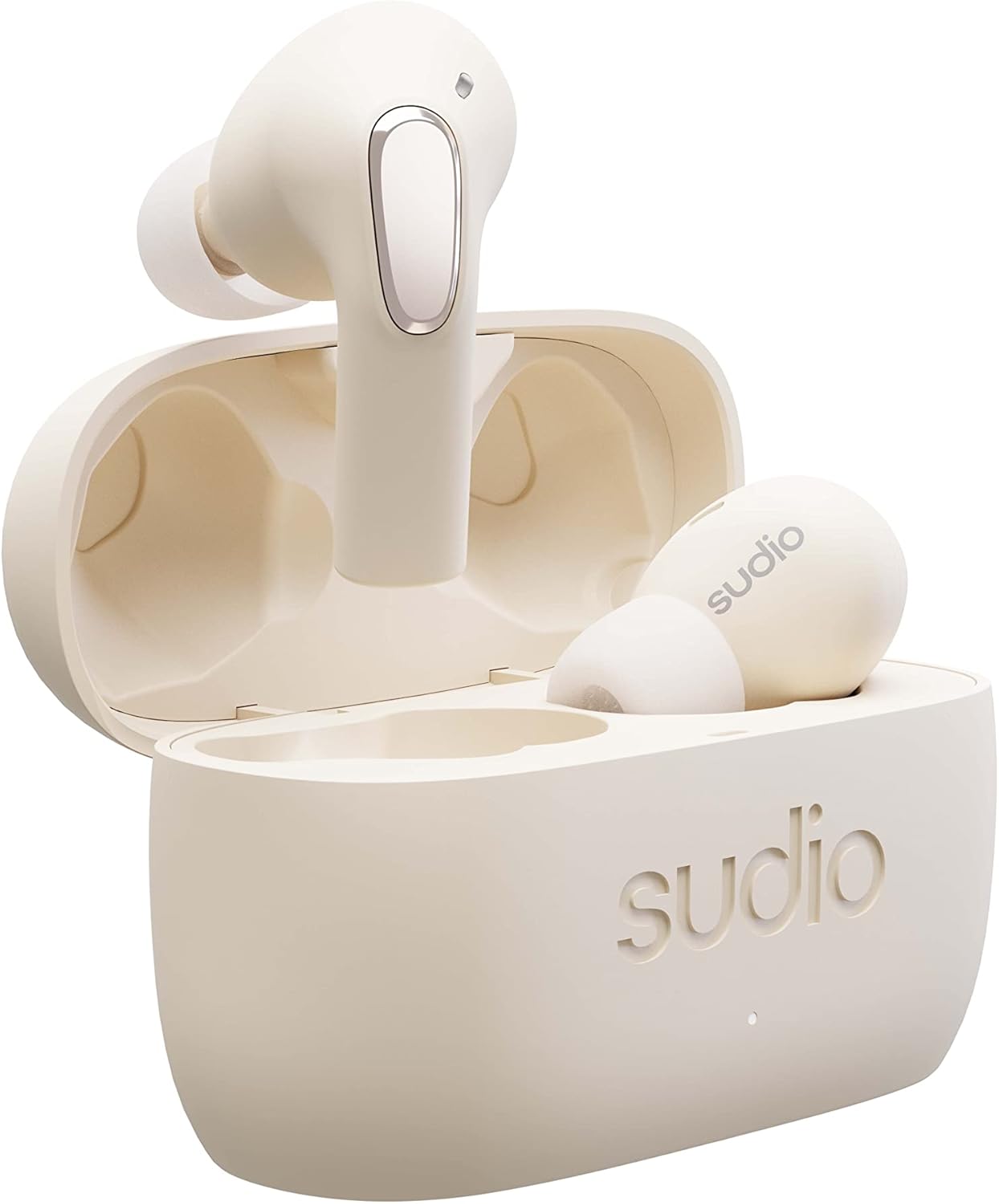

1.2 Fitting the Earbuds
For optimal sound quality and comfort, select the ear tips that best fit your ears. The Sudio E2 comes with multiple sizes (XS to L) to ensure a snug fit. Gently insert each earbud into your ear canal and twist slightly to secure them.


1.3 Pairing with Your Device
To pair your Sudio E2 earbuds with a Bluetooth-enabled device:
- Ensure the earbuds are charged and placed in your ears.
- On your device, enable Bluetooth and search for available devices.
- Select "Sudio E2" from the list of devices.
- The earbuds will confirm successful pairing.
2. Operating the Earbuds
2.1 Basic Controls
The Sudio E2 earbuds feature intuitive touch controls:
- Power On: Place earbuds in your ears, then press and hold both sides until you hear "On".
- Volume Down: Tap the left earbud three times.
- Volume Up: Tap the right earbud three times.
- Play/Pause: (Common control, specific tap not provided but implied)
- Call Management: (Common control, specific tap not provided but implied)
2.2 Hybrid Active Noise Cancellation (ANC)
The Sudio E2 utilizes hybrid active noise cancellation with microphones on both the inside and outside of the earbud. This technology suppresses a wider range of frequencies more accurately, providing a deeper immersive listening experience.
2.3 VividVoice Microphone Technology
Equipped with dual-beamforming microphones, VividVoice technology isolates your voice and filters out ambient sound, ensuring clear communication during calls and virtual meetings. This feature also supports Transparency Mode, allowing you to remain aware of your surroundings while listening.
2.4 Spatial Sound by Dirac Virtuo
Experience three-dimensional audio environments with Spatial Sound by Dirac Virtuo. This technology creates an immersive soundstage, making audio appear to come from various directions around you.

Official Sudio video demonstrating the advanced sound features of the E2 earbuds, including Hybrid ANC, Spatial Audio, and VividVoice microphone technology.
3. Maintenance
3.1 Cleaning
Regularly clean your earbuds and charging case to maintain optimal performance and hygiene. Use a soft, dry, lint-free cloth. For ear tips, you may gently wipe them with a damp cloth and mild soap, ensuring they are completely dry before reattaching.
3.2 Charging and Battery Life
The Sudio E2 offers up to 30 hours of total playtime with the wireless charging case. A quick 10-minute charge provides 2 hours of playtime. Always use the provided cable or a compatible wireless charger.
3.3 IPX4 Splash Proof Rating
The Sudio E2 earbuds are IPX4 splash-proof, meaning they are resistant to sweat and light rain. This makes them suitable for workouts and outdoor activities. However, they are not designed for submersion in water.

3.4 Storage
When not in use, store your earbuds in their charging case to protect them and ensure they are ready for your next listening session.
4. Troubleshooting
4.1 Connection Issues
- Earbuds not connecting: Ensure Bluetooth is enabled on your device. Place earbuds back in the case, close it, wait a few seconds, then open and try pairing again.
- Only one earbud connecting: Repeat the re-pairing process. Ensure both earbuds are properly seated in the charging case to reset.
- Intermittent connection: Ensure your device is within the Bluetooth range. Avoid physical obstructions between your device and the earbuds.
4.2 Audio Quality Issues
- Low volume or poor sound: Check that the ear tips are correctly sized and sealed in your ear canal. Clean any debris from the earbud nozzles.
- Distorted audio: Ensure the earbuds are fully charged. Try adjusting the equalizer settings via the Sudio Sound App if available.
4.3 Battery Life Concerns
- Shorter than expected battery life: Ensure earbuds and case are fully charged. High volume levels and continuous ANC use can reduce battery life.
5. Specifications
| Model | Sudio E2 |
| Wireless Communication Technology | Bluetooth 5.2 |
| Noise Control | Hybrid Active Noise Cancellation |
| Microphone Technology | VividVoice (Dual-beamforming) |
| Spatial Audio | Dirac Virtuo |
| Playtime | Up to 30 hours with charging case |
| Quick Charge | 10 minutes for 2 hours playtime |
| Water Resistance | IPX4 Splash Proof |
| Form Factor | In Ear |
| Material | Plastic |
| Item Weight | 1.8 ounces (51 Grams) |
| Product Dimensions | 2.36 x 1.77 x 0.98 inches |
| Included Components | Wireless Charging Case, Cable, Multiple Sizes Eartips |

6. Warranty and Support
6.1 Warranty Information
For detailed warranty information regarding your Sudio E2 Wireless Earbuds, please refer to the official Sudio website or the warranty card included with your product. Warranty terms and conditions may vary by region.
6.2 Customer Support
If you encounter any issues or have questions not covered in this manual, please contact Sudio customer support through their official website or the contact information provided in your product packaging. Provide your model number (E2) and any relevant purchase details for efficient assistance.
Related documentsE2


Ask a question about this manual
Ask about setup, troubleshooting, compatibility, parts, safety, or missing instructions. Manuals+ will review the question and use this page’s manual context to help answer it.