
Introduction
This manual provides detailed instructions for the Glocusent Upgraded LED Neck Reading Light, designed for comfortable, hands-free illumination during reading, knitting, repairing, and other activities. Its ergonomic design and adjustable light settings make it a versatile tool for various tasks.
What's in the Box
- 1 x Glocusent Neck Reading Light
- 1 x User Manual
- 1 x Charging Cable (USB-A to USB-C)
- 1 x Bookmark

Image: The Glocusent Neck Reading Light, USB-C charging cable, and a bookmark.
Key Features
- Ergonomic & Lightweight Design: Narrowed neck area (1.2cm thickness) and only 4.52 oz for comfortable wear.
- 3 Color Temperatures: Amber light (1800K) for blue light blocking, Warm White (3200K), and Cool White (6000K).
- 3 Brightness Levels: Dimmable settings for various purposes.
- Private Reading Zone: 90° narrow beam angle to focus light without disturbing others.
- Rechargeable 1000mAh Battery: Provides up to 80 hours of illumination at the dimmest level.
- 30-Minute Auto-Off Timer: Convenient function for leisure reading.
- Flexible Arms: Allows for precise light positioning.
Setup
Initial Charge
Before first use, fully charge your Glocusent Neck Reading Light.
- Connect the provided USB-C charging cable to the charging port located on the neck light.
- Plug the USB-A end of the cable into a compatible USB power source (e.g., wall adapter, computer USB port, power bank).
- The three power indicator lights on the neck area will illuminate to show the charging status. All three lights will be solid when fully charged.
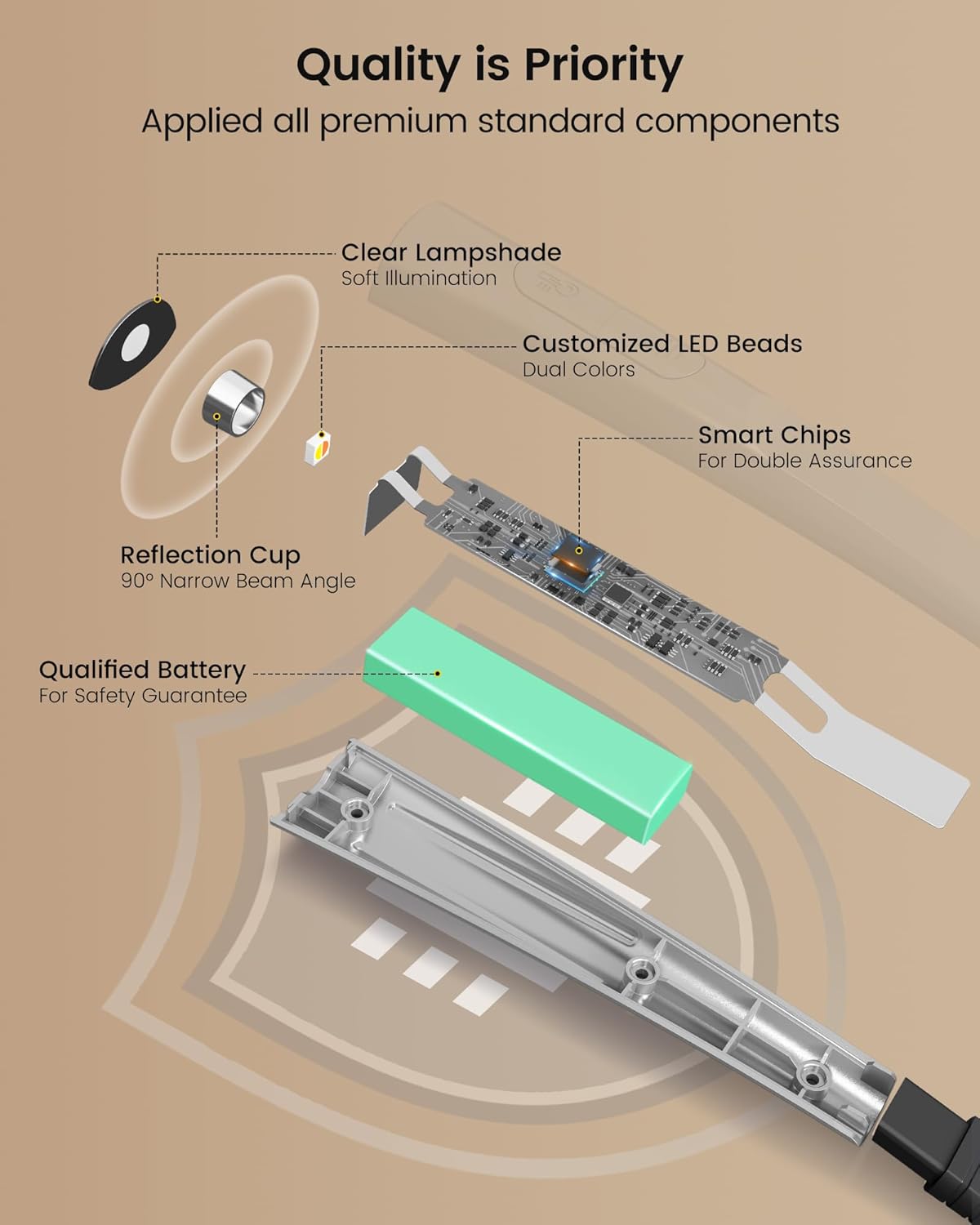
Image: The neck light being charged via USB-C, with power indicators visible.
Operating Instructions
Wearing the Light
Gently place the Glocusent Neck Reading Light around your neck. Its ergonomic design ensures a comfortable and secure fit, allowing for hands-free operation.

Image: A person comfortably wearing the neck light, highlighting its lightweight and ergonomic design.
Adjusting Light Color and Brightness
The neck light features independent controls for each arm, allowing you to customize the lighting to your preference.
- Power On/Off: Press the power button on either arm to turn the light on or off.
- Brightness Adjustment: With the light on, repeatedly press the power button on an arm to cycle through 3 brightness levels (Low, Medium, High).
- Color Temperature Change: Use the dedicated color temperature button (often located on the top of the neck band or near the power button) to switch between Amber (1800K), Warm White (3200K), and Cool White (6000K). The amber mode is specifically designed to block 99.99% of blue light for eye care.
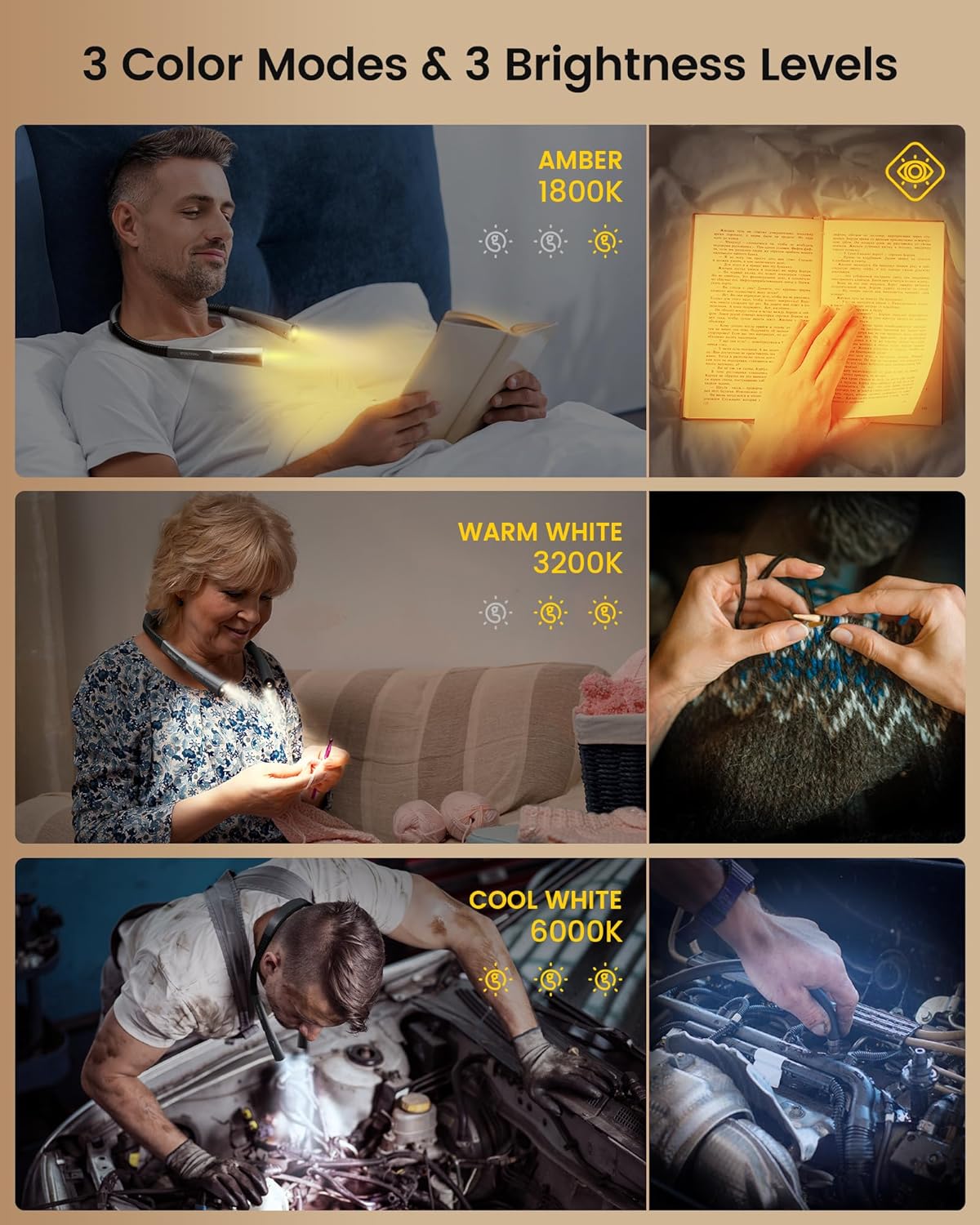
Image: Visual representation of the three distinct color temperatures and brightness settings.
Flexible Arms and Beam Angle
The flexible arms can be bent and positioned to direct the light exactly where you need it. The 90° narrow beam angle ensures that the light is concentrated on your task, creating a private illumination zone without disturbing others nearby.

Image: Comparison of the Glocusent's narrow beam angle versus a wider beam, illustrating its benefit for private use.
30-Minute Auto-Off Timer
To activate the 30-minute auto-off timer, locate the timer button (refer to the product diagram or physical device for exact location). Pressing this button will initiate a 30-minute countdown, after which the light will automatically turn off. This feature is particularly useful if you tend to fall asleep while reading.

Image: A visual detail of the timer function on the neck light.
Maintenance
- Cleaning: To clean the device, gently wipe it with a soft, dry cloth. Do not use liquid cleaners, aerosols, or abrasive materials, as these may damage the surface or internal components.
- Storage: When not in use for extended periods, store the neck light in a cool, dry place away from direct sunlight and extreme temperatures.
- Water Resistance: This product is NOT waterproof. Avoid exposing it to water, rain, or high humidity to prevent damage.
Troubleshooting
| Issue | Possible Cause | Solution |
|---|---|---|
| Light does not turn on | Low or depleted battery | Charge the device fully using the provided USB-C cable. |
| Light flickers or dims unexpectedly | Low battery or unstable connection | Recharge the device. Ensure the charging cable is securely connected if charging. |
| Cannot change color temperature or brightness | Incorrect button usage or temporary software glitch | Refer to 'Operating Instructions' for correct button functions. Try turning the device off and on again. |
| Device feels warm during use/charging | Normal operation | A slight warmth is normal. If it becomes excessively hot, discontinue use and contact customer support. |
Specifications
| Feature | Detail |
|---|---|
| Model Number | GLCSNTBL007 |
| Item Weight | 4.4 ounces (126 Grams) |
| Product Dimensions | 5.7"D x 4.05"W x 1.05"H |
| Battery Capacity | 1000mAh Lithium Polymer |
| Light Source Type | LED |
| Color Temperatures | 1800K (Amber), 3200K (Warm White), 6000K (Cool White) |
| Brightness | 102 Lumen (max) |
| Power Source | Battery Powered |
| Charging Interface | USB-C |
| Material | Acrylonitrile Butadiene Styrene (ABS) |
| Special Features | Cordless, 30-min Timer, Adjustable Brightness, Flexible Arms |
Warranty and Support
Glocusent stands behind the quality of its products. This Glocusent Upgraded LED Neck Reading Light comes with a 24-month warranty from the date of purchase, covering manufacturing defects.
For any questions, technical support, or warranty claims, please contact the Glocusent Customer Experience Team. They are available 24/7 to assist you.
Contact Information: Please refer to the contact details provided in your product packaging or visit the official Glocusent website for the most up-to-date support information.
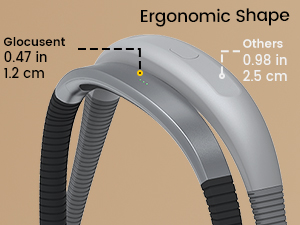
Image: Glocusent customer service is available to assist you.
Official Product Videos
There are currently no official product videos from the seller available for embedding in this manual.

