
ORDRO EP8
Ordro EP8 4K Head-Mounted Video Camera User Manual
Model: EP8 | Brand: ORDRO
Introduction
The Ordro EP8 is an advanced 4K head-mounted video camera designed for hands-free recording. Featuring a new 1/2.8-inch SONY STARVIS CMOS sensor, it delivers brilliant 4K 60FPS video and stunning 20MP photos, even in low-light conditions. Its built-in 2-axis gimbal stabilizer ensures smooth footage, while the 130° wide-angle lens with distortion correction captures expansive scenes. The camera supports fast charging via Type-C and integrates seamlessly with the upgraded OD CAM Wi-Fi App for easy control, editing, and sharing.
What's in the Box
- EP8 Head Camera x1
- Fast Charger x1
- Bracelet Remote Control x1
- USB Cable x1
- Card Reader x1
- Set Screw x1
- Head Band x1
- Rubber Cap x1
- Hook x2
- 64GB Micro Card x1
- User Manual x1

Image: All components included in the Ordro EP8 package.
Setup
1. Attaching the Headband
Align the camera unit with the headband and securely attach it. The headband is designed for comfortable, hands-free operation, allowing the camera to capture your point of view.

Image: The Ordro EP8 camera unit with its head-mounted band and various accessories.
2. Inserting the Micro SD Card
Locate the Micro SD card slot on the camera unit. Insert the provided 64GB Micro SD card (or another compatible card, minimum UHS-I (U3) up to 256GB) until it clicks into place. Ensure the card is inserted correctly to avoid damage.
Video: A user demonstrates inserting the Micro SD card into the Ordro EP8 camera. This video also shows the camera's physical features and how it attaches to the headband.
3. Initial Charging
Before first use, fully charge the camera using the provided Fast Charger and USB Type-C cable. The camera supports fast charging, reaching full capacity in approximately 30 minutes.

Image: The Ordro EP8 camera connected to a Type-C charger, highlighting its fast charging feature.
Operating Instructions
1. Power On/Off
Long press the power button on the camera unit to turn it on or off. A light indicator will confirm the power status.
2. Recording Video and Capturing Photos
The Ordro EP8 captures Ultra HD 4K video at 60 frames per second and 20MP photos. Its 2-axis gimbal stabilizer helps maintain smooth footage, even during movement. For optimal stability, try to keep your head movements steady.

Image: Visual representation of the camera's high-quality video and photo capabilities, along with its 2-axis stabilization.

Image: Illustrates the effectiveness of the 2-axis gimbal stabilization in reducing shake compared to normal anti-shake.
3. Wide-Angle View and Distortion Correction
The 130° wide-angle glass lens allows for expansive shots. You can adjust the angle from 130° to 90° and enable distortion correction via the app to ensure natural-looking images.

Image: Demonstrates the effect of turning distortion correction on and off for the 130-degree wide-angle lens.
4. Vertical and Landscape Shooting Modes
The camera supports both vertical (9:16) and landscape (16:9) shooting modes. You can switch between these modes by long-pressing the record button on the camera or through the OD CAM app.

Image: Shows the camera's hands-free capability and how to switch to vertical shooting mode, ideal for social media content.
5. Using the OD CAM Wi-Fi App
The exclusive OD CAM app allows you to connect your smartphone to the camera via Wi-Fi for real-time viewing, remote control, and access to advanced settings. You can also edit videos and share them directly to social media platforms.
Video: Demonstrates the OD CAM app interface, showing how to connect to the device and access files for editing and sharing.
6. Remote Control Operation
The included bracelet remote control allows for convenient remote operation of the camera, enabling you to start/stop recording or capture photos without touching the camera unit.
Video: Shows the Ordro EP8 head-mounted camera in use, highlighting its hands-free operation and remote control capabilities.
7. Special Features
The EP8 offers various shooting modes including Loop Record, Night Vision, Self-Portrait Mode, Image Stabilization, and Time Lapse. These can be accessed and configured via the OD CAM app.

Image: Visual icons indicating the camera's Loop Record, Time Lapse, and Slow Motion functionalities.
Maintenance
Water Resistance
The Ordro EP8 has an IPX5 waterproof rating, making it resistant to splashes and light rain. Avoid submerging the camera in water.
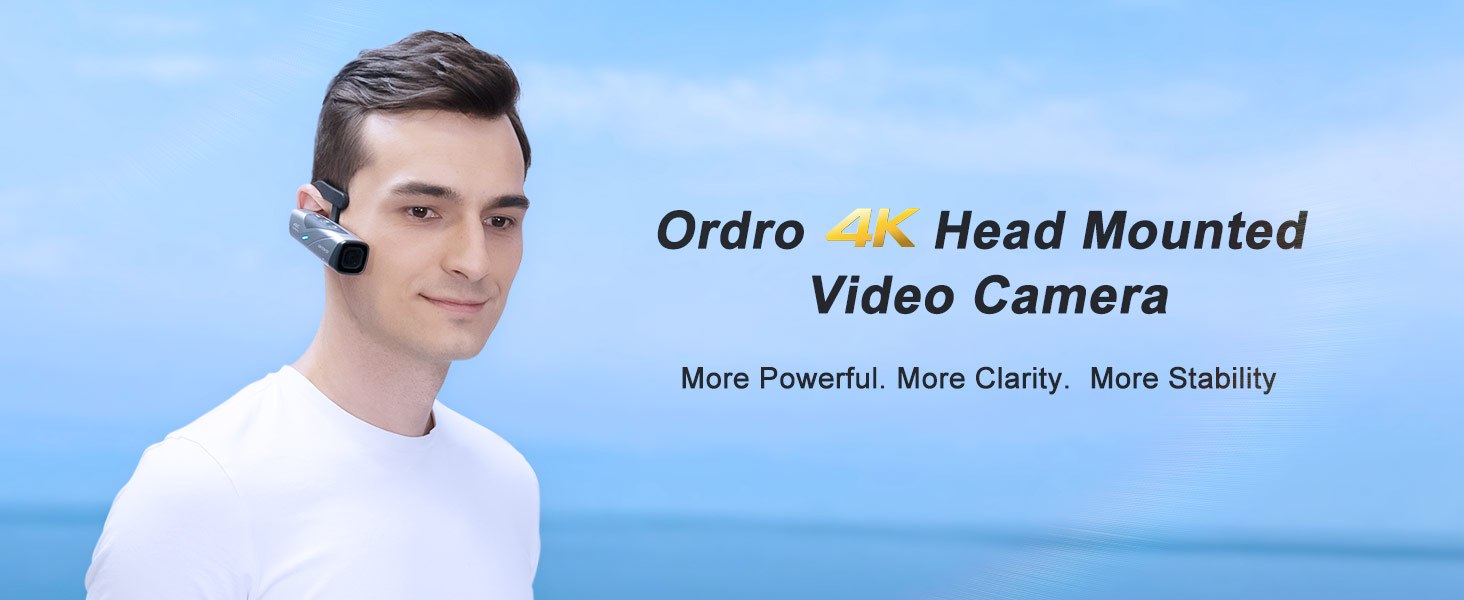
Image: Shows the camera's water resistance up to IPX5, suitable for use near water.
Troubleshooting
App Connectivity Issues
If you experience difficulty connecting the camera to the OD CAM app, ensure Wi-Fi is enabled on both devices and that you are within range. Restarting both the camera and the app may resolve the issue. For persistent problems, refer to the detailed troubleshooting section in the full user manual or contact customer support.
Shaky Footage
While the EP8 features 2-axis gimbal stabilization, rapid head movements can still result in shaky footage. For best results, try to maintain a steady head position during recording, especially when moving quickly.
Video: A short clip demonstrating the camera's perspective, highlighting the need for steady head movements for optimal footage.
Specifications
| Feature | Detail |
|---|---|
| Brand | ORDRO |
| Model Number | EP8 |
| Item Weight | 15.5 ounces |
| Product Dimensions | 6.1 x 6.14 x 2.24 inches |
| Batteries | 1 AAA batteries required (included) |
| Color | Black |
| Photo Sensor Technology | CMOS (Sony STARVIS 1/2.8 Inch) |
| Video Capture Resolution | 4K: 3840x2160 (60fps), 1080p |
| Maximum Aperture | 1000 Millimeters |
| Flash Memory Type | Micro SD (up to 256GB, UHS-I U3 recommended) |
| Video Capture Format | MP4 |
| Supported Audio Format | AAC |
| Screen Size | 2.8 Inches (Visible screen diagonal: 3" / 8 cm) |
| Connectivity Technology | Wi-Fi |
| Special Features | Loop Record, Night Vision, Self-Portrait Mode, Image Stabilization, Time Lapse |
Warranty & Support
For warranty information and technical support, please refer to the full user manual included in your package or visit the official ORDRO website. You can also contact ORDRO customer service directly for assistance with product inquiries or troubleshooting.
Thank you for choosing Ordro EP8!
Related documentsEP8


Ask a question about this manual
Ask about setup, troubleshooting, compatibility, parts, safety, or missing instructions. Manuals+ will review the question and use this page’s manual context to help answer it.