
1. Introduction
Thank you for choosing the Eonon Q04Pro UA13 Universal Double DIN Car Stereo. This unit is designed to provide a comprehensive in-car entertainment and navigation experience, featuring the Android 10 operating system, a responsive 7-inch IPS touchscreen, and seamless integration with Apple CarPlay and Android Auto. This manual provides essential information for installation, operation, and maintenance to ensure optimal performance and user satisfaction.
Please read this manual thoroughly before installation and use, and keep it for future reference.
2. Safety Information
- Always operate the device safely and responsibly. Avoid distractions while driving.
- Installation should be performed by a qualified professional to prevent damage to the unit or vehicle.
- Do not disassemble or modify the unit. This may cause damage and void the warranty.
- Ensure all wiring is correctly connected to prevent short circuits or electrical hazards.
- Keep the unit away from water, moisture, and extreme temperatures.
3. Package Contents
Verify that all items are present in the package:
- 1x Power Cable
- 1x GPS Antenna
- 2x USB Adapter Cables
- 1x Audio Video Adapter Cable
- 1x Backup Camera Input Cable
- 1x 10A Fuse
- 1x External Microphone
- 1x User Manual
- 8x Screws

Image: Eonon Q04Pro UA13 accessories including cables, antenna, microphone, and screws.
4. Setup and Installation
4.1 Installation Size
The Eonon UA13 is a 2 DIN car radio. It is designed for dashboards with dimensions ranging from 170*96mm to 178*100mm. It is NOT suitable for 1 DIN car slots.

Image: Diagram illustrating the installation dimensions of the UA13 car radio, showing compatible and incompatible dashboard sizes.
If your car dashboard size does not fall within the specified range (170*96mm to 178*100mm), an additional installation kit (not included) will be required. You can search for suitable mounting kits or wire harnesses using your car's make, model, and year.
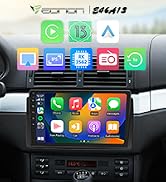
Image: Illustration showing the need for a 2 DIN installation kit if the dashboard opening is not standard, and how to search for compatible kits.
4.2 Wiring Diagram
Refer to the wiring diagram for proper connection of the unit to your vehicle's electrical system. Ensure all connections are secure before powering on the device.
Image: Detailed wiring diagram for the Eonon Q04Pro UA13 car stereo, labeling each port and connection.
If your original radio's power cable is an ISO plug, it can be directly connected to the ISO power cable of the UA13. Otherwise, an ISO adapter cable may be required.
5. Operating Instructions
5.1 Basic Operation
The unit features a user-friendly interface with physical buttons and a volume knob for essential controls, minimizing distractions while driving. The 7-inch IPS multi-touch capacitive touchscreen allows for intuitive navigation through menus and applications.

Image: Close-up of the Eonon Q04Pro UA13's front panel, highlighting physical buttons, volume knob, AUX input, and USB port for user interaction.
5.2 Android 10 System
The Eonon Q04Pro UA13 runs on Android 10, providing access to a wide range of applications, music, and games. The system supports installation of various apps, allowing for customization of your in-car experience.
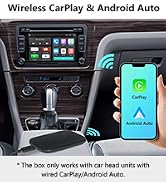
Image: Screenshot of the Eonon Q04Pro UA13's Android 10 home screen, displaying various applications.
5.3 CarPlay and Android Auto
The unit supports both wired and wireless Apple CarPlay and Android Auto, allowing seamless integration with your smartphone for navigation, music, calls, and messages. Ensure your phone supports Google services and Android Auto for full functionality.
Image: Visual representation of CarPlay and Android Auto interfaces on the Eonon Q04Pro UA13 screen, demonstrating navigation and media playback.
5.4 Voice Control
Utilize voice commands for hands-free operation. Say "Hey, Siri!" for Apple CarPlay or "OK Google" for Android Auto to access voice assistants for navigation, calls, and music playback.
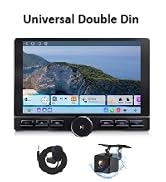
Image: Depiction of voice control functionality on the Eonon Q04Pro UA13, showing prompts for Siri and Google Assistant.
5.5 Camera Input
The unit supports AHD 1080p rear cameras (not included) for enhanced safety during parking and reversing. It also supports front camera input.
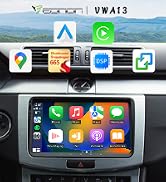
Image: Diagram showing the HD rear and front camera input capabilities of the Eonon Q04Pro UA13, with examples of monitoring road conditions and reverse mode.
6. Specifications
| Feature | Description |
|---|---|
| Model | Q04Pro (UA13) |
| System | Android 10 |
| Processor | Unisoc UIS8581A (8-core A55, 1.6 GHz) |
| RAM | 3 GB |
| ROM | 32 GB |
| Display Size | 7-inch IPS |
| Resolution | 1024 x 600 |
| Touchscreen | Multi-touch Capacitive |
| Bluetooth Version | 5.0 |
| Audio Amplifier | TDA7851 (4 x 48W Max Output) |
| DSP | Integrated 48-band Graphic Equalizer |
| USB Ports | 2 |
| Connectivity | Bluetooth, USB, Wi-Fi |
| Special Features | CarPlay, Android Auto, DSP, AHD Camera Support, OBDII, DAB+ (optional) |
| Supported Internet Services |
7. Maintenance
- Keep the screen clean using a soft, dry cloth. Avoid abrasive cleaners.
- Regularly check for software updates to ensure optimal performance and access to new features.
- Ensure proper ventilation around the unit to prevent overheating.
8. Troubleshooting
Common Issues and Solutions:
- No Power: Check all power connections and the 10A fuse. Ensure the vehicle's ignition is on.
- No Sound: Verify speaker connections. Check volume levels and audio settings (DSP equalizer).
- GPS Signal Loss: Ensure the GPS antenna is properly installed and has a clear view of the sky.
- Bluetooth Connection Issues: Ensure Bluetooth is enabled on both the unit and your phone. Try unpairing and re-pairing the devices. The default Bluetooth password is 0000.
- CarPlay/Android Auto Not Working: Ensure your phone is compatible and the connection (wired/wireless) is stable. Some phones may require specific settings or app versions.
- Screen Unresponsive: Try restarting the unit. If the issue persists, contact support.
For more complex issues, please refer to the Eonon support website or contact their customer service.
9. Warranty and Support
The Eonon Q04Pro UA13 typically comes with a 2-year warranty. Please retain your proof of purchase for warranty claims.
For technical support, warranty inquiries, or spare parts information, please visit the official Eonon website or contact their customer service directly. Information regarding software updates and spare parts availability may vary and can be obtained from Eonon support.
Eonon Official Website: www.eonon.com


