
FeiyuTech Feiyu F2C-C
Contents
FeiyuTech SCORP-C Gimbal Stabilizer User Manual
Model: Feiyu F2C-C | Brand: FeiyuTech
1. Introduction
The FeiyuTech SCORP-C is a versatile 3-axis gimbal stabilizer designed for mirrorless and DSLR cameras. It provides smooth, stable footage for various shooting scenarios, enhancing the quality of your video productions. This manual provides detailed instructions on setting up, operating, and maintaining your SCORP-C gimbal.
2. What's in the Box
Verify that all the following items are included in your package:
- FeiyuTech SCORP-C Gimbal (Main Body)
- 1 * Type-C to Type-C (C02) Cable
- 1 * Type-C to TRS2.5 (T02) Cable
- 1 * Type-C to 2.5mm Panasonic shutter cable (DC2.5mm)
- 1 * Type-C to Micro(A03) Cable
- 1 * Type-C to Multi Sony shutter cable
- 1 * USB 2.0 to Type-C Cable
- 1 * Tripod
- 3 * Camera fixed screws
- 1 * Quick release plate
- 1 * Lens holder screw
- 1 * Camera backing base
- 1 * Lens holder

Image: All components included in the FeiyuTech SCORP-C package.
Video: Official unboxing video of the FeiyuTech SCORP-C Gimbal.
3. Setup
3.1. Mounting the Camera
Attach your camera to the quick release plate and then secure it onto the gimbal. Ensure the camera is firmly mounted to prevent any movement during operation.
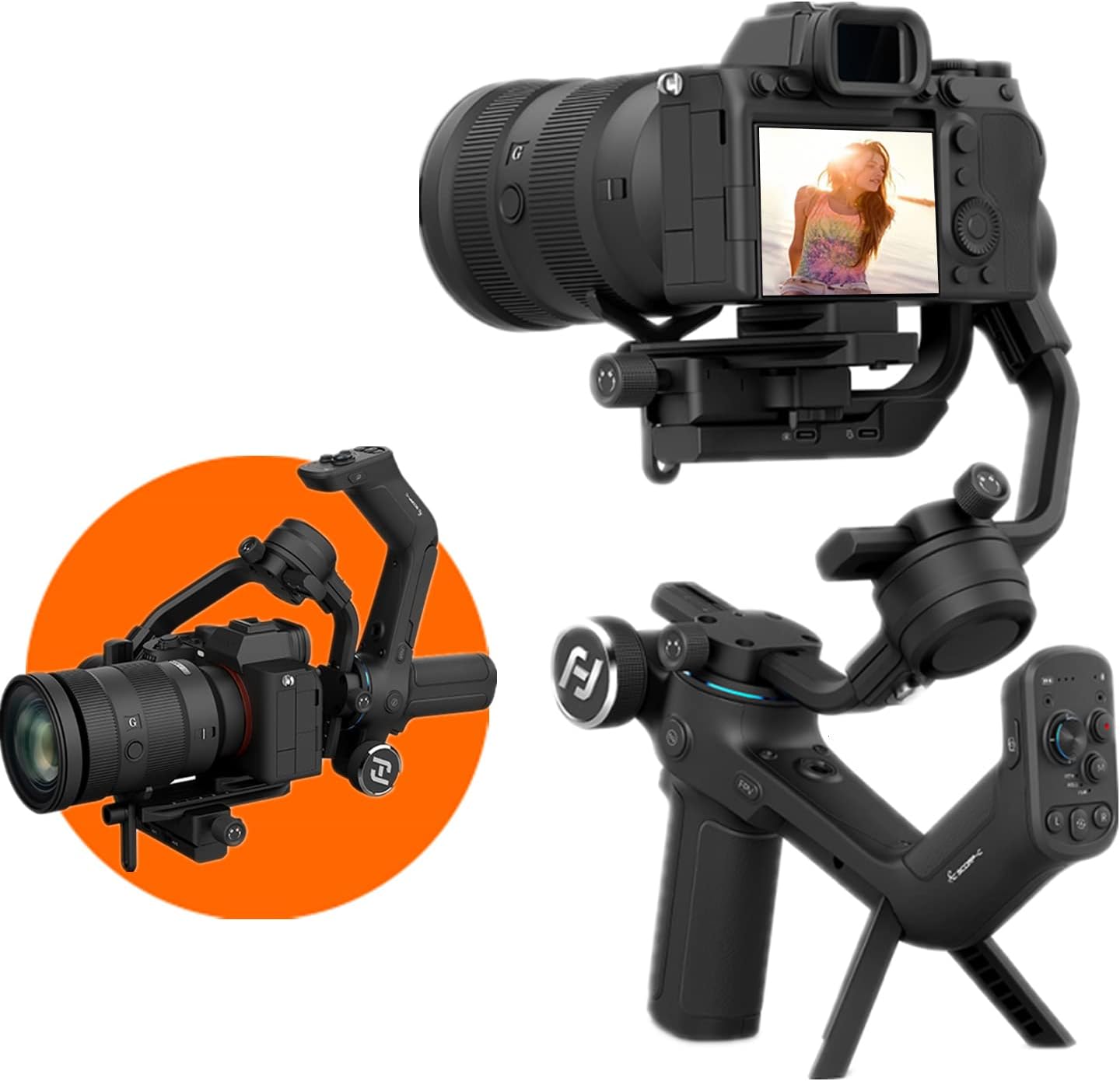
Image: FeiyuTech SCORP-C with a camera attached, ready for balancing.
3.2. Balancing the Gimbal
Proper balancing is crucial for optimal performance and battery life. The SCORP-C features three-axis motor locks and five-way center of gravity adjustment for easier balancing. Use the center of gravity memory slider to save your settings for quick re-balancing.
Video: Demonstrates the balancing process for the FeiyuTech SCORP-C Gimbal.
Steps for Balancing:
- Vertical Tilt Balancing: Unlock the tilt axis motor lock. Make the camera lens point upward vertically. If the camera tilts to either side, adjust the slide arm until the lens is steady pointing upward. Tighten the slide arm lock knob.
- Adjust Depth for Tilt Axis: Make the camera lens point forward. If the lens tilts to one side, unlock the quick release plate safety lock and move the camera to the opposite direction until it is steady pointing forward. Lock the quick release plate safety lock.
- Balancing the Roll Axis: Unlock the roll lock. If the camera tilts to one side, loosen the cross arm lock knob and move it to the opposite direction until the cross-arm can stay still and horizontal to the ground. Tighten the cross arm lock knob.
- Balancing the Pan Axis: Unlock the pan axis motor lock. Hold the gimbal and tilt it forward until it is horizontal to the ground. If the camera tilts to one side, loosen the vertical arm lock knob and move it to the opposite direction until the camera stays still and horizontal to the ground. Tighten the vertical arm lock knob.
After balancing, push the center of gravity memory sliders of the three axes to the corresponding position to save the settings for future use.
3.3. Connecting the Camera
Use the appropriate camera control cable (e.g., Type-C to Multi Sony shutter cable) to connect your camera to the gimbal. This enables control of camera functions directly from the gimbal.
4. Operating
4.1. Controls Overview

Image: Detailed view of the FeiyuTech SCORP-C control panel.
Video: Explanation of indicator lights and their meanings on the FeiyuTech SCORP-C.
4.2. Operating Modes
The SCORP-C offers several modes to suit different shooting needs:
- Pan Follow Mode: The camera pans horizontally following your movement while keeping the tilt and roll axes locked.
- Pan & Tilt Follow Mode: The camera follows both pan and tilt movements, keeping the roll axis locked.
- FPV Mode (First Person View): All three axes (pan, tilt, roll) follow your movement, providing a dynamic, immersive perspective.
- Lock Mode: All three axes are locked, keeping the camera pointing in a fixed direction regardless of gimbal movement.
- Flash Mode (FFW): Three-axis fast follow for quickly capturing dynamic movements.
- AB Trajectory Memory: Memorize trajectory positions for repeatable, automated movements.
- Time-lapse Photography: Capture sequences of images over time to create time-lapse videos.
- Panoramic Photography: Automatically capture multiple images to stitch into a wide panoramic shot.
- Vertical-shooting Mode: Easily switch to vertical orientation for social media content.
Video: Demonstration of AB Trajectory Memory feature.

Image: FeiyuTech SCORP-C in Vertical-shooting Mode.

Image: Example of Panoramic Photography.

Image: Example of Time-lapse Photography.
4.3. App Control (Bluetooth)
The Feiyu SCORP app allows you to control the gimbal wirelessly via Bluetooth. This enables advanced settings adjustments, remote control of movements, and access to additional features like time-lapse and trajectory memory.
5. Compatibility
The FeiyuTech SCORP-C is compatible with a wide range of mainstream mirrorless and DSLR cameras and lens combos. Some compatible models include:
- Sony Cameras: RX100 III/IV/VA/VI/VII, ZV-1, DSC-WX500, DSC-HX90, DSC-RX10 III/IV, ZV-E10, a6100/a6300/a6400/a6500/a6600, A7S/A7S II/A7R/A7R II/A7R III/A7R IV, a7R M4A, a7 II/III/IV, a9/a9 II, A7C, a1, a7S III, FX3.
- Canon Cameras: EOS M50/M50 Mark II, EOS M6 Mark II, Powershot G7 X Mark III, EOS 200D II, EOS 850D, EOS 90D, EOS 5D Mark IV, EOS 5DS R, EOS RP, EOS R, EOS R5, EOS R6.
- Nikon Cameras: Z6/Z6 II, D7500, Z fc.
- Panasonic Cameras: GH5S/GH5, GH4, G9, S5.
- Fujifilm Cameras: X-T20/X-T30, X-A5/X-A7, X-T100, X-H1, X-T3/X-T4, X-E3.
- SIGMA Cameras: FP.

Image: Comprehensive compatibility list for the FeiyuTech SCORP-C.
6. Battery & Charging
The SCORP-C is equipped with a 2500mAh efficient battery, providing 10-13 hours of maximum runtime. It supports 18W fast charging, allowing for an extra 30 minutes of runtime with just 5 minutes of charging.

Image: Illustration of the 2500mAh efficient battery.
7. Maintenance
To ensure the longevity and optimal performance of your FeiyuTech SCORP-C gimbal, follow these maintenance guidelines:
- Keep the gimbal clean and free from dust and debris. Use a soft, dry cloth for cleaning.
- Avoid exposing the gimbal to extreme temperatures or direct sunlight for prolonged periods.
- Store the gimbal in its protective case when not in use to prevent damage.
- Ensure all locks are engaged when transporting the gimbal to prevent motor damage.
- Regularly check for any loose screws or connections and tighten them if necessary.
8. Troubleshooting
If you encounter any issues with your FeiyuTech SCORP-C gimbal, please refer to the official troubleshooting guide for detailed solutions. A common issue is improper balancing, which can lead to motor strain or unstable footage. Ensure your camera is perfectly balanced on all axes before operation.
For further assistance, you can download the official Troubleshooting Guide (PDF) here.
9. Specifications
| Feature | Specification |
|---|---|
| Product Dimensions | 104.8 x 28.07 x 110.55 inches |
| Item Weight | 2.65 pounds (1200 Grams) |
| Maximum Weight Recommendation | 5.5 lbs (2500 Grams) |
| Item Model Number | Feiyu F2C-C |
| Batteries | 1 Lithium Metal battery (included) |
| Folded Size | 280.8*266.2*71.3mm |
| Color | Black |
| Manufacturer | FeiyuTech SCORP-C |
| Country of Origin | China |
10. Warranty & Support
For detailed warranty information and customer support, please refer to the official FeiyuTech website or contact their customer service directly. You can also find additional resources and FAQs on the FeiyuTech Store page on Amazon.
Official User Manual (PDF): Download Here
FeiyuTech Store: Visit Store
Ask a question about this manual
Ask about setup, troubleshooting, compatibility, parts, safety, or missing instructions. Manuals+ will review the question and use this page’s manual context to help answer it.