
1. Introduction
This manual provides essential instructions for the proper use and maintenance of your LOTUS Smartwatch Model 50003/A. Please read this guide thoroughly before using your smartwatch to ensure optimal performance and longevity.
The LOTUS Smartwatch 50003/A features an intuitive interface and elegant design, offering a variety of smart functions. It is equipped with Bluetooth connectivity, allowing seamless synchronization with your mobile devices. This synchronization enables features such as call and message notifications, music control, and other practical functions for daily life.
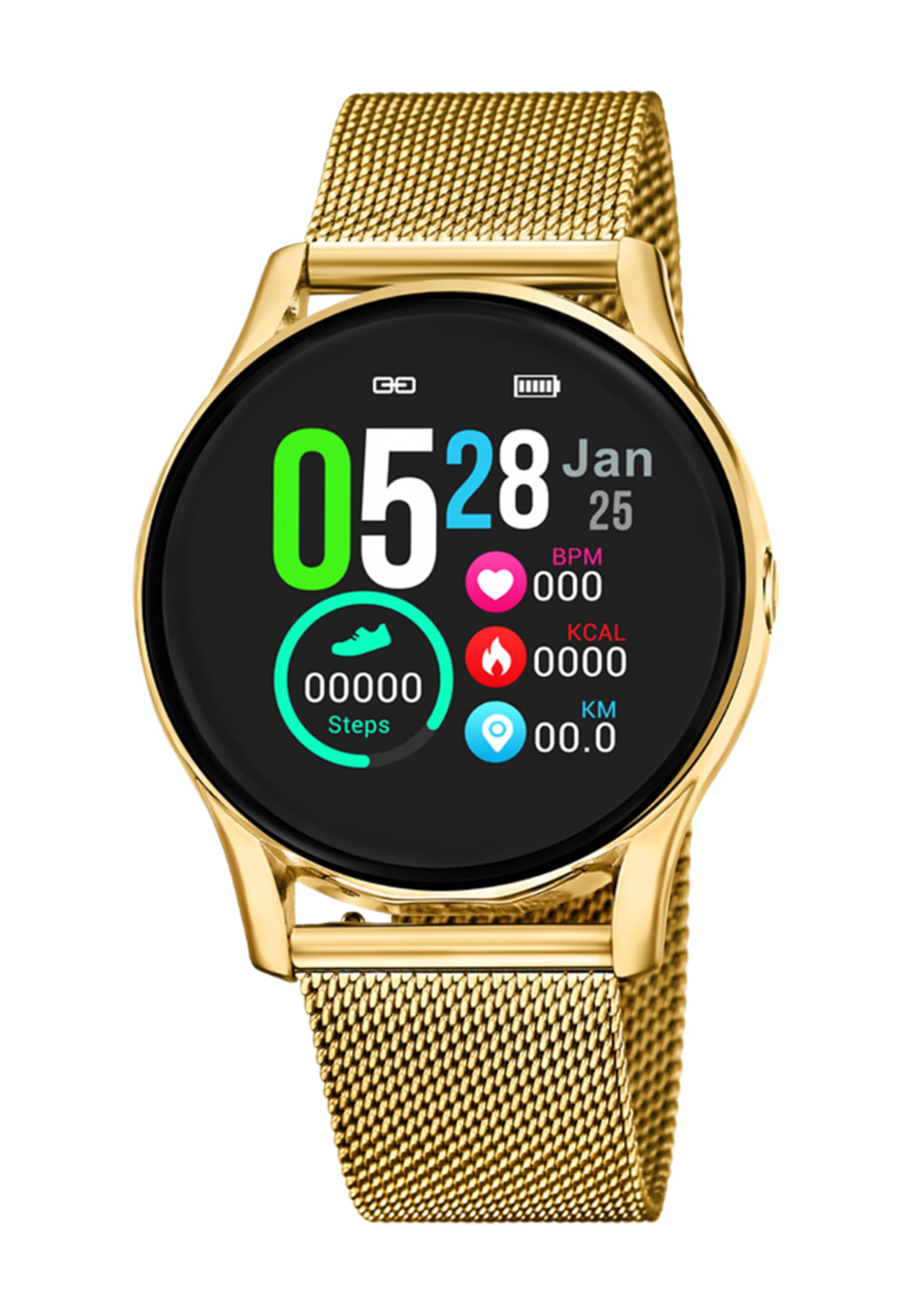
Image 1.1: Front view of the LOTUS Smartwatch 50003/A.
2. Package Contents
Please check the package contents upon unboxing. The standard package for the LOTUS Smartwatch 50003/A should include:
- LOTUS Smartwatch 50003/A
- Charging Cable
- User Manual (this document)
3. Setup Guide
3.1. Charging the Smartwatch
Before initial use, fully charge your smartwatch.
- Connect the charging cable to the charging port on the back of the smartwatch.
- Plug the other end of the charging cable into a USB power adapter (not included) or a computer's USB port.
- The watch display will indicate charging status. Allow approximately 2-3 hours for a full charge.
3.2. Installing the Companion App
To unlock all features and synchronize your smartwatch with your smartphone, you need to install the official LOTUS Connected app.
- Scan the QR code provided in the watch packaging or search for "LOTUS Connected" in your smartphone's app store (Google Play Store for Android, Apple App Store for iOS).
- Download and install the app.
- Follow the on-screen instructions to create an account or log in.

Image 3.2: Synchronizing the smartwatch with the companion app on a smartphone.
3.3. Pairing with Your Smartphone
Ensure Bluetooth is enabled on your smartphone and the smartwatch is charged.
- Open the LOTUS Connected app on your smartphone.
- Follow the app's instructions to add a new device.
- The app will search for available smartwatches. Select "LOTUS 50003/A" from the list.
- Confirm the pairing request on both your smartphone and smartwatch if prompted.
- Once paired, the watch will synchronize time and data with your phone.
4. Operating Instructions
4.1. Basic Navigation
- Touchscreen: Swipe left/right, up/down to navigate through menus and features. Tap to select.
- Side Buttons: The smartwatch may have one or more physical buttons. Typically, one button serves as a power on/off, back, or home button. Refer to the on-screen prompts for specific button functions.

Image 4.1: Example of a smartwatch display showing activity data.
4.2. Key Features
- Notifications: Receive alerts for incoming calls, messages, and app notifications directly on your wrist. Manage notification settings via the LOTUS Connected app.
- Music Control: Control music playback on your connected smartphone (play, pause, skip tracks, adjust volume).
- Activity Tracking: Monitor steps, distance, calories burned, and sleep patterns. View detailed statistics in the companion app.
- Water Resistance: The smartwatch is water resistant. Avoid prolonged submersion or use in hot water/steam. Refer to specifications for exact water resistance rating.
5. Maintenance
5.1. Cleaning Your Smartwatch
- Wipe the watch screen and body with a soft, lint-free cloth.
- For stubborn dirt, slightly dampen the cloth with water. Avoid harsh chemicals or abrasive materials.
- Ensure the charging contacts are clean and dry before charging.
5.2. Battery Care
- Charge the smartwatch regularly. Avoid letting the battery completely drain for extended periods.
- Do not expose the smartwatch to extreme temperatures, as this can affect battery life and performance.
- If the watch will not be used for a long time, charge it to about 50% before storing.
6. Troubleshooting
6.1. Common Issues and Solutions
- Watch not turning on: Ensure the watch is fully charged. Connect it to the charger and wait a few minutes before attempting to power it on.
- Cannot pair with smartphone:
- Ensure Bluetooth is enabled on your smartphone.
- Make sure the smartwatch is within range of your phone.
- Restart both your smartphone and the smartwatch.
- Try unpairing and re-pairing the device through the app.
- Notifications not received:
- Check notification settings in the LOTUS Connected app.
- Ensure the app has necessary permissions on your smartphone.
- Verify that the smartwatch is properly connected via Bluetooth.
- Short battery life:
- Reduce screen brightness.
- Disable unnecessary notifications or features.
- Ensure the watch is fully charged before use.
6.2. Factory Reset
If issues persist, a factory reset may resolve them. This will erase all data on the smartwatch and restore it to its original settings.
- Navigate to the "Settings" menu on your smartwatch.
- Look for an option like "System," "Reset," or "Factory Reset."
- Confirm the reset when prompted.
- After resetting, you will need to re-pair the smartwatch with your phone and set it up again.
7. Specifications
| Feature | Detail |
|---|---|
| Brand | LOTUS |
| Model Number | 50003/A |
| Color | Black |
| Operating System Compatibility | Android, iOS |
| Screen Size | 39.65 Millimeters |
| Special Features | Water Resistant |
| Compatible Devices | Smartphone |
| Battery Composition | Lithium Metal |
| Spare Parts Availability | 5 Years |
8. Warranty and Support
Your LOTUS Smartwatch 50003/A comes with a manufacturer's warranty. Please refer to the warranty card included in your product packaging for specific terms and conditions.
Spare parts for this model are available for up to 5 years from the date of purchase.
For technical support, service, or warranty claims, please contact LOTUS customer service through their official website or the contact information provided in your warranty documentation.


