Product Overview
The MOTPK L Shaped Gaming Desk is engineered to provide an optimal gaming and workspace experience. Its L-shaped design maximizes space utilization, offering ample room for multiple monitors, gaming peripherals, and other essentials. The desk features a durable carbon fiber textured desktop, a robust steel frame, and integrated accessories such as a convenient cup holder and a headphone hook.

Image: The MOTPK L Shaped Gaming Desk showcasing a complete gaming setup, including multiple monitors, a gaming PC, and various accessories, highlighting its spacious design.
Key Features
- L Shaped Design: Specifically optimized for gamers, providing an extensive and ergonomic surface area for immersive setups.
- Multifunctional Accessories: Includes a dedicated cup holder, a headphone hook, and a monitor stand, designed to help organize your gaming space efficiently.
- Carbon Fiber Texture Desktop: The desktop surface is treated with a carbon fiber texture, offering anti-skidding, anti-scratching, and easy-to-clean properties.
- Sturdy and Durable Construction: Built with a double-triangle leg structure, a solid steel frame, and adjustable leveling footpads to ensure exceptional stability even on uneven floors.
- Ample Desktop Space: With dimensions of 51"(L) x 48"(L) x 18.5"(W), the desk provides sufficient room to comfortably accommodate 2-3 monitors and other gaming gear.
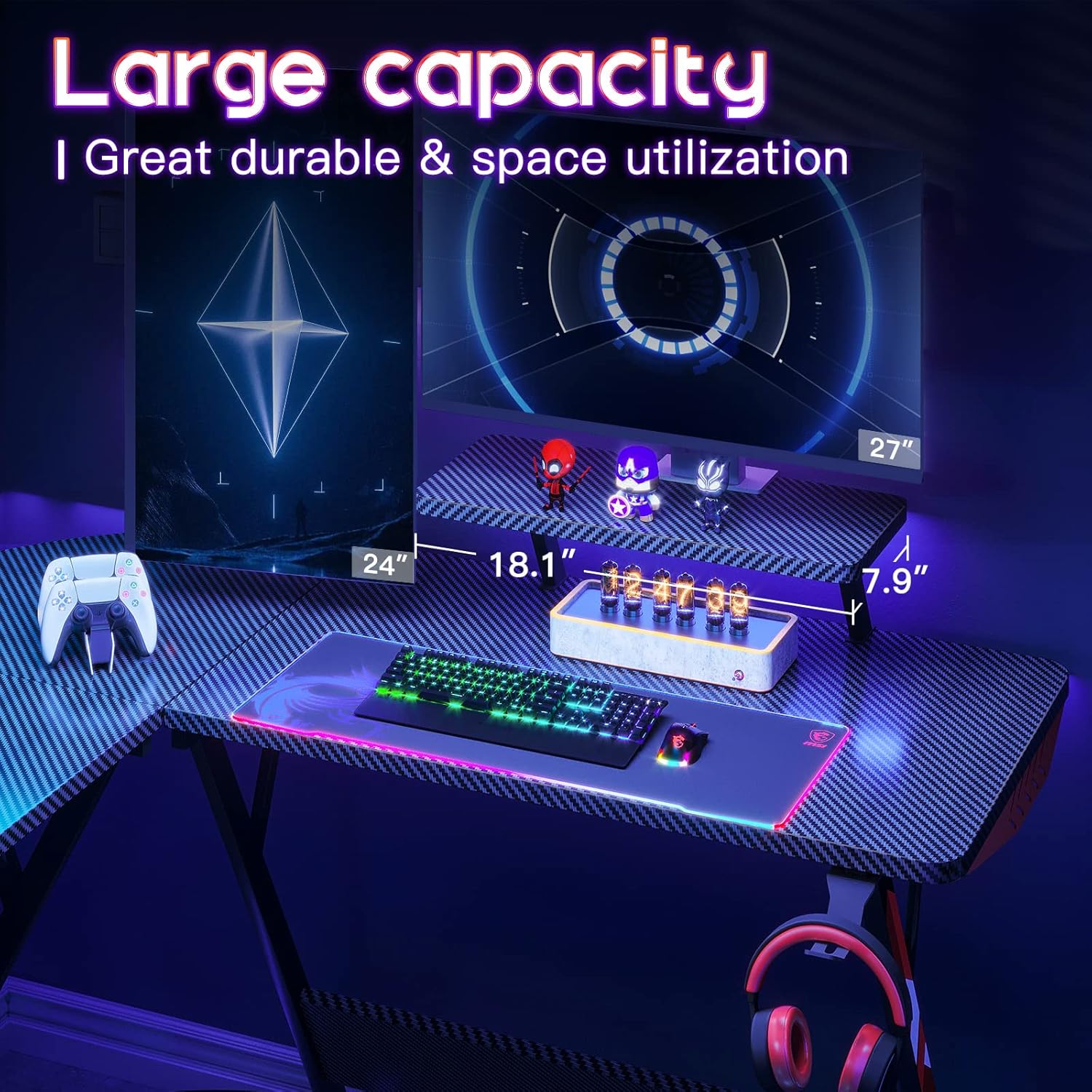
Image: Detailed dimensions of the MOTPK L Shaped Gaming Desk, illustrating its L-shape and various measurements for planning your space.
Setup Instructions
Assembly of the MOTPK L Shaped Gaming Desk is designed to be straightforward. Please follow these steps carefully to ensure proper and stable construction.
1. Unpacking and Inventory
- Open the packaging and carefully remove all components.
- Verify that all parts listed in the included hardware pack and instruction manual are present. Refer to the parts diagram provided with your purchase.
- Lay out all components on a clean, soft surface (e.g., carpet or blanket) to prevent scratches during assembly.
2. Frame Assembly
- Attach the main support beams to the leg frames using the provided screws and Allen wrench. Ensure all connections are secure but do not overtighten initially.
- Assemble the double-triangle leg structures. These components are crucial for enhanced stability.
- Adjust the leveling footpads on the bottom of each leg to ensure the frame is stable and balanced on uneven surfaces.
3. Desktop Installation
- Carefully place the carbon fiber textured desktop panels onto the assembled frame. Ensure the L-shape orientation is correct for your desired setup.
- Align the pre-drilled holes on the desktop with the corresponding holes on the frame.
- Secure the desktop panels to the frame using the designated screws. Tighten all screws firmly but avoid excessive force.
4. Accessory Attachment
- Attach the monitor shelf to the designated area on the desktop.
- Install the cup holder and headphone hook to the desired locations on the desk edges. These are typically designed for easy clip-on or screw-in attachment.
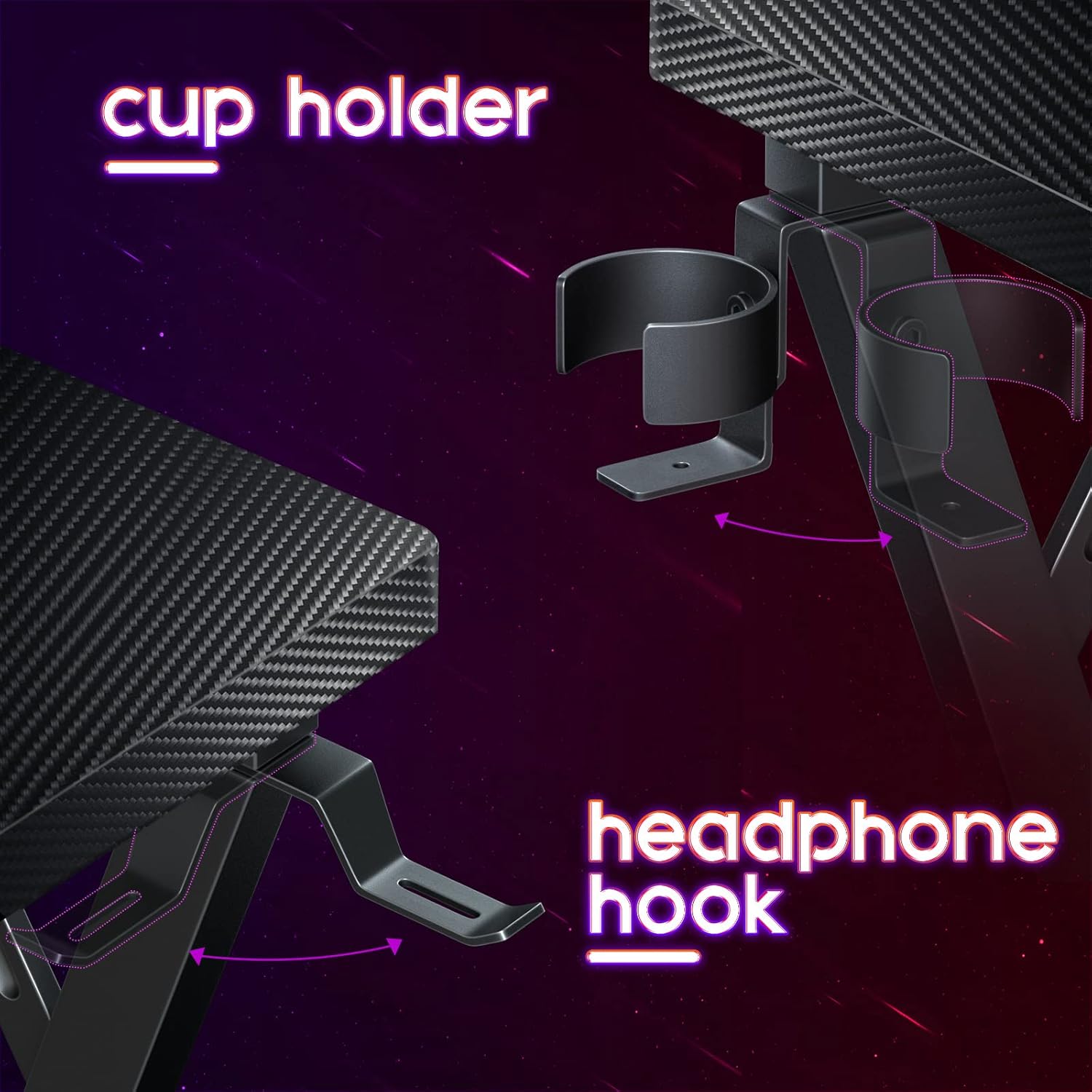
Image: The MOTPK L Shaped Gaming Desk featuring the integrated cup holder and headphone hook, designed for convenience and organization.
Operating Instructions
The MOTPK L Shaped Gaming Desk is primarily a static furniture piece. "Operating" refers to its proper use and utilization of its integrated features.
1. Workspace Organization
- Utilize the L-shape to create distinct zones for gaming, work, or study, maximizing your productivity and comfort.
- Place monitors on the main desktop or the dedicated monitor shelf for ergonomic viewing and to free up desk space.
- Use the cup holder to securely hold beverages and prevent accidental spills on your equipment.
- Hang headphones on the headphone hook to keep them off the desk surface, easily accessible, and protected from damage.
2. Cable Management
- While the desk does not include integrated cable management channels, its open design allows for easy routing of cables using external cable ties or sleeves (not included).
- Route cables neatly along the desk frame to maintain a tidy and safe workspace, preventing tangles and trip hazards.
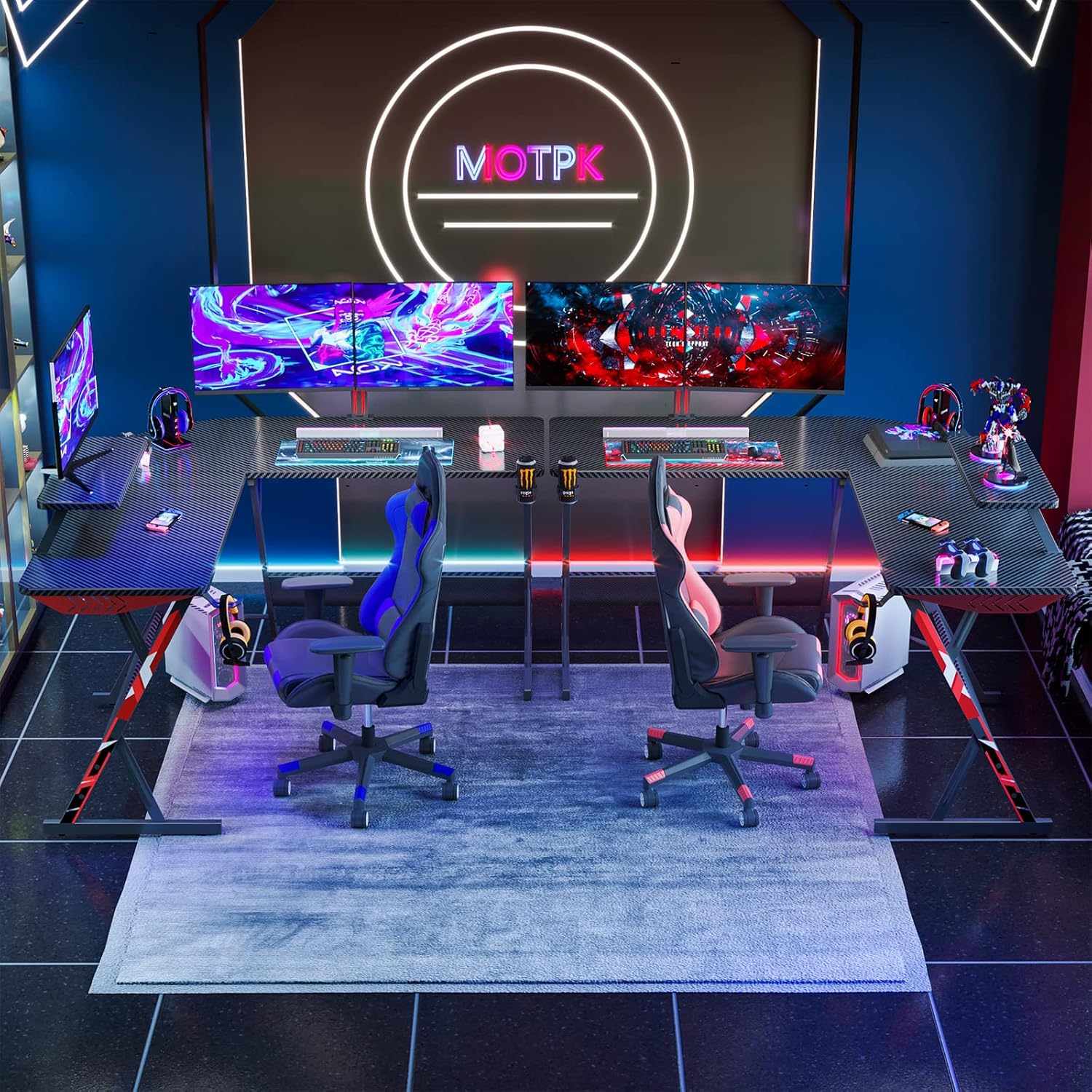
Image: The MOTPK L Shaped Gaming Desk integrated into a gaming room, demonstrating its large capacity and setup possibilities for multiple users or extensive equipment.
Maintenance
Regular maintenance will help preserve the appearance and longevity of your MOTPK L Shaped Gaming Desk.
- Cleaning the Desktop: Wipe the carbon fiber textured surface with a soft, damp cloth. For stubborn marks, a mild soap solution can be used, followed by drying with a clean cloth. Avoid abrasive cleaners or harsh chemicals, as these can damage the finish.
- Frame Care: Clean the steel frame with a damp cloth. Dry immediately to prevent rust and maintain its appearance.
- Tightening Screws: Periodically check all screws and connections to ensure they remain tight. Retighten as necessary to maintain the desk's stability and structural integrity.
- Avoid Excessive Weight: Do not place excessive weight on the desk, especially on the edges or the monitor shelf, beyond its intended capacity. Refer to product specifications for weight limits if available.
- Protect from Liquids: While the desktop is designed to be water-resistant, promptly wipe up any spills to prevent potential damage or staining.

Image: A close-up view of the carbon fiber textured desktop, highlighting its waterproof and anti-scratch properties, which contribute to its durability and ease of maintenance.
Troubleshooting
| Problem | Possible Cause | Solution |
|---|---|---|
| Desk wobbles or is unstable. | Uneven floor; loose screws; incorrect assembly. | Adjust the leveling footpads on the bottom of the legs until stable. Check and tighten all assembly screws. Review assembly instructions to ensure all parts are correctly installed. |
| Parts do not align during assembly. | Incorrect orientation of parts; screws not fully loosened before final tightening. | Ensure parts are oriented exactly as per the instruction diagrams. Loosen all screws slightly, align parts, then retighten them in sequence. |
| Scratches or marks appear on the desktop. | Sharp objects dragged across the surface; use of abrasive cleaning materials. | Use soft pads or mouse mats under equipment. Avoid dragging items directly on the surface. Clean only with soft cloths and non-abrasive, mild cleaning solutions. |
Specifications
- Brand: MOTPK
- Model Number: HU-XI-201
- Color: Black
- Product Dimensions: 121.92 cm (L) x 129.54 cm (W) x 74.98 cm (H) / 51" (L) x 48" (L) x 18.5" (W) x 29.5" (H)
- Material: Metal, Engineered Wood (Carbon Fiber Texture)
- Item Weight: 18.9 kg (approximately 41.67 lbs)
- Special Features: Built-In Monitor Stand, Adjustable Leveling Footpads, Cup Holder, Headphone Hook
- Shape: L-Shape
Warranty and Support
For detailed warranty information and customer support, please refer to the documentation included with your original purchase or visit the official MOTPK website. It is recommended to retain your proof of purchase for any warranty claims.
If you encounter any issues not covered in this instruction manual, or require further assistance, please contact MOTPK customer service directly.
Official MOTPK Store: Visit the MOTPK Store on Amazon


