
Introduction
The Taurus Amazing SSD3002 is a powerful 3000W steam generator iron designed for efficient and quick garment care. It features a 1.5L water tank, a durable ceramic soleplate, and delivers 130 g/min continuous steam with a powerful 400 g/min steam shot. Ready in just 30 seconds, this iron includes intelligent steam modes (Eco and Max), vertical ironing capability, an electronic self-cleaning system, a clear digital display, anti-drip functionality, anti-calc protection, and an automatic shut-off after 7 minutes for enhanced safety and energy efficiency.
Important Safety Instructions
Please read all instructions carefully before using the appliance and retain them for future reference. Failure to follow these instructions may result in electric shock, fire, or serious injury.
- Always unplug the appliance from the power outlet when not in use, during filling, and before cleaning.
- Do not immerse the iron or its base in water or any other liquids.
- Keep the appliance and its cord out of reach of children and pets.
- Use only distilled or demineralized water in the water tank to prevent limescale buildup and ensure optimal performance. Tap water may cause damage over time.
- Ensure the power cord is not damaged. If the supply cord is damaged, it must be replaced by the manufacturer, its service agent, or similarly qualified persons to avoid a hazard.
- Place the iron on a stable, heat-resistant surface during use and when resting.
- Never leave the iron unattended while it is switched on or connected to the mains supply.
- Do not touch hot surfaces. Use handles or knobs. Steam is hot and can cause burns.
Product Components
Familiarize yourself with the main parts of your Taurus Amazing SSD3002 Steam Generator Iron:
- Iron Unit: The handheld part with the ceramic soleplate.
- Steam Generator Base: Houses the water tank and heating elements.
- 1.5L Water Tank: Removable tank for water filling.
- Ceramic Soleplate: Ultra X-Slide soleplate for smooth gliding.
- Digital Display: Located on the handle for mode selection and status.
- Steam Button: Activates continuous steam or steam shot.
- Temperature Control (Smart System): Automatically adjusts for all fabric types.
- Power Cord: Connects the unit to the electrical outlet.
- Lock System: Secures the iron to the base for safe transport.

Setup Guide
Follow these steps to set up your steam generator iron for first use:
- Unpack: Carefully remove all packaging materials and ensure all components are present.
- Position: Place the steam generator base on a stable, flat, and heat-resistant surface, such as an ironing board or table.
- Fill Water Tank: Remove the 1.5L water tank from the base. Fill it with distilled or demineralized water up to the 'MAX' indicator. Reinsert the tank securely into the base.
- Connect Power: Plug the power cord into a suitable grounded electrical outlet (240V AC).
- Initial Heat-up: Press the power button. The iron will begin to heat up, indicated by a light or digital display. Thanks to the Quick Start function, it will be ready for use in approximately 30 seconds.

Operating Instructions
Operating your Taurus Amazing SSD3002 is straightforward:
- Power On: After setup, press the power button. The digital display will illuminate, and the iron will heat up quickly.
- Select Steam Mode: The intelligent Smart System automatically adapts to all fabric types. You can select between ECO and MAX steam modes via the digital display for optimal results.
- Continuous Steam: Press and hold the steam button on the iron handle to release continuous steam at 130 g/min.
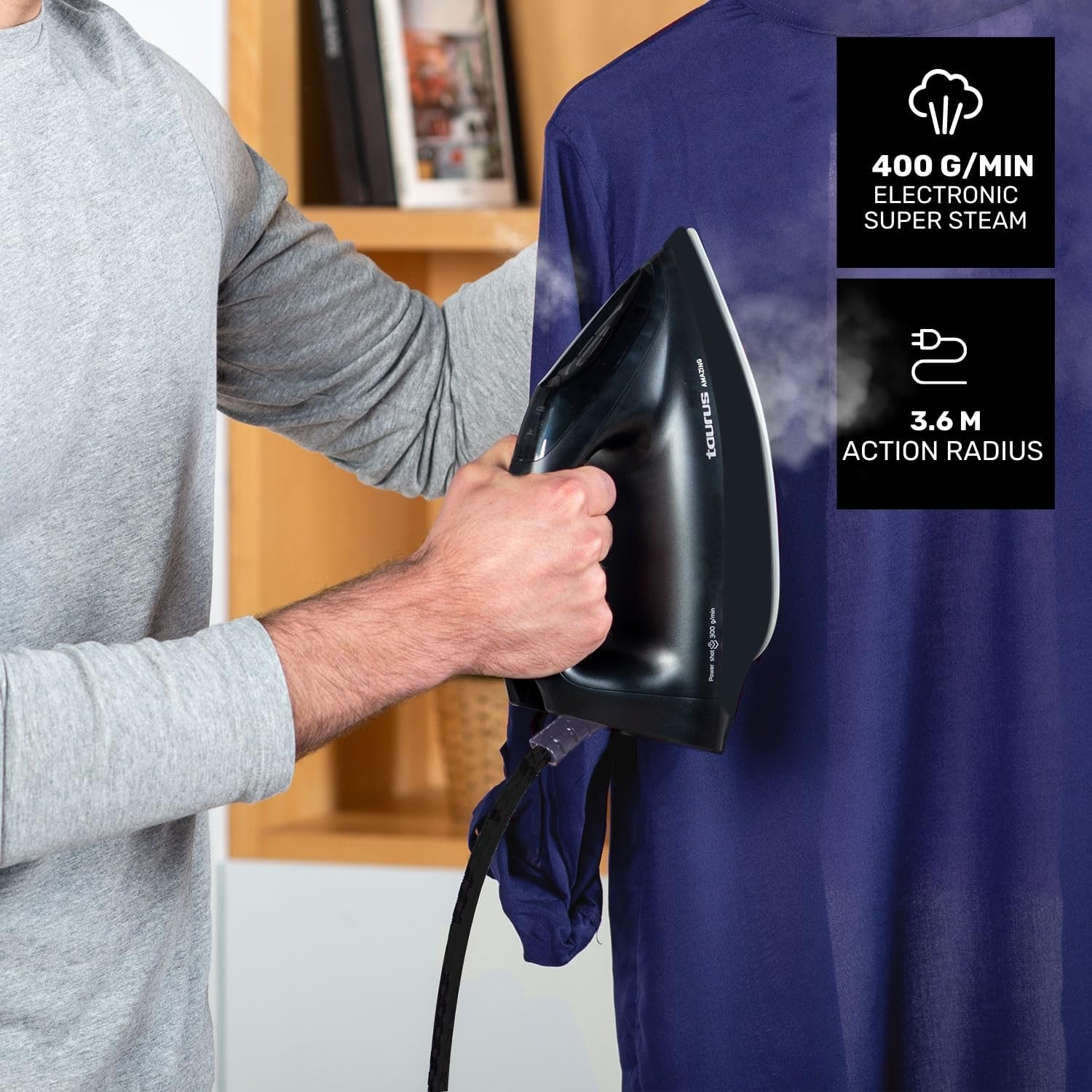
- Steam Shot: For stubborn creases, press the steam button multiple times to activate the powerful 400 g/min electronic super steam shot.
- Vertical Ironing: The powerful steam output is ideal for vertical ironing of hanging garments, curtains, or delicate fabrics. Hold the iron a few centimeters away from the fabric and press the steam button.
- Automatic Shut-off: For safety and energy saving, the iron will automatically shut off after 7 minutes of inactivity.
- Lock System: When finished, secure the iron to its base using the integrated lock system for safe and easy transport.

Maintenance and Cleaning
Regular maintenance ensures the longevity and optimal performance of your steam generator iron:
- Electronic Calc&Clean System: The iron is equipped with an electronic Calc&Clean anti-calc system. Follow the instructions on the digital display or in the full manual to perform this self-cleaning cycle regularly, especially if you notice limescale buildup or reduced steam output.
- Empty Water Tank: After each use, or before storing for an extended period, empty any remaining water from the 1.5L tank.
- Clean Soleplate: Allow the soleplate to cool completely. Wipe the ceramic soleplate with a soft, damp cloth. Do not use abrasive cleaners or scouring pads, as these can damage the surface.
- Exterior Cleaning: Wipe the exterior of the iron and base with a soft, damp cloth.
- Storage: Once cooled, secure the iron to its base using the lock system. Wrap the power cord neatly around the designated storage area on the base. Store the appliance in a dry, safe place.

Troubleshooting
If you encounter any issues, refer to the following common problems and solutions:
| Problem | Possible Cause | Solution |
|---|---|---|
| No steam or low steam output | Water tank is empty; Iron not hot enough; Limescale buildup. | Refill water tank; Wait for the iron to reach operating temperature (30 seconds); Perform Calc&Clean cycle. |
| Water leaks or drips from soleplate | Iron not hot enough; Steam used at too low a temperature; Soleplate is dirty. | Allow iron to heat up fully; Ensure appropriate steam mode is selected; Clean the soleplate. |
| White flakes or particles discharged with steam | Limescale buildup. | Perform the electronic Calc&Clean cycle. Use distilled water exclusively to prevent future buildup. |
| Iron does not heat up | Not plugged in; Power outlet faulty; Automatic shut-off activated. | Check power connection; Try a different outlet; Press power button to restart. |
If the problem persists after trying these solutions, please contact customer support.
Technical Specifications
- Model Number: SSD3002 (918698000)
- Power: 3000 Watts
- Voltage: 240 Volts (AC)
- Water Tank Capacity: 1.5 Liters
- Continuous Steam Output: 130 g/min
- Steam Shot: 400 g/min
- Steam Pressure: Equivalent to 7 bars
- Soleplate Material: Ceramic (Ultra X-Slide)
- Heat-up Time: Approximately 30 seconds (Quick Start)
- Automatic Shut-off: After 7 minutes of inactivity
- Special Features: Electronic Calc&Clean anti-calc system, Digital Display, ECO and MAX steam modes, Anti-drip system, Lock system for transport, Vertical ironing capability.
- Product Dimensions (L x W): 31 cm x 20 cm
- Item Weight: 3 Kilograms
- Manufacturer: Taurus Group
- Country of Origin: China
Warranty Information
This Taurus Amazing SSD3002 Steam Generator Iron comes with a 2-year manufacturer's warranty from the date of purchase. This warranty covers defects in materials and workmanship under normal use. It does not cover damage resulting from misuse, neglect, accident, alteration, or unauthorized repair. Please retain your proof of purchase for warranty claims.
Customer Support
For further assistance, technical support, or warranty claims, please contact your retailer or the Taurus customer service department. Refer to the contact information provided in your product packaging or visit the official Taurus website for support details.
