
1. Introduction
Thank you for choosing the ALUX 32-inch HD Smart TV, Model AL32ASHD. This television is designed to provide an immersive home entertainment experience with its advanced image quality enhancement and smart features. This manual provides essential information for setting up, operating, and maintaining your new television.
Key features include a 1366 x 768 pixel resolution, 60 Hz refresh rate, and Wide Color Enhancer technology for vibrant and realistic colors. With multiple HDMI and USB inputs, you can easily connect various multimedia devices. Integrated Wi-Fi connectivity allows access to smart TV functionalities and streaming services.
2. Safety Information
Please read all safety instructions carefully before using this product. Keep this manual for future reference. Always ensure the television is placed on a stable surface to prevent tipping. Do not expose the unit to rain or moisture. Avoid blocking ventilation openings. For cleaning, use a soft, dry cloth. Disconnect the power cord from the wall outlet before cleaning or if the unit will be unused for a long period.
3. Package Contents
Upon unpacking, please verify that all items listed below are included and in good condition:
- ALUX 32-inch HD Smart TV Unit
- Remote Control (requires AA batteries, not always included)
- TV Stand (2 pieces)
- Power Cable
- User Manual (this document)
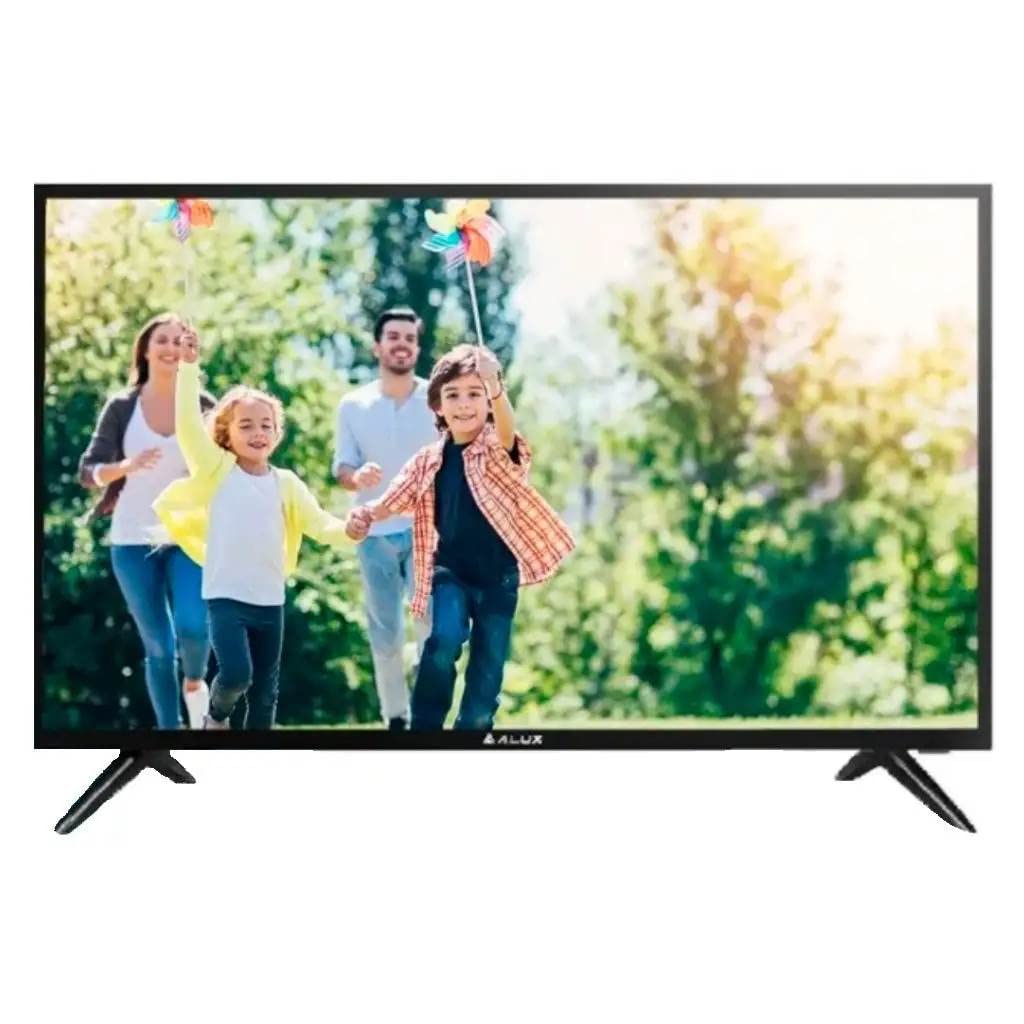
Figure 3.1: Front view of the ALUX 32-inch HD Smart TV.
4. Physical Features and Connections
The ALUX 32-inch HD Smart TV features a sleek design with essential connectivity ports located on the rear panel for easy access.

Figure 4.1: Side view of the ALUX 32-inch HD Smart TV, showing its slim profile.
4.1 Connectivity Ports
The television is equipped with the following ports:
- HDMI Inputs (x2): For connecting high-definition devices such as Blu-ray players, gaming consoles, or set-top boxes.
- USB Ports (x3): Two USB 2.0 ports and one USB 3.0 port for connecting USB storage devices to play media files (Connect Share Movie feature).
- RCA Audio Input: For connecting older audio devices.
- Optical Audio Output: For connecting to external sound systems or soundbars.
- Wi-Fi: Integrated wireless connectivity for Smart TV features and internet access.
5. Setup
5.1 Attaching the Stand
- Carefully place the TV screen-down on a soft, flat surface to prevent scratches.
- Align the stand pieces with the corresponding slots on the bottom of the TV.
- Secure the stand pieces using the provided screws. Do not overtighten.
5.2 Connecting Power
Plug the power cable into the TV's power input, then plug the other end into a wall outlet (110 VAC 60 Hz).
5.3 Initial Setup
Upon first power-on, the TV will guide you through the initial setup process, including language selection, network connection (Wi-Fi), and channel scanning.
6. Basic Operation
6.1 Power On/Off
Press the Power button on the remote control to turn the TV on or off.
6.2 Input Selection
Press the Source or Input button on the remote control to switch between connected devices (HDMI, USB, etc.).
6.3 Volume and Channels
Use the Volume Up/Down buttons to adjust the sound level. Use the Channel Up/Down buttons to change TV channels.
7. Smart TV Features
7.1 Wi-Fi Connectivity
Connect your TV to your home Wi-Fi network to access online content and smart features. Navigate to the Network Settings menu to set up your wireless connection.
7.2 Content Streaming
The ALUX Smart TV supports various internet services, allowing you to stream movies, TV shows, and music directly on your television. Access pre-installed apps or download new ones from the app store.
7.3 Connect Share Movie
Plug your USB memory stick or HDD into the TV's USB port to instantly enjoy movies, photos, or music. This feature allows you to access a wide variety of content directly on your TV.
7.4 Wide Color Enhancer
The TV incorporates an advanced image quality enhancement algorithm, Wide Color Enhancer, which radically improves the quality of any image and reveals hidden details. This technology ensures you see colors as they should be.
8. Troubleshooting
If you encounter issues with your ALUX TV, refer to the following common solutions:
- No Power: Ensure the power cable is securely connected to both the TV and the wall outlet. Check if the outlet is working by plugging in another device.
- No Picture/Sound: Verify that the correct input source is selected. Check all cable connections (HDMI, USB, etc.) for looseness.
- Remote Control Not Working: Check the batteries in the remote control. Ensure there are no obstructions between the remote and the TV's IR sensor.
- Wi-Fi Connection Issues: Restart your router and the TV. Re-enter your Wi-Fi password in the TV's network settings.
For more complex issues, please refer to the full troubleshooting section in the comprehensive user manual available online or contact customer support.
9. Specifications
| Feature | Specification |
|---|---|
| Screen Size | 32 Inches |
| Display Technology | LED |
| Resolution | 1366 x 768 pixels (HD) |
| Refresh Rate | 60 Hz |
| Aspect Ratio | 16:9 |
| Connectivity | Wi-Fi, 2 HDMI, 2 USB 2.0, 1 USB 3.0, RCA Audio Input, Optical Audio Output |
| Smart TV Services | Supported |
| Audio Output Mode | Analog, Digital |
| Power Voltage | 110 VAC 60 Hz |
| Model Name | AL32ASHD |
| Dimensions (approx.) | 6 x 6.8 x 48.3 cm (Depth x Height x Width, without stand) |
10. Warranty and Support
Your ALUX 32-inch HD Smart TV comes with a standard manufacturer's warranty. For detailed information regarding warranty coverage, terms, and conditions, please refer to the warranty card included in your product packaging or visit the official ALUX website.
Extended warranty options may be available through third-party providers. For example, Assurant offers 2, 3, and 4-year extended warranties for televisions in the $2000 - $2499.99 price range.
For technical support, service inquiries, or to purchase replacement parts, please contact ALUX customer service through their official channels. Keep your product model number (AL32ASHD) and serial number handy when contacting support.