1. Introduction
Welcome to the user manual for your new JVC 50-inch 4K Ultra HD Smart LED TV, Model SI50URF. This manual provides essential information for setting up, operating, maintaining, and troubleshooting your television. Please read this manual thoroughly before using your TV to ensure proper and safe operation.
2. Safety Information
Always observe the following safety precautions to prevent electric shock, fire, or damage to the TV.
- Do not expose the TV to rain or moisture.
- Do not block ventilation openings. Ensure adequate space around the TV for proper airflow.
- Do not place the TV on an unstable cart, stand, tripod, bracket, or table.
- Protect the power cord from being walked on or pinched.
- Unplug the TV during lightning storms or when unused for long periods.
- Refer all servicing to qualified service personnel.
3. Package Contents
Verify that all items listed below are included in your package:
- JVC 50-inch 4K Ultra HD Smart LED TV (Model SI50URF)
- Remote Control
- TV Stands (2 pieces)
- Screws for TV Stands
- User Manual (this document)
- Warranty Card
4. Setup
4.1 Attaching the TV Stands
Carefully place the TV face down on a soft, clean surface to prevent screen damage. Align the TV stands with the screw holes on the bottom of the TV. Secure each stand with the provided screws.
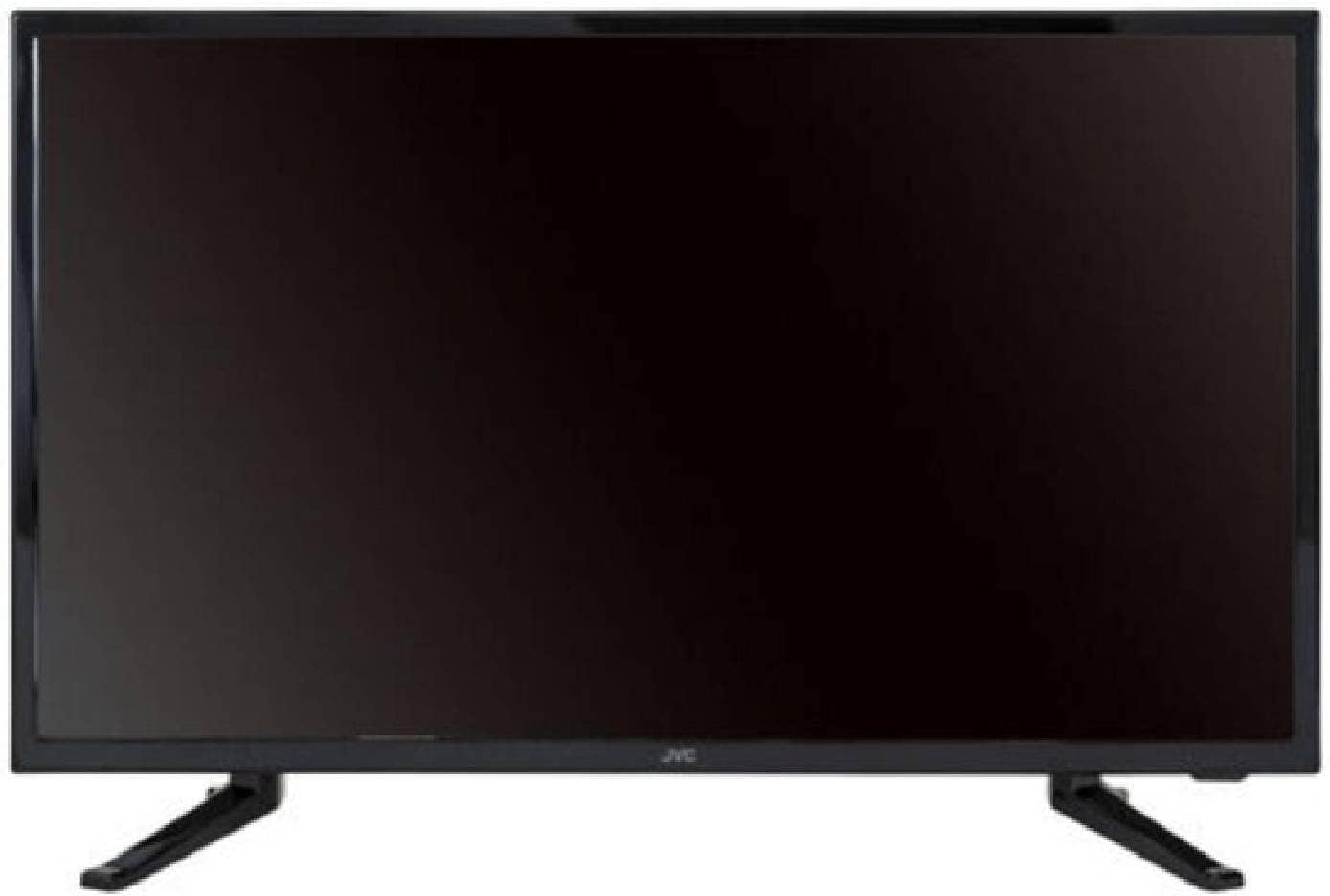
Figure 4.1: Front view of the JVC 50-inch Smart LED TV with stands attached.
4.2 Connecting Power
Plug the power cord into the AC inlet on the back of the TV, then plug the other end into a wall outlet. Ensure the power outlet is easily accessible.
4.3 Initial Setup (Roku OS)
Upon first power-on, the TV will guide you through the initial setup process for the Roku OS. This includes selecting your language, connecting to a Wi-Fi network, and activating your Roku account. Follow the on-screen instructions.
4.4 Connecting External Devices
Your JVC Smart TV is equipped with multiple ports for connecting external devices:
- HDMI Ports: Connect Blu-ray players, game consoles, cable boxes, or other HDMI-enabled devices. The TV features multiple HDMI inputs.
- USB Ports: Connect USB storage devices to view photos and videos. The TV has 2 USB ports.
5. Operating the TV
5.1 Roku Smart TV Features
Your JVC TV is powered by Roku OS, offering a simple and smart entertainment experience.
- Streaming Apps: Easily install and access your favorite video applications such as Disney Plus, Netflix, YouTube, and many more directly from the Roku Home Screen.
- Mobile App Control: Download the Roku mobile app to control your TV from your smartphone. This app also allows for voice search and keyboard input for quick content discovery.
- Private Listening: Connect headphones to your mobile phone via the Roku app to enjoy audio privately without disturbing others.

Figure 5.1: The JVC Smart LED TV displaying high-definition content.
5.2 Picture and Sound Optimization
Experience realistic high-definition images with fine details and vivid colors. The LED TV automatically analyzes light conditions and adjusts screen brightness for optimal viewing. The TV supports Surround Sound audio output.
5.3 USB Media Playback
Insert a USB memory stick into one of the TV's USB ports to view your photos and videos directly on the television screen.
6. Maintenance
To ensure the longevity and optimal performance of your JVC TV, follow these maintenance guidelines:
- Cleaning the Screen: Gently wipe the screen with a soft, lint-free cloth. For stubborn marks, dampen the cloth slightly with water or a screen cleaner specifically designed for TVs. Do not spray liquid directly onto the screen.
- Cleaning the Cabinet: Use a soft, dry cloth to wipe the TV cabinet. Avoid using abrasive cleaners or solvents.
- Ventilation: Ensure that the ventilation openings on the back of the TV are not blocked by dust or debris.
- Power Cord: Regularly check the power cord for any signs of damage.
7. Troubleshooting
If you encounter issues with your TV, refer to the following common troubleshooting steps:
| Problem | Possible Cause / Solution |
|---|---|
| No Power | Ensure the power cord is securely plugged into both the TV and the wall outlet. Check if the outlet is working by plugging in another device. |
| No Picture / Black Screen | Check the input source. Press the "Input" or "Source" button on your remote to select the correct input (e.g., HDMI 1, TV). Ensure all cables are securely connected. |
| No Sound | Check the volume level. Ensure the TV is not muted. If using external speakers, check their connections and power. |
| Remote Control Not Working | Replace the batteries in the remote control. Ensure there are no obstructions between the remote and the TV's IR sensor. |
| Cannot Connect to Wi-Fi | Ensure your Wi-Fi router is on and working. Re-enter the Wi-Fi password carefully. Try restarting both the TV and your router. |
If the problem persists after trying these steps, please contact JVC customer support.
8. Specifications
| Feature | Detail |
|---|---|
| Brand | JVC |
| Model | SI50URF |
| Screen Size | 50 Pulgadas (50 inches) / 127 cm |
| Display Technology | LED |
| Resolution | 4K Ultra HD (3840 x 2160 Pixels) |
| Refresh Rate | 60 Hz |
| Operating System | Roku OS |
| Connectivity | HDMI, USB (2 ports) |
| Audio Output Mode | Surround Sound (2.1 channel) |
| Aspect Ratio | 16:9 |
| Mounting Type | Table Stand |
| Dimensions (Package) | 121 x 73 x 12 cm |
| Weight (Package) | 12.9 kg |
| Included Components | Remote Control, Warranty, User Manual |
9. Warranty and Support
Your JVC TV comes with a warranty. Please refer to the included Warranty Card for detailed terms and conditions. For technical support, service inquiries, or further assistance, please contact JVC customer support through their official website or contact channels provided in your warranty documentation.
Note: Keep your purchase receipt and warranty card in a safe place as proof of purchase for warranty claims.


