
1. Introduction
Thank you for choosing the EENOUR QN750 Portable Air Conditioner. This manual provides essential information for the safe and efficient operation, setup, and maintenance of your unit. Please read this manual thoroughly before using the product and retain it for future reference.
2. Product Overview and Package Contents
The EENOUR QN750 is a compact and lightweight portable air conditioner designed for various indoor and outdoor applications, including camping, RVs, trucks, cars, vans, and small rooms up to 40 sq. ft. It features a powerful Panasonic twin-cylinder compressor and a dual-hose system for efficient cooling.
Package Contents
- Portable Air Conditioner Unit
- AC Adapter & Power Cable
- DC Power Cable (With 4-pin Aviation Plug)
- Air Duct/Exhaust Duct (2 pieces)
- Cold Air Hose Connector
- Heat Air Hose Connector
- Drain Hose
- Screws (x2)

Figure 2.1: EENOUR QN750 Portable Air Conditioner and included accessories.
Video 2.1: An unboxing video demonstrating the contents of the EENOUR QN750 Portable Air Conditioner package.
3. Setup
The EENOUR QN750 offers flexible setup options for both indoor and outdoor use. The dual-hose system enhances cooling efficiency by separating intake and exhaust airflows.
3.1 Connecting the Hoses
- Attach the Cold Air Hose Connector to the front air outlet of the unit.
- Attach the Heat Air Hose Connector to the rear air outlet of the unit.
- Connect the Air Duct/Exhaust Ducts to the respective hose connectors. Ensure a secure fit.
- For outdoor use, direct both ducts into the area you wish to cool. For indoor use, direct the exhaust duct outside through a window or vent, and the cold air duct into the space.

Figure 3.1: Diagram of the dual hose system, showing cool air intake and heat exhaust.
3.2 Powering the Unit
The QN750 can be powered by either AC or DC sources.
- AC Power: Connect the AC Adapter & Power Cable to the unit and then to a standard 100-240V wall outlet.
- DC Power: Connect the DC Power Cable (with 4-pin Aviation Plug) to the unit and to a compatible 24V portable power station or generator.
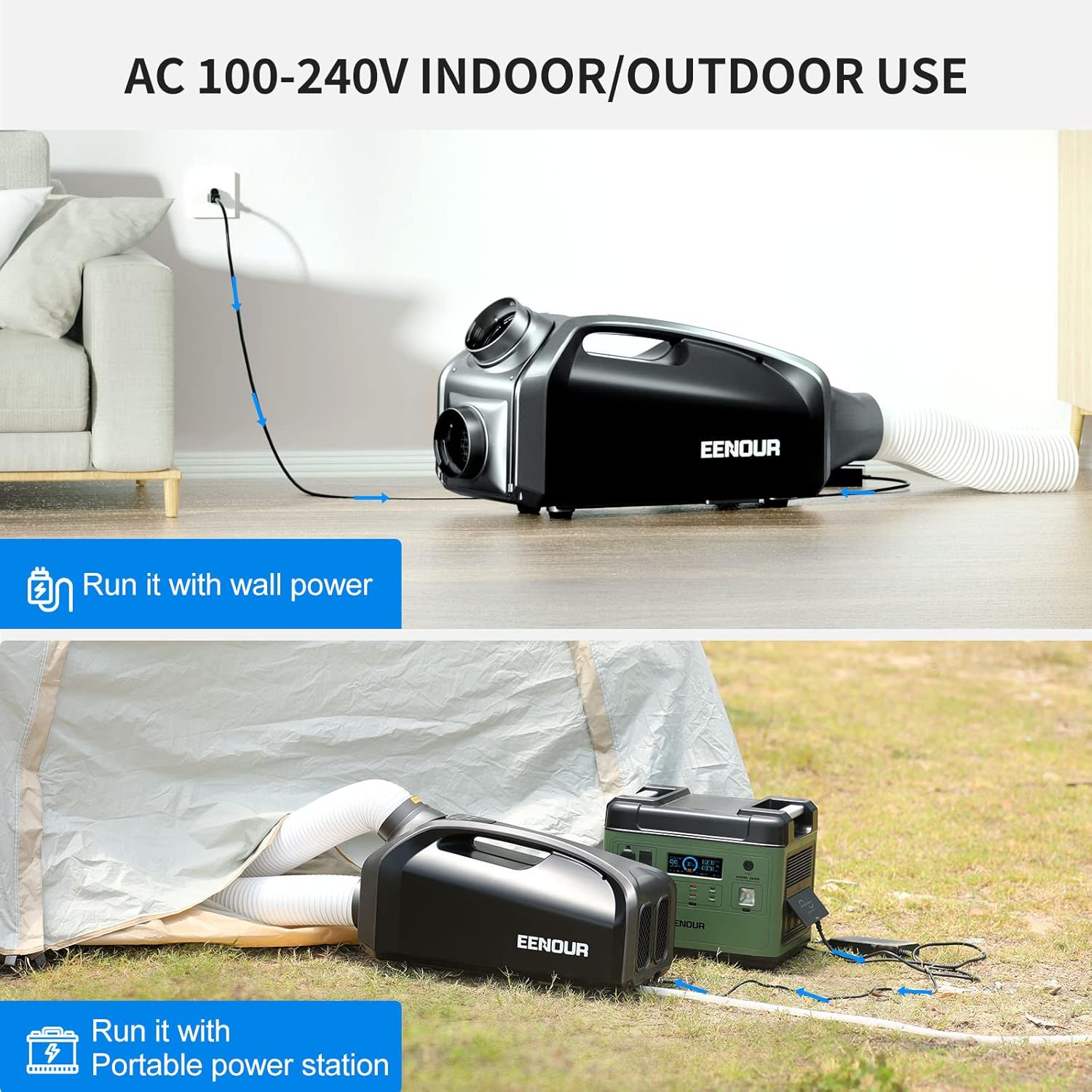
Figure 3.2: Powering the EENOUR QN750 using a wall outlet or a portable power station.
Video 3.1: A demonstration of installing the EENOUR QN750 Portable AC in a camper van, including power and hose connections.
4. Operating Instructions
The EENOUR QN750 features an intuitive LCD control panel for easy operation.
4.1 Control Panel Functions
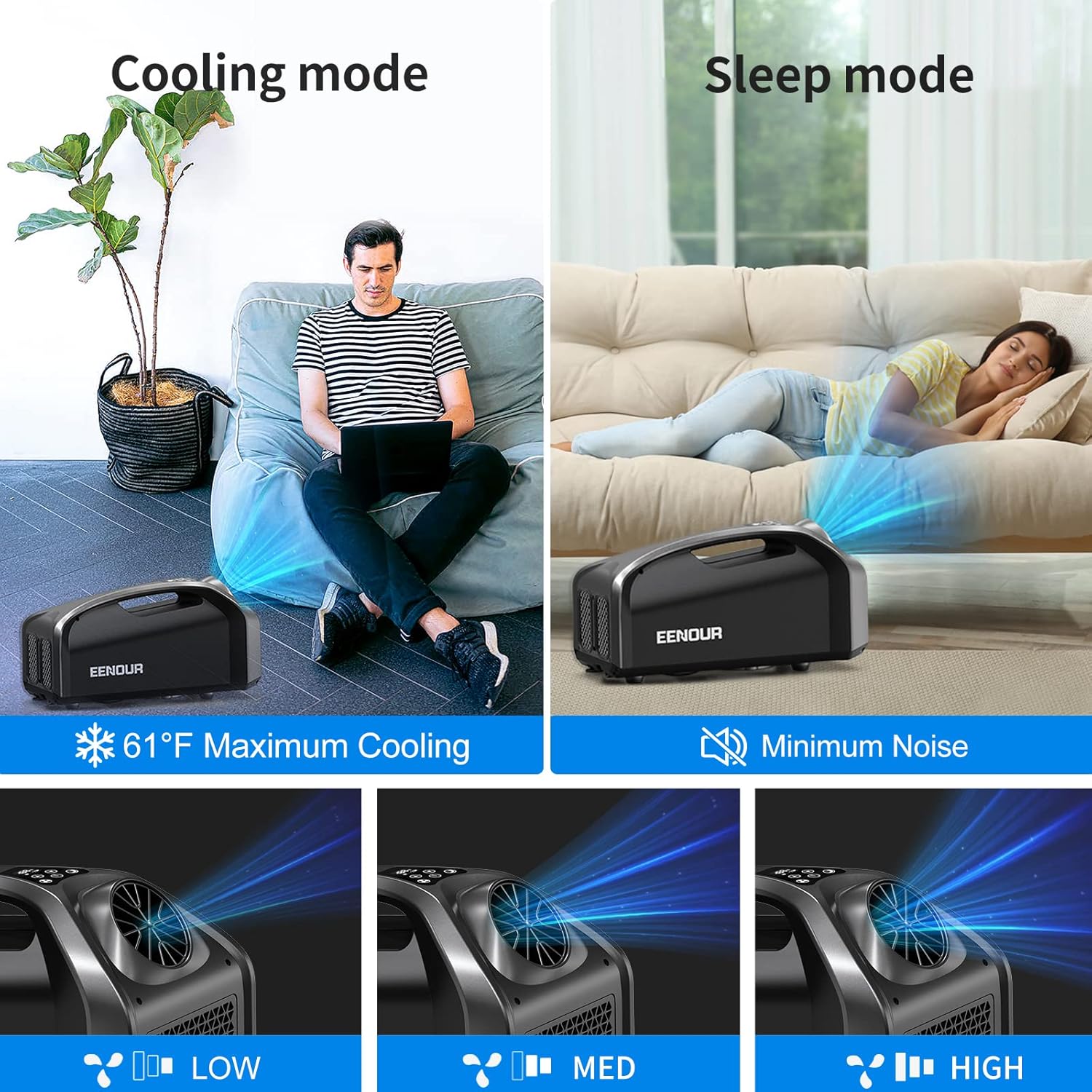
Figure 4.1: Control panel with options for Cooling mode, Sleep mode, and Fan speed adjustments.
- Power Button: Press to turn the unit ON or OFF.
- Cooling Mode: Adjust the desired temperature between 60°F and 86°F (15°C and 30°C). The unit will cool to maintain this temperature.
- Fan Mode: Select from 3 fan speed levels (Low, Medium, High) to circulate air without cooling.
- Sleep Mode: Activates a quieter operation where only the fan runs, providing gentle air circulation for undisturbed rest.
- Temperature Adjustment Buttons: Use the Up and Down arrows to set the desired temperature in Cooling Mode.
5. Maintenance
Regular maintenance ensures optimal performance and longevity of your EENOUR QN750.
5.1 Condensation Drainage
The unit will produce condensation during operation. Connect the provided drain hose to the drainage port on the unit to direct water away. Ensure the hose is positioned to allow gravity drainage into a suitable container or outdoor area.
5.2 Cleaning
- Periodically clean the air intake and exhaust grilles to prevent dust buildup, which can impede airflow and reduce efficiency.
- Wipe the exterior of the unit with a soft, damp cloth. Do not use harsh chemicals or abrasive cleaners.
6. Troubleshooting
If you encounter any issues with your EENOUR QN750, please refer to the following general advice. For more detailed troubleshooting or persistent problems, contact customer support.
- Unit not turning on: Ensure the power cable is securely connected and the power source (AC outlet or DC battery) is active.
- Insufficient cooling: Check that both air ducts are properly installed and unobstructed. Ensure the unit is appropriate for the size of the space being cooled (up to 40 sq. ft.). Verify the temperature setting is lower than the ambient temperature.
- Excessive noise: Ensure the unit is placed on a stable, level surface. Check for any obstructions in the fan or air ducts.
7. Specifications
| Brand | EENOUR |
| Model Name | QN750-US |
| Cooling Power | 2900 BTU/h |
| Power Consumption | 210W (Cooling) |
| Voltage | 100-240V AC, 24V DC |
| Noise Level | 45 dB to 58 dB |
| Product Dimensions (D x W x H) | 13.58" x 29.53" x 14.96" |
| Item Weight | 22.05 lb (10 kg) |
| Cooling Temperature Range | 60°F ~ 86°F |
| Effective Cooling Area | Up to 40 sq. ft. |
| Refrigerant | R 410A |
8. Warranty and Support
The EENOUR QN750 Portable Air Conditioner comes with a 1 Year Parts & Labor Warranty. For warranty claims, technical support, or any questions regarding your product, please contact EENOUR customer service. Refer to the contact information provided with your purchase or visit the official EENOUR website.


