
1. Introduction
This manual provides essential instructions for the safe and effective use of your FIRElood Wood Burning Tool, Model LH40-1 NEW. This professional pyrography kit is designed for detailed wood burning art on various materials, offering precise temperature control and a wide range of tips for diverse artistic expressions.
2. Safety Information
- High Temperatures: The pen tips reach very high temperatures (up to 700°C). Always handle with extreme care to prevent burns.
- Ventilation: Use the tool in a well-ventilated area to avoid inhaling fumes from burning materials.
- Heat-Resistant Surface: Always place the hot pen on the provided heat-resistant stand. Do not place it directly on flammable surfaces.
- Unplug When Not in Use: Always unplug the machine when changing tips, during breaks, or when finished with use.
- Keep Away from Children: This tool is not a toy and should be kept out of reach of children.
- Protective Gear: Consider wearing heat-resistant gloves and safety glasses during operation.
- Material Compatibility: Ensure the material you are burning is suitable for pyrography and does not release toxic fumes.
3. Package Contents
Your FIRElood Wood Burning Tool kit includes the following items:
- Wood Burning Machine (Control Unit)
- 1 Pyrography Pen
- 30 Assorted Pyrography Pen Tips (Nibs)
- 1 Pen Stand
- 1 Screwdriver (for tip installation)
- 1 Cleaning Sponge (for tip maintenance)
- Small Wooden Boards (for practice)
- User Manual (this document)
- Stencils (for design assistance)

4. Setup
- Connect the Power Cord: Plug the machine's power cord into a standard 110V electrical outlet.
- Connect the Pyrography Pen: Securely screw the pen's connector into the designated port on the front of the control unit.
- Install a Pen Tip:
- Using the provided screwdriver, slightly loosen the screws on the pen's tip holder.
- Carefully insert your desired pen tip into the holder. Ensure it is fully seated.
- Tighten the screws firmly to secure the tip. A loose tip may result in inconsistent heating.
- Prepare the Sponge: Place the cleaning sponge in the pen stand and moisten it with water. This sponge is used to clean carbon residue from the pen tips during use.

Video 4.1: Demonstration of the wood burning tool setup and initial use.
5. Operating Instructions
- Power On: Flip the red power switch on the side of the control unit to the 'ON' position. The digital display will illuminate.
- Adjust Temperature: Use the rotary knob on the front panel to set the desired temperature. The digital display shows the current temperature. It is recommended to initially set the temperature to the highest setting for 5-10 seconds for quick heating, then slowly lower it to your working temperature.
- Temperature Guidelines:
- For light colors and subtle rendering: Approximately 250°C.
- For very dark colors and deep burns: Approximately 450°C.
- Adjust temperature up or down based on your specific material and desired effect.
- Select Pen Tip: Choose from the 30 included pen tips based on the lines, shading, or special effects you wish to create.
- Begin Pyrography: Hold the pen comfortably. The ergonomic, non-slip handle (0.75 inches diameter) is designed for fine control.
- Shading Techniques: The pressure applied and the speed of movement are crucial for achieving different shades. Lighter pressure and faster movement result in lighter colors, while heavier pressure and slower movement create deeper, darker tones.

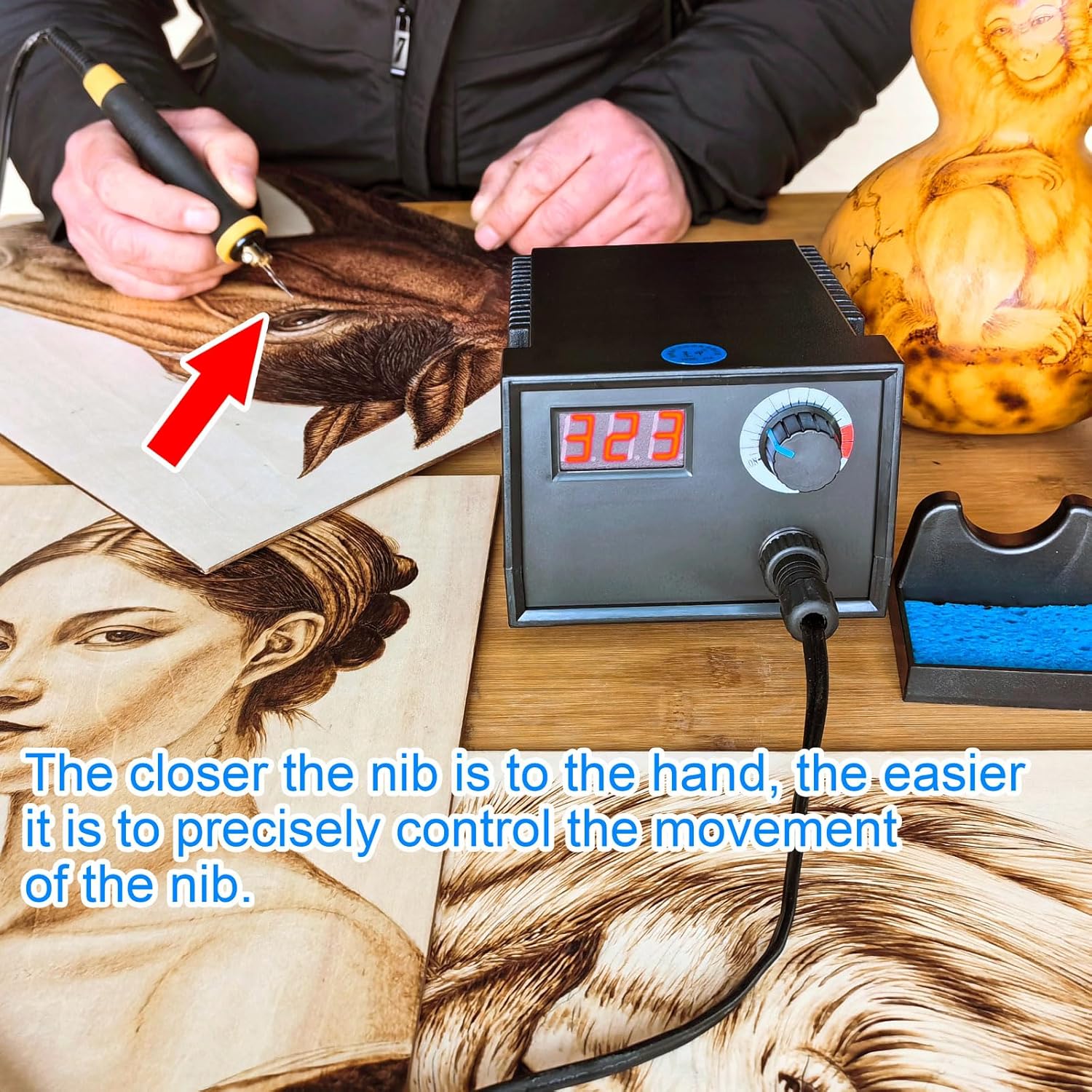
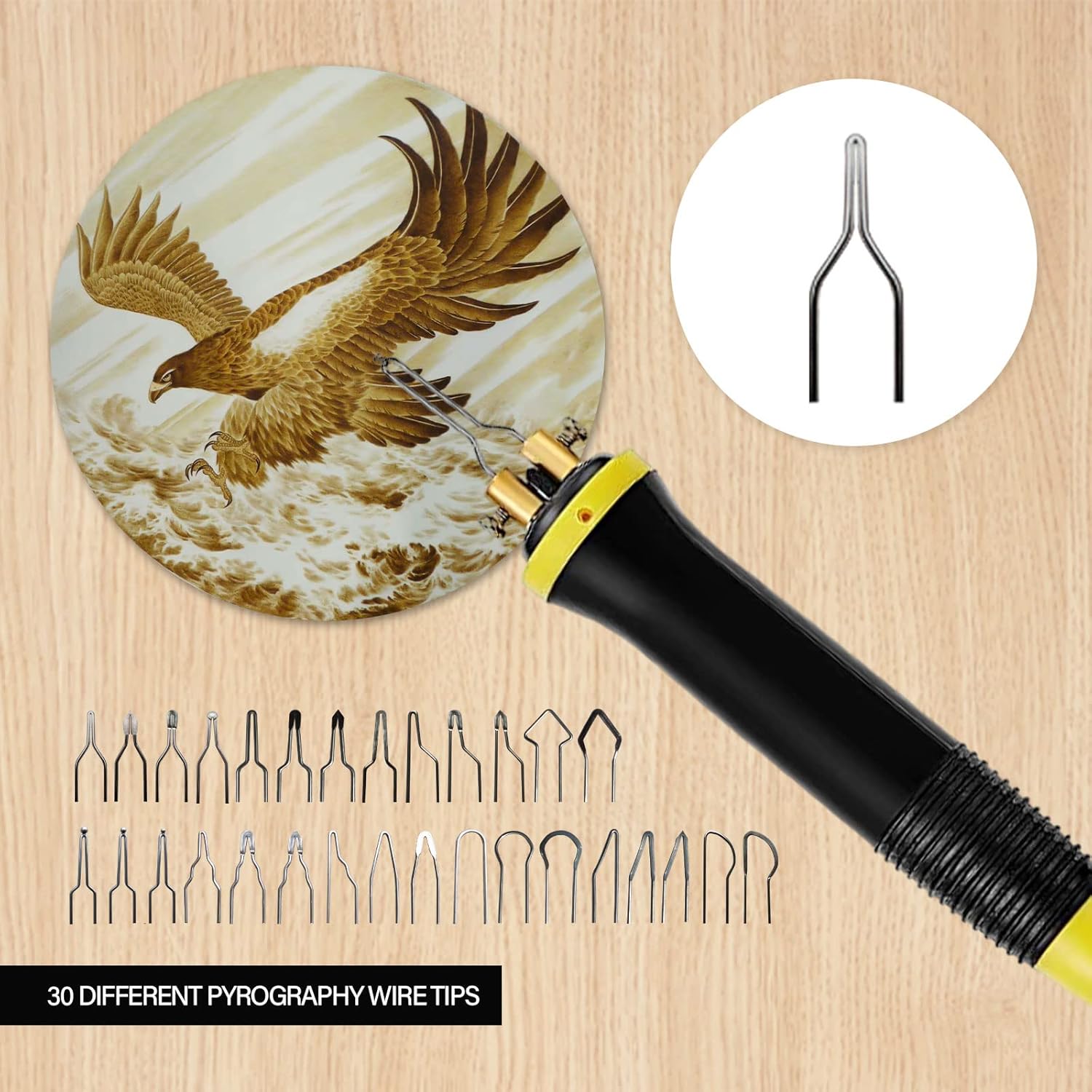
Video 5.1: A detailed demonstration of the wood burning process and shading techniques.
6. Maintenance
- Clean Tips Regularly: Use the moistened sponge to gently wipe off carbon buildup from the pen tips during and after use. This helps maintain tip performance and longevity.
- Store Properly: After the tool has completely cooled, store all components in a dry, safe place. Keep tips organized to prevent damage.
- Inspect Cords: Periodically check power cords and pen cables for any signs of damage. Do not use if cords are frayed or damaged.

7. Troubleshooting
- Pen Tip Not Heating:
- Ensure the pen is securely connected to the control unit.
- Check that the pen tip screws are tightened properly.
- Verify the power switch is on and the temperature is set above the minimum.
- Inconsistent Temperature:
- Allow the machine sufficient time to reach and stabilize at the set temperature.
- Clean the pen tip to remove any carbon buildup that might affect heat transfer.
- Ensure the power supply is stable.
- Excessive Smoke:
- Reduce the temperature setting.
- Ensure you are working in a well-ventilated area.
- Verify the material being burned is suitable for pyrography.
If you encounter persistent issues not covered here, please contact FIRElood customer service for assistance.
8. Specifications
| Feature | Detail |
|---|---|
| Model Number | LH40-1 NEW |
| Voltage Compatibility | 110V |
| Maximum Temperature | 700°C (1292°F) |
| Pen Handle Diameter | 0.75 inches |
| Number of Pen Tips | 30 |
| Product Dimensions | 5.51 x 4.33 x 3.54 inches |
| Item Weight | 2.83 pounds |
9. Warranty & Support
For any questions, technical support, or warranty inquiries regarding your FIRElood Wood Burning Tool, please contact FIRElood customer service through the retailer where you purchased the product. Please have your model number (LH40-1 NEW) and purchase date available when contacting support.


