
1. Introduction
The K&F CONCEPT 100x100mm Square ND32000 Neutral Density Filter is designed for photographers seeking to achieve long exposure effects in bright lighting conditions. This filter reduces the amount of light entering your camera lens by 15 stops (ND32000), allowing for significantly slower shutter speeds. This enables creative effects such as blurring motion in water, clouds, or people, transforming dynamic scenes into serene landscapes.

Figure 1: K&F CONCEPT 100x100mm Square ND32000 Filter. This image displays the square neutral density filter, highlighting its design and dimensions.
2. Key Features
- 15-Stop Light Reduction (ND32000): Allows for extremely long exposures, ideal for capturing motion blur in bright environments.
- High-Quality AGC Glass: Constructed from Japanese import AGC glass, ensuring optical clarity and durability.
- 28 Multi-Layer Coatings: Features advanced nano-coatings on both sides to effectively reduce reflections, minimize glare, and ensure superior image quality.
- Waterproof, Scratch-Resistant, and Oil-Proof: Nanometer technology provides robust protection against environmental elements, making the filter easier to clean and maintain.
- Double-Sided Polishing: Precision polishing on both surfaces prevents any negative impact on image sharpness, even when using telephoto lenses.
- Square Design (100x100x2mm): Compatible with square filter holder systems, suitable for lenses with a diameter less than 82mm when used with appropriate adapter rings.

Figure 2: Effect of ND32000 Filter on Landscape Photography. This image demonstrates the difference in a landscape shot without a filter versus with the ND32000 filter, showcasing the motion blur effect on water and clouds.

Figure 3: High-Definition Glass Quality. This image compares the clarity and image quality provided by K&F CONCEPT's high-definition glass against other filters.
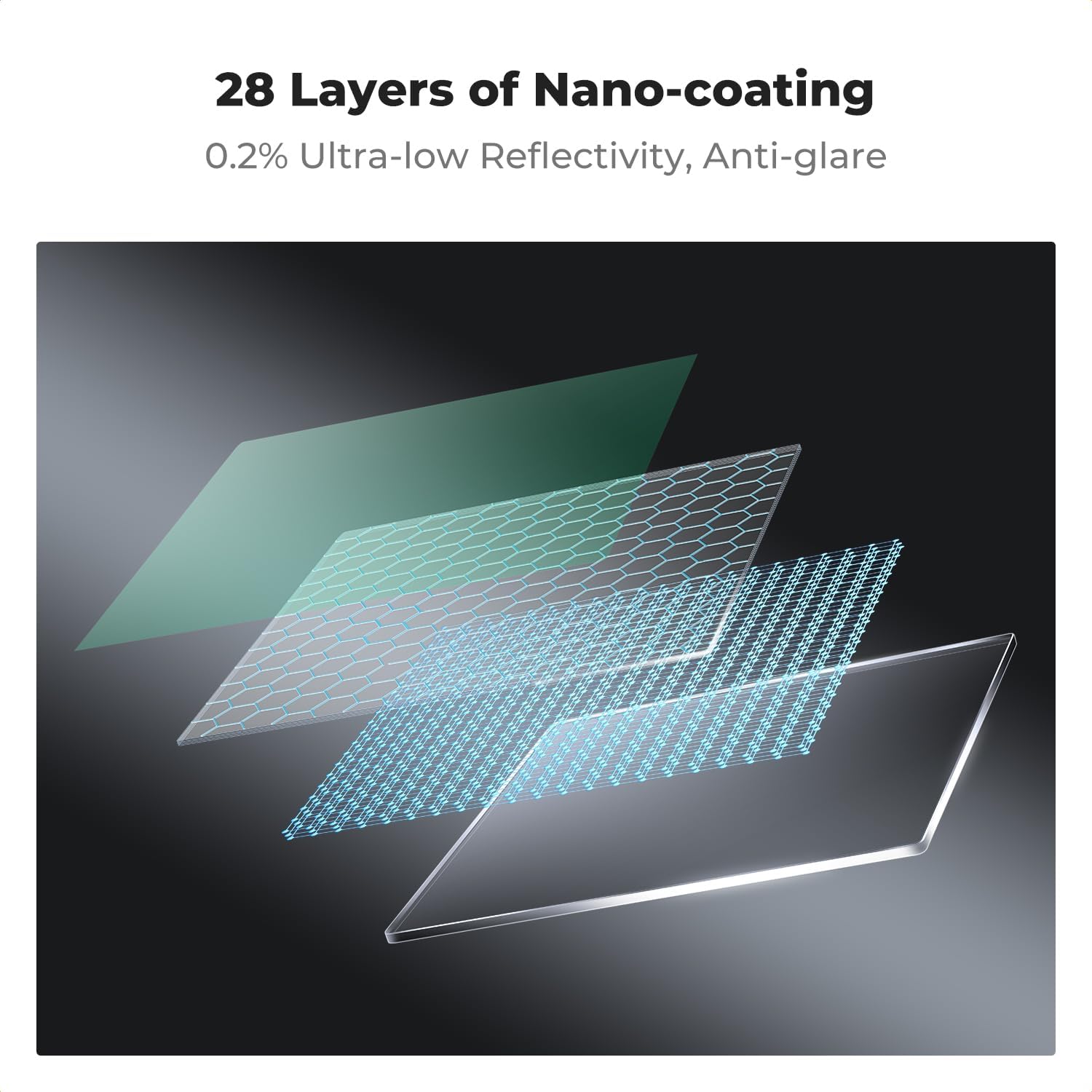
Figure 4: 28 Multi-Layer Nano-Coatings. A visual representation illustrating the multiple layers of nano-coating applied to the filter for optimal performance.
3. Package Contents
Upon opening your K&F CONCEPT ND32000 filter package, please verify that all items listed below are present and in good condition:
- 1 x K&F CONCEPT 100x100mm Square ND32000 Filter
- 1 x Leather Filter Pouch

Figure 5: Package Contents. This image shows the ND32000 filter, its protective leather pouch, and accompanying documentation.
4. Setup and Installation
The K&F CONCEPT 100x100mm Square ND32000 filter is designed for use with a compatible square filter holder system (sold separately). Follow these general steps for installation:
- Attach Adapter Ring: Screw the appropriate size adapter ring onto the front thread of your camera lens. Ensure the adapter ring matches your lens's filter thread size (e.g., 82mm).
- Mount Filter Holder: Securely attach your square filter holder to the adapter ring. Ensure it is firmly seated and aligned.
- Insert ND32000 Filter: Carefully slide the K&F CONCEPT ND32000 filter into one of the slots of the filter holder. Handle the filter by its edges to avoid fingerprints on the glass surface.
- Secure Filter: Ensure the filter is fully inserted and stable within the holder to prevent accidental dislodgement during shooting.
For a visual guide on setting up a square filter system, please refer to the video below:
Video 1: K&F Concept Square Filter System. This video demonstrates the assembly and use of the K&F Concept square filter system, including how to insert and secure square filters.
5. Operating Instructions
Using a 15-stop ND filter requires adjustments to your camera settings to achieve desired long exposure effects:
- Compose and Focus: Before inserting the ND32000 filter, compose your shot and achieve focus. Due to the extreme light reduction, autofocus may struggle once the filter is in place. It is recommended to focus manually or use autofocus before attaching the filter, then switch to manual focus.
- Determine Base Exposure: Take a test shot without the ND filter to determine the correct exposure (shutter speed, aperture, ISO) for your scene.
- Calculate Long Exposure: The ND32000 filter reduces light by 15 stops. To calculate the new shutter speed, multiply your base shutter speed by 215 (which is 32768). For example, if your base shutter speed is 1/30 second, your new shutter speed will be approximately 1092 seconds (18 minutes and 12 seconds). Many cameras have a maximum shutter speed, so you may need an external timer or a camera app for longer exposures.
- Set Camera to Manual Mode: Set your camera to manual exposure mode (M) and input the calculated long exposure settings.
- Use a Remote Shutter Release: To avoid camera shake during long exposures, use a remote shutter release or your camera's self-timer function.
- Review and Adjust: After taking the shot, review the image. Adjust exposure time as needed based on the result.
Note on Color Cast: While K&F CONCEPT filters are designed to minimize color cast, some extreme ND filters may introduce a slight color shift, often a cool tone. This can typically be corrected during post-processing in photo editing software.
6. Care and Maintenance
Proper care extends the life and maintains the performance of your K&F CONCEPT ND32000 filter:
- Cleaning: The nanometer coatings make the filter waterproof, oil-proof, and scratch-resistant, simplifying cleaning. Use a soft, clean microfiber cloth specifically designed for optical surfaces. For stubborn smudges, a small amount of lens cleaning solution can be applied to the cloth (not directly to the filter). Gently wipe in a circular motion.
- Handling: Always handle the filter by its edges to prevent fingerprints and smudges on the optical surface.
- Storage: When not in use, store the filter in the provided leather pouch to protect it from dust, scratches, and impacts. Avoid storing it in extreme temperatures or high humidity.
- Avoid Harsh Chemicals: Do not use abrasive cleaners, solvents, or harsh chemicals on the filter, as these can damage the coatings.

Figure 6: Waterproof and Scratch-Resistant Coatings. This image illustrates the durability of the filter's coatings against water and scratches, demonstrating ease of cleaning and protection.
7. Troubleshooting
| Problem | Possible Cause | Solution |
|---|---|---|
| Image appears too dark or completely black. | Incorrect exposure calculation; insufficient ambient light for 15-stop reduction. | Re-calculate exposure carefully. Ensure sufficient light for the scene, even with extreme ND. Consider using a less dense ND filter if light is very low. |
| Images are blurry or out of focus. | Camera shake during long exposure; focus not set before filter installation. | Use a sturdy tripod and a remote shutter release. Focus manually before attaching the filter. Ensure the filter is securely seated in the holder. |
| Noticeable color cast in images. | Inherent characteristic of extreme ND filters; white balance not adjusted. | Adjust white balance in-camera or during post-processing. Most color casts from high-density ND filters can be corrected. |
| Vignetting (dark corners) in images. | Filter holder or filter itself is too close to the lens or too thick for wide-angle lenses. | Ensure the filter holder is designed for wide-angle lenses if applicable. Some vignetting can be corrected in post-processing. |
8. Product Specifications
| Attribute | Detail |
|---|---|
| Model | ND32000 |
| Filter Type | Neutral Density (ND) |
| Light Reduction | 15 Stops (ND32000) |
| Dimensions | 100 x 100 x 2 mm (3.94 x 3.94 x 0.01 inches) |
| Material | Japanese Import AGC Glass |
| Coatings | 28 Multi-Layer Nano Coatings |
| Special Features | Waterproof, Scratch-Resistant, Oil-Proof, Double-Sided Polished |
| Item Weight | 9.1 ounces (approx. 258 grams) |
| Compatibility | Square filter holder systems, suitable for lenses with filter thread < 82mm (with adapter ring) |
9. Manufacturing Process
K&F CONCEPT employs advanced manufacturing techniques and rigorous quality control to produce high-performance filters. This includes precision cutting, multi-stage grinding, ultrasonic cleaning, and extensive optical performance testing to ensure each filter meets strict quality standards.
Video 2: K&F Concept Filter Processing Technology. This video provides insight into the detailed manufacturing process of K&F Concept filters, from precision cutting and grinding to multi-layer coating and quality assurance tests.
10. Warranty and Support
K&F CONCEPT products are manufactured to high-quality standards and come with a manufacturer's warranty. For specific warranty details, including duration and coverage, please refer to the warranty card included with your product or visit the official K&F CONCEPT website. For technical support, product inquiries, or warranty claims, please contact K&F CONCEPT customer service through their official channels.
You can find more information and contact details on the K&F CONCEPT Store.


