
1. Introduction
Welcome to the user manual for your RemotesReplaced replacement remote control, specifically designed for the UNITED DVBH2000. This remote control is electronically identical to the original, providing all the same functionalities without the need for complex setup codes. Simply insert the batteries, and it is ready for use.
2. Getting Started
2.1 Battery Installation
Your remote control requires two (2) AAA batteries (not included). Follow these steps to install them:
- Locate the battery compartment on the back of the remote control.
- Slide the battery cover downwards or in the direction indicated by an arrow to open it.
- Insert two AAA batteries, ensuring the positive (+) and negative (-) terminals align correctly with the markings inside the compartment.
- Close the battery cover by sliding it back into place until it clicks securely.

Image: Bottom view of the RemotesReplaced remote control, illustrating the location of the battery compartment. The compartment cover is visible at the bottom center of the remote.
Once batteries are installed, the remote is ready for immediate use with your UNITED DVBH2000 device. No programming or code entry is required.
3. Operating Your Remote Control
3.1 Button Layout and Basic Functions
This remote control provides full functionality for your UNITED DVBH2000. Below is an overview of the button layout and their primary functions.

Image: Front view of the RemotesReplaced replacement remote control. The remote is black with white button labels, featuring a red power button at the top and a central navigation cluster.
Key Button Functions:
- POWER (Red Button): Turns the device on or off.
- MUTE: Mutes or unmutes the audio.
- TV/SAT/DVD/AUX: Selects the input source.
- MENU: Accesses the main menu of your device.
- EXIT: Exits the current menu or screen.
- SHIFT: Used for accessing secondary functions of certain buttons.
- Number Buttons (0-9): For direct channel selection or data input.
- SOURCE: Cycles through available input sources.
- -/--: Toggles between single and double-digit channel entry.
- GUIDE: Displays the electronic program guide.
- Navigation Cluster (Up, Down, Left, Right, OK): Navigates through menus and confirms selections.
- VOL +/-: Adjusts the volume level.
- CH +/- (P +/-): Changes channels.
- BACK: Returns to the previous screen or menu.
- INFO: Displays information about the current program or content.
- EPG: Accesses the Electronic Program Guide.
- FAV: Accesses favorite channels list.
- NET TV / SMART: Accesses smart TV or internet-connected features (if supported by your device).
- Color Buttons (Red, Green, Yellow, Blue): Used for specific functions within menus or applications, as indicated on-screen.
4. Care and Maintenance
To ensure the longevity and optimal performance of your remote control, please follow these care guidelines:
- Cleaning: Use a soft, dry cloth to clean the remote. Avoid using liquid cleaners or abrasive materials, as they may damage the surface or internal components.
- Battery Replacement: Replace batteries when the remote's response becomes sluggish or stops working. Always replace both batteries at the same time with new ones of the same type (AAA).
- Storage: Store the remote in a cool, dry place away from direct sunlight and extreme temperatures.
- Avoid Drops: Protect the remote from drops and impacts, which can damage internal circuitry.
5. Troubleshooting
If you encounter issues with your remote control, please refer to the following common problems and solutions:
| Problem | Possible Solution |
|---|---|
| Remote is not responding. | Check battery orientation. Replace batteries with new ones. Ensure there are no obstructions between the remote and the device's IR receiver. |
| Buttons are not working correctly. | Ensure the remote is pointed directly at the device. Clean the remote's surface, especially around the buttons, to remove any debris. |
| Limited range. | Replace batteries. Ensure no strong light sources (like direct sunlight) are interfering with the IR signal. |
6. Product Specifications
| Feature | Detail |
|---|---|
| Brand | RemotesReplaced |
| Model Number | DVBH2000 |
| Compatible Device | UNITED DVBH2000 |
| Battery Type | 2 x AAA (not included) |
| Weight | Approximately 120 Grams |
| Manufacturer | Linkwebb |
7. Warranty and Support
7.1 Warranty Information
This RemotesReplaced remote control comes with a 1-year warranty from the date of purchase. This warranty covers manufacturing defects and ensures the remote performs as described. Please retain your proof of purchase for warranty claims.
7.2 Customer Support
For any questions, technical assistance, or warranty claims, please contact your retailer or the RemotesReplaced customer support. Refer to the packaging or your purchase documentation for specific contact details.
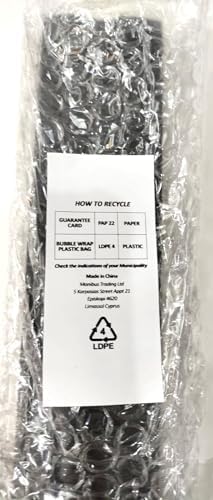
Image: The remote control packaged in protective bubble wrap, with a label indicating recycling information for paper (PAP 22) and plastic (LDPE 4 and LDPE). This illustrates the product's packaging and environmental considerations.