
Introduction
The ESKY Scale 300 V2 Flybarless RTF (Ready To Fly) RC Electric Helicopter is designed for remote control enthusiasts of all skill levels. This model features a robust and sleek design, incorporating advanced technology such as a flybarless rotor head and a 6-axis gyroscope for enhanced stability and performance. Its compact size and impressive maneuverability make it an excellent choice for both indoor and outdoor flight. This manual provides comprehensive instructions for the safe and effective setup, operation, and maintenance of your ESKY Scale 300 V2 helicopter.
Safety Precautions
Always prioritize safety when operating your RC helicopter. Failure to follow these guidelines may result in injury or damage to the product or property.
- Read the Manual: Thoroughly read and understand this entire instruction manual before operating the helicopter.
- Operating Environment: Operate the helicopter in open, clear areas, away from people, animals, buildings, power lines, and other obstacles. Avoid flying in windy conditions.
- Age Recommendation: This product is recommended for users aged 14 months and older. Adult supervision is advised for younger users.
- Battery Safety:
- Use only the specified LiPo battery and charger.
- Do not overcharge or over-discharge the battery.
- Never leave charging batteries unattended.
- Store batteries in a cool, dry place, away from direct sunlight and heat sources.
- If the battery becomes swollen, punctured, or damaged, discontinue use immediately and dispose of it properly.
- Rotor Blades: The rotor blades spin at high speeds and can cause serious injury. Keep hands, face, and loose clothing away from the rotating blades.
- Pre-Flight Check: Always perform a pre-flight check to ensure all components are securely attached and functioning correctly.
- Emergency Stop: Familiarize yourself with the throttle cut/emergency stop function on the transmitter.
Package Contents
Verify that all items listed below are included in your package:
- 1 x ESKY Scale 300 V2 Helicopter (Mode 1)
- 1 x 2.4 GHz 4-Channel Transmitter
- 1 x 2S 7.4V 320mAh LiPo Battery
- 1 x USB Charger
- 1 x Spare Main and Tail Rotor Set
- 1 x Tool Set (Screwdriver and Hex Wrench)
- 1 x Instruction Manual
Note: 4 x AA batteries are required for the transmitter and are not included in the package.
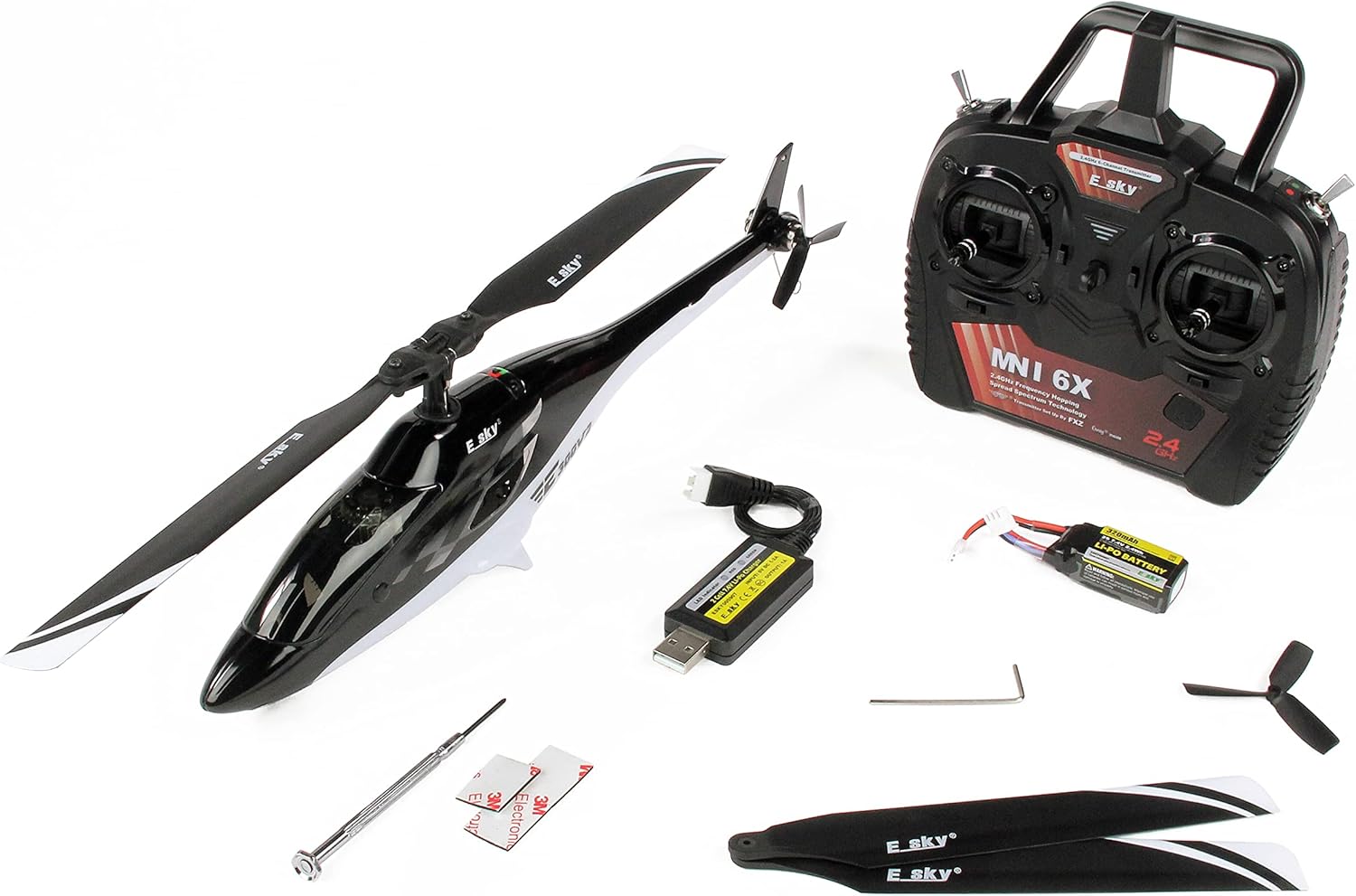
Image: The ESKY Scale 300 V2 helicopter laid out with its accompanying accessories, including the transmitter, battery, charger, spare blades, and tools.
Setup
1. Charging the Flight Battery
The included 2S 7.4V 320mAh LiPo battery must be fully charged before first use. Use only the provided USB charger.
- Connect the USB charger to a compatible USB power source (e.g., computer USB port, USB wall adapter).
- Connect the LiPo battery to the charger. Ensure the polarity is correct.
- The charger's indicator light will show the charging status (refer to charger's specific light indications for full charge).
- Once fully charged, disconnect the battery from the charger. Do not overcharge.
2. Installing Transmitter Batteries
Open the battery compartment on the back of the 2.4 GHz transmitter and insert 4 AA batteries, observing the correct polarity. Close the compartment securely.
3. Installing the Flight Battery in the Helicopter
Carefully open the battery hatch on the helicopter's fuselage. Insert the charged LiPo battery into the compartment and secure it, ensuring wires are not pinched. Connect the battery to the helicopter's power connector.

Image: A view of the ESKY Scale 300 V2 helicopter's battery compartment, showing the LiPo battery securely placed inside.
4. Binding the Transmitter and Helicopter
Your helicopter and transmitter are typically pre-bound from the factory. If re-binding is necessary, follow these general steps:
- Ensure the transmitter is OFF and the helicopter battery is disconnected.
- Turn on the transmitter.
- Connect the helicopter battery. The helicopter's indicator light will flash.
- Press and hold the bind button on the transmitter (if available) or follow the specific binding sequence outlined in the separate transmitter manual.
- Once bound, the helicopter's indicator light will become solid.
Operating Instructions
Pre-Flight Checks
- Ensure the flight battery is fully charged and securely installed.
- Verify transmitter batteries are installed and the transmitter is powered on.
- Check that all rotor blades (main and tail) are securely attached and free from damage.
- Confirm that the flight area is clear of obstacles, people, and animals.
Basic Flight Controls (Mode 1)
| Transmitter Stick | Movement | Helicopter Action |
|---|---|---|
| Right Stick (Vertical) | Up/Down | Throttle (Ascend/Descend) |
| Right Stick (Horizontal) | Left/Right | Rudder (Yaw Left/Right) |
| Left Stick (Vertical) | Up/Down | Elevator (Pitch Forward/Backward) |
| Left Stick (Horizontal) | Left/Right | Aileron (Roll Left/Right) |
The ESKY Scale 300 V2 operates in Mode 1, where throttle and rudder are on the right stick, and elevator and aileron are on the left stick.
Take-off, Hovering, and Landing
- Take-off: Place the helicopter on a flat, level surface. Slowly increase the throttle until the helicopter lifts off the ground. Make small, precise adjustments to maintain stability.
- Hovering: Once airborne, adjust the throttle to maintain a constant altitude. Use the elevator and aileron sticks for minor positional corrections to keep the helicopter stable in the air.
- Landing: Slowly decrease the throttle while maintaining control with the other sticks. Aim for a gentle descent onto a flat surface. Once landed, immediately reduce throttle to zero.
Special Features
- 6-Axis Gyro Stabilization: The integrated 6-axis gyroscope provides excellent flight stability, making it easier for beginners to control.
- Anti-Panic Switch: This feature helps stabilize the helicopter if you lose control. Refer to your transmitter manual for the exact button and operation.
- Dual Rate Switch: Adjusts the sensitivity of the controls. Use lower rates for beginners for smoother, less aggressive control, and higher rates for experienced pilots for more agile maneuvers.
- LED Lights: Bright LED lights aid in orientation during flight, especially in low-light conditions.

Image: The ESKY Scale 300 V2 helicopter, showcasing its sleek black and white fuselage and main rotor blades, ready for flight.
Maintenance
Regular maintenance ensures the longevity and optimal performance of your helicopter.
- Cleaning: After each flight, gently wipe down the helicopter with a soft, dry cloth to remove dust and debris. Avoid using water or solvents.
- Rotor Blade Inspection: Regularly inspect the main and tail rotor blades for any cracks, chips, or deformation. Replace damaged blades immediately using the provided spare set or genuine Esky parts.
- Motor and Gear Inspection: Check the motors and gears for any signs of wear or obstruction. Ensure smooth rotation of all moving parts.
- Battery Care:
- Do not store LiPo batteries fully charged or fully discharged for extended periods. Store them at a "storage charge" (around 3.8V per cell).
- If the helicopter will not be used for a long time, disconnect the battery from the helicopter.
- Screw Tightness: Periodically check all screws and fasteners to ensure they are tight. Do not overtighten.

Image: A detailed view of the helicopter's flybarless rotor head assembly, showing the main rotor attachment points.
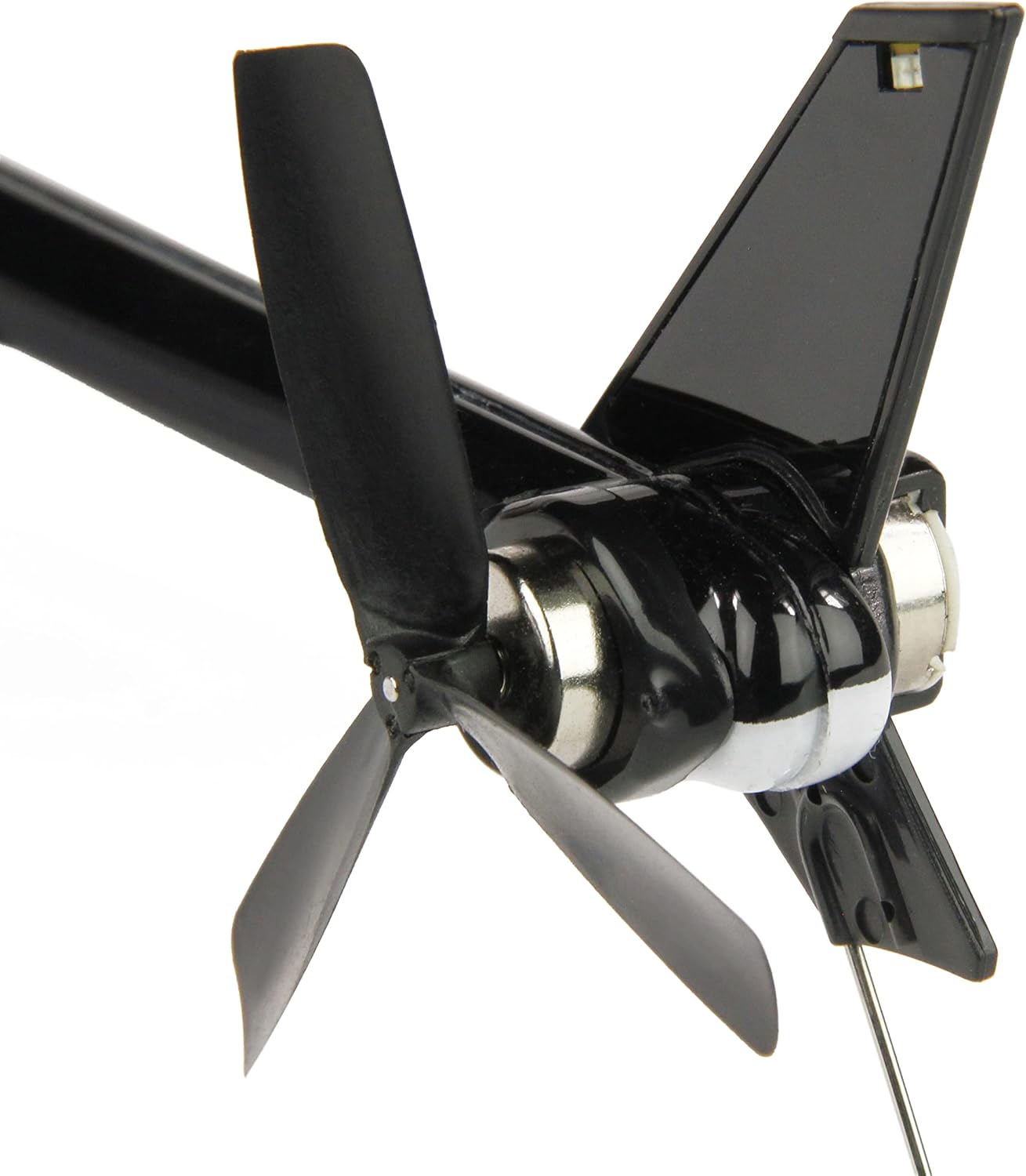
Image: A close-up shot of the helicopter's tail rotor, highlighting its design and connection to the tail boom.
Troubleshooting
Refer to this section for common issues and their potential solutions.
| Problem | Possible Cause | Solution |
|---|---|---|
| Helicopter does not power on. | Battery not connected or discharged; Transmitter not powered on; Loose connection. | Ensure flight battery is charged and connected. Turn on transmitter. Check all connections. |
| Helicopter is unstable or drifts. | Uncalibrated gyro; Damaged rotor blades; Wind interference. | Perform gyro calibration (refer to transmitter manual). Inspect and replace damaged blades. Fly in calm conditions. |
| No response from controls. | Not bound to transmitter; Transmitter batteries low/dead; Out of range. | Re-bind helicopter and transmitter. Replace transmitter batteries. Ensure you are within operating range. |
| Short flight time. | Battery not fully charged; Battery degradation; Aggressive flying. | Ensure battery is fully charged. Consider replacing old batteries. Practice smoother flight. |
Specifications
| Feature | Detail |
|---|---|
| Model Name | 300 V2 (Mode 1) |
| Brand | Esky |
| Product Type | RC Electric Helicopter |
| Rotor Type | Flybarless |
| Stabilization | 6-Axis Gyroscope |
| Flight Time | Approximately 5-7 minutes |
| Battery Type | 2S 7.4V 320mAh LiPo (Included) |
| Transmitter Batteries | 4 x AA (Not Included) |
| Special Features | Flashing Light, Portable, Dual Rate Switch, Anti-Panic Switch |
| Recommended Age | 14 months and up |
| Item Weight | 1.2 kilograms |
Warranty and Support
For warranty information, technical support, or inquiries regarding spare parts, please contact the retailer or manufacturer directly. Keep your proof of purchase for any warranty claims.
You may also find support and community resources via the following links:

Image: The retail packaging box for the ESKY Scale 300 V2 helicopter, displaying product features and QR codes for support.


