
1. Introduction
This user manual provides comprehensive instructions for the installation, operation, and basic maintenance of your Aramox 6-Wire Thumb Throttle with ON/Off Switch and Battery Indicator. This throttle is designed for use with 24V electric bikes, electric motorcycles, electric tricycles, electric vehicles, and scooters. Please read this manual thoroughly before installation and use to ensure proper function and safety.

Figure 1: Aramox 6-Wire Thumb Throttle with ON/Off Switch and Battery Indicator.
2. Package Contents
Please verify that all items listed below are included in your package:
- 1 x Thumb Throttle
- 1 x Washer
- 1 x Wiring Buckle

Figure 2: Included components: thumb throttle, washer, and wiring buckle.
3. Specifications
| Feature | Specification |
|---|---|
| Item Type | 6-Wire Thumb Throttle |
| Material | ABS |
| Installation Aperture | Approx. 22mm / 0.87in |
| Line Length | Approx. 1600mm / 62.99in |
| Working Voltage | DC1-5V (for signal) |
| Operating Voltage | 5 Volts (for internal electronics) |
| Operation Mode | ON-OFF (for switch) |
| Mounting Type | Handlebar Mount |
| International Protection Rating | IP54 |
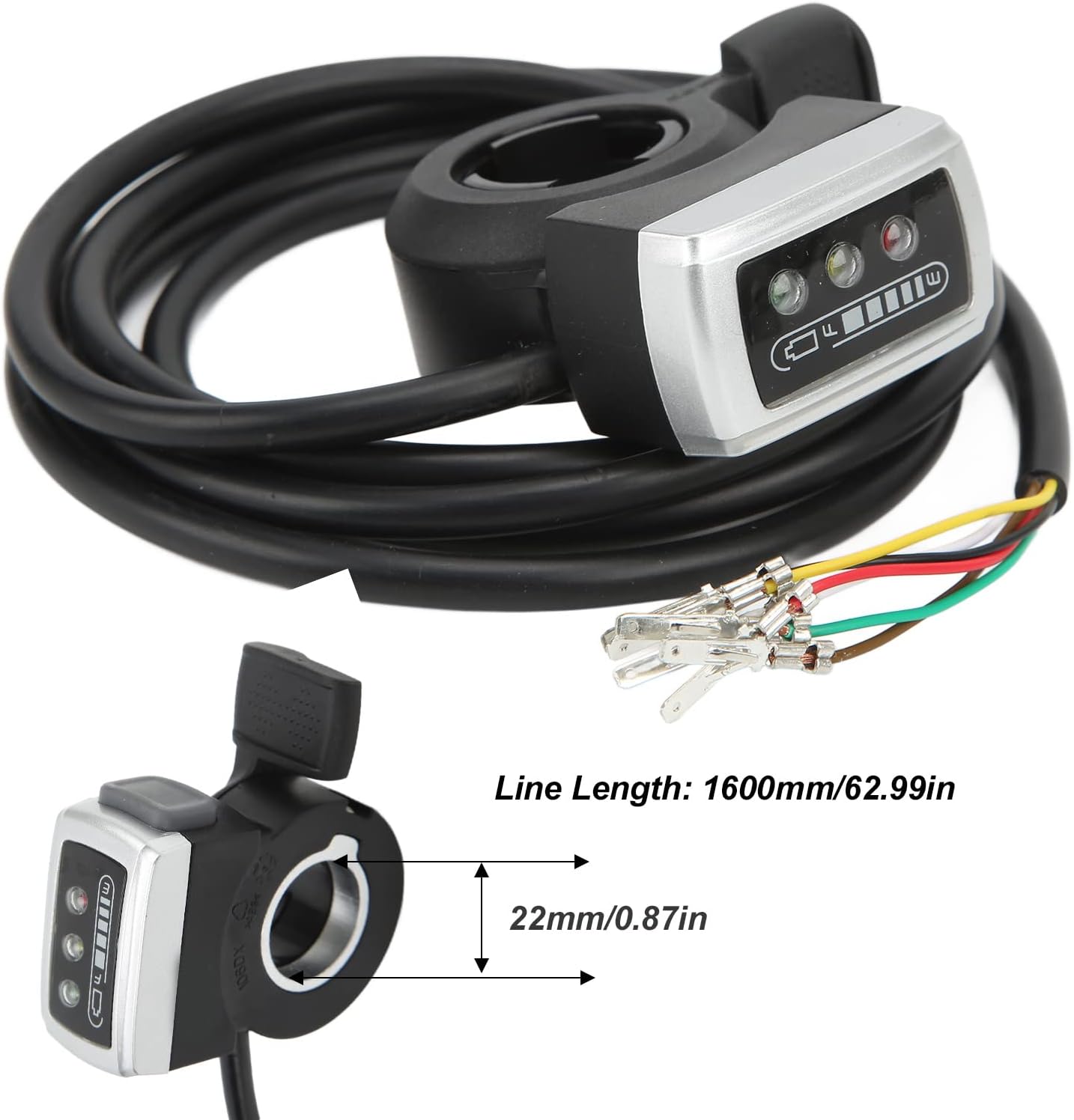
Figure 3: Key dimensions of the thumb throttle.
4. Installation Instructions
4.1 Handlebar Mounting
- Ensure your vehicle's handlebar has a diameter of approximately 22mm (0.87in) for proper fitment.
- Slide the thumb throttle onto the right handlebar.
- Secure the throttle in place using the provided washer and any necessary fasteners (not explicitly mentioned but implied for securing).
4.2 Wiring Diagram and Connection
The throttle features a 6-wire connection. Carefully follow the wiring instructions below. Incorrect wiring can damage the product or your vehicle's electrical system.
- Red Cable: Connect to +5V (Positive power supply for throttle signal).
- Black Cable: Connect to - Negative (Ground).
- White Cable: Connect to Signal (Throttle signal output).
- Green Cable: Connect to Battery voltage indication (For LED display).
- Yellow Cable: Connect to + Switch positive (Positive terminal for ON/OFF switch).
- Brown Cable: Connect to - Switch negative (Negative terminal for ON/OFF switch).
Important Safety Note: Pay close attention to the wiring. Do not connect the black, white, and red wires (throttle signal wires) to the main power or positive battery terminal, as this will damage the product.

Figure 4: Detailed wiring connections for the thumb throttle.

Figure 5: Alternative view of the wiring diagram, emphasizing individual wire connections.
5. Operating Instructions
5.1 Throttle Operation
Once installed and wired correctly, the thumb throttle provides stable and responsive speed control. Press the thumb lever to engage the motor and control speed. Release the lever to disengage or reduce speed.
5.2 Battery Indicator
The integrated LED display provides a visual indication of your vehicle's battery charge level:
- Green LED: Indicates full power.
- Yellow LED: Indicates half power.
- Red LED: Indicates empty power, requiring a recharge.
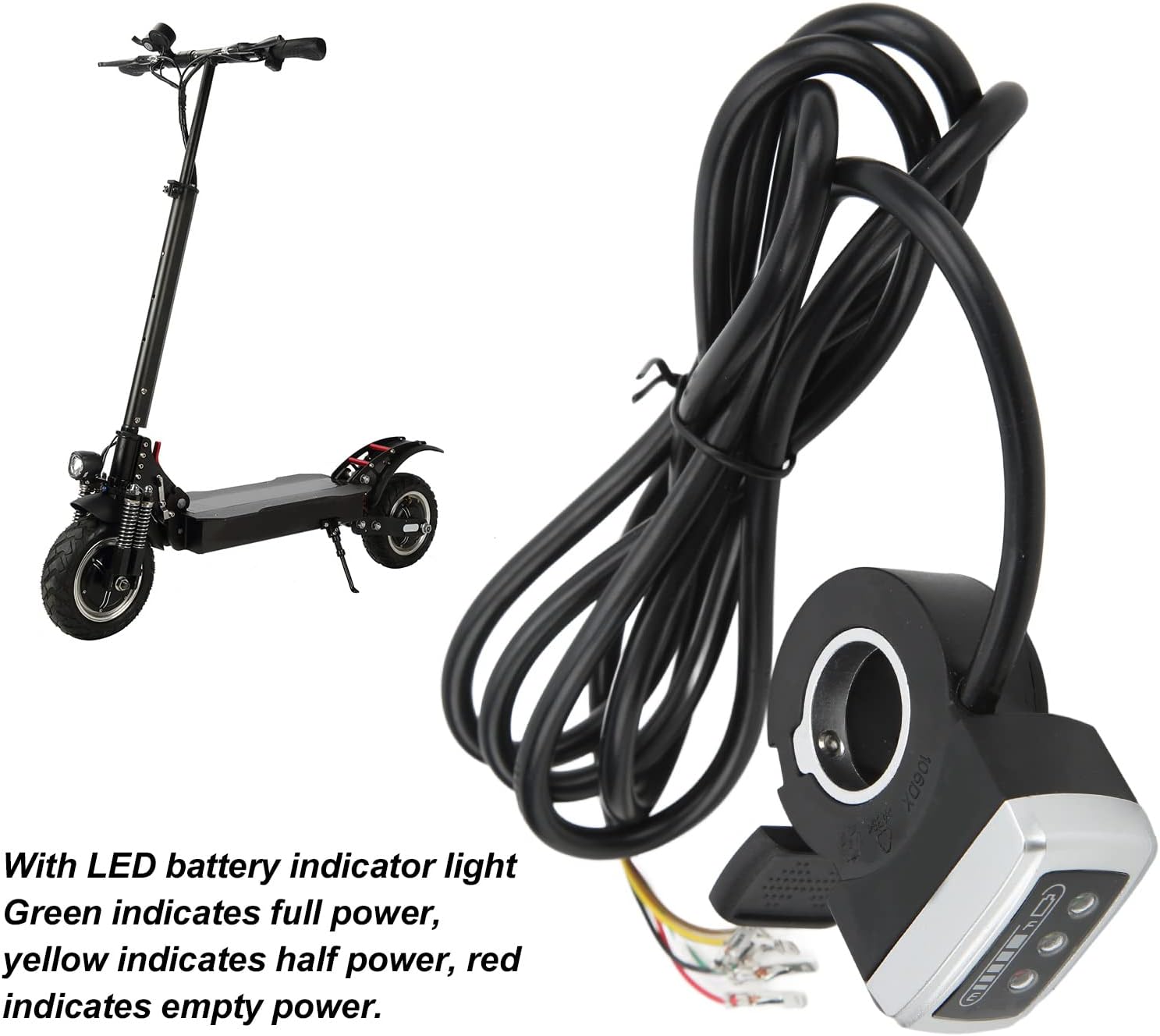
Figure 6: Thumb throttle with LED battery indicator lights.

Figure 7: Close-up view of the LED battery indicator.
6. Maintenance
To ensure the longevity and optimal performance of your Aramox thumb throttle, consider the following maintenance tips:
- Cleaning: Regularly wipe the throttle with a soft, damp cloth to remove dust and dirt. Avoid using harsh chemicals or abrasive cleaners.
- Connection Check: Periodically inspect all wire connections to ensure they are secure and free from corrosion.
- Physical Inspection: Check for any signs of physical damage to the throttle housing or wiring.
- Water Exposure: While the product has an IP54 rating, prolonged exposure to heavy rain or submersion should be avoided.
7. Troubleshooting
If you encounter issues with your thumb throttle, refer to the following common problems and solutions:
- Throttle Not Responding:
- Check all wiring connections, especially the red (+5V), black (Negative), and white (Signal) cables, to ensure they are correctly and securely connected.
- Verify that the vehicle's power supply is active.
- Battery Indicator Not Working:
- Ensure the green cable (Battery voltage indication) is correctly connected.
- Check for any loose connections or damage to the indicator LEDs.
- ON/OFF Switch Not Functioning:
- Confirm that the yellow (+ Switch positive) and brown (- Switch negative) cables are properly connected.
- Inspect the switch mechanism for any physical obstruction or damage.
If the issue persists after attempting these solutions, please contact customer support.
8. Warranty and Support
For warranty information or technical support, please refer to the documentation provided with your purchase or contact Aramox customer service through the retailer where the product was purchased. Please have your model number (Aramox4r0zvgk8fq6329-11) and purchase details ready when contacting support.
You can also visit the official Aramox store for more information: Aramox Store