
1. Introduction
Thank you for choosing the Lamax Sphere2 Portable Speaker. This manual provides essential information for setting up, operating, and maintaining your device. Please read it carefully to ensure optimal performance and longevity of your speaker.
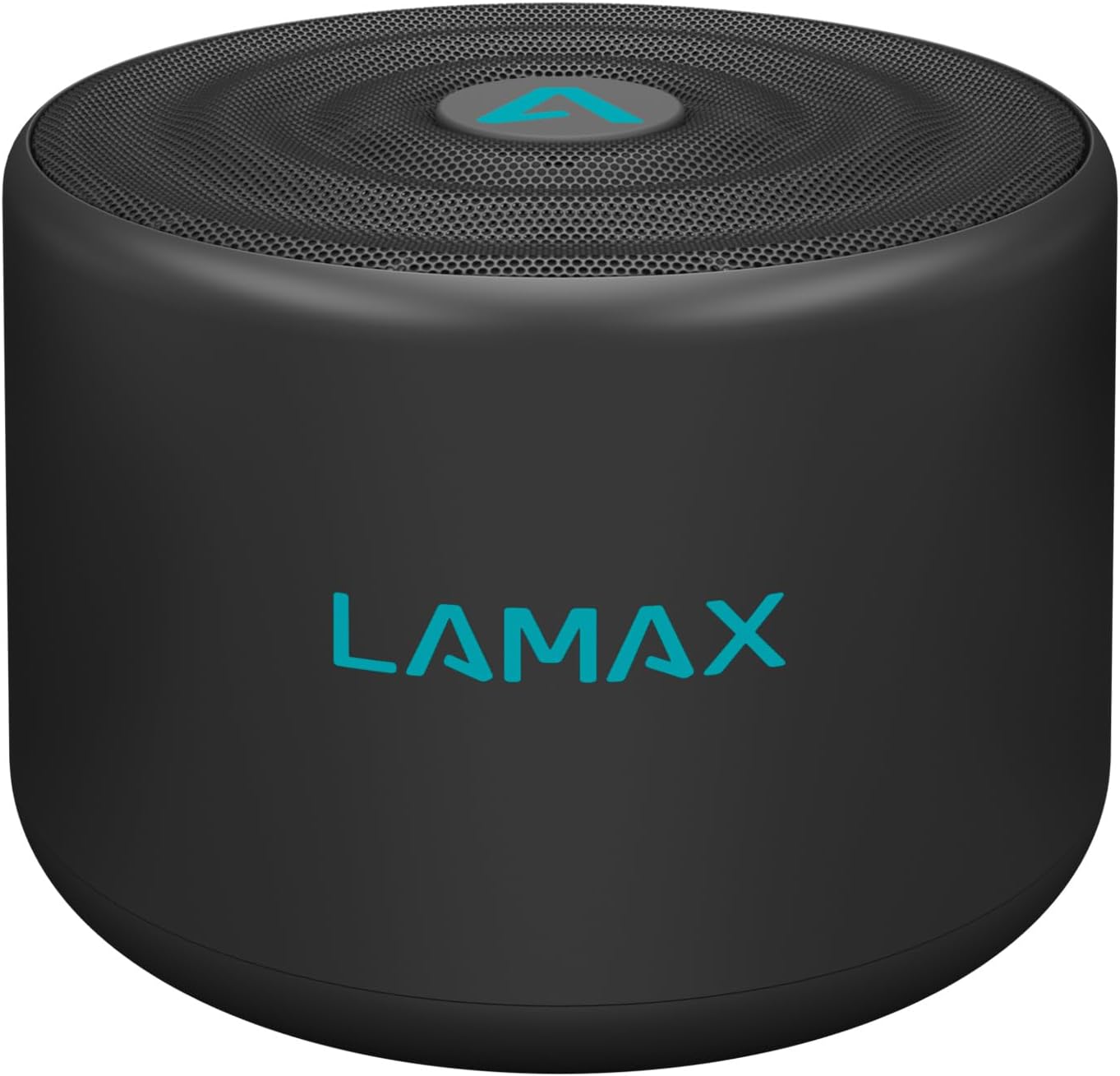
Image 1.1: The Lamax Sphere2 portable speaker, black with a teal Lamax logo on the front and top.
2. Package Contents
Please check the package for the following items:
- Lamax Sphere2 Portable Speaker
- Micro USB Charging Cable
- User Manual
3. Product Overview
Familiarize yourself with the speaker's buttons and ports:
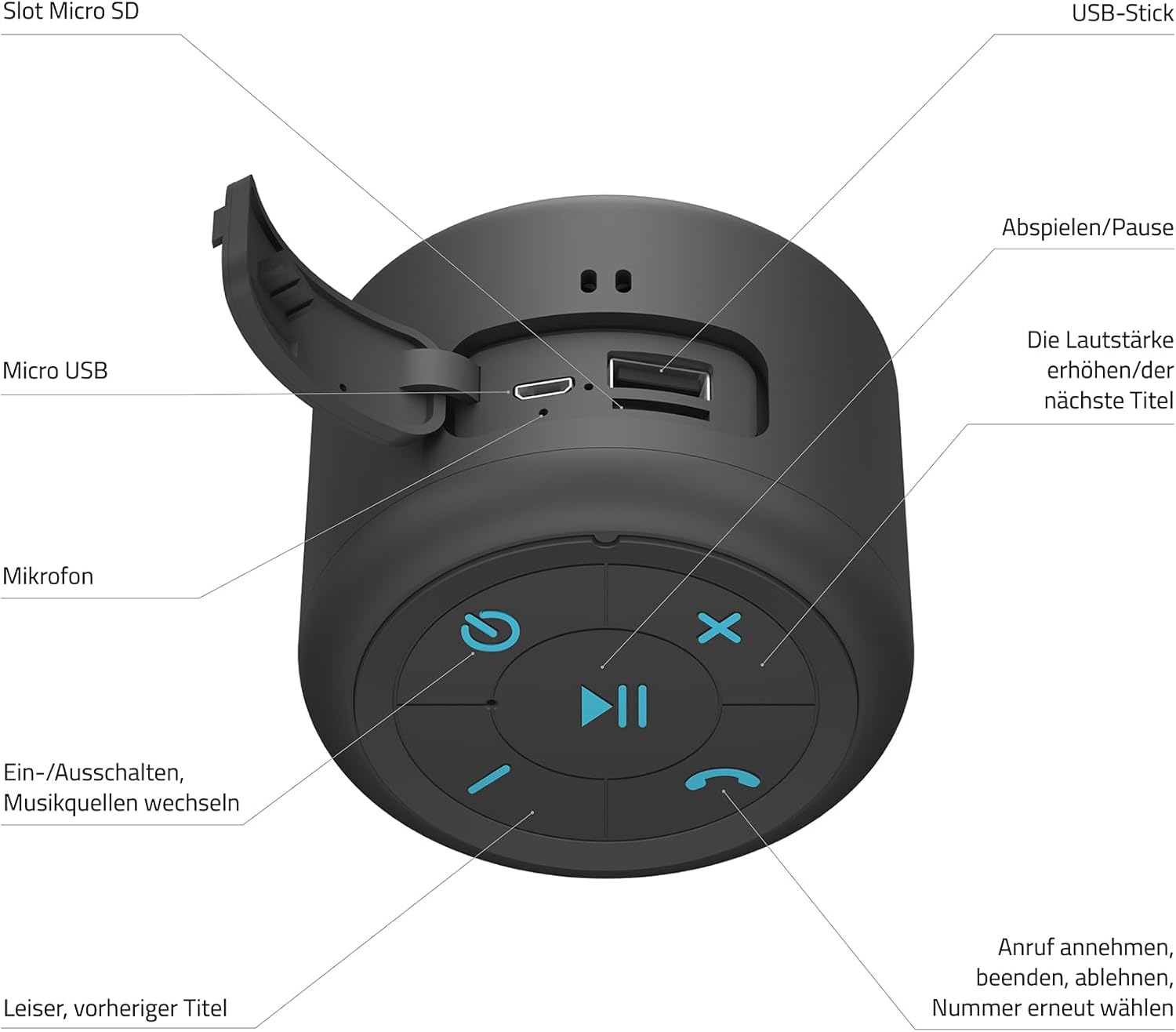
Image 3.1: Detailed diagram of the Lamax Sphere2 speaker's ports and control buttons.
- Micro SD Slot: Insert a Micro SD card for music playback.
- USB-A Port: Connect a USB flash drive for music playback.
- Micro USB Port: For charging the speaker.
- Microphone: For hands-free calling.
- Power Button / Mode Switch: Press and hold to power on/off. Short press to switch between input modes (Bluetooth, Micro SD, USB, FM Radio).
- Play/Pause Button: Play or pause music. Answer/end calls.
- Volume Up / Next Track Button: Short press for next track. Press and hold to increase volume.
- Volume Down / Previous Track Button: Short press for previous track. Press and hold to decrease volume.
- Call Management Button: Answer, end, or reject calls. Double-press to redial the last number.
4. Setup
4.1 Charging the Speaker
Before first use, fully charge the speaker. Connect the Micro USB charging cable to the speaker's Micro USB port and the other end to a USB power adapter (not included) or a computer's USB port. The charging indicator light will show the charging status.
4.2 Powering On/Off
- To Power On: Press and hold the Power Button (5) for approximately 3 seconds until you hear an audible prompt.
- To Power Off: Press and hold the Power Button (5) for approximately 3 seconds until you hear an audible prompt.
4.3 Bluetooth Pairing
- Ensure the speaker is powered on and in Bluetooth mode (indicated by a flashing LED). If not, short press the Power Button (5) to cycle modes until Bluetooth mode is active.
- Enable Bluetooth on your device (smartphone, tablet, etc.).
- Search for available Bluetooth devices and select "LAMAX Sphere2" from the list.
- Once paired, the speaker will emit an audible confirmation, and the LED indicator will stop flashing.
4.4 True Wireless Stereo (TWS) Pairing
You can pair two Lamax Sphere2 speakers together for a stereo sound experience.

Image 4.1: Two Lamax Sphere2 speakers paired for True Wireless Stereo sound.
- Ensure both Lamax Sphere2 speakers are powered on and not connected to any other Bluetooth device.
- On one of the speakers (this will be the primary speaker), double-press the Play/Pause Button (6). The speaker will search for another Sphere2 speaker.
- Once connected, both speakers will emit an audible confirmation, and their LEDs will indicate a successful TWS connection.
- Now, connect your device to the primary speaker via Bluetooth as described in section 4.3. Both speakers will play audio in stereo.
4.5 Other Playback Modes
The speaker supports playback from Micro SD cards, USB flash drives, and FM radio.
- Micro SD Card: Insert a Micro SD card into the Micro SD Slot (1). The speaker will automatically switch to Micro SD mode and begin playback.
- USB Flash Drive: Insert a USB flash drive into the USB-A Port (2). The speaker will automatically switch to USB mode and begin playback.
- FM Radio: Short press the Power Button (5) to cycle through modes until FM Radio mode is active. Use the Volume Up/Down buttons (7, 8) to tune stations.
5. Operating
5.1 Music Playback
- Play/Pause: Short press the Play/Pause Button (6).
- Next Track: Short press the Volume Up / Next Track Button (7).
- Previous Track: Short press the Volume Down / Previous Track Button (8).
- Volume Up: Press and hold the Volume Up / Next Track Button (7).
- Volume Down: Press and hold the Volume Down / Previous Track Button (8).
5.2 Call Management
When connected via Bluetooth to a smartphone:
- Answer Call: Short press the Call Management Button (9).
- End Call: Short press the Call Management Button (9) during a call.
- Reject Call: Press and hold the Call Management Button (9) when an incoming call rings.
- Redial Last Number: Double-press the Call Management Button (9).
6. Maintenance
6.1 Cleaning
Wipe the speaker with a soft, dry cloth. Do not use abrasive cleaners, alcohol, or other chemical substances, as these may damage the surface or internal components.
6.2 Storage
Store the speaker in a cool, dry place away from direct sunlight and extreme temperatures. If storing for an extended period, charge the battery periodically (e.g., every 3 months) to maintain battery health.
6.3 Battery Care
The speaker contains a built-in rechargeable battery. To prolong its lifespan:
- Avoid fully discharging the battery frequently.
- Do not expose the speaker to high temperatures.
- Use only the provided charging cable or a certified equivalent.
7. Troubleshooting
If you encounter issues with your Lamax Sphere2 speaker, refer to the following common problems and solutions:
| Problem | Possible Cause | Solution |
|---|---|---|
| Speaker does not turn on. | Low battery. | Charge the speaker fully. |
| Cannot pair via Bluetooth. | Speaker not in pairing mode; device Bluetooth off; too far from speaker. | Ensure speaker is in Bluetooth pairing mode. Turn device Bluetooth off/on. Move device closer to speaker. |
| No sound. | Volume too low; incorrect input mode; device not playing. | Increase speaker and device volume. Check input mode. Ensure music is playing on your device. |
| TWS pairing fails. | Speakers already paired to another device; too far apart. | Ensure both speakers are disconnected from other devices. Place speakers close together. |
8. Specifications
Technical details for the Lamax Sphere2 Portable Speaker:
- Model: SPHERE2
- Output Power: 5 Watts
- Audio Output Mode: Mono
- Connectivity Technology: Bluetooth, USB, Wi-Fi
- Special Features: Portable
- Power Source: Battery Operated
- Dimensions (L x W x H): 25.4 x 5.08 x 6.86 cm
- Weight: 190 grams
- Material: 85% polyester, 15% EVA
9. Safety Information
Please observe the following safety guidelines:
- Do not expose the speaker to water, moisture, or extreme temperatures.
- Do not attempt to disassemble or modify the speaker.
- Keep the speaker away from heat sources and open flames.
- Dispose of the speaker and its battery responsibly according to local regulations.
10. Warranty and Support
For warranty information, technical support, or customer service, please refer to the official Lamax website or contact your local retailer. Keep your proof of purchase for warranty claims.


