
1. Introduction
This manual provides essential information for the safe and efficient use of your Xtorm 100W Portable Solar Panel. Please read these instructions carefully before operating the device and retain them for future reference.
The Xtorm 100W Solar Panel is designed to convert sunlight into electrical energy, providing a portable power source for various devices. Its foldable design and durable construction make it suitable for outdoor use.
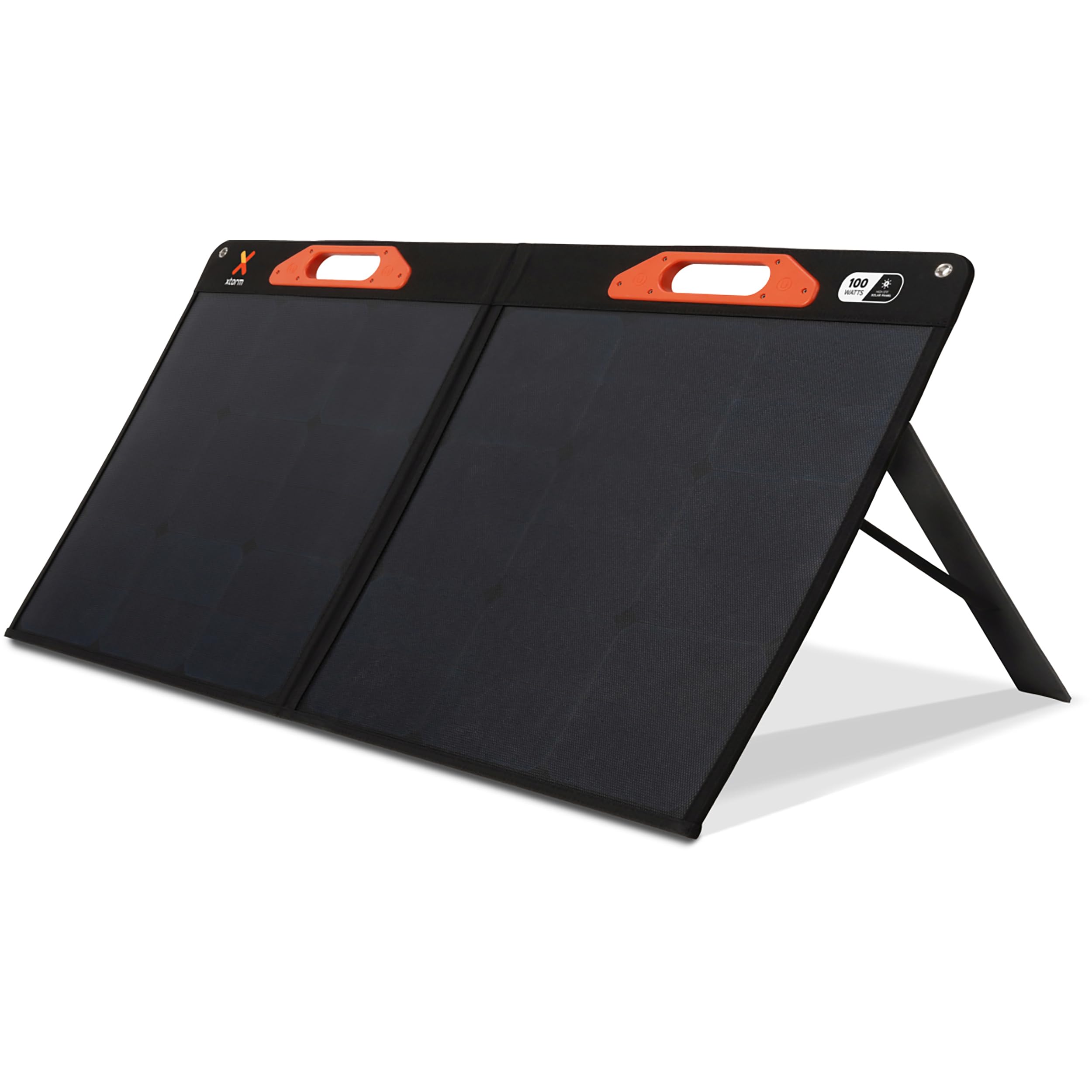
Image: The Xtorm 100W Portable Solar Panel deployed outdoors, connected to a power station for energy storage.
2. What's in the Box
Carefully unpack your Xtorm 100W Portable Solar Panel and ensure all items are present:
- 1x Xtorm 100W Solar Panel
- 1x User Manual
- 1x DC to MC4 Converter Cable
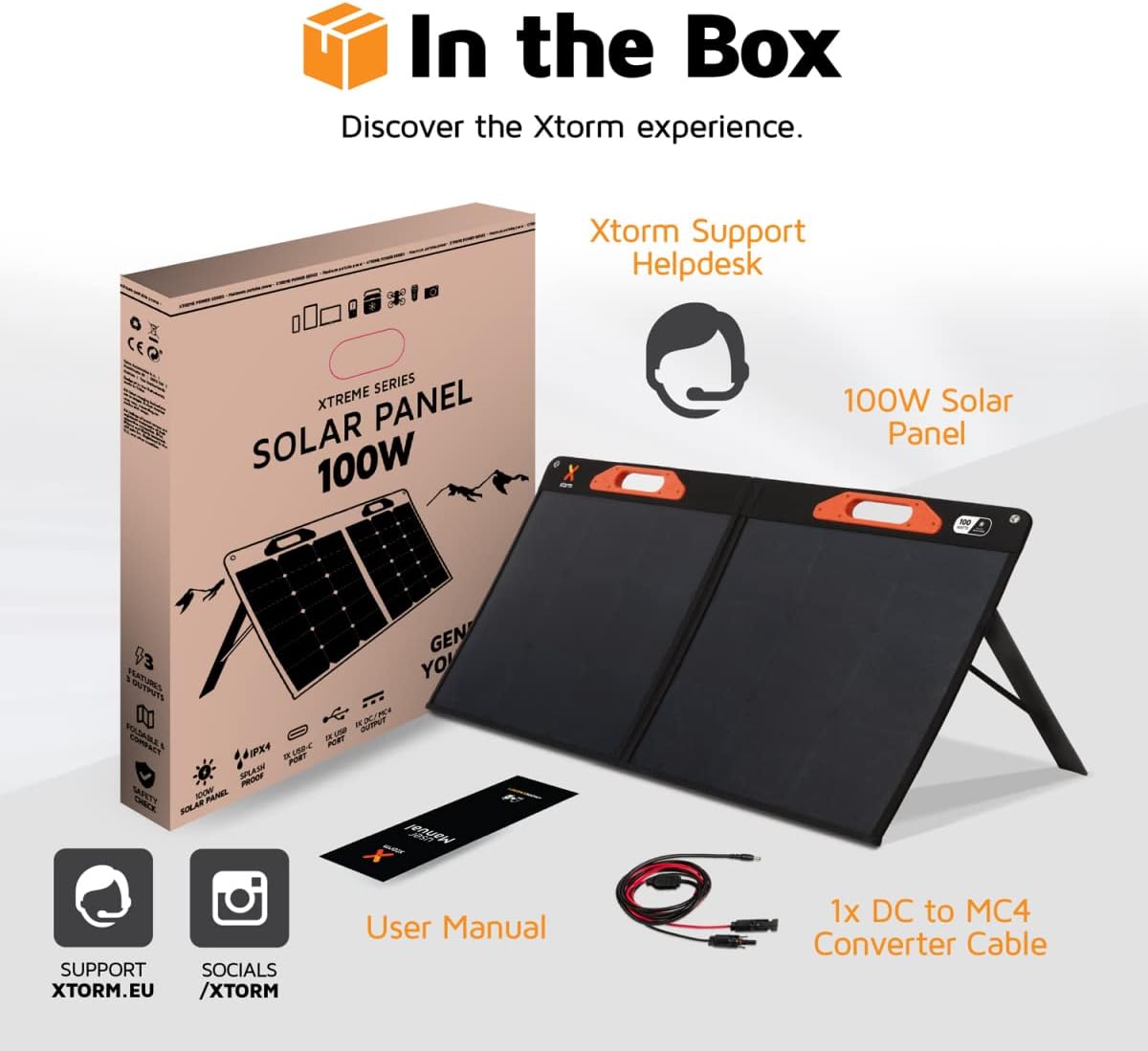
Image: A visual representation of the Xtorm 100W Solar Panel package contents, showing the panel, manual, and cable.
3. Product Overview
The Xtorm 100W Solar Panel is designed for portability, durability, and efficient power generation.
3.1. Foldable and Lightweight Design
The panel features a compact, foldable design for easy storage and transport. When folded, its dimensions are 598 x 529 x 45 mm, and when open, it measures 1060 x 598 x 25 mm. The total weight is 3.8 kg.

Image: The Xtorm 100W Solar Panel in both folded and open states, illustrating its compact and lightweight characteristics.
3.2. Durable and Water-Resistant Construction
Constructed with splash-proof materials, the solar panel is built to withstand outdoor elements, offering resistance to water and impacts. This ensures reliable performance in various weather conditions.

Image: The Xtorm 100W Solar Panel demonstrating its water-resistant properties, suitable for outdoor use.
3.3. Multiple Output Ports
The panel is equipped with versatile output options to charge a wide range of devices:
- 1x DC 5.5mm Output (100W)
- 1x USB-C PD Output (45W)
- 1x USB Quick Charge 3.0 Output (18W)
4. Setup
Follow these steps to set up your Xtorm 100W Portable Solar Panel:
- Unfold the Panel: Carefully unfold the solar panel completely. The panel is designed with integrated handles for easy handling.
- Position for Sunlight: Place the solar panel in a location with direct sunlight. For optimal performance, ensure the panel is angled directly towards the sun. Avoid shaded areas.
- Deploy Kickstands: Extend the integrated kickstands on the back of the panel to support it at an optimal angle for sun exposure.
- Connect Devices: Use the appropriate cables to connect your devices or power station to the output ports on the solar panel.

Image: The Xtorm 100W Solar Panel positioned to capture solar energy, illustrating its high efficiency and power delivery capabilities.
5. Operating Instructions
The Xtorm 100W Solar Panel allows you to charge various devices directly or store energy in a portable power station.
5.1. Charging Devices Directly
Connect your smartphone, tablet, laptop, or other compatible devices to the USB-C PD or USB Quick Charge 3.0 ports using their respective charging cables. The panel can charge up to three devices simultaneously.

Image: The Xtorm 100W Solar Panel demonstrating its ability to charge three devices concurrently.
5.2. Charging a Portable Power Station
For storing generated energy, connect the solar panel to a compatible portable power station using the DC 5.5mm output and the provided DC to MC4 converter cable if necessary. This allows you to store energy for later use or to power larger devices.

Image: The Xtorm 100W Solar Panel connected to different Xtorm power stations, illustrating its energy storage capability.
5.3. Integrated Protection
The solar panel features built-in protection mechanisms to safeguard your connected devices against overcharge, overheating, and short circuits, ensuring safe and efficient operation.
6. Maintenance
Proper maintenance ensures the longevity and optimal performance of your solar panel.
- Cleaning: Regularly wipe the solar panel surface with a soft, damp cloth to remove dust, dirt, or debris that may reduce efficiency. Avoid abrasive cleaners or harsh chemicals.
- Storage: When not in use, fold the panel and store it in a dry, cool place away from direct sunlight and extreme temperatures.
- Inspection: Periodically check cables and connectors for any signs of wear or damage. Replace any damaged components immediately.
- Environmental Protection: While water-resistant, avoid prolonged exposure to heavy rain or submersion in water.
7. Troubleshooting
If you encounter issues with your Xtorm 100W Portable Solar Panel, refer to the following common problems and solutions:
| Problem | Possible Cause | Solution |
|---|---|---|
| No power output | Insufficient sunlight, panel not angled correctly, dirty panel surface, faulty cable/connection. | Ensure direct sunlight, adjust panel angle, clean surface, check cable connections. |
| Slow charging | Partial shading, low sun intensity, high power demand from device, dirty panel. | Relocate panel to full sun, wait for stronger sunlight, ensure panel is clean, try charging one device at a time. |
| Device not recognized | Incompatible device, faulty USB cable, port issue. | Verify device compatibility, try a different USB cable, try a different output port. |
If the problem persists after attempting these solutions, please contact Xtorm customer support.
8. Specifications
| Feature | Detail |
|---|---|
| Model Number | XPS100 |
| Maximum Power | 100 Watt |
| Maximum Voltage | 20 Volts |
| DC Output | 1x 5.5mm, 100W |
| USB-C PD Output | 1x 45W |
| USB Quick Charge 3.0 Output | 1x 18W |
| Efficiency | High Efficiency (SunPower® Solar Cells) |
| Dimensions (Open) | 106L x 59.8W x 2.5H cm |
| Dimensions (Folded) | 59.8L x 52.9W x 4.5H cm |
| Weight | 3800 Grams (3.8 kg) |
| Material | Glass (referring to solar cell material) |
| Special Features | Fast Charging, Water Resistant (IPX4), Impact Resistant, Foldable Design |
9. Warranty Information
The Xtorm 100W Portable Solar Panel comes with a 2-year limited manufacturer's warranty. This warranty covers defects in materials and workmanship under normal use. Please retain your proof of purchase for warranty claims.
For specific terms and conditions, or to make a warranty claim, please refer to the official Xtorm website or contact their customer support.
10. Support
For further assistance, technical support, or inquiries regarding your Xtorm 100W Portable Solar Panel, please visit the official Xtorm support channels:
- Xtorm Support Helpdesk: Refer to the contact information provided in your product packaging or on the official Xtorm website.
- Official Website: www.xtorm.eu


