
Introduction
This manual provides detailed instructions for the safe and effective use of your Retevis RT68 Walkie Talkie. Please read this manual thoroughly before operating the device to ensure optimal performance and longevity. The Retevis RT68 is a rugged, IP54 waterproof two-way radio designed for reliable communication in various environments, including construction, manufacturing, warehousing, retail, hospitality, and schools.
Package Contents
Verify that all items listed below are included in your package:
- 6 x Retevis RT68 Walkie Talkies
- 6 x Soft Ear Hook Earpieces
- 6 x Li-ion Batteries
- 6 x Belt Clips
- 1 x Six-Way Multi-Unit Charger Station
- 1 x Charger Adapter
- 1 x English User Manual (this document)
- 10 x Retevis RS114 Handheld PTT Speaker Microphones (IP54 Waterproof)
- 10 x Retevis RT68 Earpieces
Product Overview
The Retevis RT68 walkie talkie features a durable design and intuitive controls for efficient communication.

Figure 1: Retevis RT68 Walkie Talkie with included accessories, showcasing the compact design and various components.
Key Components:
- Antenna: For transmitting and receiving signals.
- Power/Volume Knob: Turns the radio on/off and adjusts volume.
- Channel Selector Knob: Selects the desired communication channel.
- Push-to-Talk (PTT) Button: Press and hold to transmit, release to receive.
- Speaker/Microphone: Integrated for audio output and input.
- Accessory Jack: For connecting earpieces or speaker microphones.
- Battery Compartment: Houses the Li-ion battery.
- Belt Clip: For convenient carrying.
Setup
1. Battery Installation and Charging
Before first use, fully charge the Li-ion battery. The multi-unit charger station allows for efficient charging of multiple radios simultaneously.
- Ensure the walkie talkie is powered off.
- Align the battery with the battery compartment on the back of the radio and slide it into place until it clicks securely.
- Connect the charger adapter to the six-way multi-unit charger station, then plug the adapter into a power outlet.
- Place the walkie talkie (with battery installed) into an available slot on the charger station. The charging indicator light will illuminate, typically red for charging and green for fully charged.
- Allow approximately 3-4 hours for a full charge.

Figure 2: The six-way multi-unit charger station, designed for efficient charging of multiple RT68 walkie talkies.
2. Attaching the Belt Clip
The durable belt clip can be installed and removed quickly without tools.
- Align the belt clip with the designated slots on the back of the walkie talkie.
- Slide the clip downwards until it locks into place.
- To remove, push the release tab (if present) and slide the clip upwards.
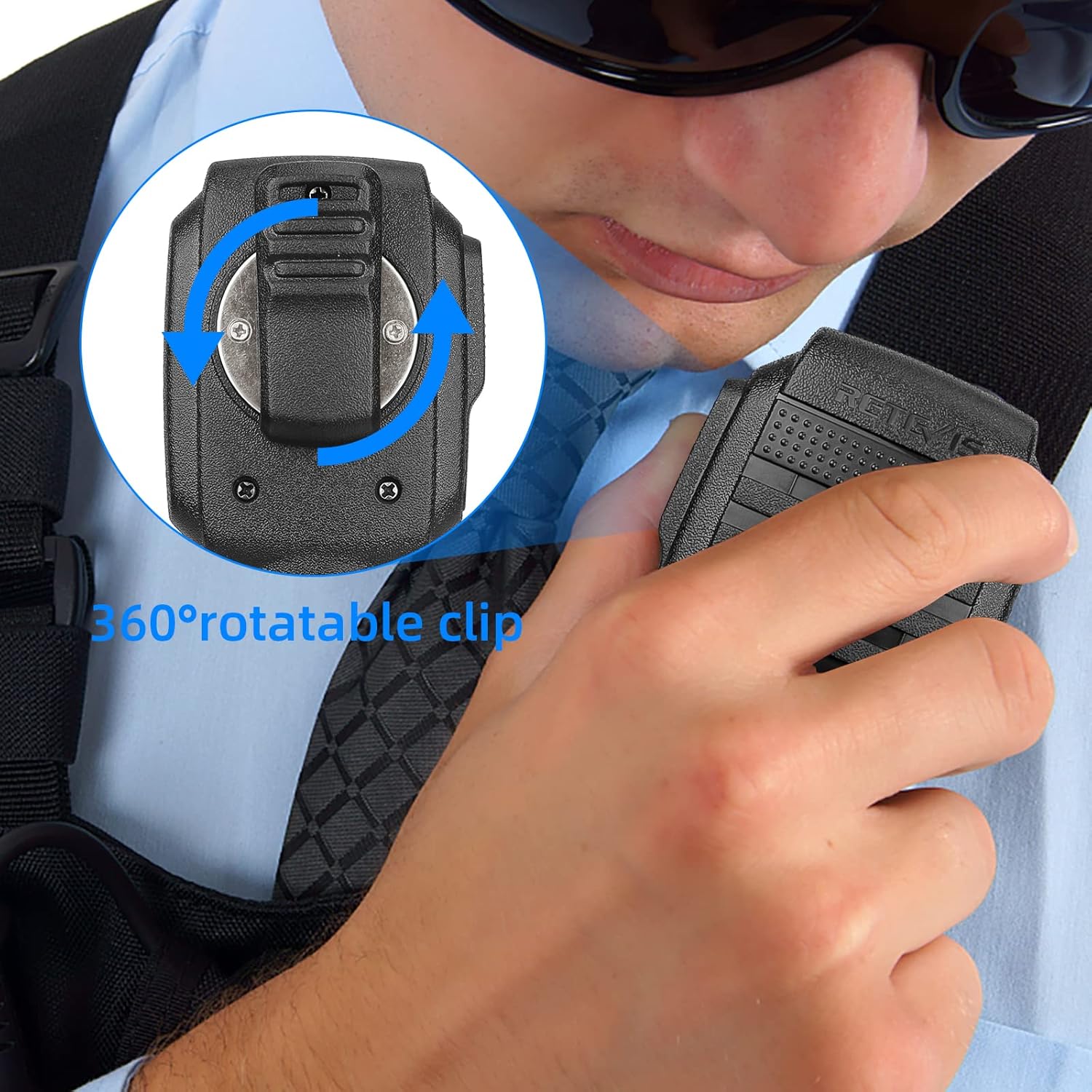
Figure 3: The 360-degree rotatable belt clip attached to the walkie talkie, allowing for flexible positioning.
3. Connecting Earpiece or Speaker Microphone
The RT68 supports external audio accessories for enhanced communication, especially in noisy environments.
- Locate the accessory jack on the side of the walkie talkie.
- Insert the 2-pin plug of the earpiece or speaker microphone firmly into the jack. Ensure a secure connection.
- For the speaker microphone, ensure the PTT button is easily accessible. The Retevis RS114 speaker microphone features an IP54 waterproof rating and a 360-degree rotatable clip.

Figure 4: Detailed view of the soft ear hook earpiece, showing its design for comfortable and clear communication.

Figure 5: The Retevis RS114 handheld PTT speaker microphone, designed for robust use.
Operating Instructions
1. Power On/Off and Volume Adjustment
- To power on the radio, rotate the Power/Volume knob clockwise until you hear a click.
- Continue rotating the knob clockwise to increase the volume, and counter-clockwise to decrease it.
- To power off, rotate the knob counter-clockwise until you hear a click.
2. Channel Selection
The RT68 supports 40 channels. To communicate with other radios, all radios must be set to the same channel.
- Rotate the Channel Selector knob to choose your desired channel (1-40).
- Ensure all radios in your group are on the identical channel for communication.
3. Transmitting and Receiving
- To transmit, press and hold the Push-to-Talk (PTT) button located on the side of the radio (or on the external speaker mic).
- Speak clearly into the microphone (either on the radio or the external mic) at a normal speaking volume.
- Release the PTT button to stop transmitting and return to receive mode.
- When receiving a transmission, the radio will automatically output the audio.

Figure 6: Illustration of the high-quality internal speaker components, ensuring clear and loud audio reception.
Features and Durability
The Retevis RT68 is built for demanding environments with several key features:
- Rugged Construction: Made from PC+ABS durable material, the RT68 features a rugged enclosure designed to withstand shock and vibration, ensuring a longer service life.
- IP54 Waterproof Rating: The radio and the RS114 speaker microphone are rated IP54, providing protection against dust and splashing water. This makes them suitable for outdoor activities and use in light rain.
- Clear Audio: Equipped with high-quality speakers and a condenser electret microphone, the RT68 delivers loud and clear sound for both transmission and reception, even in noisy environments.
- Powerful Penetration: The RT68 offers strong signal penetration, capable of communicating through concrete or steel structures, making it effective in challenging industrial settings.

Figure 7: The IP54 waterproof speaker microphone, demonstrating its resistance to water splashes, ideal for outdoor use.

Figure 8: The Kenwood 2-pin connector on the speaker microphone, illustrating its compatibility with various walkie-talkie brands.
Maintenance
- Cleaning: Use a soft, damp cloth to clean the radio's exterior. Do not use harsh chemicals or abrasive cleaners.
- Battery Care: Store batteries in a cool, dry place when not in use. Avoid fully discharging batteries frequently to prolong their lifespan.
- Storage: When storing the radio for extended periods, remove the battery and store the radio in a dry, dust-free environment.
- Water Exposure: Although IP54 rated, avoid submerging the radio in water. If exposed to rain or splashes, wipe it dry promptly.
Troubleshooting
| Problem | Possible Cause | Solution |
|---|---|---|
| Radio does not power on | Battery is low or not installed correctly. | Ensure battery is fully charged and properly seated. |
| Cannot transmit or receive | Incorrect channel selected; out of range; PTT button not pressed/released correctly. | Verify all radios are on the same channel. Move closer to other radios. Ensure PTT is pressed to talk and released to listen. |
| Poor audio quality or static | Weak signal; interference; volume too low/high; accessory not fully connected. | Adjust volume. Move to an area with better signal. Check accessory connection. |
| Battery drains quickly | Battery nearing end of life; excessive transmission. | Reduce transmission time. Consider replacing the battery if it's old. |
Specifications
| Feature | Detail |
|---|---|
| Model Number | RT68 |
| Brand | Retevis |
| Color | Black |
| Number of Channels | 40 |
| Frequency Range | 406-470 MHz |
| Talking Range Maximum | 1 Mile (approximate, varies with terrain and conditions) |
| Voltage | 3.7 Volts (DC) |
| Water Resistance Level | IP54 Waterproof |
| Compatible Devices | Retevis RS114 Speaker Microphone (Kenwood 2-pin compatible) |
Warranty and Support
For warranty information and technical support, please refer to the official Retevis website or contact your retailer. Keep your purchase receipt as proof of purchase.
You can find more information and support resources by visiting the Retevis Store on Amazon.


