1. Introduction
This manual provides instructions for the CHONCHOW T10A One-Handed Gaming Keyboard. Please read this manual thoroughly before using the product to ensure proper operation and to maximize your gaming experience.

Figure 1: CHONCHOW T10A One-Handed Gaming Keyboard with included USB hub.
2. Product Overview
2.1 Key Features
- Compact Design: Mini 35-key layout, ideal for gaming and saving desktop space.
- LED Backlighting: Rainbow LED illumination with static and breathing modes.
- Ergonomic Comfort: Integrated wrist rest, curved keycaps, and stepped layout for extended use.
- Multimedia Control: Dedicated function keys for audio and media playback.
- Wide Compatibility: Plug-and-play with PC, laptop, PS3, PS4, PS5, and Xbox.
- Anti-Ghosting: 14-key anti-ghosting for precise command input during gameplay.
- Durable Construction: Spill-resistant design and 10 million keystroke lifespan.
2.2 Package Contents
Verify that all items are present in the package:
- One-Handed Gaming Keyboard (x1)
- USB C to USB Adapter (x1)
- USB Hub (x1)
- User Manual (x1)

Figure 2: Included accessories: One-handed keyboard, USB C to USB adapter, and USB hub.
3. Setup Instructions
- Connect the Keyboard: Plug the USB cable of the CHONCHOW T10A keyboard into an available USB port on your computer or gaming console (PS3, PS4, PS5, Xbox).
- Adapter Use (Optional): If your device only has USB-C ports, use the provided USB C to USB adapter to connect the keyboard.
- USB Hub Use (Optional): The included USB hub can be used to expand available USB ports for other peripherals. Connect the hub to your device, then connect the keyboard or other devices to the hub.
- Driver Installation: The keyboard is plug-and-play and does not require additional drivers for basic functionality. Your operating system will automatically detect and install the necessary components.

Figure 3: Connecting the keyboard to a device via USB.
4. Operating Instructions
4.1 LED Backlight Control
- Toggle Backlight: Press FN + ESC to switch between static backlight mode and turning the backlight off.
- Change Backlight Mode: Press FN + Caps Lock to cycle between static backlight and breathing backlight modes.

Figure 4: Key combinations for controlling LED backlight effects.
4.2 Multimedia Functions
The keyboard includes dedicated multimedia function keys, accessible by holding the FN key and pressing the corresponding F-key:
- FN + F1: Music Player
- FN + F2: Volume Down
- FN + F3: Volume Up
- FN + F4: Mute
- FN + F5: Stop Playing

Figure 5: Multimedia function key combinations.
5. Ergonomics and Design
The CHONCHOW T10A keyboard is designed for comfort during extended gaming sessions. It features an integrated wrist rest that conforms to the natural curve of your hand, reducing strain. The keycaps are curved, and the layout is stepped, providing a comfortable and accurate typing experience.
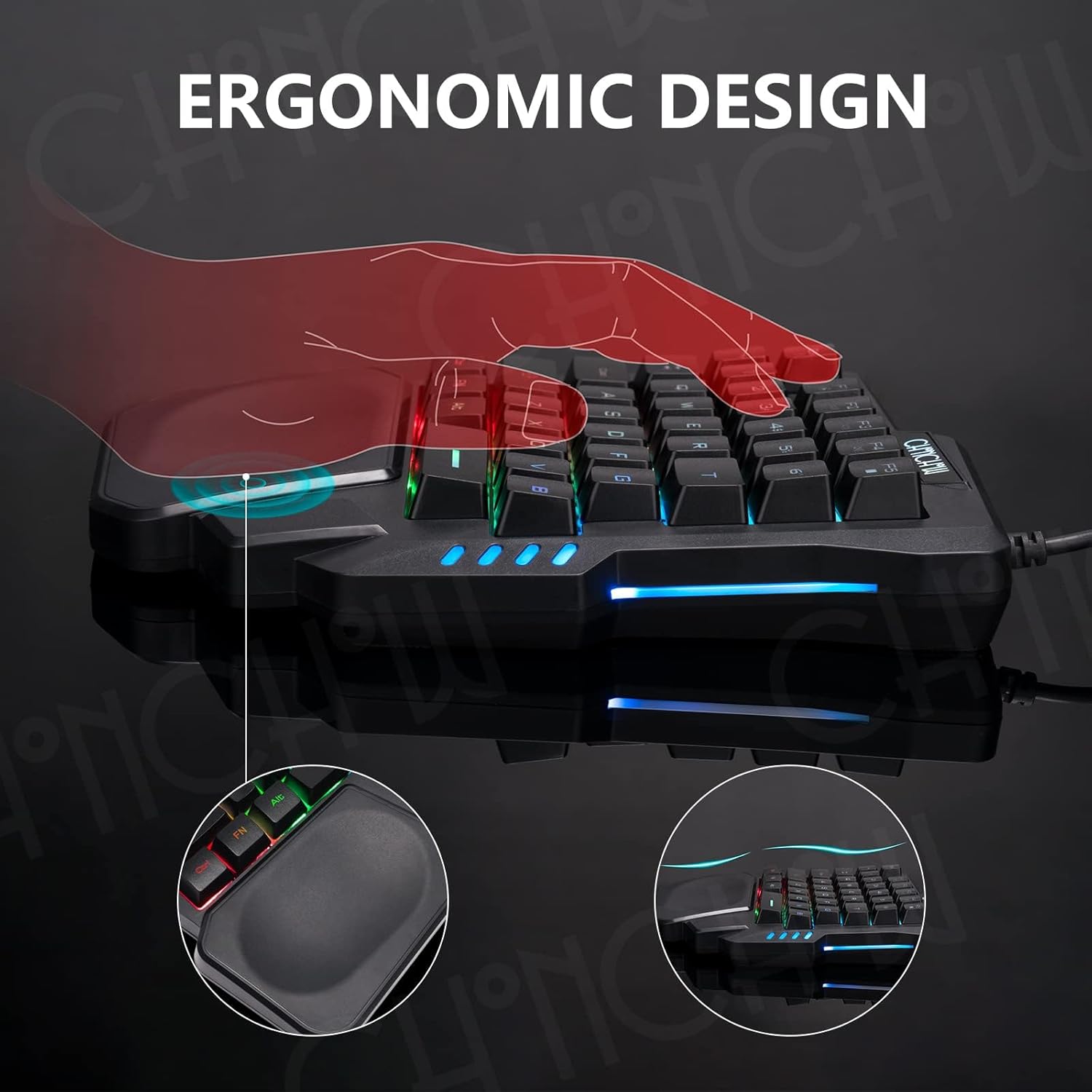
Figure 6: Ergonomic design with wrist rest for comfortable use.
5.1 Crater-Switch Keys
The keyboard utilizes crater-switch keys, offering a quiet yet tactile response. This design ensures excellent response time and improved keystroke accuracy.
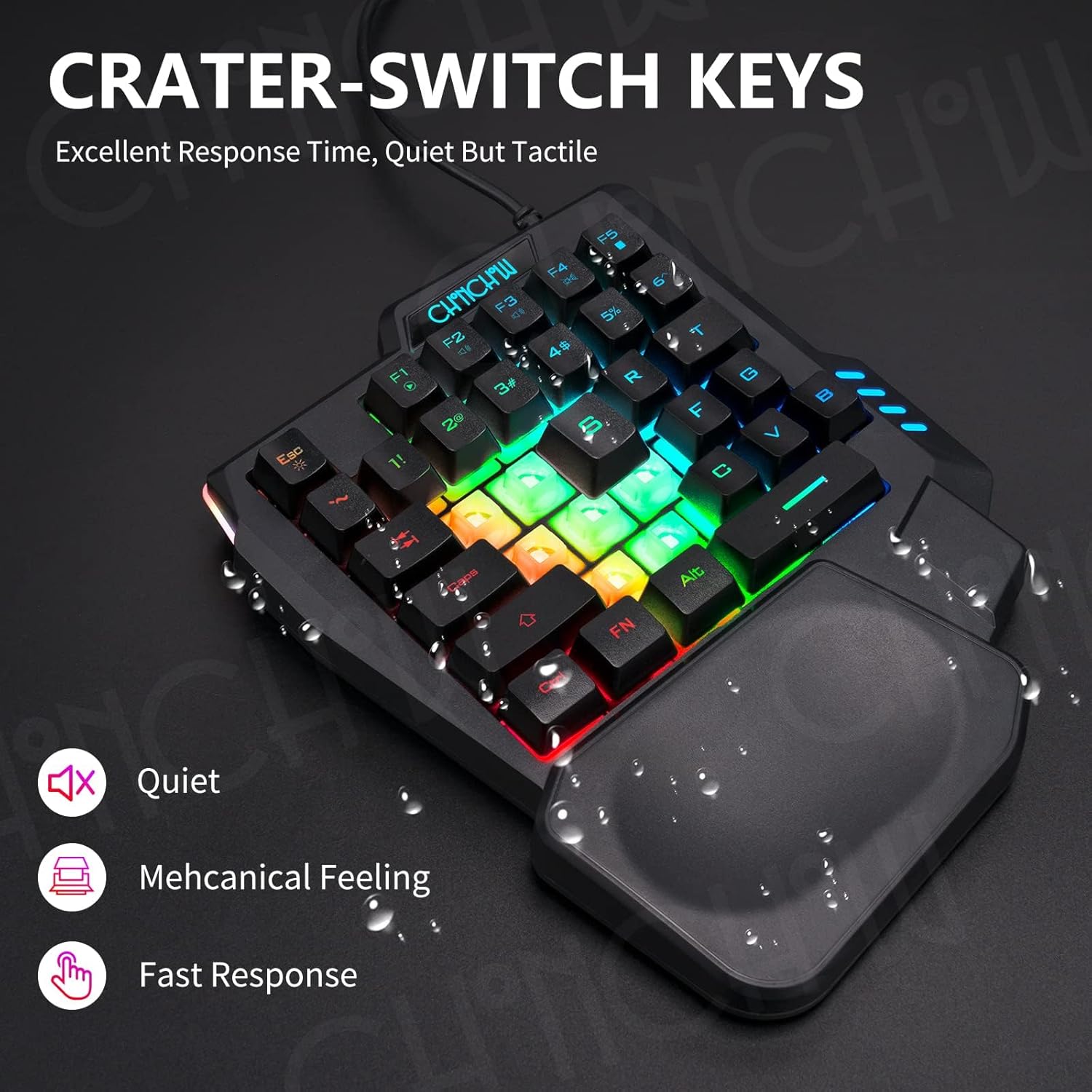
Figure 7: Crater-switch keys provide a quiet, tactile, and responsive experience.
6. Compatibility
The CHONCHOW T10A One-Handed Gaming Keyboard offers broad compatibility with various gaming platforms and operating systems:
- Computers: PC, Laptops (Windows 2000/2003/XP/Vista/Win7/Win8/Win10/Win11, Mac)
- Gaming Consoles: PS3, PS4, PS5, Xbox
It connects via a standard USB wired connection, ensuring reliable performance across compatible devices.
7. Maintenance and Care
- Cleaning: Use a soft, dry cloth to clean the keyboard surface. For stubborn dirt, a slightly damp cloth can be used, ensuring no liquid enters the key switches.
- Spill Resistance: The keyboard features a spill-resistant design. In case of accidental spills, immediately disconnect the keyboard from your device and allow it to dry completely before reconnecting.
- Storage: Store the keyboard in a cool, dry place away from direct sunlight and extreme temperatures.
- Avoid Force: Do not apply excessive force to the keys or attempt to disassemble the keyboard, as this may void the warranty.

Figure 8: Spill-resistant design for enhanced durability.
8. Troubleshooting
| Problem | Possible Cause | Solution |
|---|---|---|
| Keyboard not responding | Loose USB connection, faulty USB port, incompatible device. | Ensure the USB cable is securely plugged in. Try a different USB port. Test on another computer or console to verify functionality. |
| LED backlight not working | Backlight turned off, software issue. | Press FN + ESC to toggle the backlight. Ensure the keyboard is properly connected. |
| Multimedia keys not working | FN key not pressed, software conflict. | Ensure you are holding the FN key while pressing the F-key. Check for any conflicting software on your computer. |
| Keys feel sticky or unresponsive | Dirt or debris under keycap, liquid damage. | Clean the keyboard thoroughly. If liquid damage is suspected, disconnect and allow to dry completely. If issues persist, contact customer support. |
9. Specifications
| Model Number | T10A |
| Brand | CHONCHOW |
| Connectivity | USB Wired |
| Key Count | 35 Keys |
| Backlight | Rainbow LED (Static/Breathing modes) |
| Special Features | Ergonomic Wrist Rest, 14-Key Anti-Ghosting, Spill-Resistant Design |
| Product Dimensions | 8.3"L x 6.3"W x 1.2"H (21.1cm x 16cm x 3cm) |
| Item Weight | 1.01 pounds (0.46 kg) |
| Compatible OS | Windows 2000/2003/XP/Vista/Win7/Win8/Win10/Win11, Mac |
| Compatible Consoles | PS3, PS4, PS5, Xbox |

Figure 9: Product dimensions.
10. Warranty and Support
CHONCHOW provides the following support for this product:
- 30-Day Refund or Replacement: For quality issues, a refund or replacement is offered within 30 days of purchase.
- 12-Month Maintenance: The product is covered by a 12-month maintenance period for quality-related concerns.
- Customer Service: For any quality problems or inquiries, please contact CHONCHOW customer service.
Please retain your proof of purchase for warranty claims.
11. Official Product Videos
No official product videos from the seller are available for embedding in this manual.


