
1. Introduction
The Godox TL120 RGB Tube Light is a versatile and powerful LED video light stick designed for professional and creative lighting applications. It offers extensive control over color, brightness, and effects, making it suitable for various photography and videography scenarios. Its robust design and long-lasting battery ensure reliable performance on set.
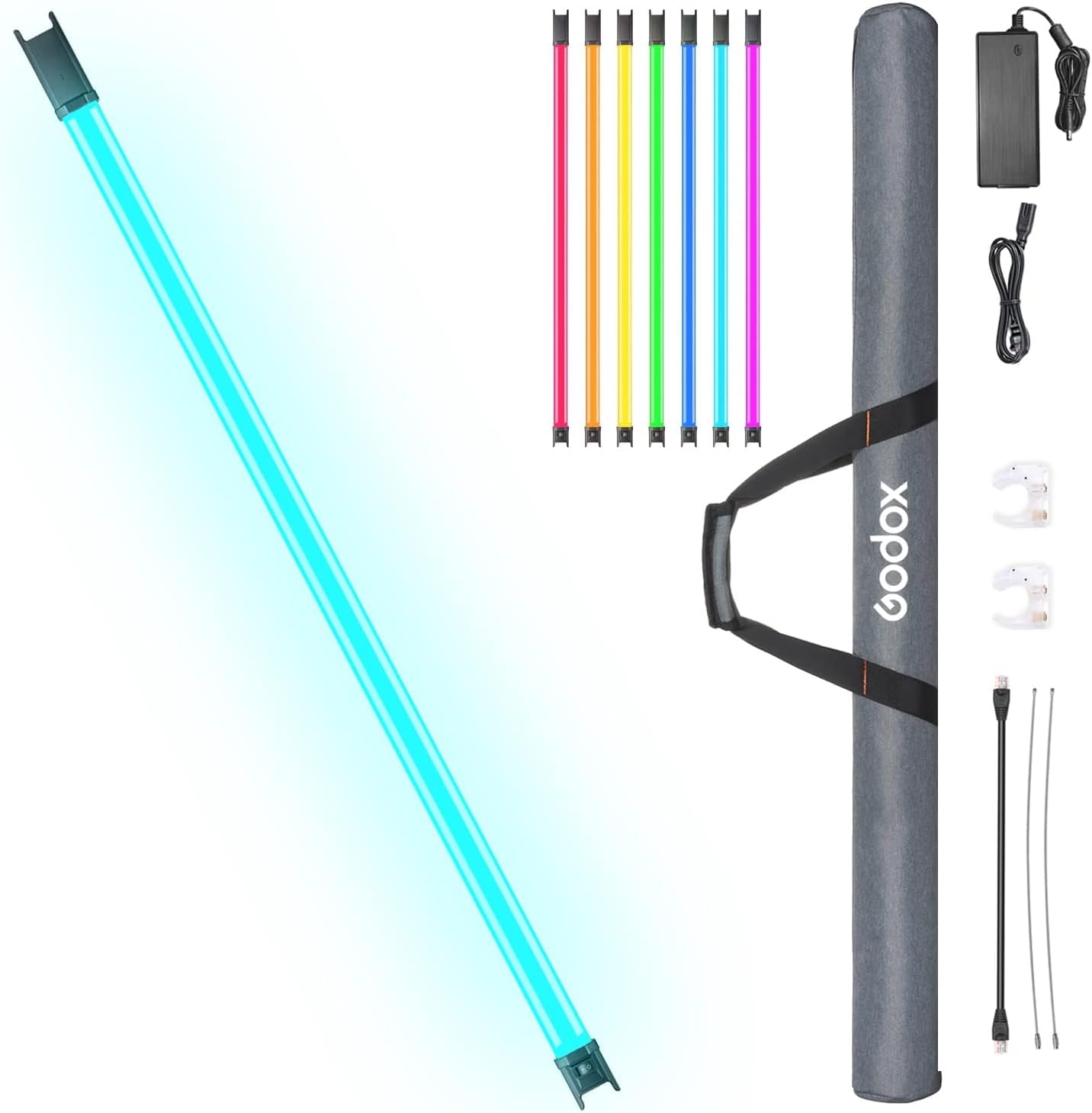
The Godox TL120 RGB Tube Light comes with essential accessories for immediate use, including the light body, power adapter, cables, clips, and a carrying bag.
2. What's in the Box
Please verify that all the following items are included in your package:
- TL120 Tube Light Body x1
- Power Adapter x1
- 5m Power Cord x1
- Clip x2
- Steel Cable x2
- RJ45 Cable x1
- CB46 Carrying Bag x1
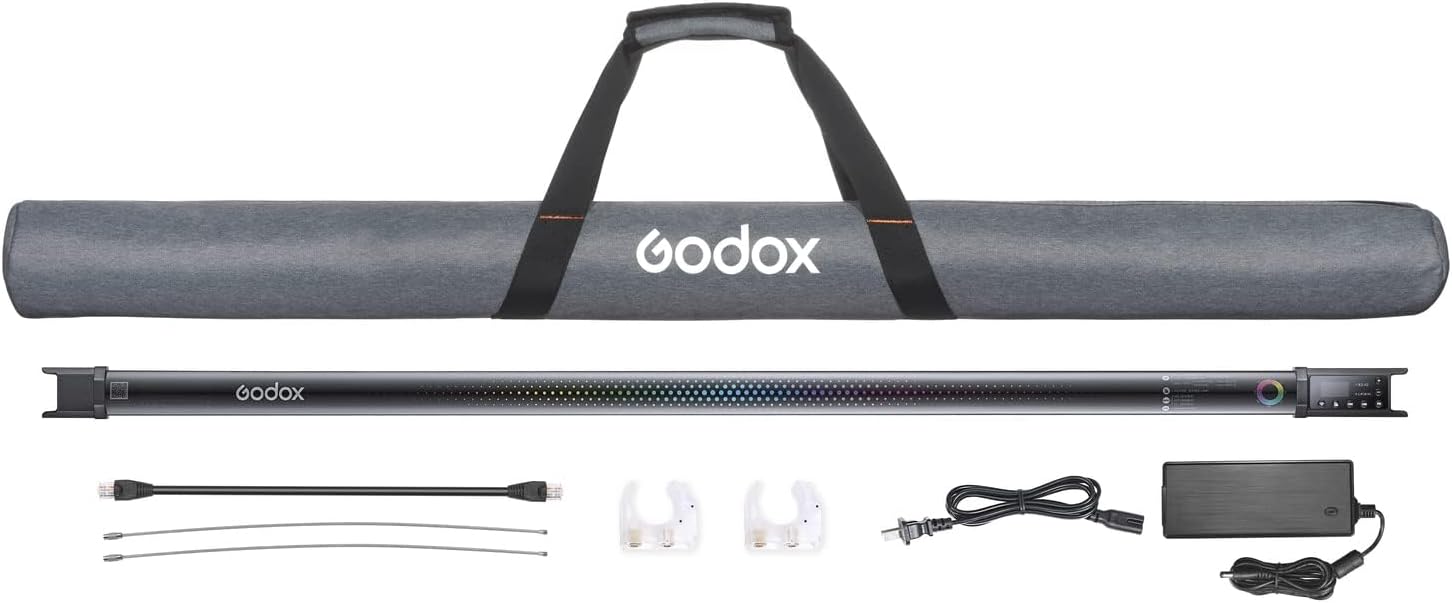
This image displays all items included in the Godox TL120 kit: the tube light, two clips, two steel cables, a power adapter, an RJ45 cable, and the CB46 carrying bag.
3. Setup
3.1 Charging the Battery
The TL120 features a built-in 14.4V/5200mAh/74.88Wh battery. Before first use, fully charge the light using the provided power adapter.
- Connect the power adapter to the charging port on the TL120.
- Plug the power adapter into a suitable power outlet.
- The charging indicator will illuminate, typically green when fully charged.

Connect the power adapter to the light for charging. The light can run for over 150 minutes on a full charge.
3.2 Mounting the Light
The TL120 offers multiple mounting options for flexibility:
- Using Clips: Attach the two included clips to the ends of the tube light. These clips can then be mounted onto light stands or other grip equipment.
- Using Steel Cables: For hanging the light, thread the steel cables through the designated holes on the light's ends. Secure the cables to overhead rigging or support structures.
- Adapter Holder (LSA-18): An optional LSA-18 adapter holder can be used to securely attach the power adapter to a light stand, keeping cables tidy.

The TL120 can be easily mounted onto light stands using the provided clips.

For overhead lighting, the light can be hung securely using the included steel cables.
4. Operating the Godox TL120
4.1 Power On/Off
Locate the power switch on the light body and slide it to the 'ON' position to power on the device. Slide to 'OFF' to power off.
4.2 Control Panel Overview
The TL120 features an intuitive control panel with a display screen and buttons for direct adjustments.
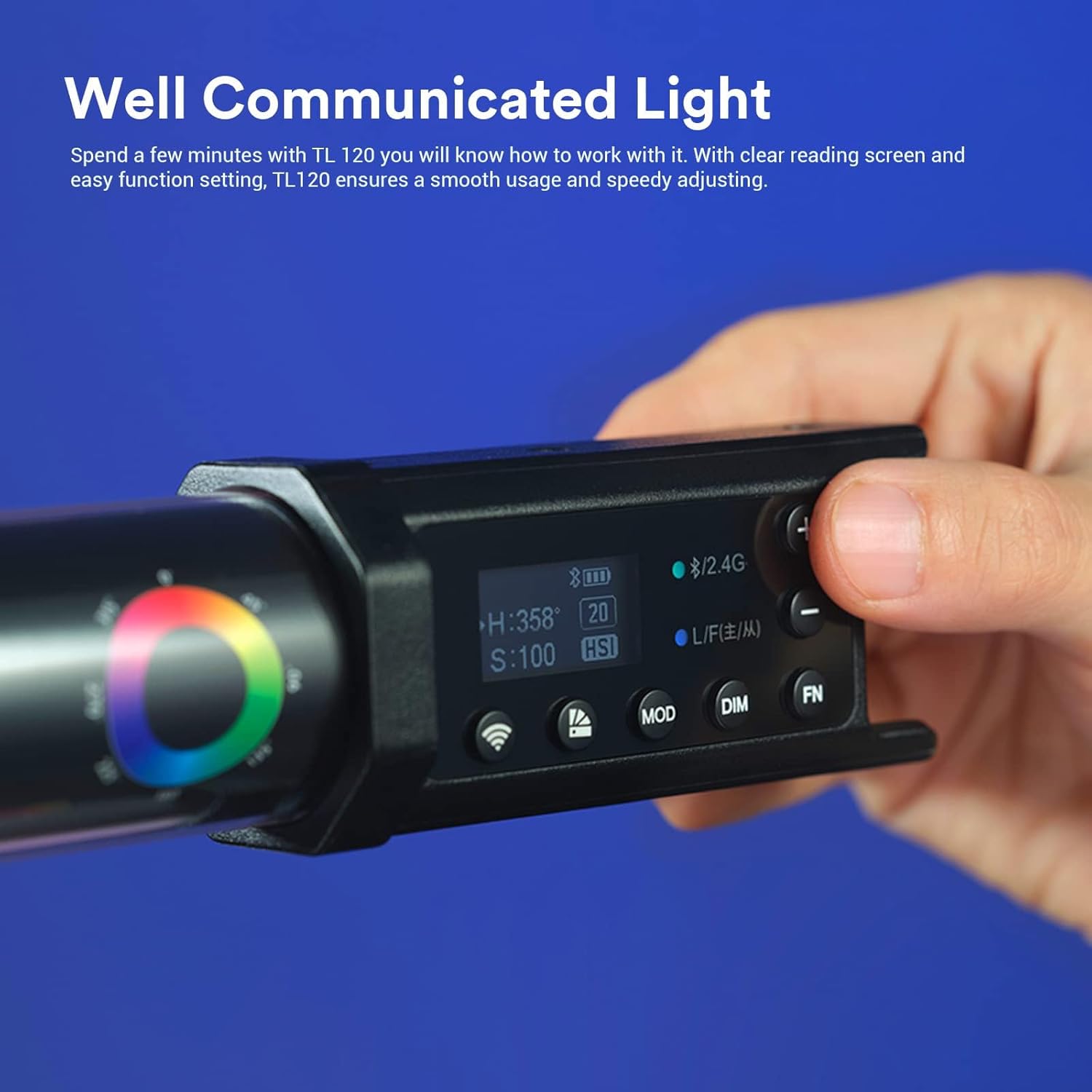
The intuitive control panel allows for quick adjustments of settings such as hue, saturation, and intensity.
4.3 Lighting Modes
The TL120 supports multiple lighting modes:
- CCT Mode: Adjust color temperature from 2700K (warm) to 6500K (cool) and brightness from 0% to 100%.
- RGB Mode: Directly select colors using Red, Green, and Blue values.
- HSI Mode: Adjust Hue, Saturation, and Intensity for precise color control.
- FX Mode (Special Effects): Choose from 39 built-in lighting effects such as Flash, Lightning, Candle, Fire, Police Car, etc. Speed of effects can be adjusted.
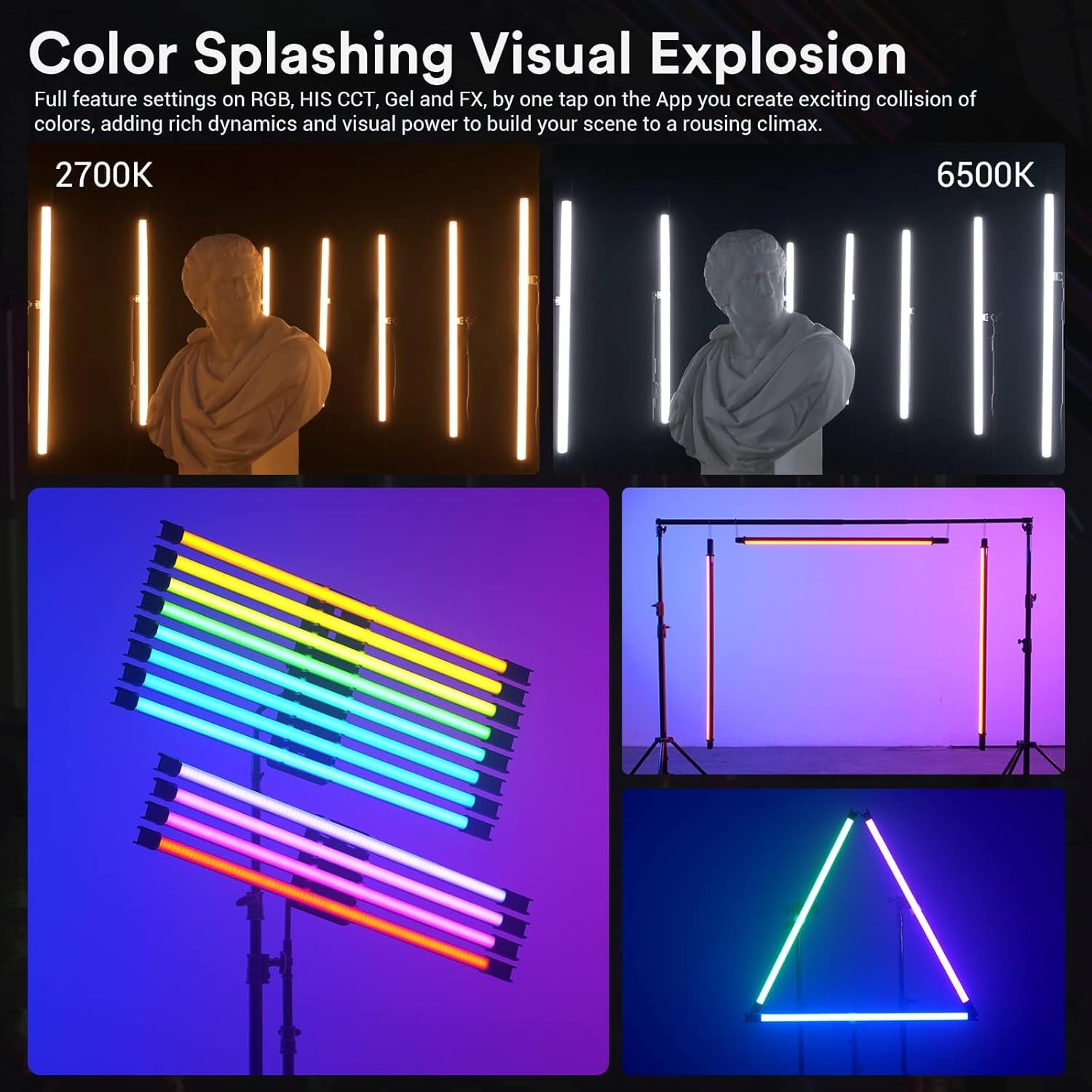
The TL120 offers extensive color control, including adjustable color temperature from 2700K to 6500K, full RGB and HSI modes, and various built-in lighting effects.
4.4 Control Methods
The TL120 can be controlled in several ways:
- On-board Control: Use the buttons and display on the light itself for direct adjustments.
- Godox Light App: Download the 'Godox Light' app (available for Android and Apple) to control the light via Bluetooth. The app offers advanced features like Color Gel Mode and Color Picker.
- RC-R9 Remote (Optional): Use the dedicated RC-R9 remote control for wireless adjustments.
- DMX Control: For professional setups, the TL120 supports DMX control, allowing integration into larger lighting systems. It also features a LEAD/FOLLOW mode for syncing multiple lights.
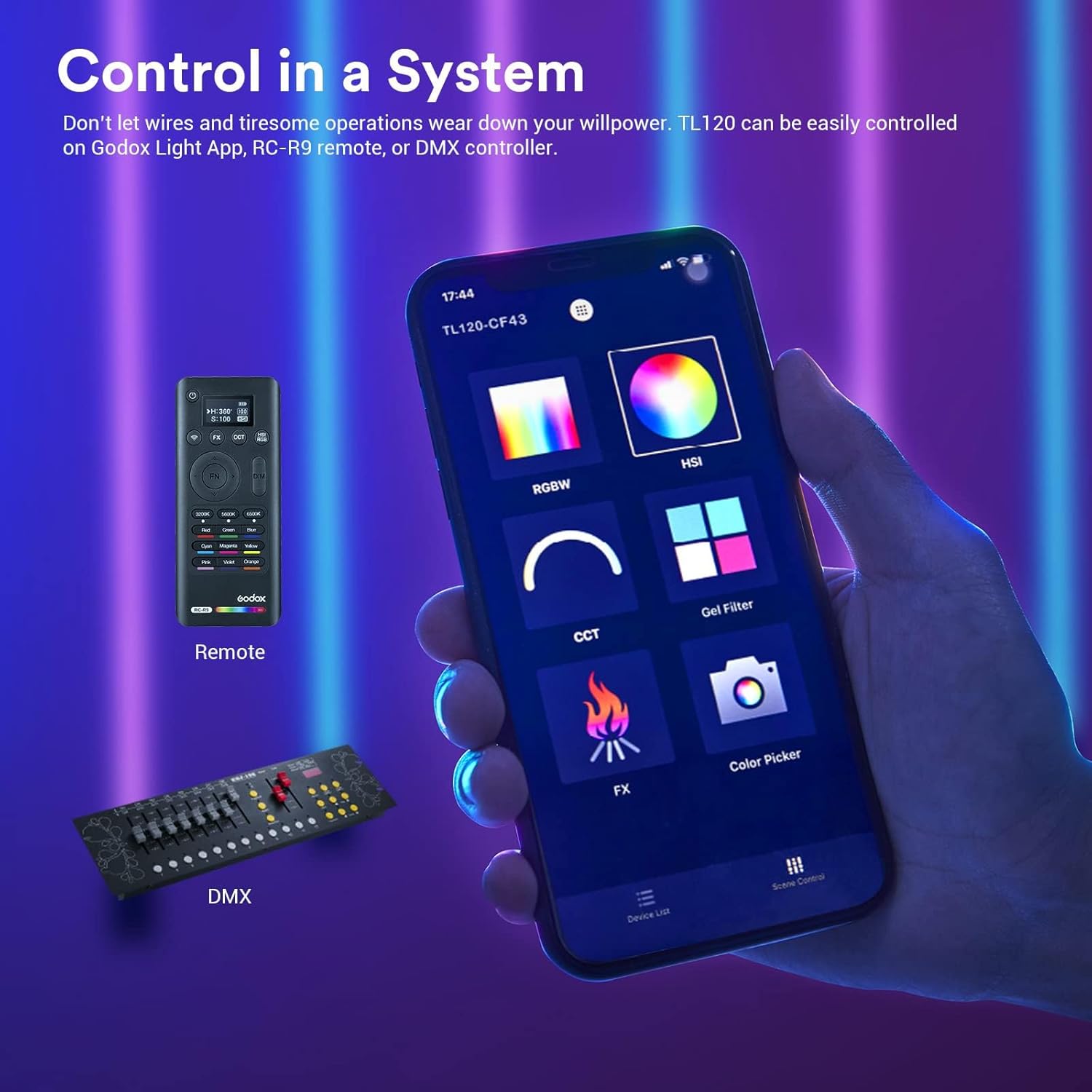
The TL120 can be controlled via the Godox Light App on a smartphone, an optional RC-R9 remote, or a DMX controller for professional setups.
5. Maintenance
- Cleaning: Use a soft, dry cloth to clean the light body. Do not use abrasive cleaners or solvents.
- Storage: When not in use for extended periods, store the light in its carrying bag in a cool, dry place. Ensure the battery is partially charged (around 50%) before long-term storage to preserve battery life.
- Battery Care: Avoid fully discharging the battery frequently. Recharge the battery regularly, even if the light is not in active use, to maintain optimal performance.
6. Troubleshooting
| Problem | Possible Cause | Solution |
|---|---|---|
| Light does not turn on. | Battery is depleted. | Connect the light to the power adapter and charge it. |
| Light does not respond to app/remote control. | Bluetooth/Wireless connection issue. | Ensure Bluetooth is enabled on the light and your device. Re-pair the device if necessary. Check remote battery. |
| Inconsistent light output. | Low battery or overheating. | Charge the battery. Allow the light to cool down if it has been operating at high intensity for an extended period. |
7. Specifications
| Feature | Detail |
|---|---|
| Model | TL120 |
| Color Temperature Range | 2700K-6500K |
| Brightness Adjustment | 0%-100% |
| CRI (Color Rendering Index) | 96+ |
| TLCI (Television Lighting Consistency Index) | 98+ |
| Battery Capacity | 14.4V/5200mAh/74.88Wh |
| Battery Runtime (Full Power) | ~150 minutes |
| Control Methods | On-board, Godox Light App (Bluetooth), RC-R9 Remote (Optional), DMX |
| Dimensions (Package) | 49.2 x 4 x 4 inches |
| Item Weight | 6.14 pounds |
8. Warranty & Support
For warranty information and technical support, please refer to the official Godox website or contact your local distributor. Keep your purchase receipt as proof of purchase for warranty claims.
Godox Official Website: www.godox.com